AI Assistant Overview ProThis feature requires the Pro plan
The AI Assistant is your built-in helper inside EquipDash. Ask questions about your business in plain English and get instant answers - no need to navigate through menus or run reports manually.
Dash knows what page you're on. Open it on a product, booking, or customer and it greets you with that record by name and offers actions for it - like adding stock to the product you're viewing - so you can just say "this product" instead of describing it.
What Can the AI Assistant Do?
The AI Assistant can look up, create, and manage data across your entire EquipDash account. Think of it as a team member who knows every corner of your system and can pull up information in seconds.
Bookings
- Look up bookings by customer name, date, status, or reference number
- Create new rental or experience bookings
- Check for overdue pickups and late returns
- Add notes to bookings
- Apply promo codes and custom charges
- Send booking confirmation and reminder emails
- Cancel bookings
Rentals & Inventory
- Check product availability for specific dates
- View inventory levels and find low-stock items
- See which items are currently in the workshop
- Look up barcode information
- Create and update products
- Add variations to a product (e.g. sizes or colors)
- Add and update stock, including individual items with their own identifiers
Experiences
- View upcoming experience schedules
- Check experience availability and participant counts
- List all experiences happening today or on a specific date
Customers
- Search for customers by name or email
- View a customer's booking history
- Create new customer profiles
- Add notes to customer records
- Check waiver completion status
Staff
- View today's staff roster
- Check staff schedules for any date
- Create and manage staff shifts
Reports & Insights
- Get revenue summaries for any time period
- See your top-performing products and experiences
- Compare week-over-week or month-over-month performance
- View booking statistics and trends
- Check inventory utilization reports
Payments
- View payment transactions for a booking
- Send payment links to customers
- Record offline payments
- Process refunds
- Release security deposits
Promotions & Vouchers
- Look up promo codes and vouchers
- Validate codes before applying them
- Create new promo codes and vouchers
Other
- View and create support tickets
- Check campaign performance
- Look up survey results and NPS trends
- Manage tags on bookings
Proactive AI Surfaces
In addition to the chat-style assistant, EquipDash includes proactive AI features that surface useful information without you having to ask:
- Morning Briefing - A daily AI-generated summary at the top of your dashboard with today's pickups, returns, weather, late items, and what needs attention.
How Does It Work?
The AI Assistant uses natural language processing to understand what you are asking. You type a question or request in everyday language, and the assistant figures out what data to look up or what action to take.
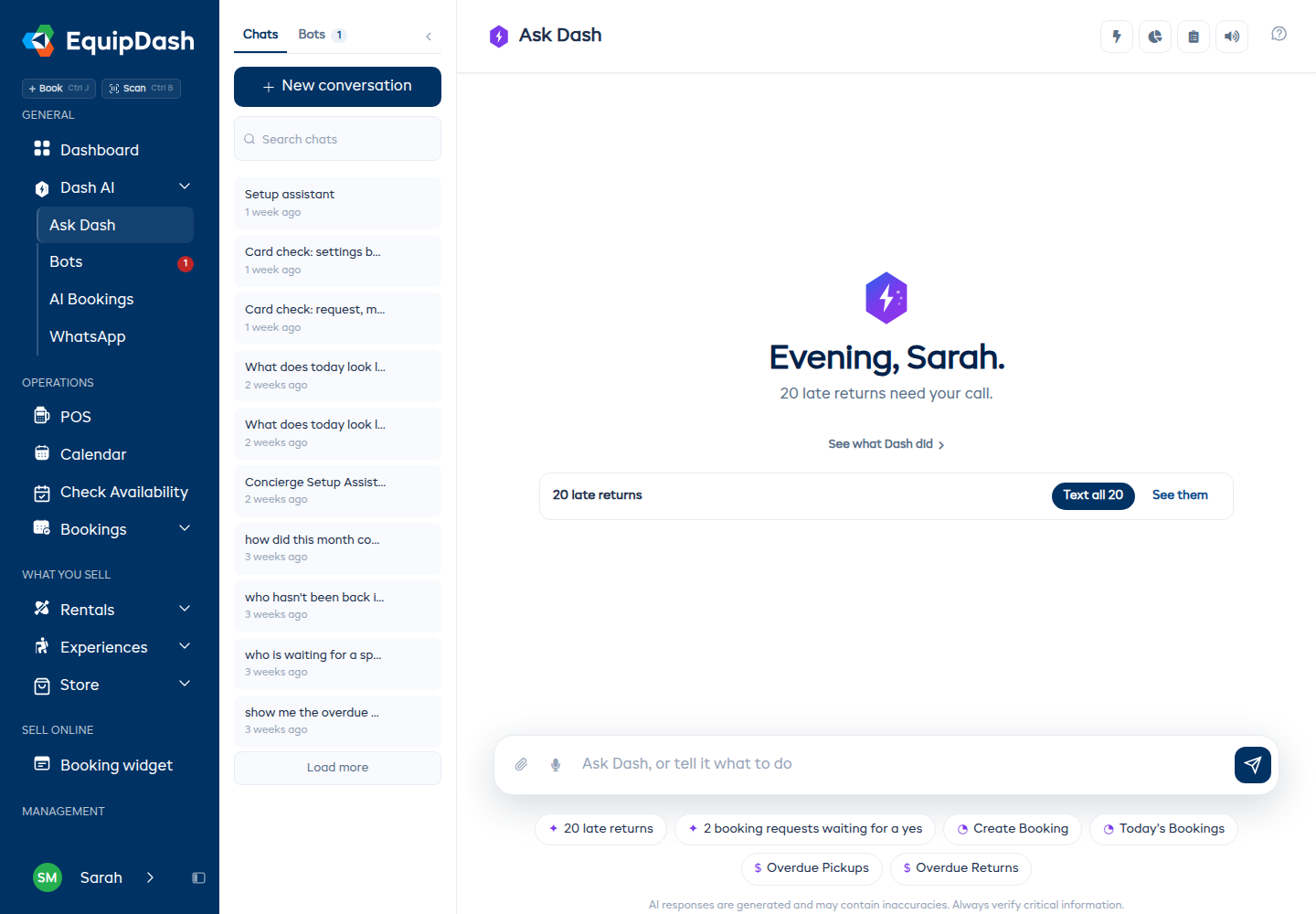
For example, you might type:
- "How many bookings do we have this week?"
- "Is the mountain bike available on Saturday?"
- "Show me overdue returns"
- "Create a booking for John Smith, 2 kayaks, next Monday to Wednesday"
The assistant reads your message, works out what you need, looks up the data from your account, and responds with the answer. It is that simple.
Where Can I Access It?
You can open the AI Assistant in two ways:
- Full Page - Click AI Assistant in the sidebar navigation to open the full-page view with quick actions, recent conversations, usage tracking, and a spacious chat area.
- Sidebar Panel - Click the Dash floating button in the bottom-right corner of any page to open a compact chat panel without leaving your current page.
Permissions
The AI Assistant respects your team's roles and permissions. If a staff member does not have permission to view revenue data, the assistant will not show them revenue information either. The assistant can only access data that the logged-in user is authorized to see.
An admin can enable or disable the AI Assistant for the whole team from Settings > AI Assistant.
Credits
The AI Assistant runs on a credit system. Your plan includes a monthly credit allowance, and each conversation uses a small number of credits. You can track your usage and purchase additional credit packs if needed.
Related Guides
- Getting Started with AI
- Approving changes Dash makes - what Dash asks about before it changes anything
- AI Credit System
- Example Commands
- AI Tips & Best Practices
- Dash Bots Overview - Bots that do one job for you, the same way every time