Plan - What Is Still to Sell ProThis feature requires the Pro plan
The Plan tab is your marketing calendar. It shows which days still have spots to sell.
Results line
The three tiles at the top show the last 30 days:
- Booked from marketing - money from bookings that came from your marketing.
- Bookings from marketing - how many bookings that was.
- Ad cost per booking - what your ads spent for each booking they brought in.
Click a tile to see the bookings or ads behind it.
The week view
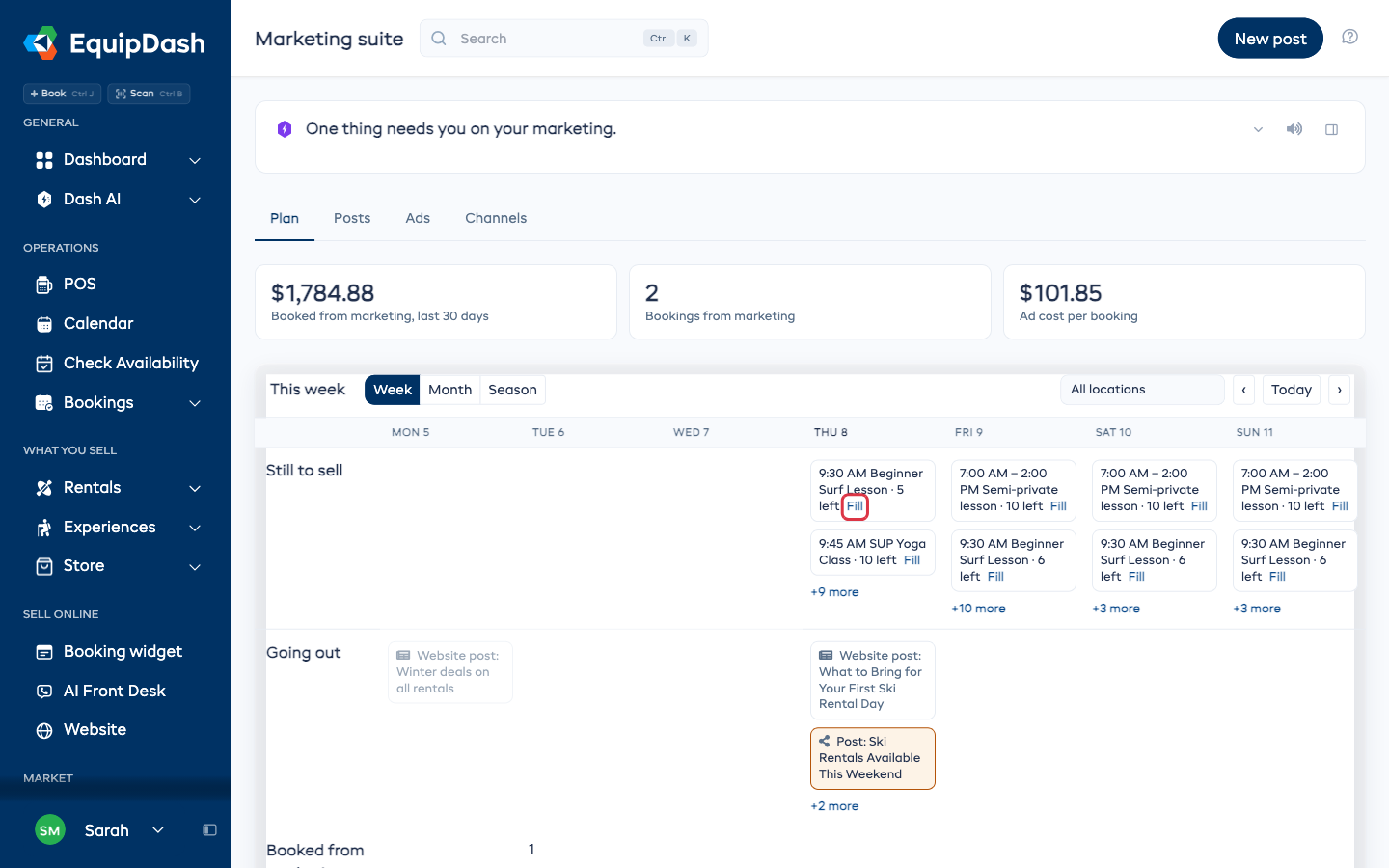
Each day has up to three rows:
| Row | What it shows |
|---|---|
| Still to sell | Sessions and rental items less than half booked, with how many spots are left |
| Going out | Campaigns, posts and promo codes going out that day |
| Booked from marketing | How many bookings came from marketing that day |
A row with nothing in it all week is left out. Each day shows two items, then +N more to see the rest.
Fill a gap
- Find the session or item under Still to sell.
- Click Fill next to it.
- Dash opens and suggests a post, a message to past customers, or an offer bar for that day.
- Pick what you want Dash to do, and check it before it goes out.
Month and Season
Use Week, Month or Season at the top of the card to change the view.
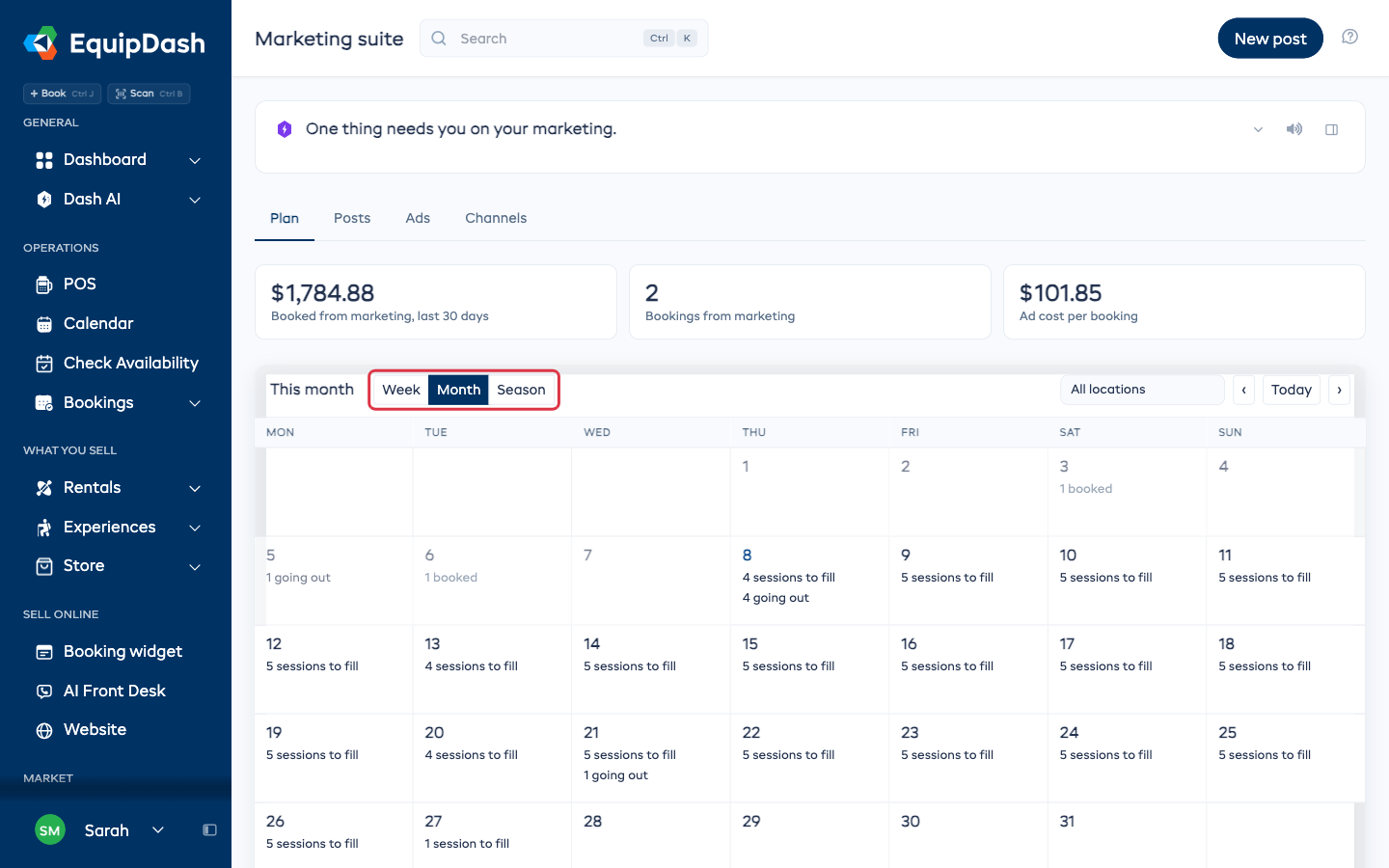
- Month shows each day with how many sessions are left to fill, what is going out, and what was booked. Month counts sessions only.
- Season shows the whole year, when you are open, and what you have planned.
Use ‹, Today and › to move between weeks or months. If you have more than one location, pick one from the All locations list.