Coast Guard Manifests for Charters
If you run boat charters - fishing, sailing, dive or sunset trips - you need a passenger list the Coast Guard recognizes: names, ages and an emergency contact for everyone aboard. EquipDash builds it for you. Add the boat to the experience, and from then on every departure has a Download Coast Guard manifest button and every passenger is asked for an emergency contact when they book.
A regular experience - a walking tour, a class, a workshop - never sees any of this. It only switches on for experiences that use a boat.
Turning it on
The manifest turns on by itself when an experience uses a boat.
- Make sure the boat is a rental with its Product type set to ⛵ Boats (see Boat Inspection & Insurance Tracking).
- Open the experience, go to the Details tab, and add the boat under Gear this uses.
Two things are now switched on for this experience:
- Each passenger is asked for an emergency contact (name + phone) when they book.
- Every departure gets a Download Coast Guard manifest button.
To turn it off, open the experience's Compliance tab and switch off Coast Guard passenger manifest. You can switch it on there too, for an experience that doesn't use a boat.
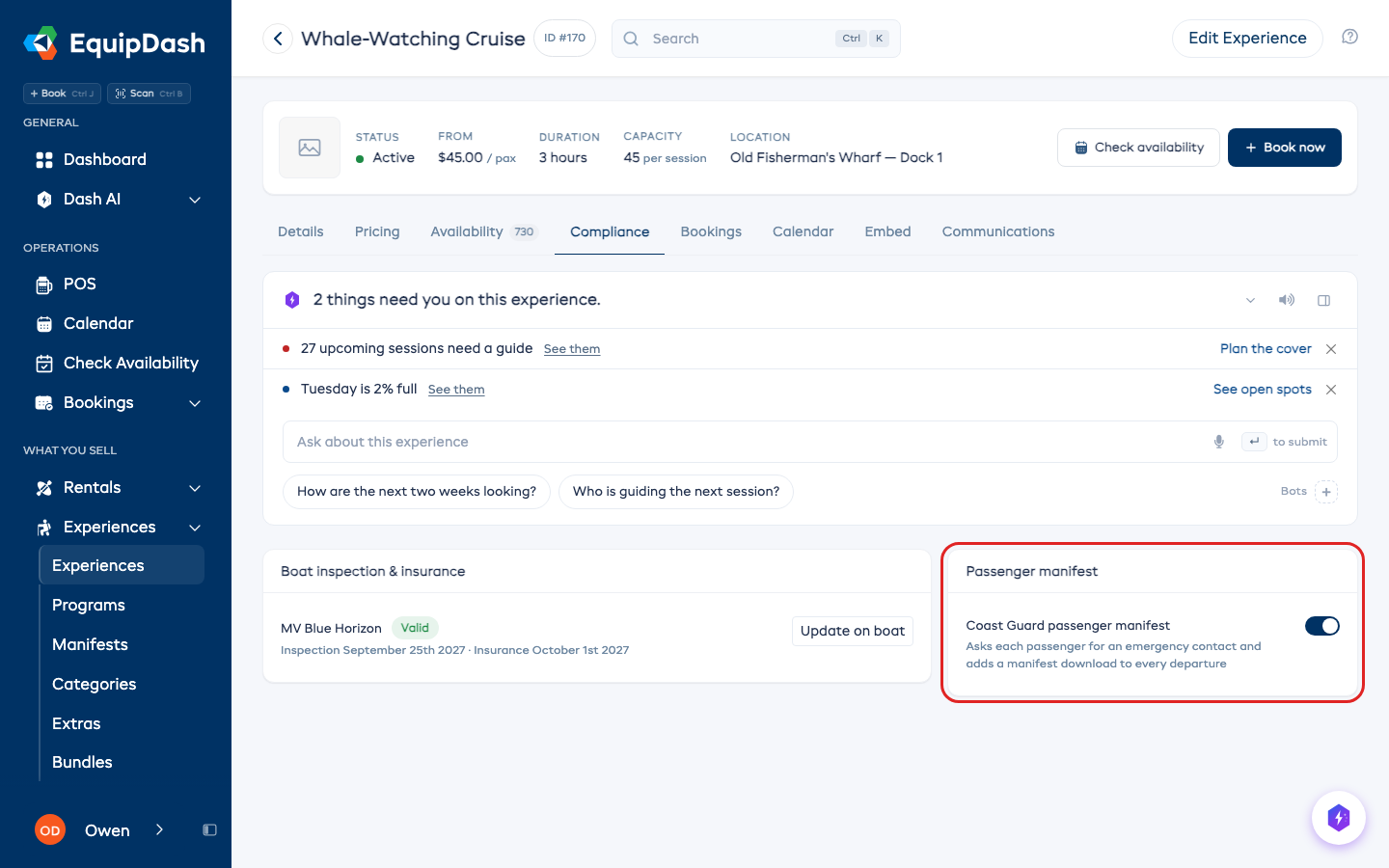
What your passengers see
When someone books a boat charter on your widget, each passenger card asks for an emergency contact name and phone alongside their other details. On a standard experience those fields don't appear, so you never add friction where it isn't needed.
Downloading the manifest
- Open the charter experience and go to a departure (a specific date and time).
- In the participant list toolbar, click ⚓ Coast Guard manifest.
- A PDF downloads, ready to print or hand over.
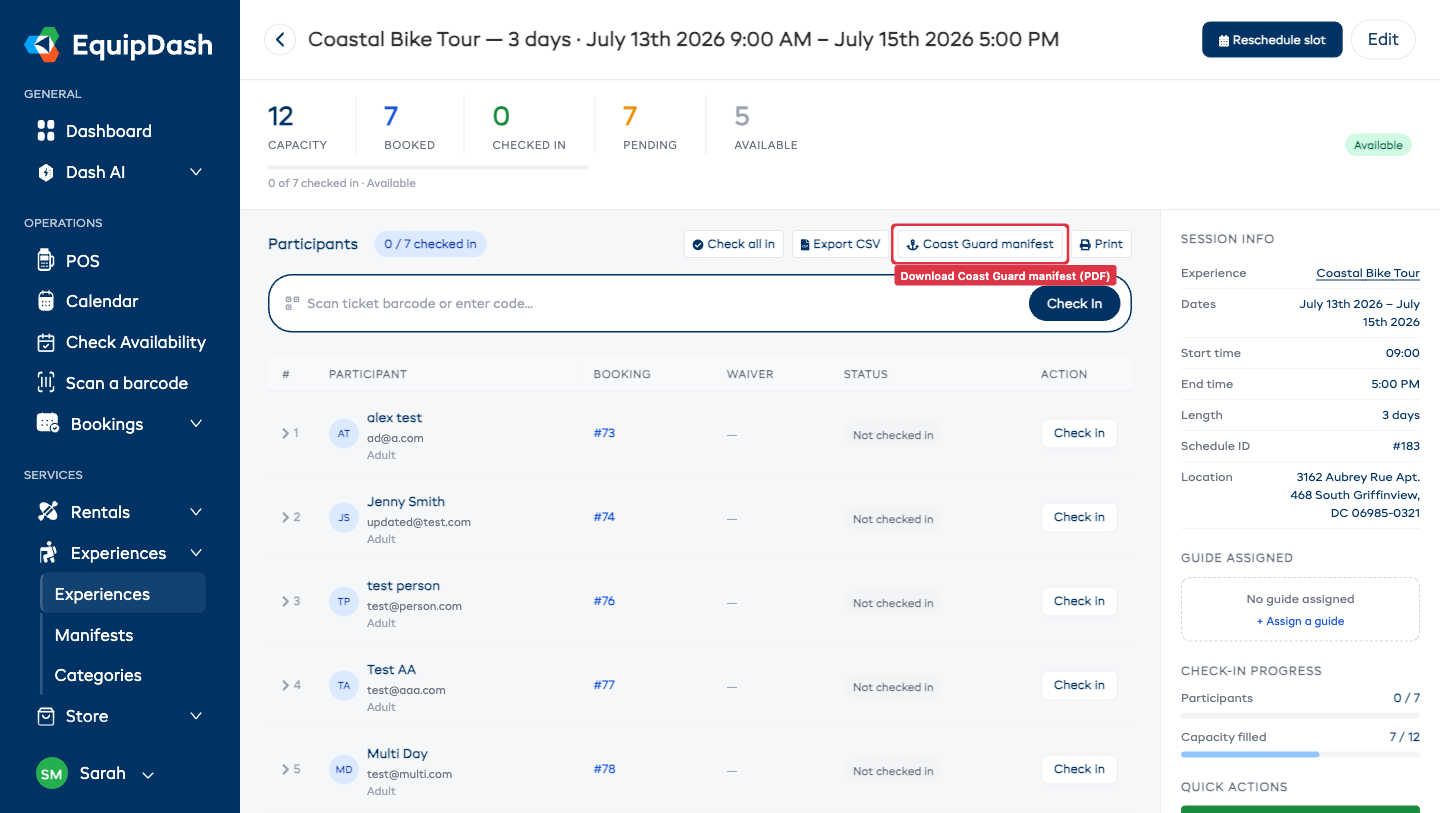
The manifest includes, for the departure:
- Vessel / charter, departure time and assigned captain in the header.
- Each passenger's name, age, emergency contact, special needs, waiver status and whether they've boarded.
Ages are worked out automatically from each passenger's date of birth. If a passenger hasn't given a date of birth or an emergency contact, that cell simply shows a dash - fill it in and re-download any time.
Letting Dash AI build it for you
Prefer it on autopilot? Turn on the Passenger Manifest Builder bot (in Dash AI → Bots → Templates, filter to Boat Charters). The evening before, it builds a Coast Guard-ready manifest for every charter departing tomorrow and flags anyone still missing an emergency contact or an unsigned waiver - so the crew can chase them before boarding.