Counter Prices
Some shops charge walk-ins a little more than people who book ahead online. Others give the counter a better price to fill a session on the day. Counter prices let you do either without changing the prices you set on each item.
The counter is anything your staff use to take a booking: POS, Quick Book and the staff phone app. Your booking page, your website and the marketplaces you sell on always charge your online price.
Counter prices are off until you turn them on.
Turn on counter prices
- Go to Settings > Payments.
- Open Counter prices at the bottom of the page.
- Under At the counter, charge, pick More than online or Less than online.
- Type the percent, for example 10.
- Choose how to round: To the nearest whole amount (a $38.50 price becomes $39.00) or No rounding.
- Click Update.
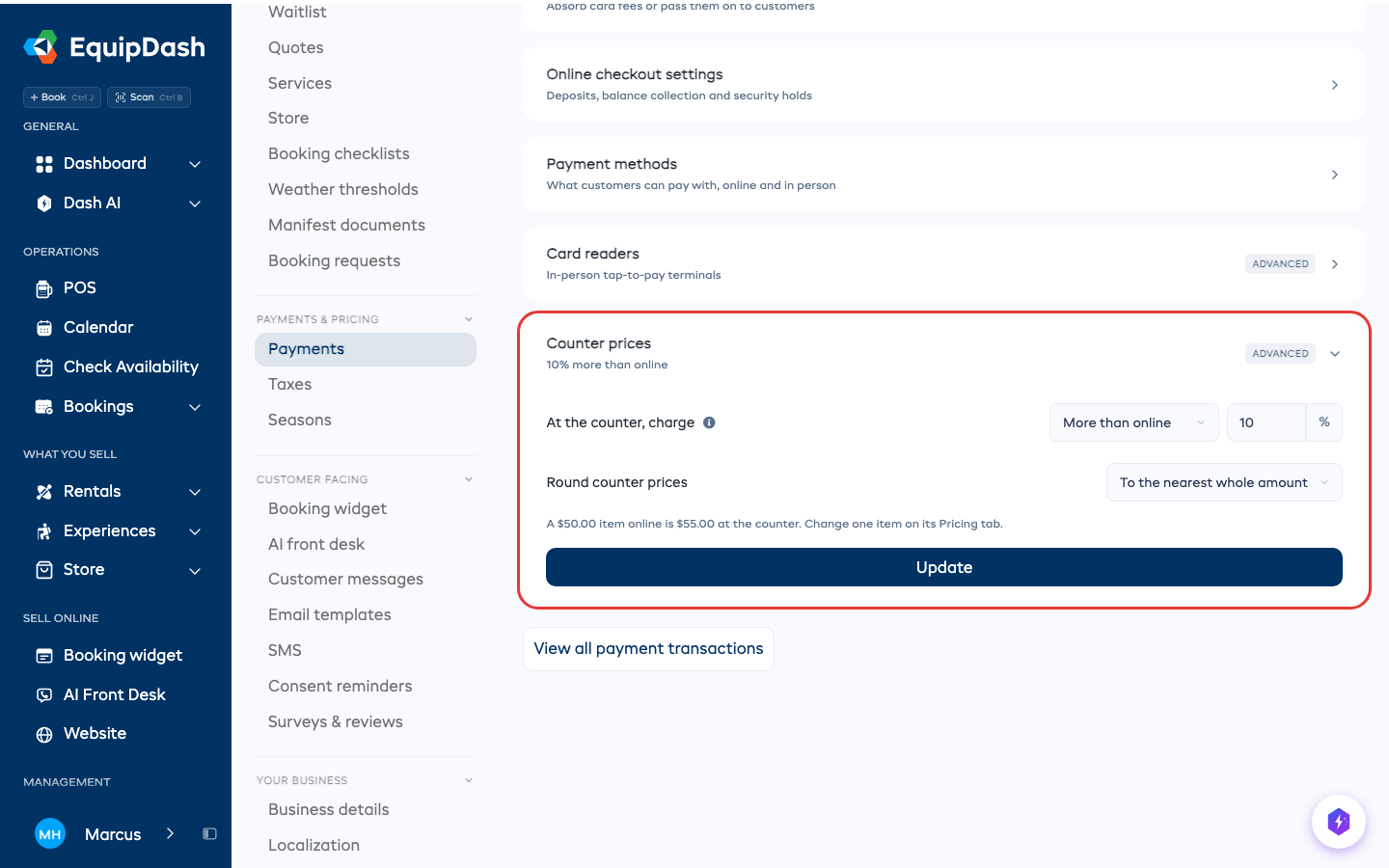
Every rental and experience now costs that much more (or less) at the counter. Prices on your booking page do not change.
One item that differs
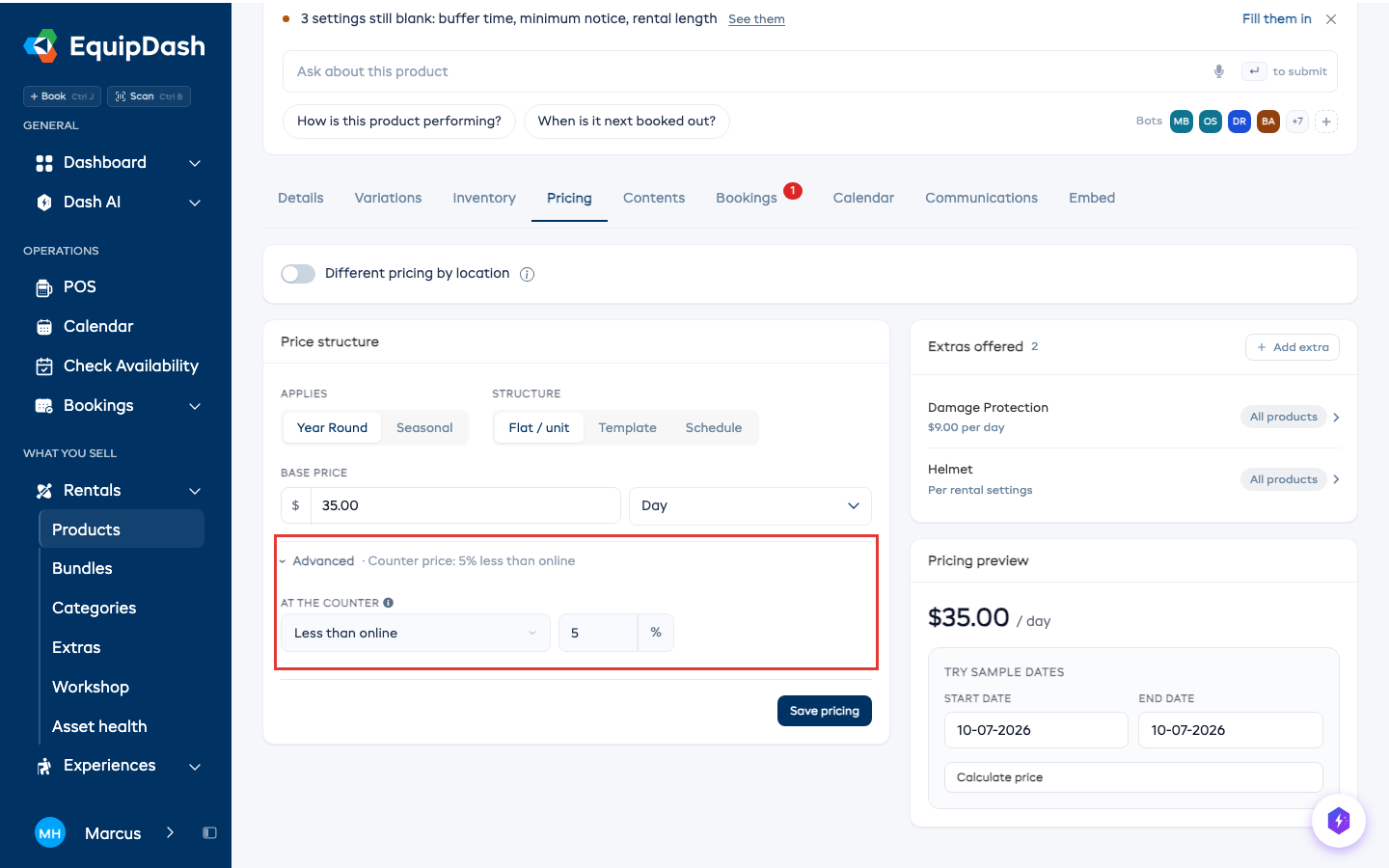
- Open the item: Rentals > Products or Experiences, then the item.
- Go to the Pricing tab.
- Open Advanced under the price structure. It shows what the item charges at the counter right now.
- Under At the counter, pick:
- Use shop setting to follow Settings > Payments
- Same as online to always charge the online price
- More than online or Less than online, then type this item's own percent
- Click Save pricing.
Taking a booking at the counter
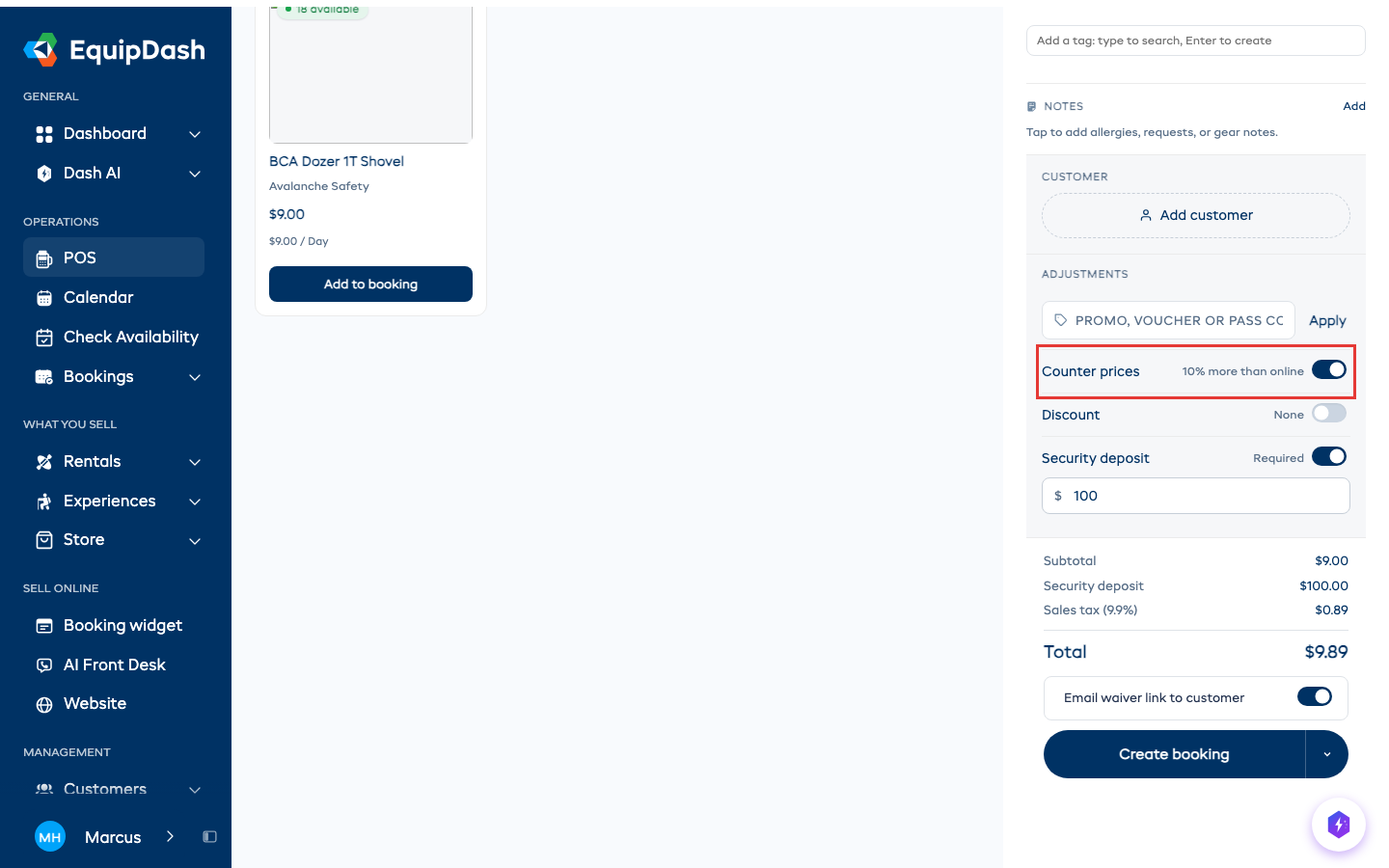
When counter prices are on, POS shows counter prices on every item and in the cart. A Counter prices switch sits in the cart's Adjustments, next to Discount.
If a customer shows you the price on your booking page, switch Counter prices off and the cart goes back to your online prices.
On the staff phone app, the same switch is under Advanced Options on the review step of a new booking.
Quick Book on a rental or experience page charges counter prices too, and shows a Counter prices line above the total. To charge the online price instead, click Open in POS for more options and switch it off there.
Good to know
- A booking keeps its price. A booking taken at counter prices stays at counter prices when you change its dates or add items later, even if you change the setting.
- Fees and rules stay the same. A below-minimum fee or a multi-group discount is charged as you set it.
- Bundles, extras and store items keep their own price at the counter.