Run a Session Only When Enough People Book
Some sessions only make sense with enough people: a group tour that needs four to cover the guide, a class that needs six, a game that needs a full team. Set the number once and EquipDash tells you which sessions are not confirmed yet. If one is still short the day before, you decide whether it goes ahead.
This counts everyone booked on the session in total, across every booking. It is different from Minimum number per booking, which is the smallest group one customer can book.
Set the number
- Open the experience and go to the Details tab.
- In Experience settings, type the number next to Runs with at least, for example 4.
- Click outside the box. It saves on its own.
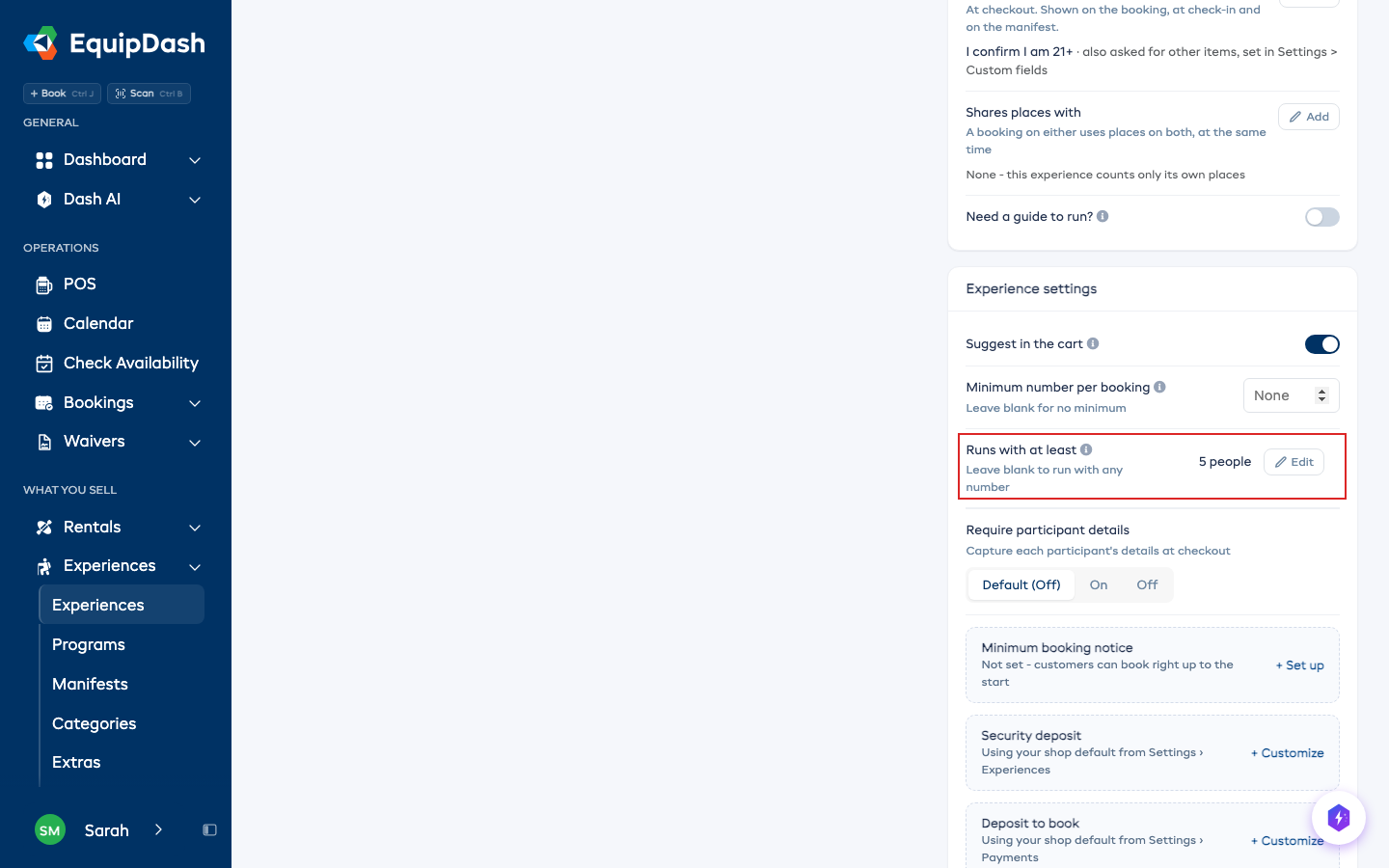
Leave it blank and every session runs with any number of people. It is only offered on shared experiences: a private session belongs to one booking, so it always runs.
What everyone sees
- On Today, the calendar and the manifests, a session that is short says how many more it needs, for example Needs 2 more to run. The line goes away once it has enough.
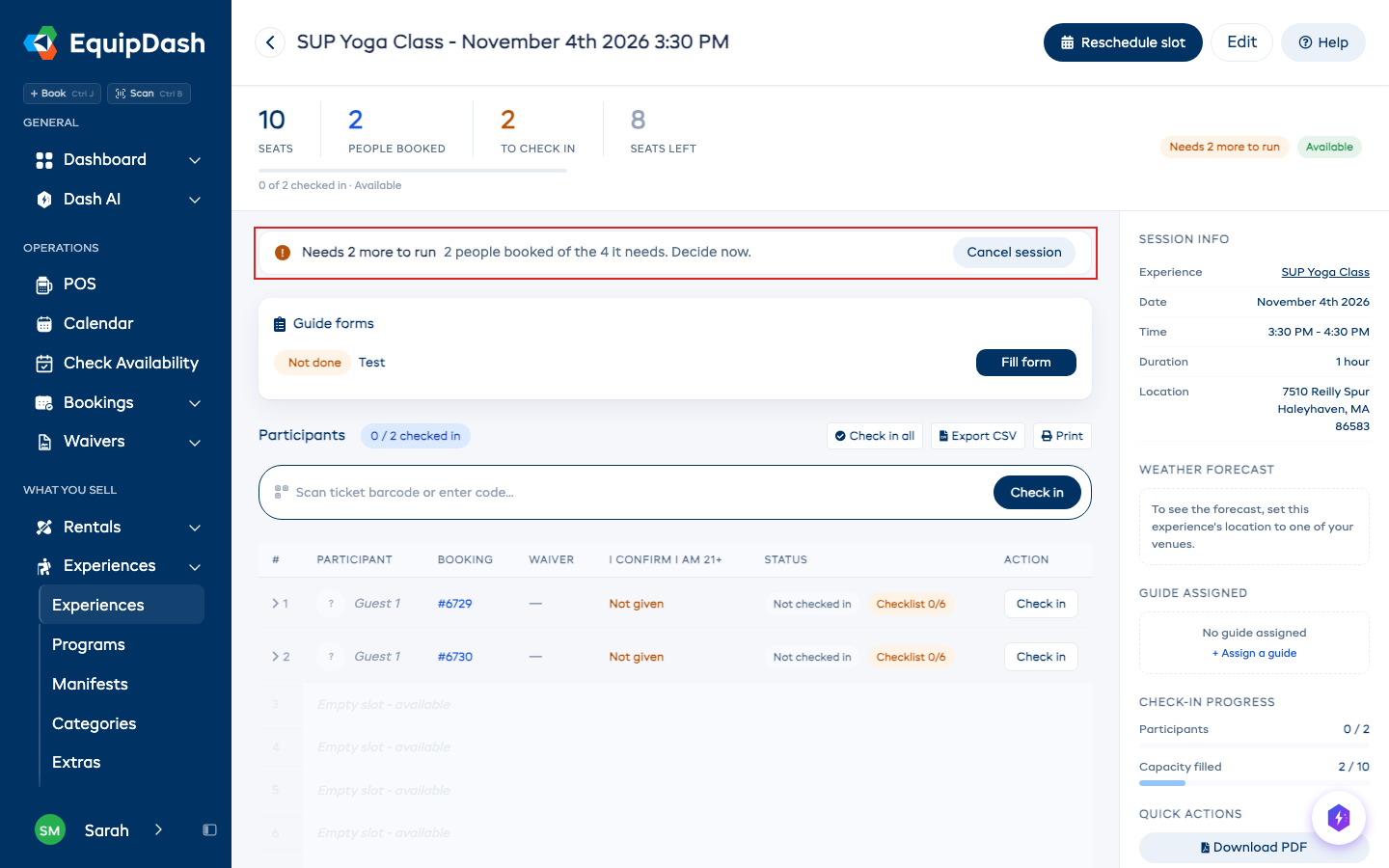
- On the session's page, a pill says Needs 2 more to run or Confirmed to run.
- On your booking page, customers see how many more people the session needs, so they know it is not confirmed yet.
- In the POS, the app, Dash and the API, the same count is shown.
The day before
24 hours before the session starts, if it is still short and someone has booked it, everyone on your team who has the Session short of people email switched on gets one email. If your experience stops taking online bookings earlier than that (its minimum booking notice), the email comes when online booking closes instead.
Nothing is cancelled on its own. You can wait for more bookings, run it anyway, or cancel it.
You can switch the email off for yourself in Settings > Notifications.
Cancel a session that stays short
- Open the session from Today, the calendar or the manifests.
- Next to Needs 2 more to run, click Cancel session.
- Click Cancel session again to confirm.
Every booking on the session is cancelled and refunded in full to how it was paid, whatever your cancellation policy says. Each customer gets the cancellation email, which says not enough people booked for the session to run. The session closes to new bookings, so nobody books it again. To open it again, give it places on its Edit window.
A booking that also has other things on it, such as another session or rental gear, is left as it is and named in the message, so you can open it and change it yourself. The session then stays open until you do. If a refund does not go through, the message names that booking too: open it and use Process refund.
You can also cancel a short session from the app, from Dash ("cancel the 3pm session") or through the API.
Related
- Creating an Experience - the other settings on an experience.
- Reschedule a Whole Departure - move everyone to another time instead.