Build your site ProThis feature requires the Pro plan
There are two ways to start, and you can switch between them later - changing template keeps your words and photos wherever the two sites have the same kind of section.
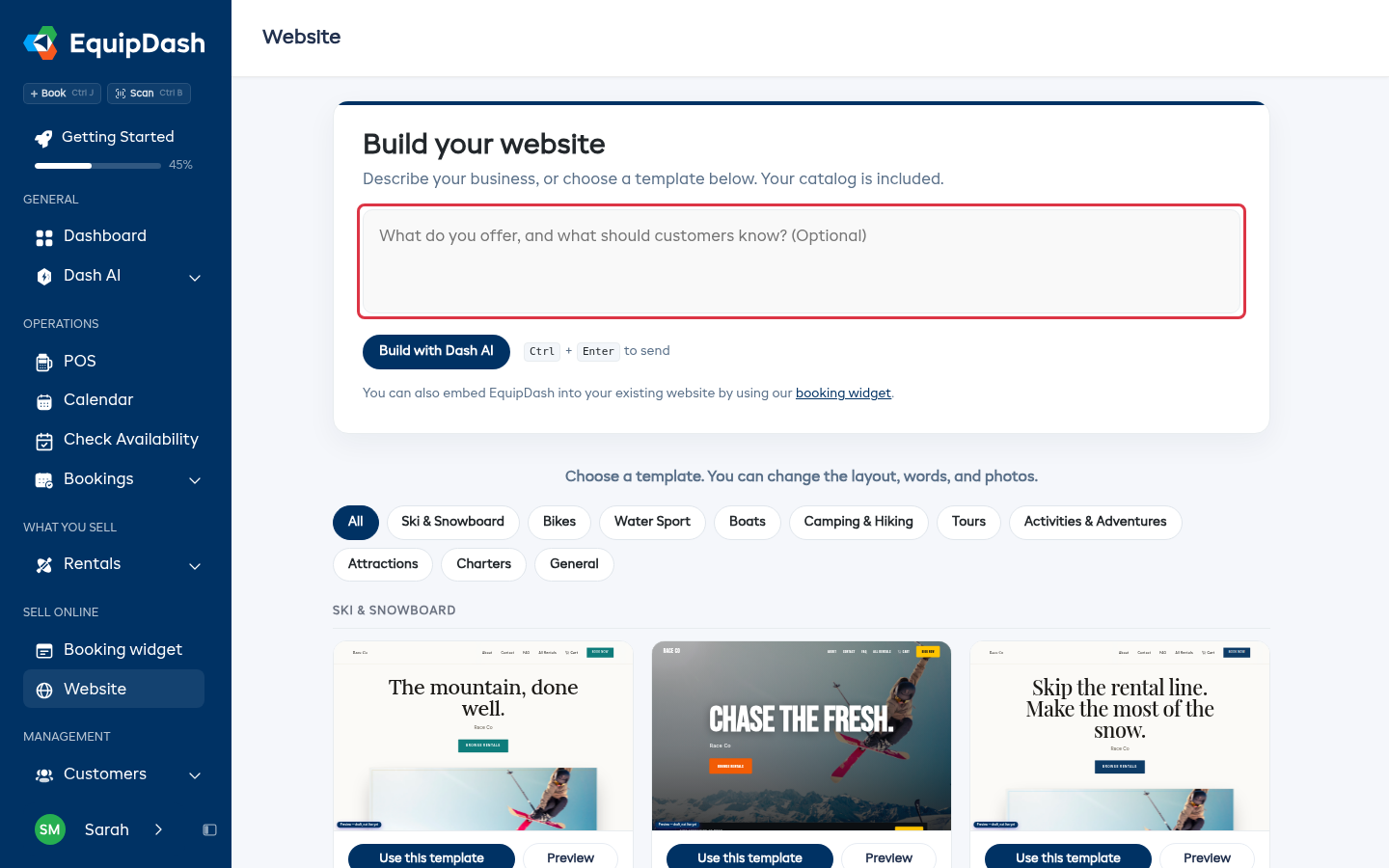
Let Dash AI build it
- Click Website in the left menu.
- In the box, say what you offer and anything customers should know. A couple of sentences is plenty: "We rent paddleboards and kayaks on the lake, and run a sunset tour on Fridays. Free parking, and we're open 8am to 6pm."
- Click Build with Dash AI (or press Cmd + Enter, Ctrl + Enter on Windows).
Dash picks a look that suits your business, writes the copy in your voice, and puts your catalog on the page. It takes about a minute. Everything it writes is yours to change afterwards.
You can leave the box empty and click the button anyway - Dash then works from what it already knows about your business.
Or pick a template
Scroll down to the gallery and use the category chips (All, Ski & Snowboard, Water, Bike, Charters and so on) to narrow it down. Each card shows a live preview of the template with your own logo, colors and items already in it.
- Preview opens the full template in a new tab, so you can click through it as a customer would.
- Use this template builds your site from it.
Change template later
In the editor, click Templates in the toolbar and pick another one. Your words and photos are kept where sections match, so it's worth a look before you settle - you're not starting again.