How Experiences Work
Experiences are scheduled activities, tours, or events that your customers can book — things like guided kayak tours, sunset hikes, cooking classes, or snorkelling trips. Unlike rentals (which are on-demand and based on product availability), experiences run at specific times with a set number of participant spots.
Experiences vs Rentals at a Glance
| Experiences | Rentals | |
|---|---|---|
| Scheduling | Fixed time slots (e.g. 9:00 AM tour) | Flexible date ranges (e.g. 3-day hire) |
| Pricing | Per person or per group | Per product per time period |
| Capacity | Limited participant spots per session | Limited by inventory unit count |
| Staff | Guides can be assigned to sessions | Not applicable |
| Examples | Guided hike, kayak tour, cooking class | Bike hire, ski rental, camping gear |
For a deeper comparison, see Experiences vs Rentals — What's the Difference?.
The Experience Flow
Here is how an experience typically works in EquipDash, from creation to booking:
- Create the experience — Give it a name, description, images, and assign it to a category. See Creating an Experience.
- Set up pricing — Choose between per-person pricing (with rate categories like adult, child, senior) or per-group pricing. See How Experience Pricing Works.
- Define availability — Add time slots manually as one-time sessions, or set up a recurring schedule that generates sessions automatically. See Setting Up Availability.
- Assign guides (optional) — Link staff members to specific sessions so you know who is leading each trip. See Assigning Guides.
- Customers book — Customers can book through your Booking Widget, your team can book via the Point of Sale, or bookings can come in through the API.
- Manage and track — View upcoming sessions, check participant counts, and manage bookings from the experience detail page or the Calendar.
Where to Find Experiences
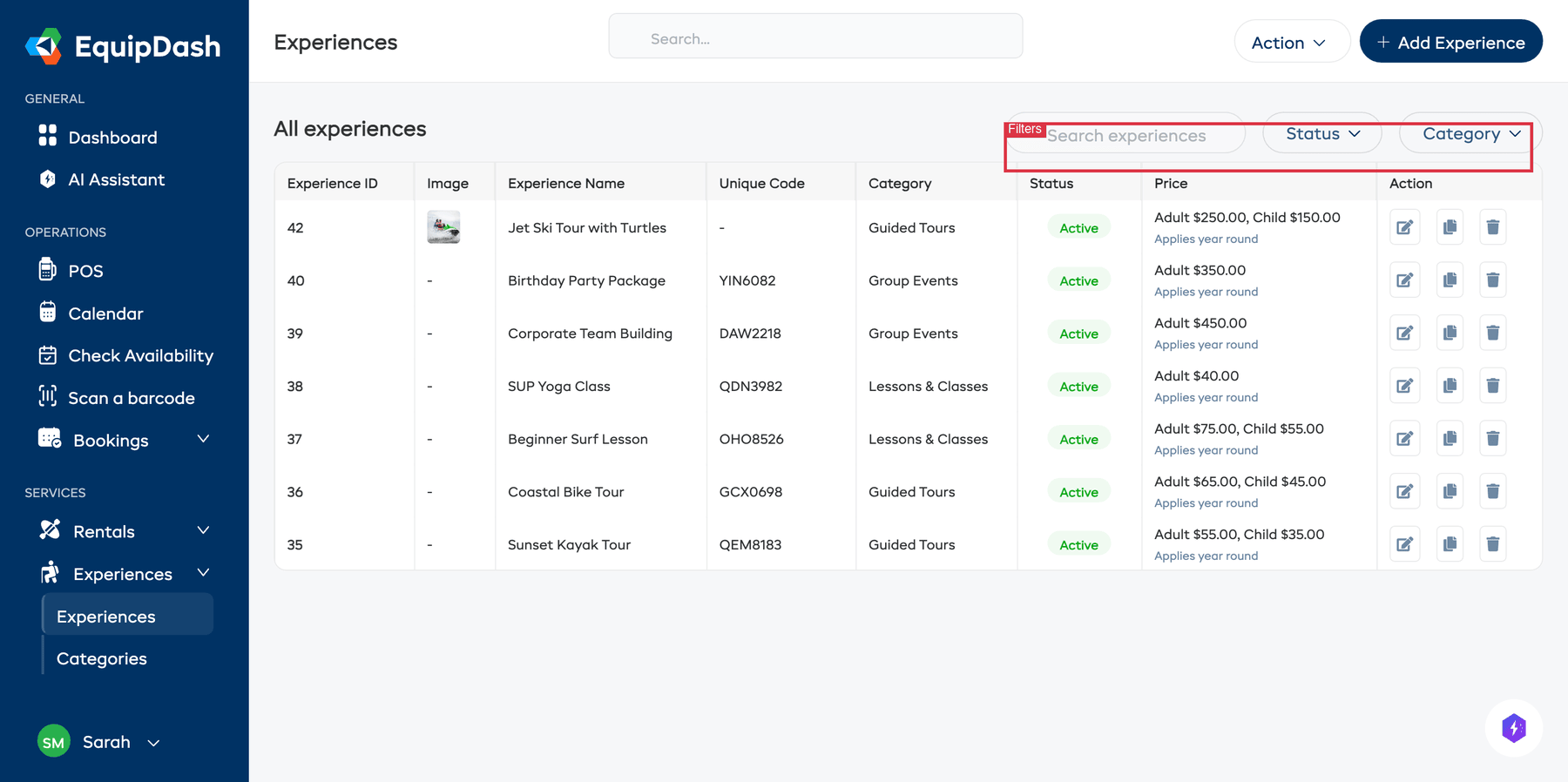
You can access your experiences from the Experiences section in the sidebar. There are two main areas:
- Experiences — Your list of all experiences. This is where you create, edit, and manage your experience offerings.
- Categories — Organize your experiences into groups like "Water Sports", "Land Tours", or "Family Activities".
Key Concepts
Sessions (Time Slots)
Each experience is offered as one or more sessions — a specific date and time when the activity runs. For example, a "Sunset Kayak Tour" might have sessions at 5:00 PM every Tuesday and Thursday.
Capacity
Every session has a capacity — the maximum number of participants that can book. Once a session is full, it will show as unavailable in the booking widget (unless you have the Waitlist feature enabled).
Rate Categories
When using per-person pricing, you can set different prices for different types of participants. For example, you might charge one rate for adults and a lower rate for children. See Rate Categories.
Guides
Guides are staff members assigned to lead a session. Assigning guides helps you track who is responsible for each trip and avoid scheduling conflicts. See Assigning Guides.
Availability Management
EquipDash offers two approaches to managing when your experience is available:
- Manual — You add individual sessions one at a time, choosing the exact date, time, and capacity for each.
- Recurring — You define a pattern (days of the week, time slots, date range) and EquipDash generates the sessions automatically.
You choose the approach when creating the experience, and you can change it later. See Setting Up Availability for details.