How the Store Works
The Store is EquipDash's product sales module. While Rentals let customers borrow items for a period of time and Experiences let them book activities, the Store lets you sell physical products outright -- from accessories and merchandise to maintenance kits and replacement parts.
Key Concepts
Store Products
A store product is any physical item you sell. Each product has a name, description, images, a fixed price, and an optional category. Unlike rental products, store products do not require dates -- customers simply choose a quantity and purchase.
Categories
Store categories help you organize products into browsable groups (e.g., "Accessories", "Apparel", "Maintenance"). Categories support parent-child hierarchies, so you can create sub-categories like "Accessories > Wax & Tuning". Each category can have an image for visual navigation on the store widget.
Inventory Tracking
You can optionally enable inventory tracking on any store product. EquipDash offers two tracking methods:
- Group-level -- Track a single stock count per product. Best for generic, interchangeable items.
- Item-level -- Track individual inventory items with unique identifiers and optional barcodes. Best for high-value or serialised goods.
When enabled, EquipDash tracks stock quantities, prevents overselling, and you can set low-stock thresholds to receive alerts when items are running low.
Variations
Some products come in different options. Variations let you offer these under a single product -- for example, a t-shirt might have size variations (S, M, L, XL), each with its own price and stock level.
Unified Cart
Store products can be purchased on their own or combined with rental and experience items in a single checkout. Customers do not need to complete separate transactions -- store products, rentals, and experiences all appear together in one cart and one booking.
The only combination that is not supported is Rentals + Experiences in the same booking. Store products can be added alongside either type.
Store vs Rentals vs Experiences
| Store | Rental | Experience | |
|---|---|---|---|
| What it is | A product sold outright | A physical item borrowed for a period | A scheduled activity or session |
| Dates required | No | Yes (pickup and return) | Yes (time slot) |
| Pricing | Fixed price per unit | Duration-based (hourly, daily, etc.) | Per-person or flat rate |
| Inventory | Stock quantity (group or item-level) | Individual tracked units | Capacity per session |
| Example | Ski wax kit, T-shirt | Surfboard, Camera | Guided tour, Surf lesson |
Where to Find Store
- Store > Products -- Manage your product catalog, pricing, and inventory.
- Store > Categories -- Organize products into browsable groups.
- Settings > Store -- Configure store settings such as low stock threshold, backorders, and cancellations.
- Booking Widget -- If enabled, customers can browse and purchase your store products on the widget, either standalone or alongside rental and experience bookings.
- Point of Sale (POS) -- Add store products to in-person bookings.
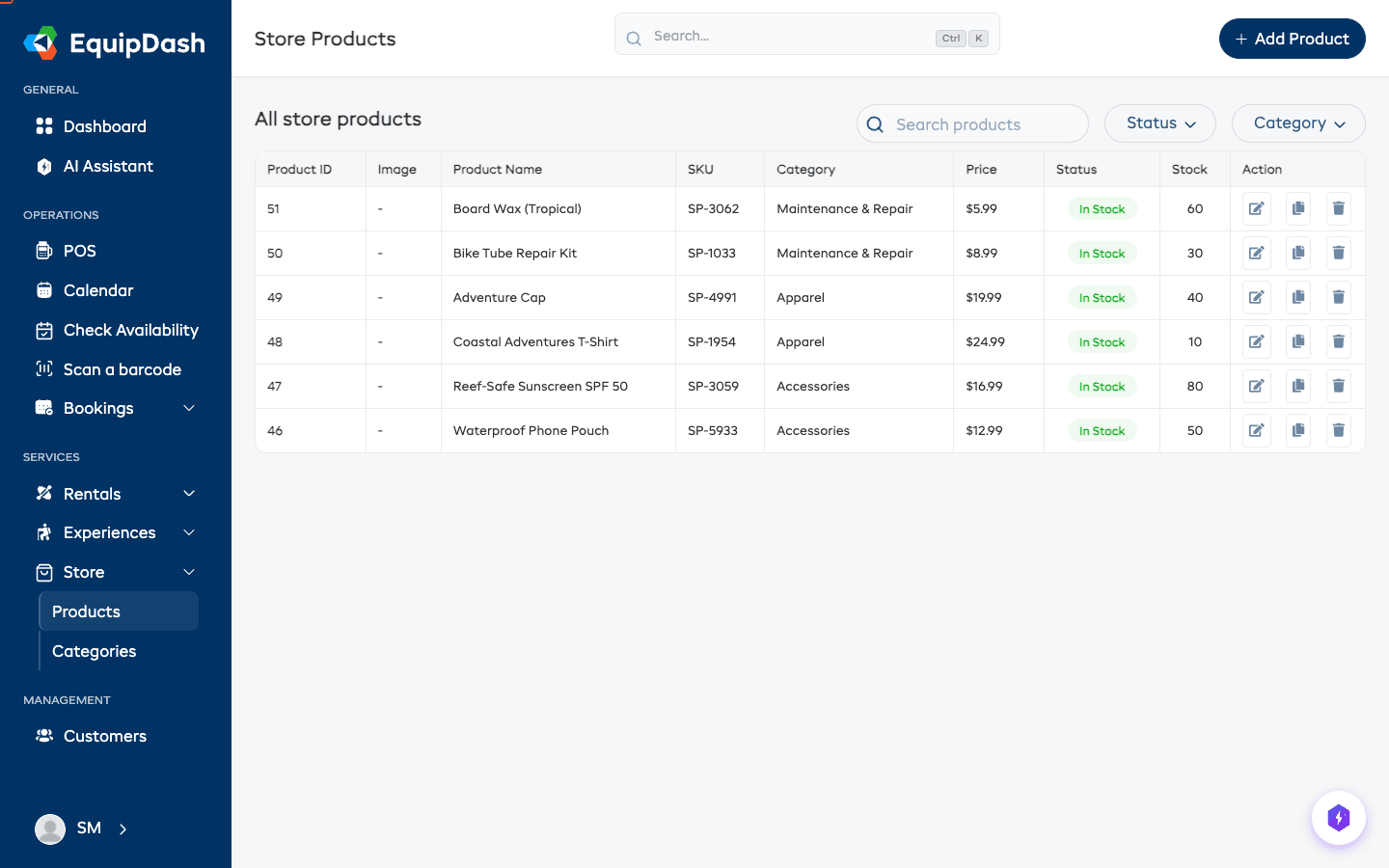
Enabling the Store
The Store module must be enabled before you can start selling products:
- Go to Settings in the left sidebar.
- Click Store from the settings menu.
- Toggle Enable Store on.
- Click Update to save.
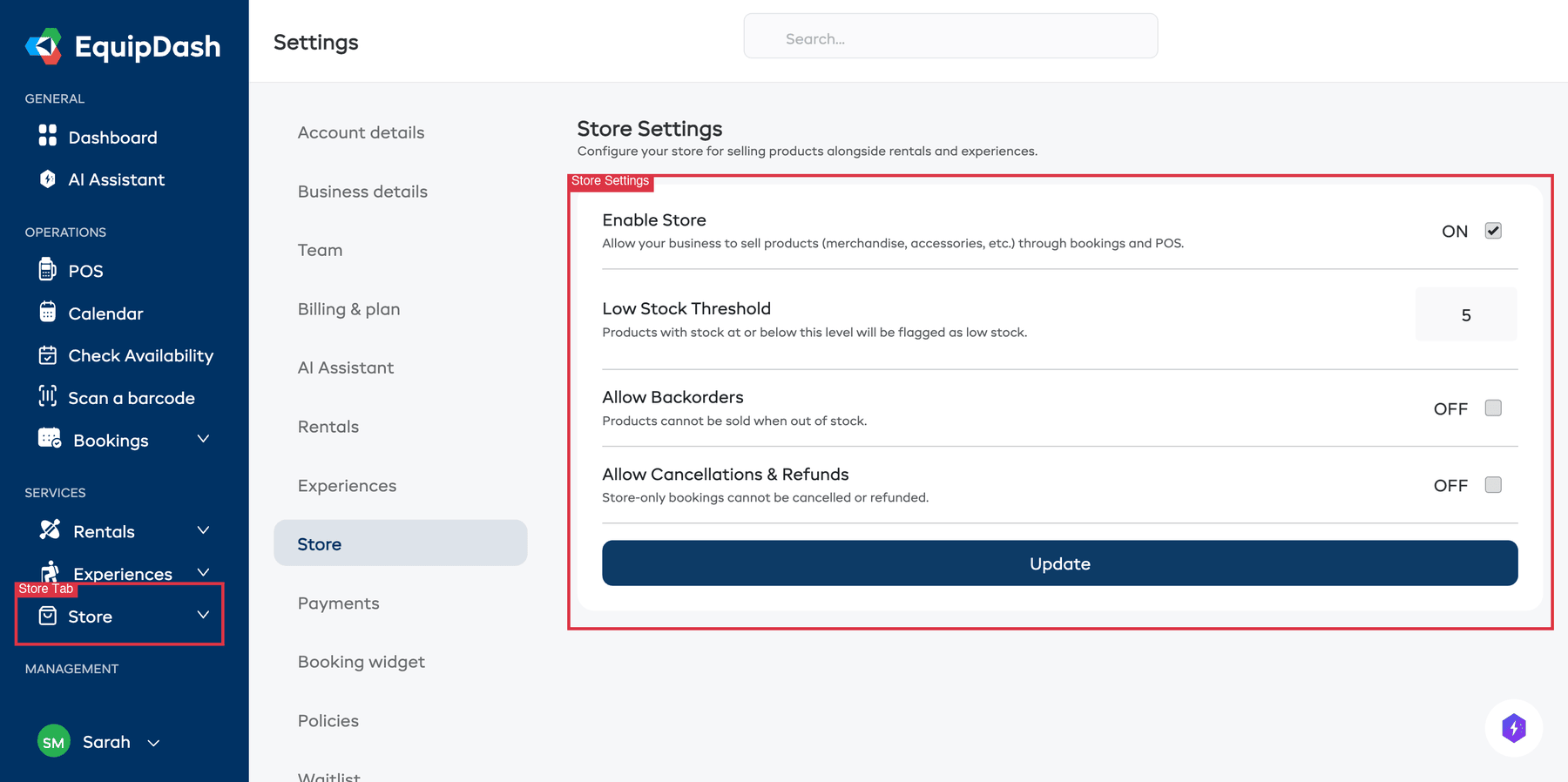
Once enabled, the Store section will appear in your sidebar and the store widget will become available for embedding.
You can also configure your Low Stock Threshold, Allow Backorders, and Allow Cancellations & Refunds settings from the same page. See Store Settings for details.
Related Guides
- Creating Store Products -- Step-by-step guide to adding your first store product.
- Managing Store Products -- Editing, archiving, and duplicating products.
- Product Variations -- Offering size, color, and other options.
- Inventory Management -- Tracking stock levels, adjustments, and item-level tracking.
- Store Categories -- Organizing products with categories.
- Adding Store Products to Bookings -- Using the POS to add products to bookings.
- Store on the Booking Widget -- Setting up the store on your customer-facing widget with unified cart.
- Store Settings -- Configuring store-wide settings.