Promotions Overview Growth+This feature requires the Growth+ plan or higher
The Promotions section gives you tools to attract new customers, reward loyal ones, and drive more bookings. You can create discount codes, issue gift vouchers, and send targeted email campaigns — all from within EquipDash.
What You Can Do with Promotions
EquipDash offers three types of promotional tools:
Promo Codes
Discount codes that customers enter at checkout to receive a percentage or flat amount discount.
- Set the discount type (percentage or flat amount)
- Control usage limits (total uses, per-customer limits)
- Choose which products, experiences, or store products the code applies to
- Track usage through the detail page
Vouchers (Gift Cards)
Gift cards that customers can purchase or receive as gifts, then redeem against future bookings.
- Create vouchers with a set monetary value
- Track remaining balances and redemption history
- Set expiry dates
- Separate purchaser and recipient details for gift giving
Campaigns
Email and text campaigns you send to groups of customers — plus always-on messages that send themselves.
- Say what the campaign is for (announce something, fill slow days, win back customers, or start from scratch) and EquipDash sets up the design, audience, and promo suggestion
- One-click audiences (recent bookers, customers from a season, locals) plus hand-picking and custom filters
- Branded designs you edit directly on the email, with your logo and colors already applied
- Automations: post-trip follow-up, abandoned-cart recovery, and win-back — each a single on/off switch
- Track opens, clicks, bookings, and revenue for every send
Getting to Promotions
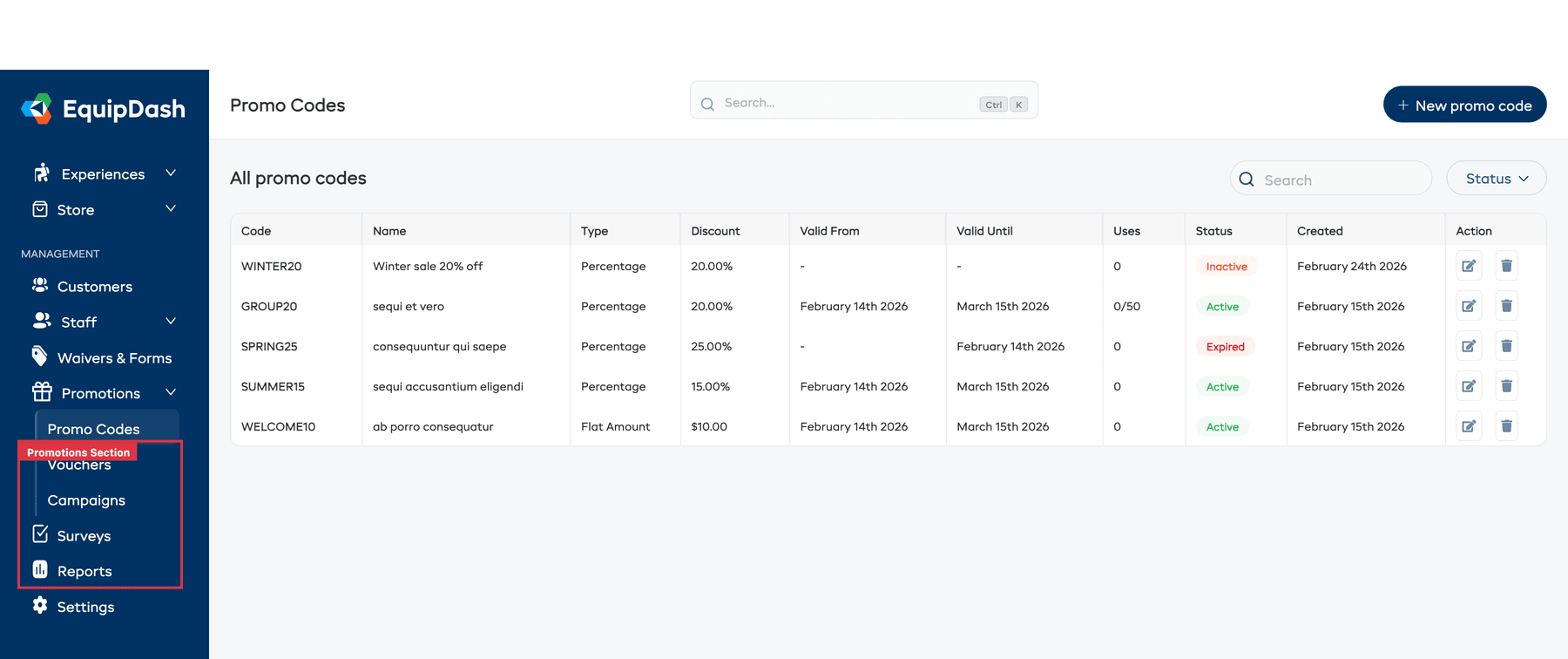
In the left sidebar, click Promotions to expand the section. You will see three separate pages:
- Promo Codes — manage your discount codes
- Vouchers — manage gift card vouchers
- Campaigns — manage email campaigns
Click any of these to go directly to that page.
At a Glance
| Tool | Best For | How Customers Use It |
|---|---|---|
| Promo Code | Discounts, seasonal sales, partner deals | Enter a code at checkout |
| Voucher | Gift cards, loyalty rewards, compensation | Enter a voucher code at checkout — balance is deducted |
| Campaign | Announcements, promotions, re-engagement | Receive an email or text from your business |
How Promotions Work with Bookings
When a customer uses a promo code or voucher during checkout:
- They enter the code in the discount or voucher field on the checkout page.
- The discount or credit is applied to the booking total.
- The booking record shows the promotion that was used, making it easy to track.
- For vouchers, the remaining balance is updated automatically.
Staff can also apply promo codes and vouchers when creating bookings through the Point of Sale.