Publish your site and set your web address ProThis feature requires the Pro plan
Nothing is public until you publish. Until then the site is a draft only you can see, and the preview is marked as one.
Publish
- Click Publish at the top right.
- Check the address you're publishing to.
- Click Publish.
The badge next to the page title changes from Draft to Live. After that, edits show on the live site as soon as they save - you don't need to publish again for every change, though the button stays there as Republish.
View site opens your real site in a new tab, exactly as a customer sees it.
Your free address
Every site gets one, free, in the form yourshop.equipdash.site. You'll find it under Settings in the toolbar, under Web address, and it's ready to share the moment you publish.
Use your own domain
If you own a domain like www.yourshop.com, you can serve your site on it.
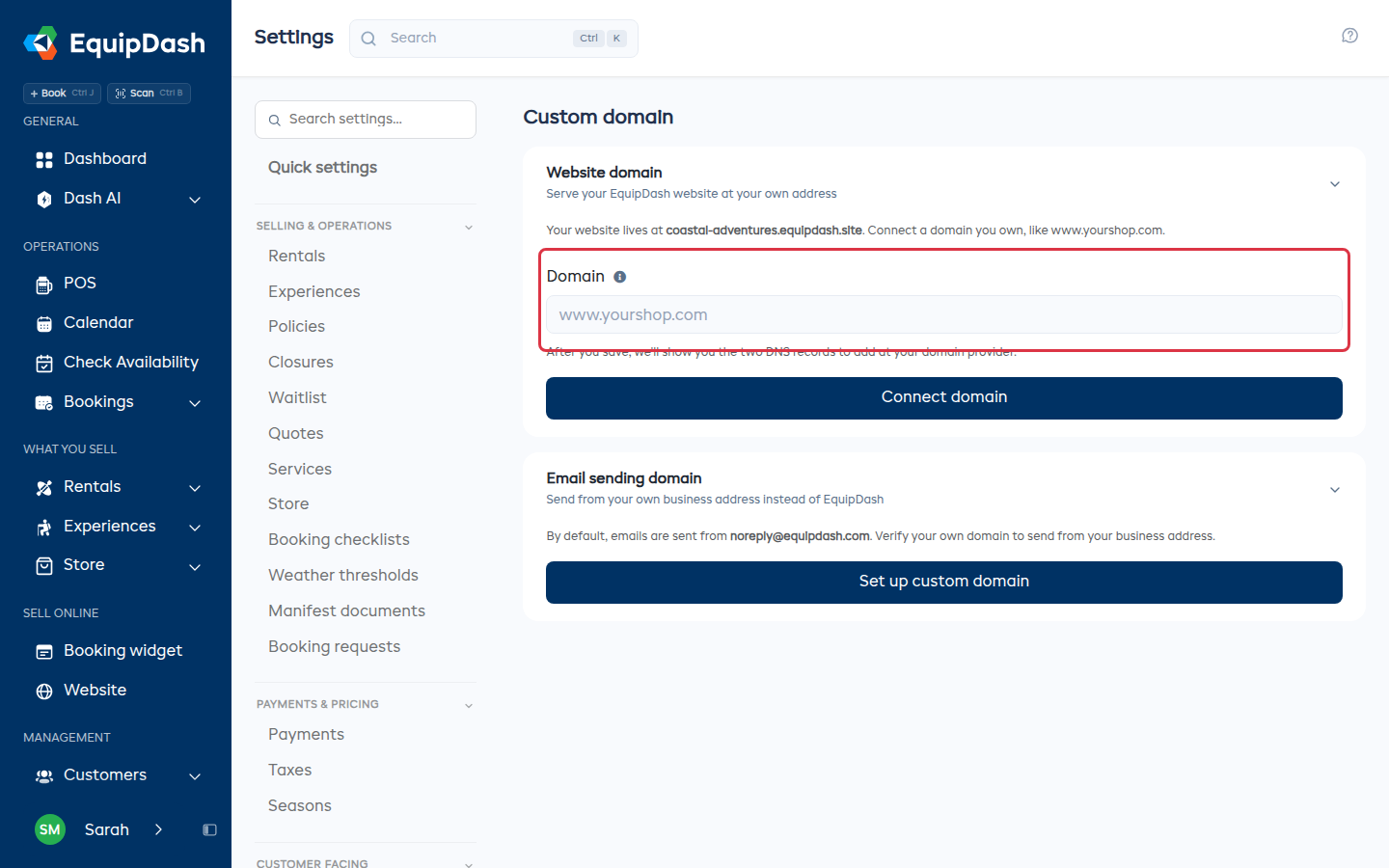
- Go to Settings > Custom domain.
- Type your domain and click Connect domain.
- Add the two records we show you at whatever company you bought the domain from - a CNAME and a TXT. The TXT record is how we know the domain is yours.
- Come back and click Check connection.
The domain sits on Waiting for DNS until both records are found. DNS changes can take up to 48 hours, so it's normal for the first check to come back empty. Once it's connected, your free EquipDash address keeps working too.
Removing a domain puts your site back on its EquipDash address. Your domain is yours - nothing about it changes at your domain company.
Be found on Google
Under Settings in the toolbar:
- Site title and Description are what Google shows in its results.
- Google Analytics - paste your Measurement ID to track visitors.
- Each page has its own title and description, under This page in Google in the page's settings.
Take your site offline
Under Settings in the toolbar, Unpublish takes the site down. Everything you built stays exactly as it is, ready for when you publish again.