Tracking Voucher Usage Growth+This feature requires the Growth+ plan or higher
EquipDash keeps a complete record of every voucher redemption. You can see when a voucher was used, which booking it was applied to, and what balance remains — all in one place.
Viewing Redemption History for a Single Voucher
- In the left sidebar, click Promotions then Vouchers.
- Click on a voucher code to open its detail page.
- Click the Redemptions tab.
The redemptions table lists every time the voucher was used at checkout, including the booking it was applied to and the amount redeemed.
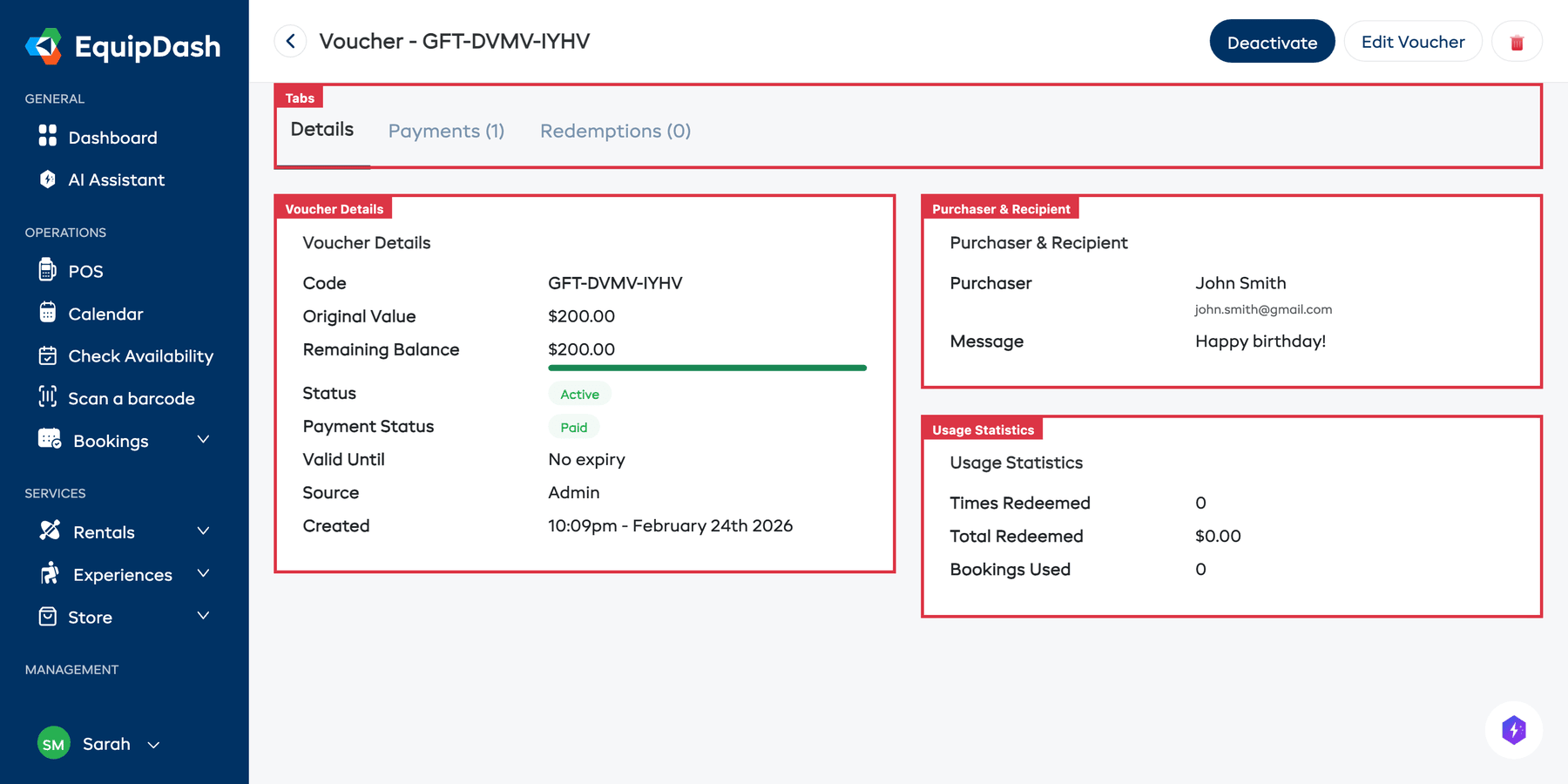
Checking Usage Statistics
On the voucher detail page (Details tab), the Usage Statistics card on the right side shows a quick summary:
| Metric | What It Shows |
|---|---|
| Times Redeemed | How many times the voucher has been used |
| Total Redeemed | The total dollar amount that has been redeemed from this voucher |
| Bookings Used | The number of bookings this voucher has been applied to |
Tracking the Remaining Balance
The Voucher Details card on the detail page shows:
- Original Value — what the voucher was created with (e.g., $100.00)
- Remaining Balance — how much credit is left, displayed with a visual progress bar
The progress bar gives you an instant visual of how much of the voucher has been used. When the balance reaches $0.00, the voucher status automatically changes to Fully Redeemed.
Checking Balances Across All Vouchers
For a quick overview of all voucher balances:
- Go to Promotions > Vouchers.
- The Remaining column in the table shows the current balance for every voucher at a glance.
- Vouchers showing $0.00 in the Remaining column are fully redeemed.
Linking Back to Bookings
Every redemption links to the booking it was applied to. Click on a booking reference in the Redemptions tab to jump to the full booking detail page. From the booking side, you can also see that a voucher was used — it appears in the payment summary.
Tips
- Review outstanding balances regularly. Vouchers with remaining balances are a financial liability. Check the Vouchers table periodically to see how much total credit is still outstanding.
- Use the redemption history for customer enquiries. If a customer asks about their voucher balance, you can look it up instantly from the voucher detail page.
- Follow up on unused vouchers. If a voucher has not been used and is approaching its expiry date, consider sending the recipient a reminder.