Keyboard Shortcuts
EquipDash includes keyboard shortcuts for common actions so you can navigate faster without reaching for the mouse. This page lists every available shortcut.
Global Shortcuts
These shortcuts work from anywhere in the app, regardless of which page you are on.
| Shortcut (Windows/Linux) | Shortcut (Mac) | Action |
|---|---|---|
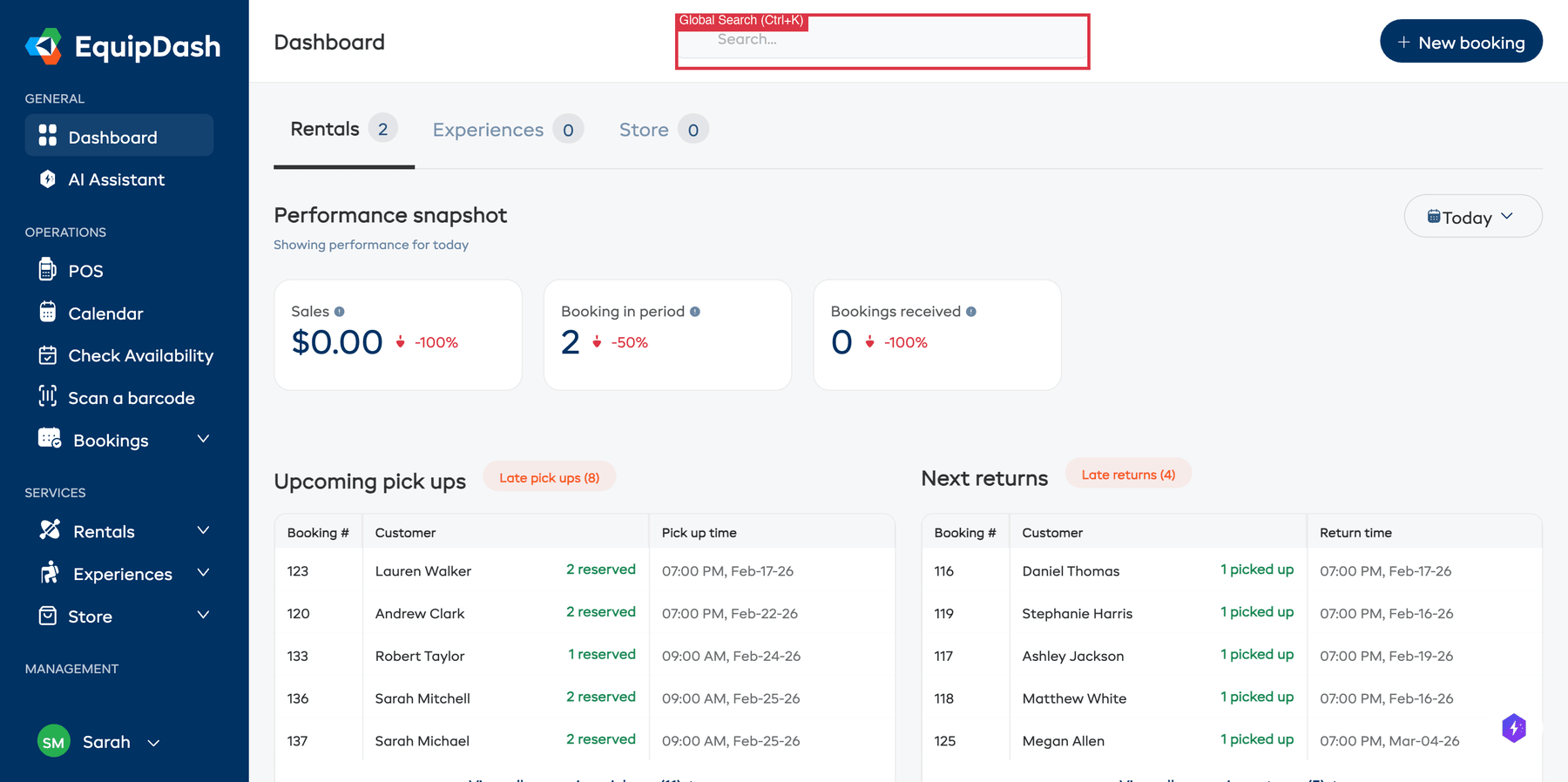
| Ctrl+K | Cmd+K | Focus the Global Search bar |
| Ctrl+Shift+A | Cmd+Shift+A | Open the Check Availability modal |
| Ctrl+Shift+B | Cmd+Shift+B | Open the Barcode Scanner |
Global Search Shortcuts
These shortcuts are available when the Global Search bar is focused.
| Key | Action |
|---|---|
| Arrow Down | Move to the next result in the dropdown |
| Arrow Up | Move to the previous result in the dropdown |
| Enter | Navigate to the currently highlighted result. If no result is highlighted, opens the full results page. |
| Escape | Close the search results dropdown |
Using Keyboard Shortcuts Effectively
Quick Product Lookup
A common workflow for staff helping a walk-in customer:
- Press Ctrl+K / Cmd+K to open search.
- Type the product name or SKU.
- Press Arrow Down to select it from results.
- Press Enter to jump to the product page.
Fast Availability Check
When a customer calls and asks "Do you have mountain bikes available this Saturday?":
- Press Ctrl+Shift+A / Cmd+Shift+A to open the availability checker.
- Search for the product and select it.
- Navigate to the right week and check the grid.
- If available, click Create Booking to start the reservation immediately.
Quick Barcode Scan
When a customer returns equipment and you need to process it:
- Press Ctrl+Shift+B / Cmd+Shift+B to open the barcode scanner.
- Scan the item.
- The appropriate action screen loads automatically.
Platform Detection
EquipDash automatically detects whether you are on a Mac or Windows/Linux computer and displays the correct shortcut hints throughout the interface. For example, the Global Search bar shows Cmd+K on Mac and Ctrl+K on Windows.
Tips
- Learn the big three — Ctrl+K (search), Ctrl+Shift+A (availability), and Ctrl+Shift+B (barcode scanner) cover the most common quick actions.
- Keyboard shortcuts are fastest at the counter — When you are serving customers face to face, staying on the keyboard keeps things moving quickly.
- Shortcuts work everywhere — These shortcuts are global, meaning they work no matter which page you are currently viewing.