Add bookings to your website
Customers can book on the website you already have. EquipDash runs the calendar, prices, deposits and payments, and your site shows them.
Pick your website builder
| Builder | How it works |
|---|---|
| WordPress | Install our free plugin, then add the EquipDash block |
| Shopify | Paste your code into a Custom Liquid section |
| Wix | Paste your code into an Embed HTML element |
| Squarespace | Paste your code into a Code block |
| Webflow | Paste your code into an Embed element |
| GoDaddy | Paste your code into an HTML section |
| Square Online | Paste your code into an Embed code section |
| Weebly | Paste your code into an Embed Code element |
| Joomla | Paste your code into a Custom module |
| Framer | Paste your code into an Embed component |
| Any other website | Paste your code anywhere your site takes custom HTML |
Not sure which builder your site uses? Ask whoever built it, or look at the bottom of your site's admin screen.
Get your code
- In EquipDash, go to Settings > Booking widget > Embed options.
- Pick what to show: Full widget embed (your whole booking page), Single product, a "Book now" button, or a Collection.
- Click Copy code.
To embed one item, you can also open it in EquipDash and use its Embed tab. See Embedding on your website for every option.
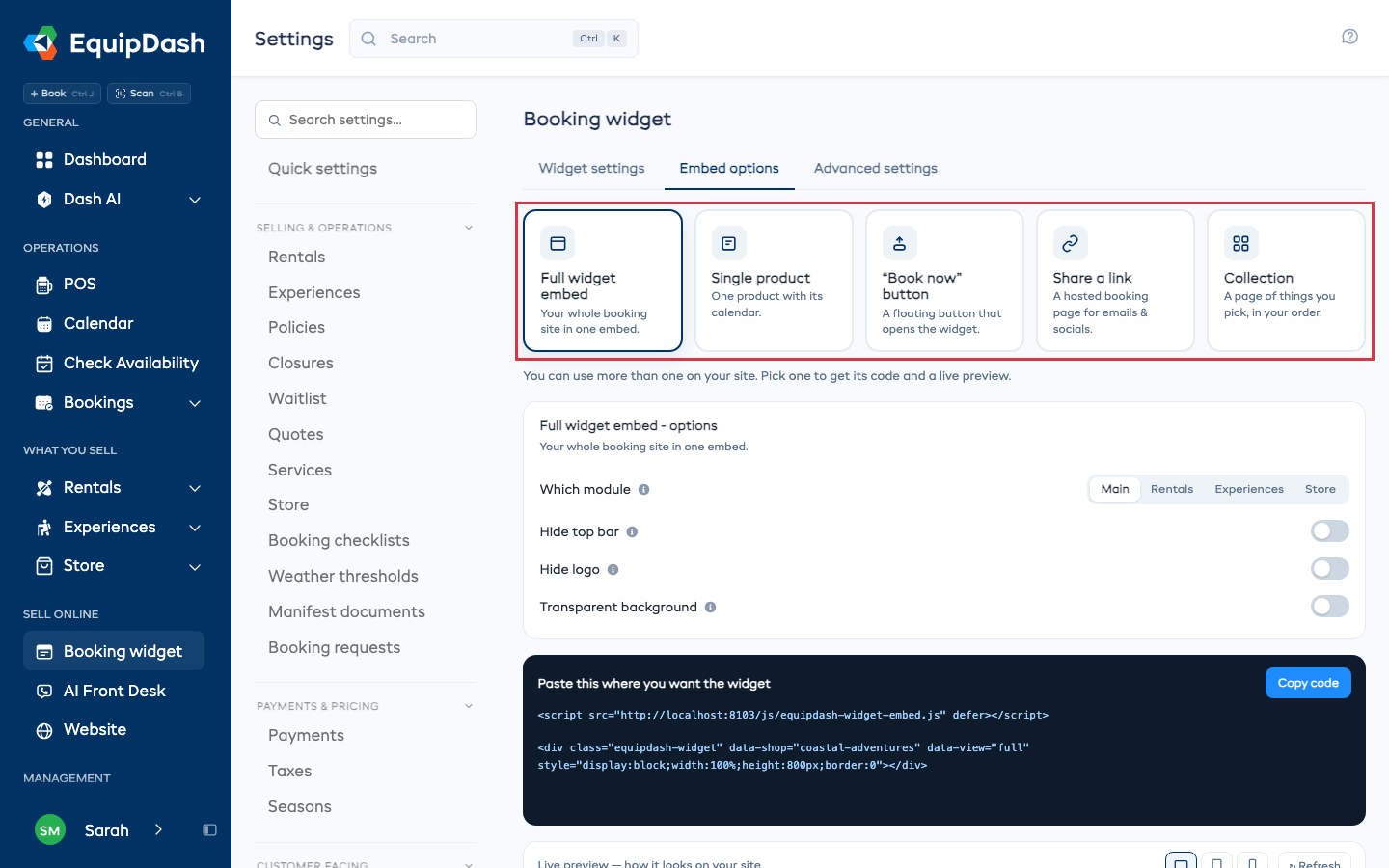
Which embed to use
- Your whole booking page on a "Book" page, linked from your menu.
- One item with its calendar on that item's own page.
- A Book now button on every page, so customers can book from anywhere.
You can use more than one. They all make the same bookings in EquipDash.