Add bookings to Shopify
Paste your EquipDash code into your Shopify theme. Customers book and pay in EquipDash, so there is nothing to set up in Shopify products or checkout.
Get your code
- In EquipDash, go to Settings > Booking widget > Embed options.
- Pick what to show: Full widget embed (your whole booking page), Single product, a "Book now" button, or a Collection.
- Click Copy code.
To embed one item, you can also open it in EquipDash and use its Embed tab. See Embedding on your website for every option.
Paste it into Shopify
- In Shopify admin, go to Online Store > Themes and click Customize.
- Open the page you want bookings on from the menu at the top.
- Click Add section and pick Custom Liquid.
- Paste your code into the Liquid code box.
- Click Save.
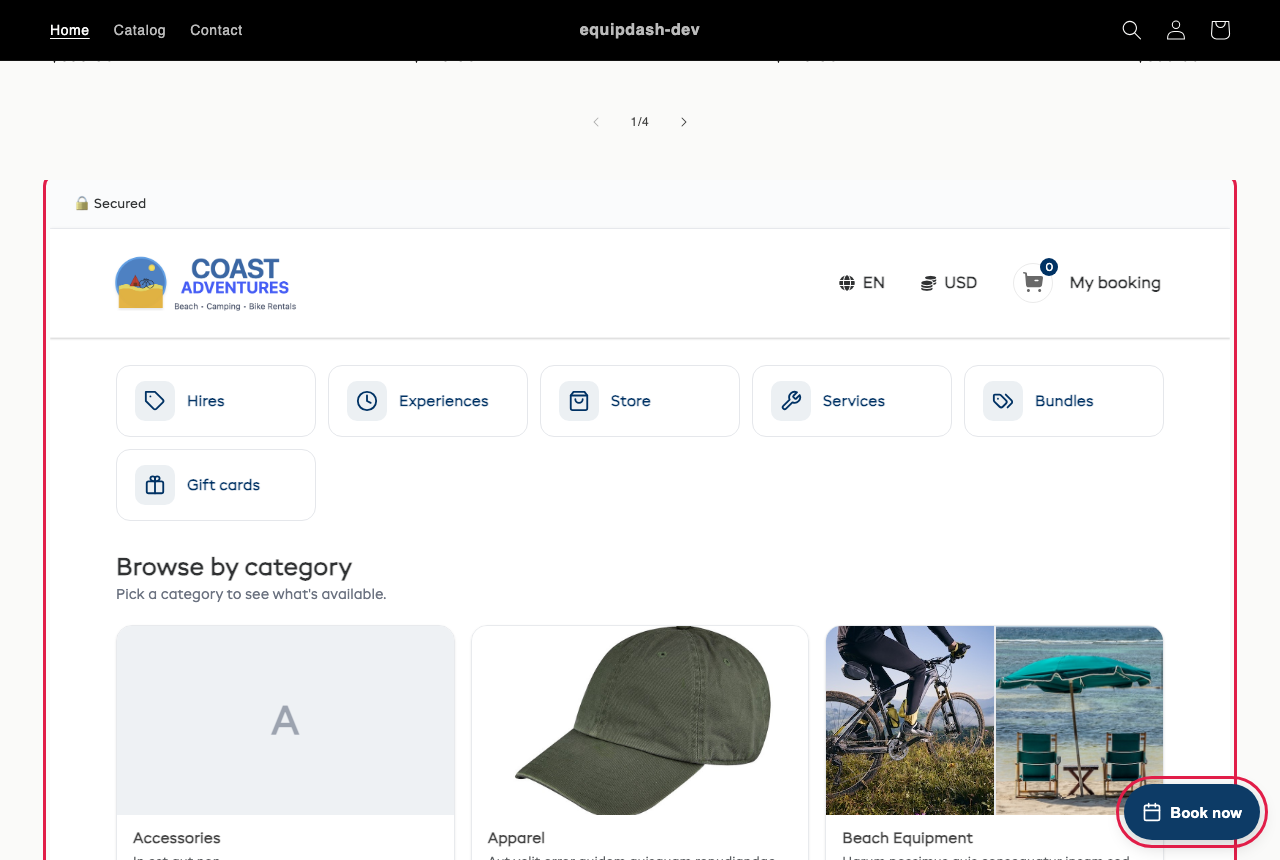
A Book now button on every page
- Copy the "Book now" button code instead.
- In Shopify admin, go to Online Store > Themes, click ... next to Customize and pick Edit code.
- Open layout > theme.liquid, paste the code just before
</body>and click Save.
It shows in the corner of every page and opens your bookings in a pop-up. See Floating Book now button.
Give the full booking page room
A Full widget embed scrolls inside its box. A Single product calendar sizes itself to fit.