What the Customer Sees ProThis feature requires the Pro plan
The customer gets one private link — no account, no password, no app. It works just as well on a phone as on a desktop.
Reviewing the Quote
The page shows everything they need to decide:
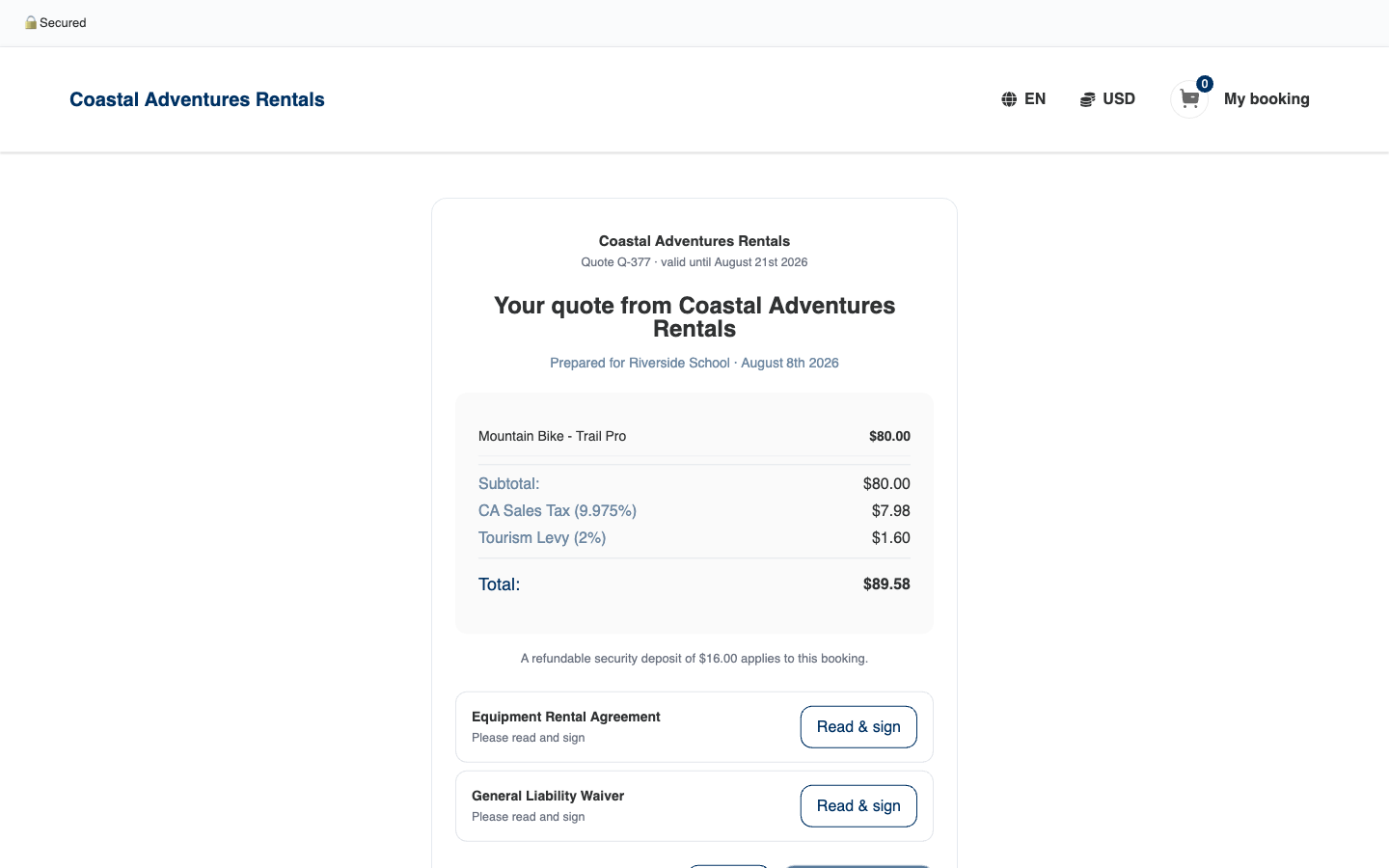
- The quote number and how long it's valid
- What's included, with quantities and prices
- Taxes and the total
- Any refundable security deposit that applies
- The agreements to read and sign
- Accept and Decline buttons
The moment they open the page, the quote shows as Viewed on your side — so you know your proposal has been seen.
Signing the Agreements
Each attached agreement has its own Read & sign button. Signing works like any of your waivers — they read the document, fill in what's asked, and sign on screen. When they finish, they're brought straight back to the quote page with that agreement ticked off as Signed.
Accepting
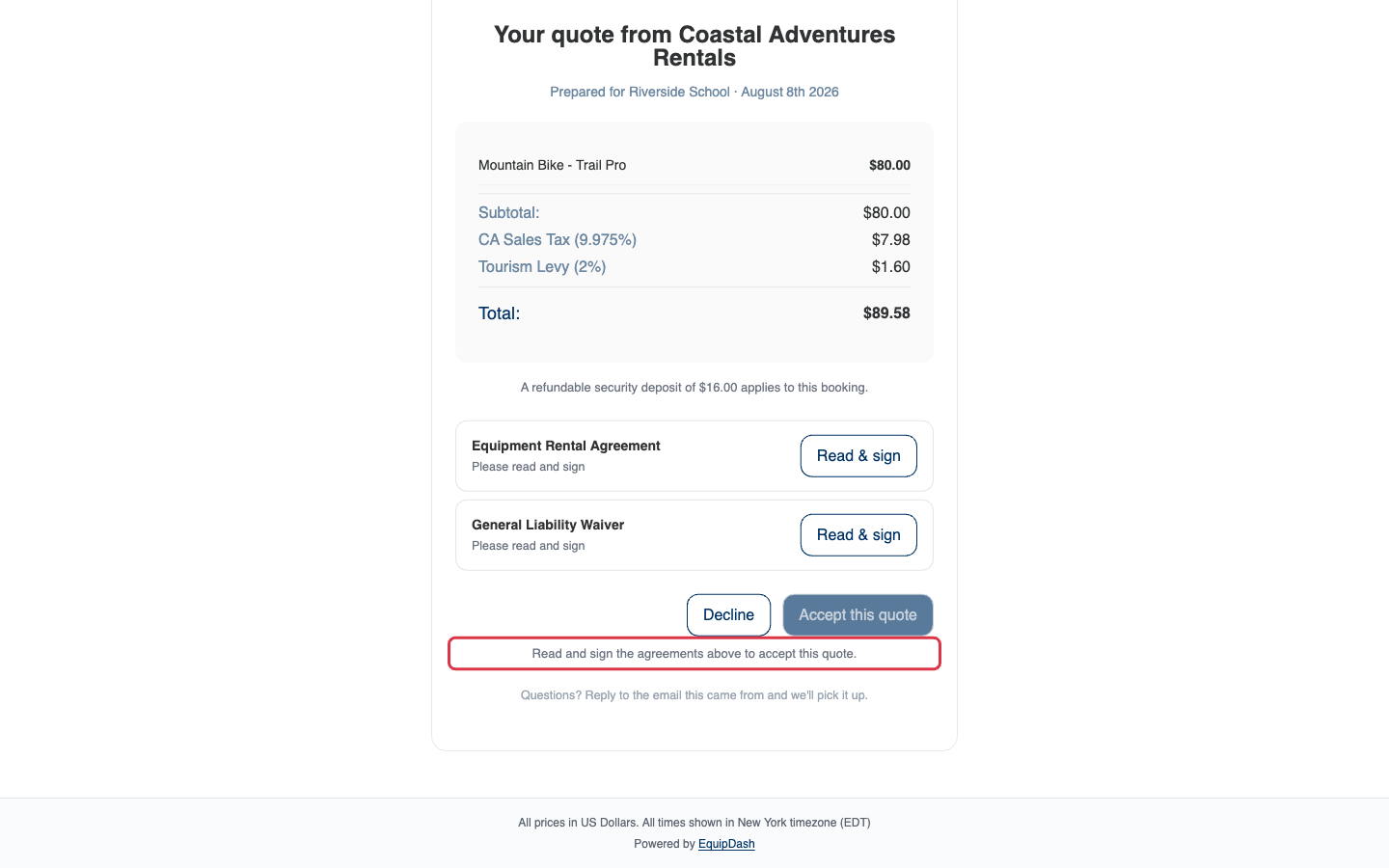
Accept this quote stays grayed out until every agreement is signed — a short note under the button explains why:
Once everything is signed, the button comes alive:
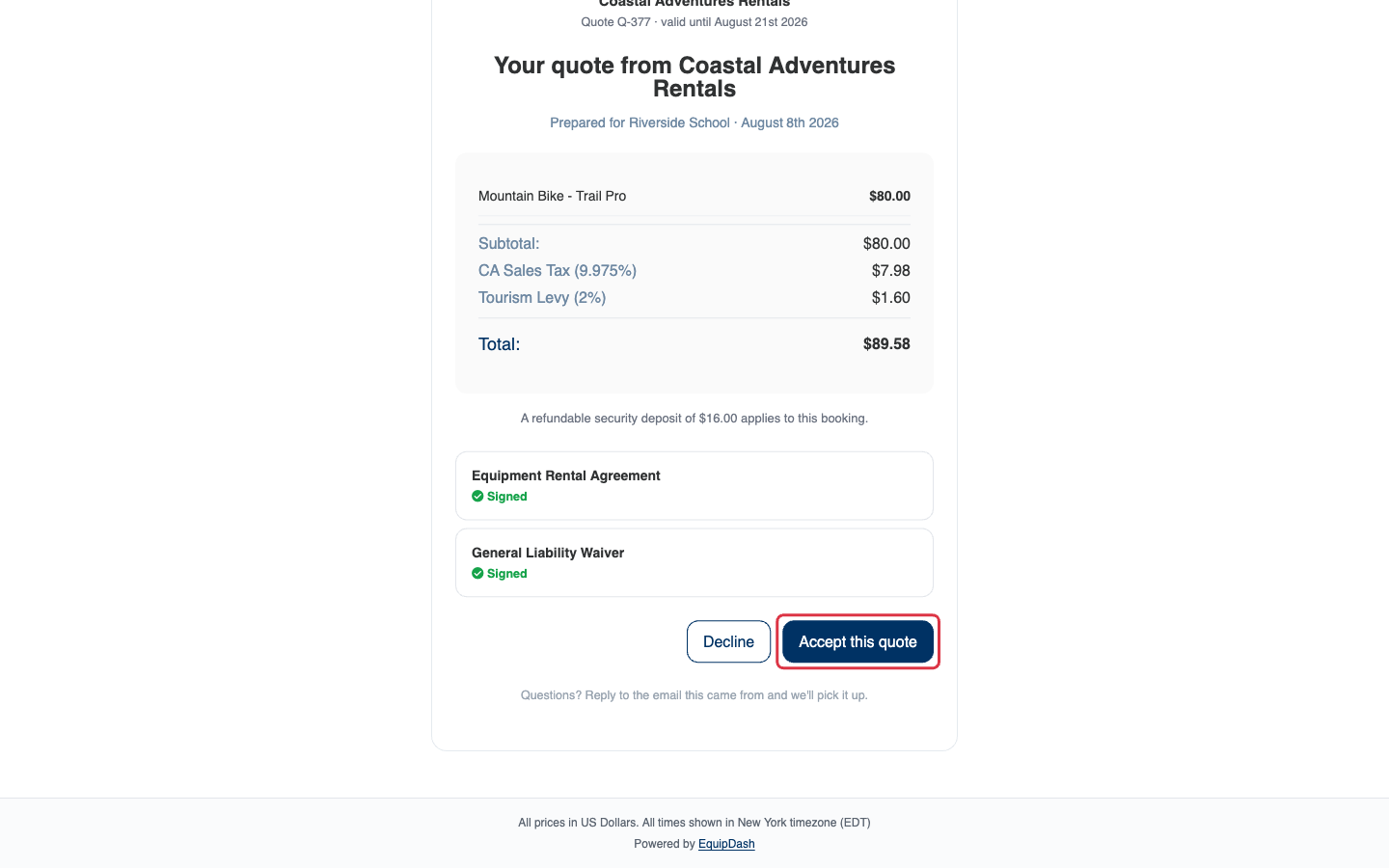
Clicking Accept this quote books them in. If there's nothing more to collect, that's it — one click and done. When a little more is needed, the same page walks the customer through it in short steps, and each step only appears when it applies:
- A few details — any booking questions you normally ask at checkout.
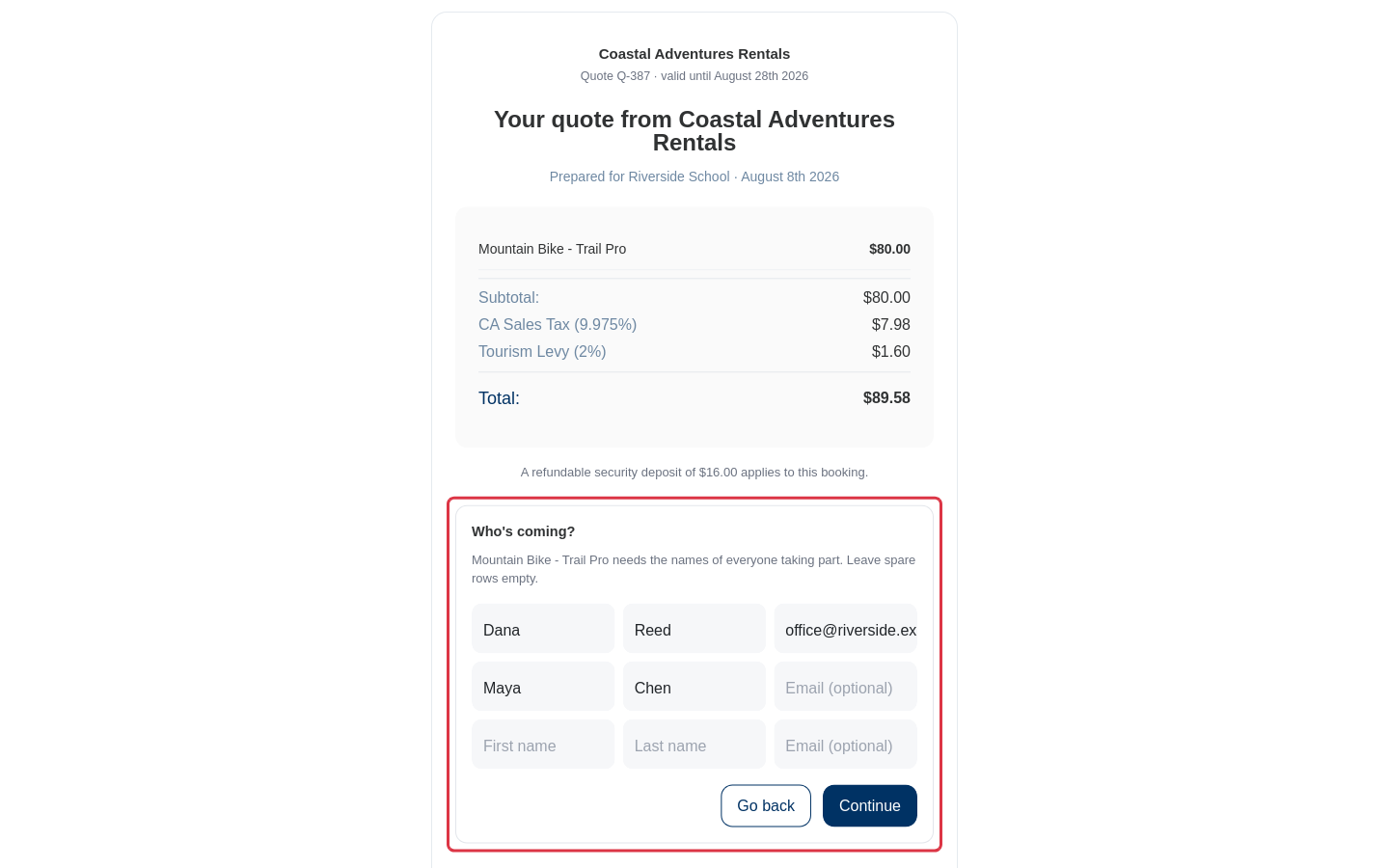
- Who's coming — the names of everyone taking part, when the items on the quote need them. The customer's own details are pre-filled, and spare rows can be left empty.
- Payment — only if you've switched on payment on acceptance. The amount follows your booking widget's payment settings — a deposit if that's how you take bookings, otherwise the full amount.
With the steps done, the page confirms the booking on the spot:
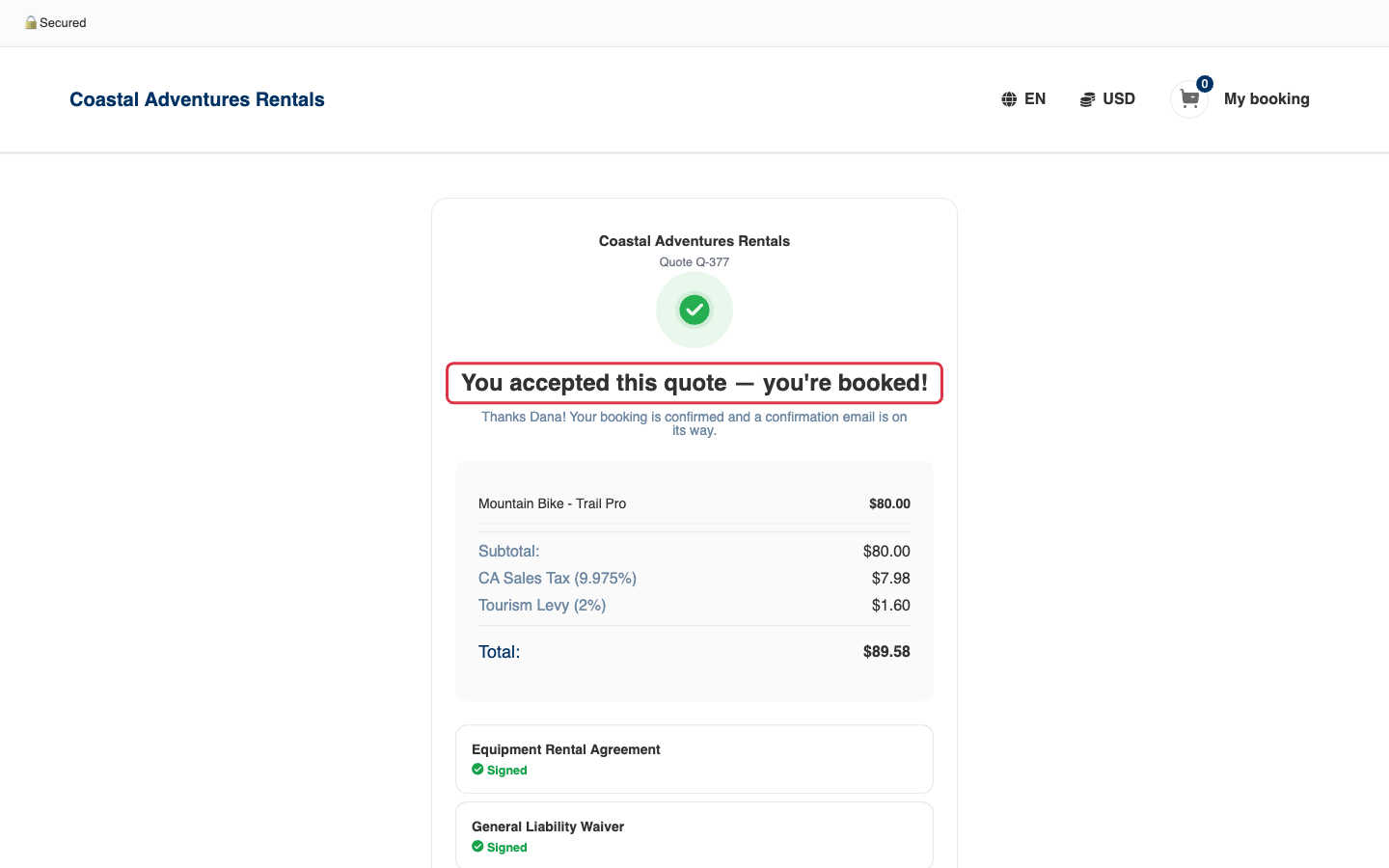
The usual booking confirmation email follows, along with any waiver requests for the items. See After the Answer for everything that happens next.
Declining
Decline asks the customer if they'd like to tell you why — the reason is optional. The moment they decline, any held dates come free on your calendar and you're emailed the news, reason included.
The page tells customers to simply reply to the email the quote came in — replies land in your inbox like any other customer email.