Agreements on a Quote ProThis feature requires the Pro plan
An agreement is a document the customer signs to agree to the quote itself — booking terms, a hire contract, a group booking agreement. You attach it when you save the quote, the customer signs it on their quote page, and the quote can't be accepted until every agreement is signed.
Agreements are not the waivers for the items in the booking. An agreement is signed before the customer accepts, as part of saying yes to the quote. Waivers for the items — liability waivers per participant, for example — still go out as normal once the quote becomes a booking. See Waivers & Forms Overview.
Attaching Agreements
In the Save as quote panel, open Agreements to sign and tick the documents you want — any of your published waiver or form documents can be attached, and a quote can carry several agreements at once.
A hire contract or group booking agreement usually isn't tied to any one product, so build it as a standalone form — it then has no "applies to" at all and is never sent automatically with a booking. It still shows up here for you to attach.
Tracking Signatures
The quote page has an Agreements card showing every attached document and where it stands — the header counts them off (0 of 2 signed, All signed):
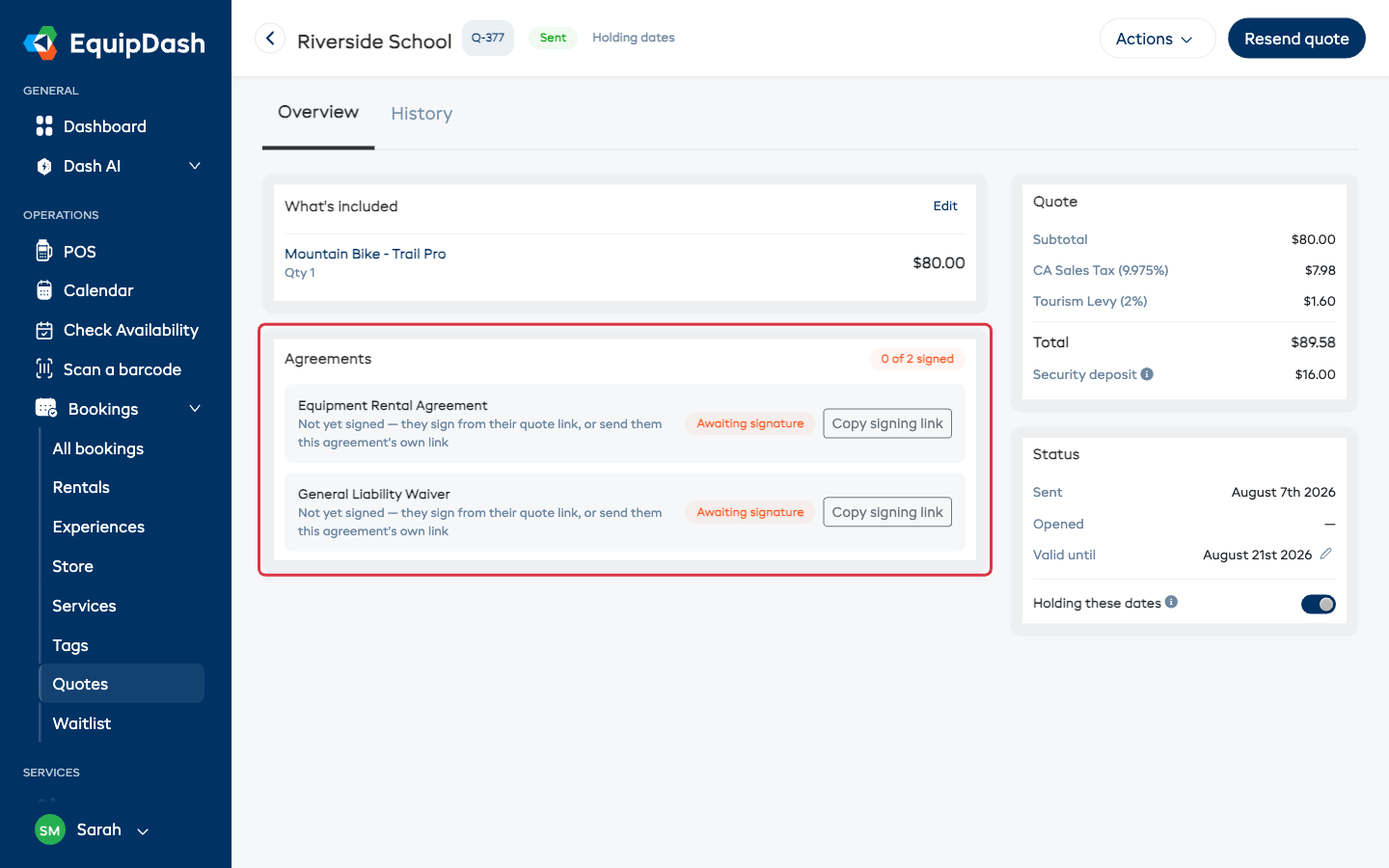
Each agreement has its own signing link:
- The customer can sign everything from their main quote link — no extra steps for them.
- Or click Copy signing link on one agreement and send it to the person who needs to sign just that document — useful when, say, an office manager approves the quote but a director signs the contract.
When someone signs from an agreement's own link, they're brought back to the quote page with the signature ticked off.
Getting Your Own Signature On It
Some agreements need a signature from your side too — a director approving a contract, a manager authorising a group booking. EquipDash handles that without the customer ever waiting on you.
1. Mark the signature as yours
In the form builder, open the signature field that belongs to your business and turn on Requires internal signature — see Signature Options.
On the customer's copy that box is locked, with a short note saying you'll sign it. They sign their own parts and submit as normal — your signature never holds them up.
2. Say who signs it when you save the quote
When you tick an agreement that carries one of these signatures, the Save as quote panel asks who signs it internally — a name and an email address, with the document's own name in the label.
Save the quote and that person is emailed a link that opens only their part: the quote it belongs to, a Read the full agreement button, and one signature box.
If the signature is set to After the customer signs (in the form builder, under Requires internal signature), nothing is emailed yet. The link goes out by itself the moment the customer signs their part. You can still send it early with Send now on the quote.
The email goes wherever you point it — a director who never logs in, an operations manager, your insurer's contact. They don't need an EquipDash login, just the link.
3. Track it on the quote
The Agreements card shows a second row for your side, right under the agreement itself:
- Not sent yet — saved, but the email hasn't gone out.
- After the customer signs - waiting on the customer, with who it will go to once they sign.
- Waiting to sign — sent, with the date it went and who it went to.
- Signed — with the signer's name and the date.
While it's outstanding you get two buttons: Copy their link, to paste into a chat or a different email, and Resend, to send it again if it was missed.
Whichever order the two are signed in, they end up on the same finished agreement — so View signed response shows one complete document, not two halves.
After Signing
Signed agreements show a green Signed badge with the date, and View signed response opens the full signed document — the same signed record you get for any waiver or form response.
Need your signature on it too? If the agreement has a signature field marked Requires internal signature, use the flow above — it's tracked on the quote and both signatures land on one document. For a document set up to be counter-signed after the fact, counter-signing works as it does for any other signed document: open the response and counter-sign from there.
What Carries Over to the Booking
When the customer accepts, the signed agreements stay attached to the record — the booking that comes out of the quote keeps the full signed history, so you're never hunting for "where's the contract for this booking?"
And because agreements only cover the quote itself, the normal item waivers are still requested with the booking confirmation, exactly as they would be for a booking you created directly.