Store Reports
The Store tab in Reports helps you track how your online store products are performing. See revenue, items sold, average order value, and which products are your best sellers.
The Store tab only appears if your supplier account has the store feature enabled. If you do not see a Store tab, contact your Admin or check your plan settings.
Opening Store Reports
- Click Reports in the left sidebar.
- Click the Store tab.
Stat Cards
The stat cards at the top summarise your key store metrics for the selected time period.

| Card | What It Shows |
|---|---|
| Store revenue | Total revenue from store product sales during the period |
| Items sold | Total number of store items sold during the period |
| Avg. order value | Average revenue per store order |
| Active products | Number of currently active store products |
Sales by Day
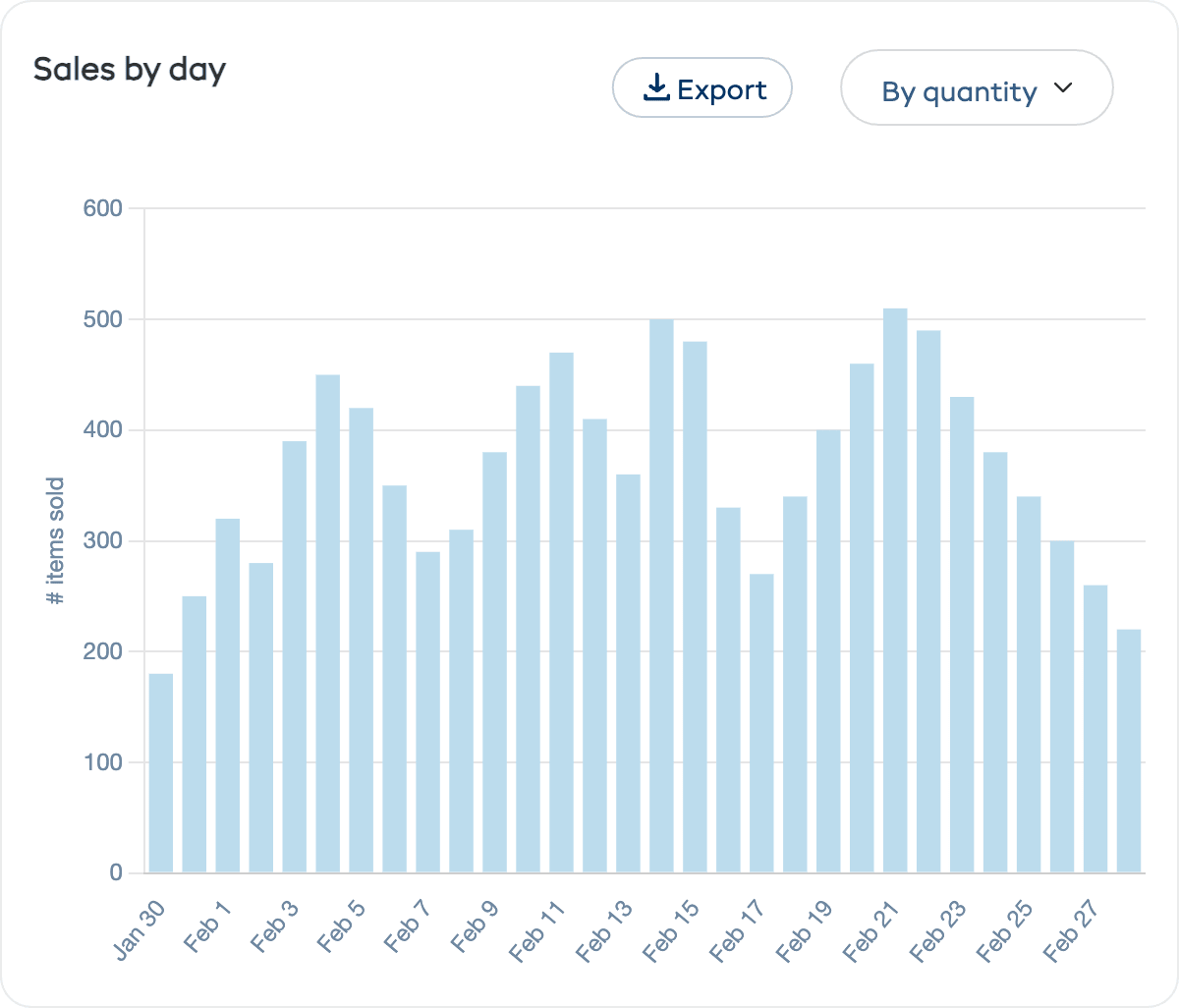
The Sales by day chart shows your daily store sales across the selected period. Use the By quantity / By value dropdown to switch between viewing item counts or revenue amounts.
This helps you spot daily patterns and identify your busiest sales days.
Top Store Products
The Top store products chart is a horizontal bar chart ranking your best-selling store products. Use the By value / By quantity dropdown to switch between revenue and sales count views.
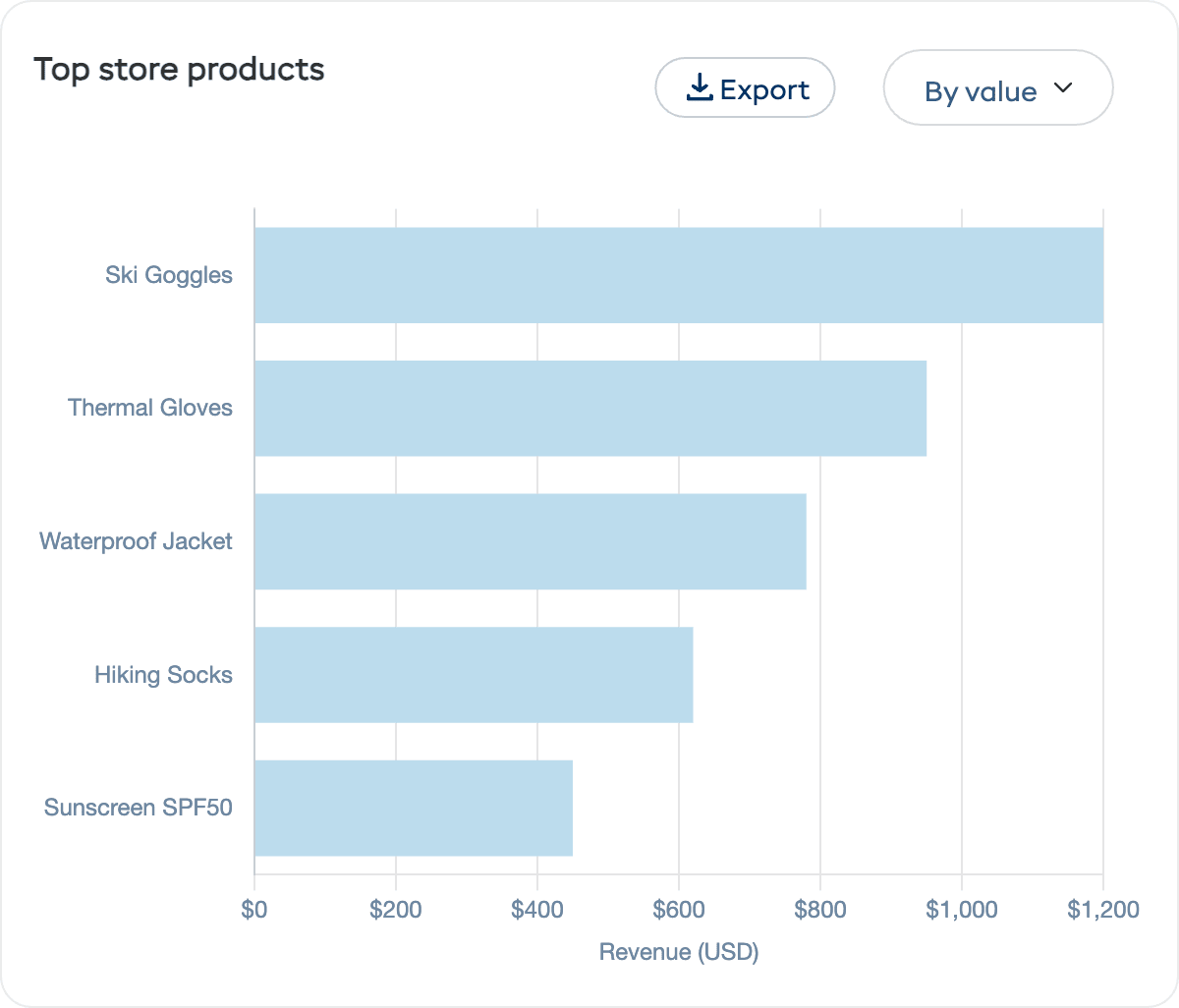
Use this to:
- Focus marketing on your proven best sellers
- Manage stock — Make sure popular items stay in stock
- Review pricing — Consider adjusting pricing on high-demand or low-demand items
- Retire underperformers — Products that rarely sell may not be worth listing
How to Use Store Reports
| Goal | What to Look At |
|---|---|
| Increase store revenue | Check top products and focus promotions on your best sellers |
| Improve average order value | Consider product bundles, upsells, or free-shipping thresholds |
| Manage stock | Cross-reference top products with your inventory to avoid stockouts |
| Identify slow movers | Products not appearing in the top list may need better descriptions, photos, or price adjustments |
| Optimise timing | Use sales by day to time promotional emails and social media posts |