Booking Widget Funnel
The Widget report shows how your booking widget turns visitors into bookings — and exactly where would-be customers fall away. It's the quickest way to answer "is my widget actually converting?"
- Click Reports in the sidebar.
- Open the Widget tab.
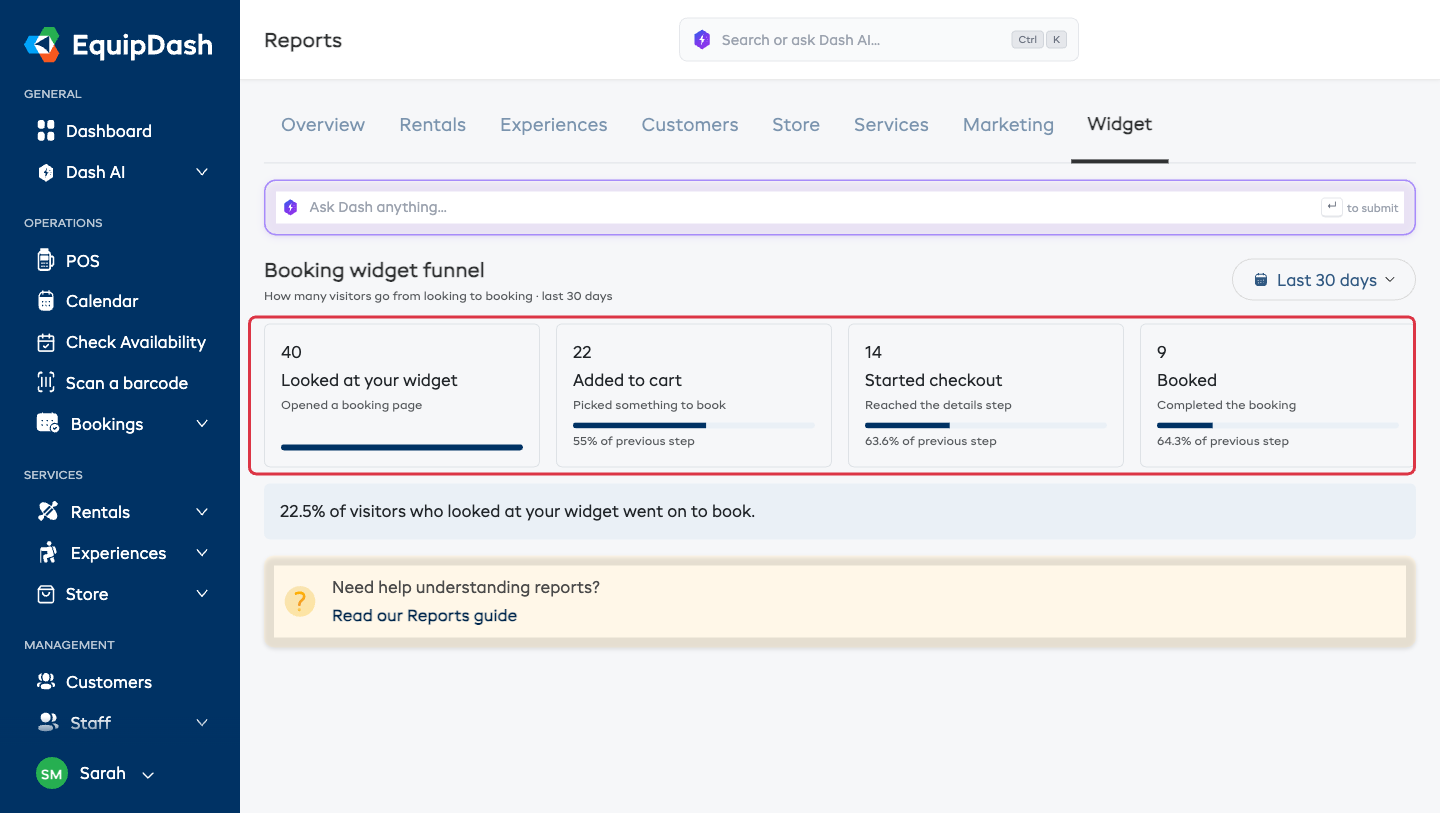
The Four Steps
The funnel follows a visitor's journey from first look to booked:
- Looked at your widget — opened one of your booking pages.
- Added to cart — picked something to book.
- Started checkout — reached the details step.
- Booked — completed the booking.
Under each step you'll see the percentage who carried on from the step before, and a headline figure — for example "22.5% of visitors who looked at your widget went on to book."
The steps only ever go down (you can't book without starting checkout), so a big drop between two steps tells you where to focus. A steep fall from Added to cart to Started checkout, for instance, points at something on the way into checkout.
Changing the Date Range
Use the date dropdown (top right) to switch between Today, Last 7 days, and Last 30 days. The whole funnel updates.
If there's been no widget activity in the range you pick, you'll see a friendly "No widget activity yet" instead of empty boxes.
How the Numbers Are Counted
- Each step counts distinct visitors — a customer who opens three pages counts once, not three times.
- The numbers come from real activity on your live widget, not estimates.
- Visitor counting is anonymous (a first-party cookie), so there's nothing for you to set up.