Ending It, and Payment Problems Add-onA paid add-on you buy on top of the Growth or Pro plan
When the add-on ends, your Dash number goes back to the phone company that day. It is then anybody's, and you will not be able to get the same one again. Anyone still calling the old number reaches nothing.
Cancelling
- Go to Settings → Billing & plan.
- On the Add-on: AI Front Desk panel, click Cancel add-on.
- Read what it tells you, then confirm.
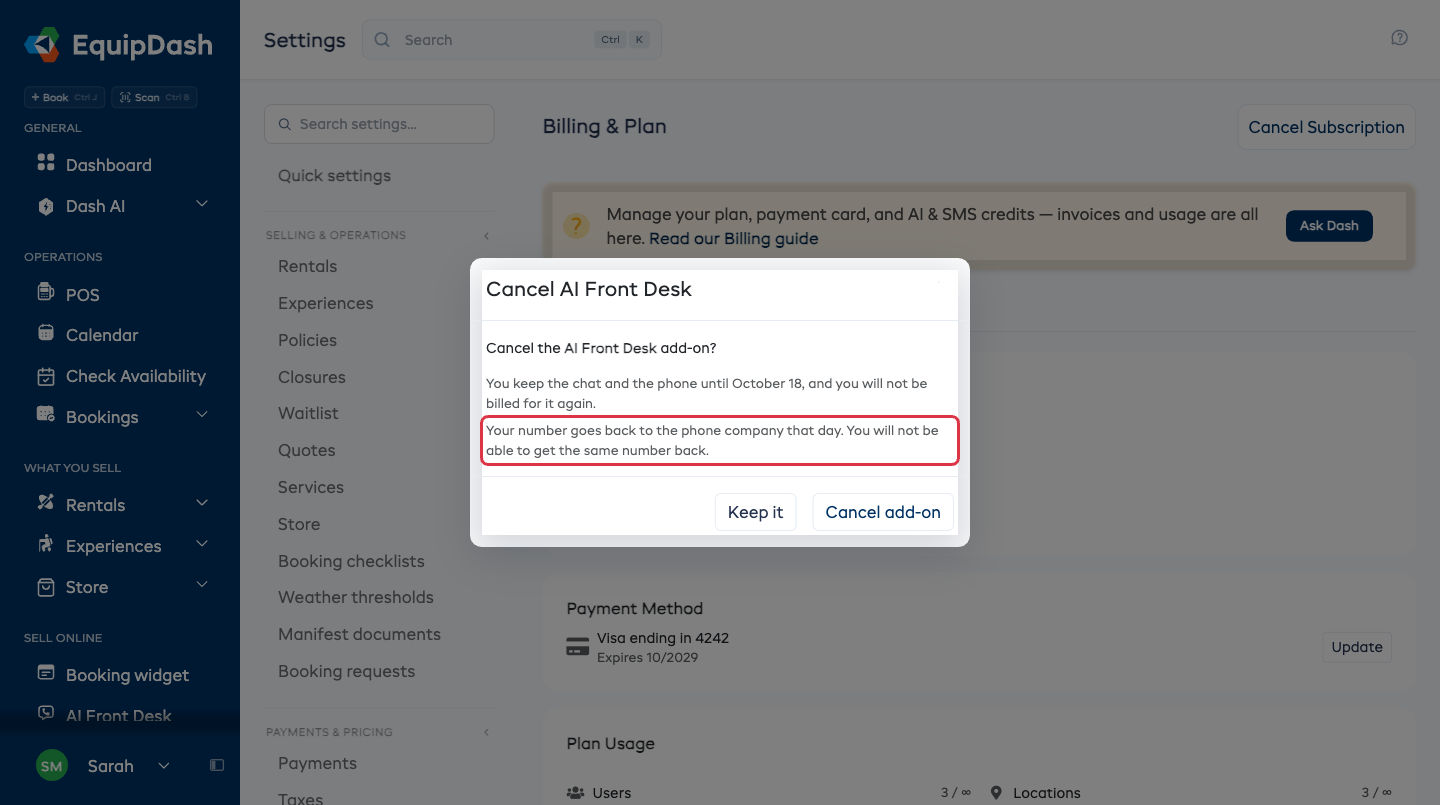
You keep the chat and the phone until the end of the month you have already paid for, and you are not billed again. The panel then reads Ends with that date on it.
We also email you, with the day it stops and what happens to your number.
Changing your mind
Until that day, Keep it on the same panel calls the cancellation off. Nothing extra is charged and you keep the number you have.
After that day the number is gone, so if you come back you get a new one and your customers have to be forwarded to it again.
If a payment fails
The phone stops answering that day. Your number is held for three days so you have time to fix it.
- Go to Settings → Billing & plan and update your card.
- The same number starts answering again.
Settings → AI front desk shows a banner with the day to fix it by, and we email you the same thing. Leave it past that day and the number goes back like any other ending.
Only the phone stops. The chat on your booking page keeps answering while you sort the card out.
If you lose the plan
AI Front Desk needs the Growth or Pro plan. Drop to a plan that does not include it and the add-on ends with it, number and all.
What next
- What it costs - the allowances and how to top up.
- Getting a phone number - if you want to start again.