How It Answers Calls Add-onA paid add-on you buy on top of the Growth or Pro plan
Everything on this page is on the Phone tab under Settings → AI front desk. Changes save as you make them.
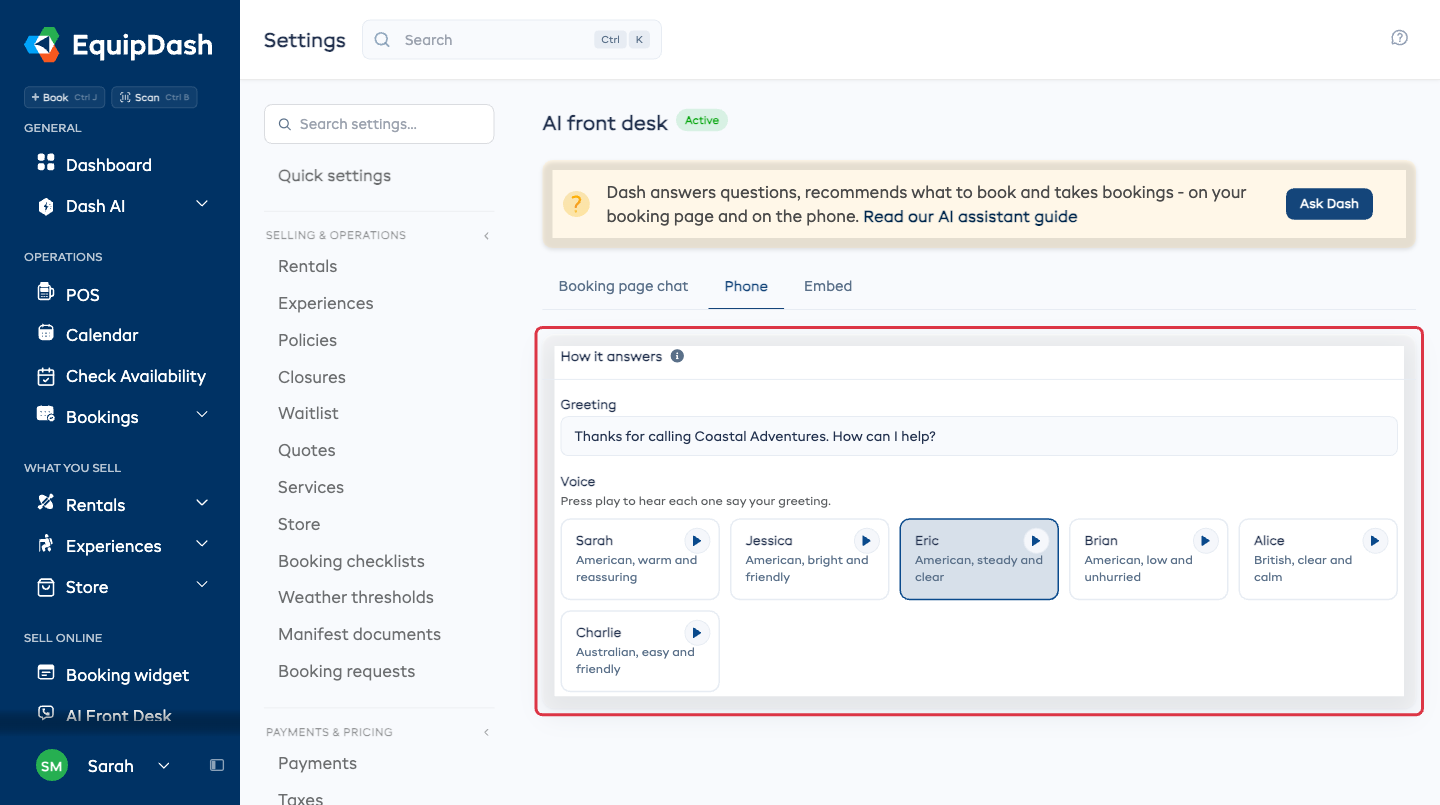
The greeting and the voice
Greeting is the first thing every caller hears. Leave it blank and Dash uses your shop name.
Voice is who says it. There are six, and each line tells you the accent, so you can narrow it down before you press anything. Press play on a card to hear that voice say your own greeting.
Ring your own phone first
Turn Ring your own phone first on and your own phone rings before Dash picks up, so you can take the call yourself when you are free.
- Ring for is how long it tries you: 10, 15, 20 or 30 seconds.
- Your own number is the phone it rings.
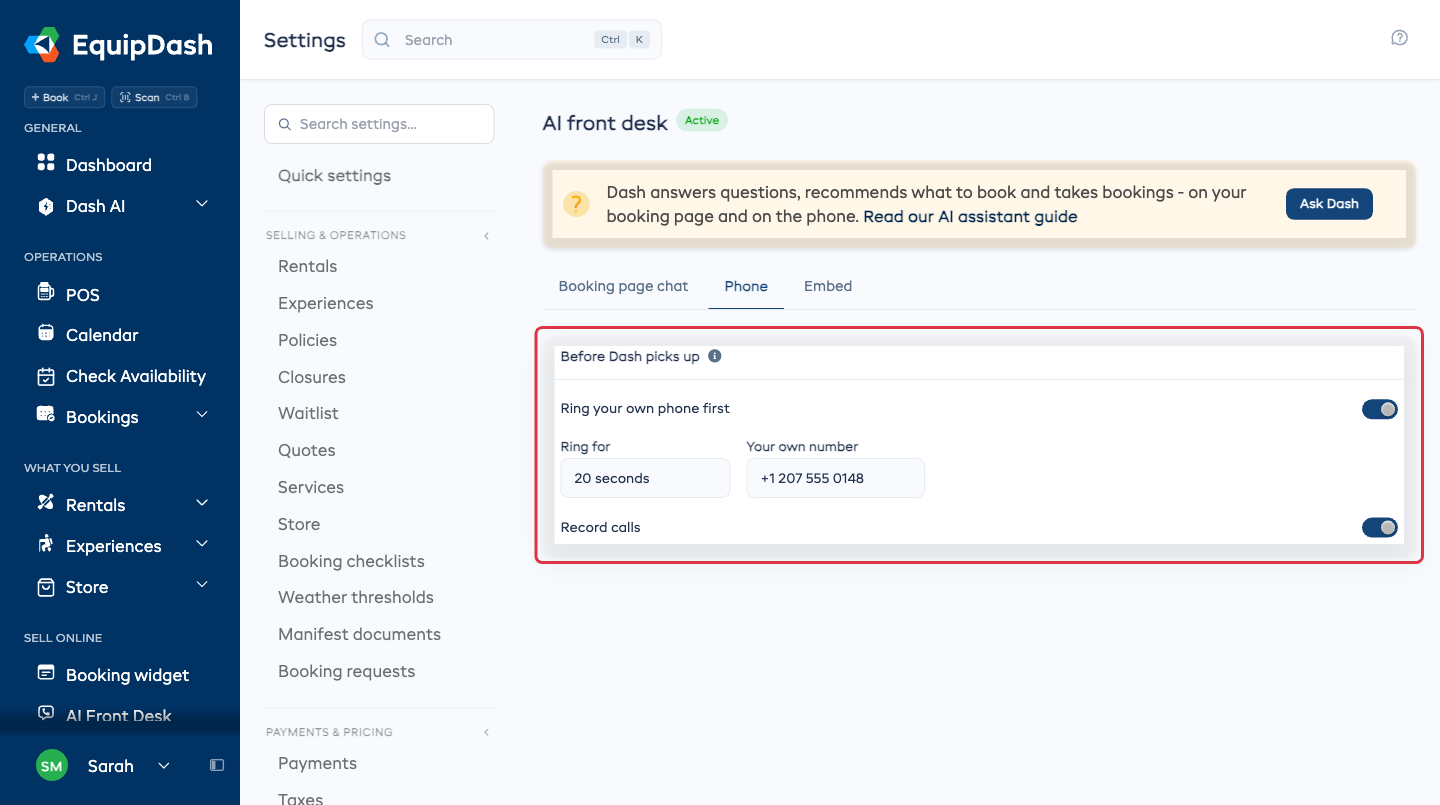
Record calls
Record calls keeps the audio of each call, and the recording plays inside the conversation in your inbox. Callers are told the call is recorded. Turn it off and only the written transcript is kept.
Calls that are not for Dash
Some calls should go straight to a person. Say what those calls are about in your own words and Dash puts them through instead of answering.
- In Pass some calls on, write what those calls are about. One sentence, the way you would tell somebody who started this week.
- Type the number they go to.
- Type who that is, so you can tell your rules apart later.
- Click Add.
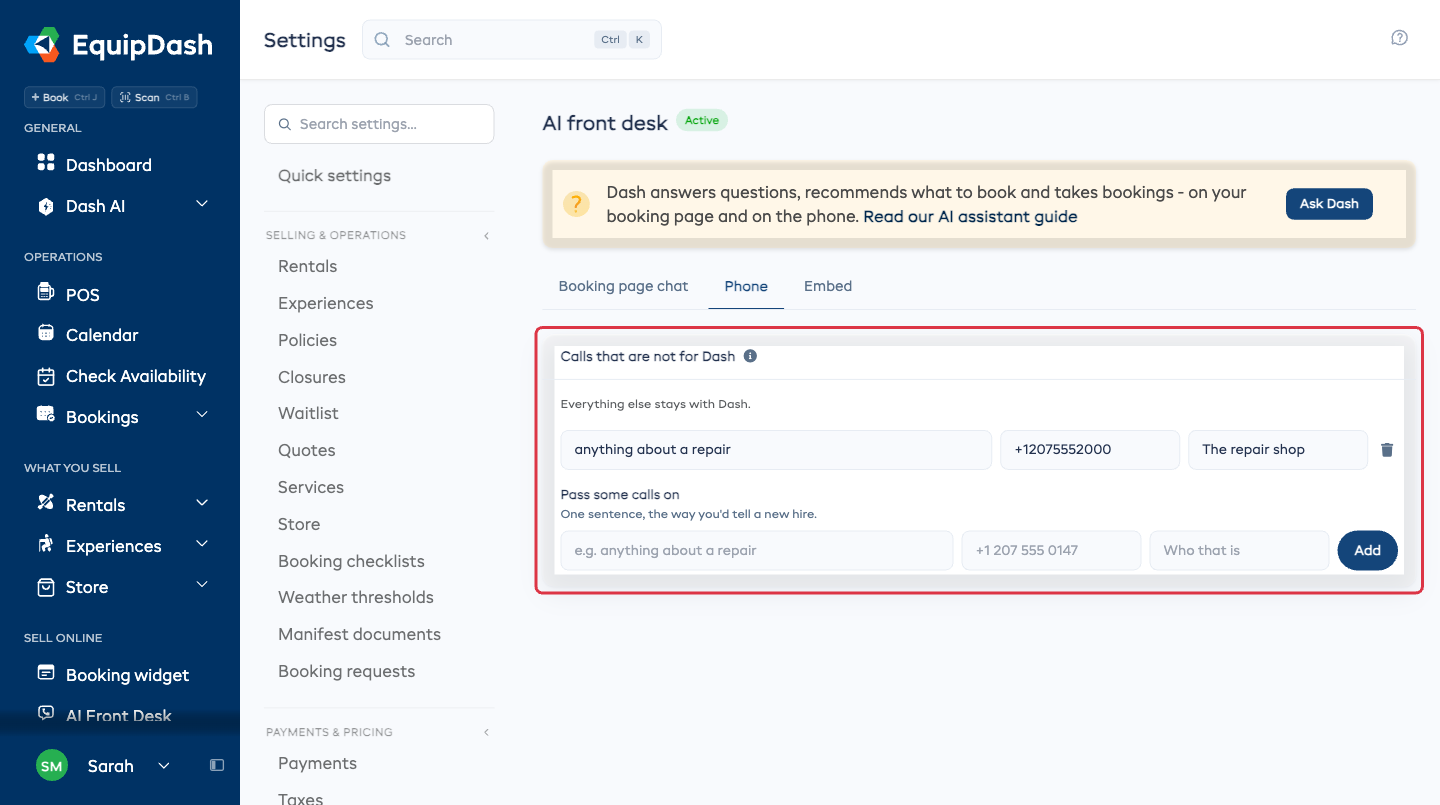
Everything you have not written a rule for stays with Dash. Remove a rule with the trash icon on its row.
What Dash will and will not do on a call
| The caller wants | What happens |
|---|---|
| An answer about your shop | Dash answers from your listings and from what you have taught it |
| To book | Dash holds the slot and texts them a link to pay. No card is read out on the call |
| To move a booking | Dash moves it if your policy allows it, and confirms by text and email |
| To cancel | Dash cancels it and says what your policy refunds |
| Anything outside your policy | Dash says a person will come back to them, and the call lands in your inbox marked Needs you |
Dash never invents a refund. If you have no cancellation policy set, a cancellation always comes to you.
What next
- Your inbox - read the call back, hear the recording, and act on it.
- Teaching Dash - answer the questions it got stuck on.