Teaching Dash Add-onA paid add-on you buy on top of the Growth or Pro plan
Open AI Front Desk in the sidebar and go to the Knowledge tab. Everything here is what Dash tells your customers, on the chat and on the phone alike.
It already knows what you sell
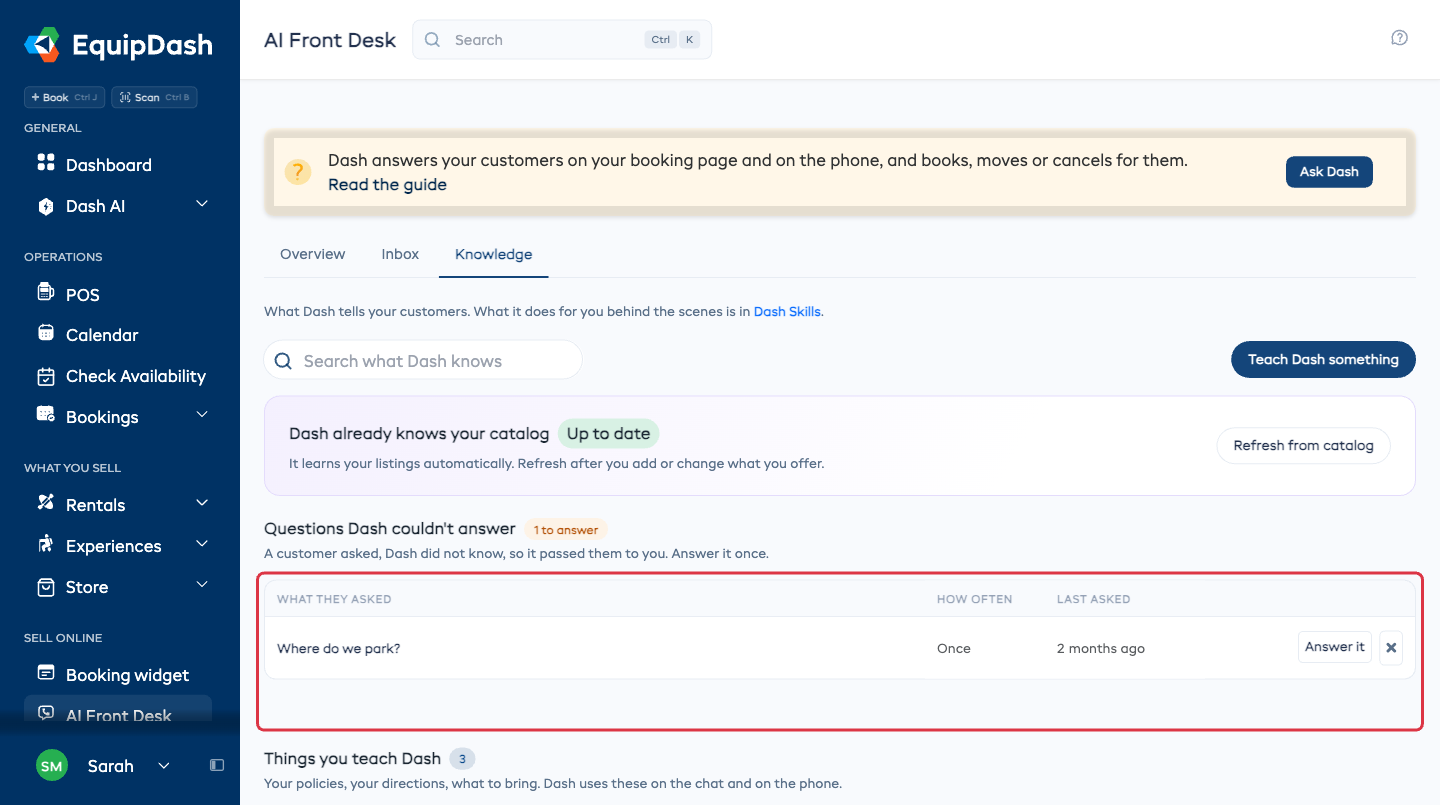
Dash already knows your catalog at the top means your listings, your prices and your availability are in there without you doing anything. It keeps itself up to date.
Just changed what you offer and want Dash to know now? Click Refresh from catalog.
Questions Dash couldn't answer
This list is the work, and ten minutes on it goes a long way. A customer asked something, Dash did not know it, so it passed them to you. The question lands here with how often it has been asked and when it was last asked.
- Read the question.
- Click Answer it.
- Write the answer the way you would say it to a customer, and click Save.
From then on Dash answers it itself, and the question moves down to Things you teach Dash.
Never going to answer one? Drop this question, or the cross on its row, takes it off the list.
Teaching it something before anyone asks
Click Teach Dash something at the top of the tab.
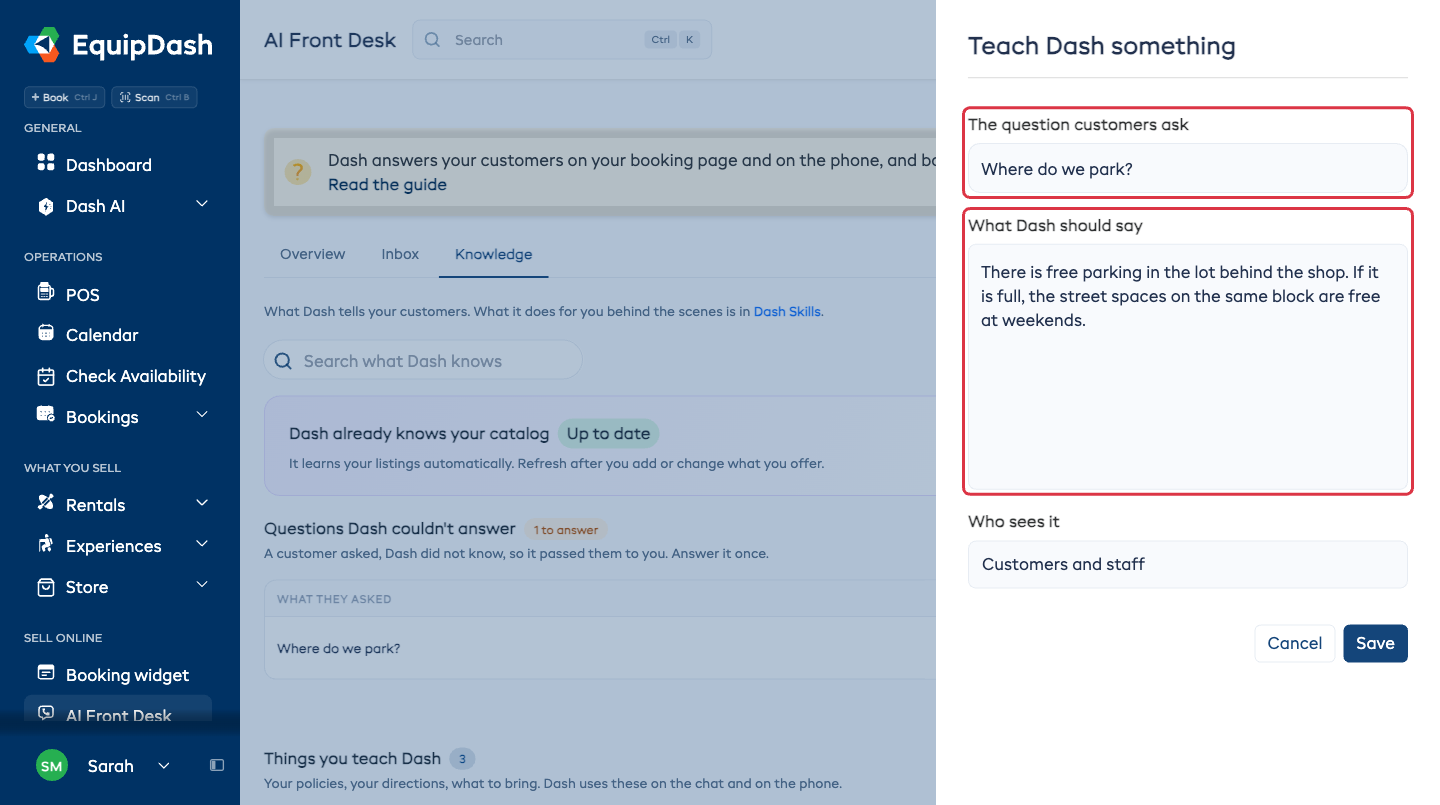
- The question customers ask - write it the way a customer would say it, such as "Where do we park?".
- What Dash should say - the answer, in your own words.
- Who sees it - Customers and staff for anything a customer may ask, Staff only for a note just for your team.
- Click Save.
Parking, what to bring, your quiet hours, anything a listing does not cover.
Changing or removing one
Click any row under Things you teach Dash to open it, change the wording, and Save. Remove it deletes it.
House rules
Some things are not an answer to a question but a rule Dash should follow every time, such as always mentioning the deposit. Those live under House rules at the bottom of the tab.
- Open House rules.
- Write the rule in one sentence, the way you would tell somebody who started this week.
- Click Add.
Turn Must follow on for a rule Dash is never allowed to bend. Drag the rules to put the important ones first.
Most shops never write one, which is why it starts closed.
This tab is what Dash says to your customers. What Dash does for you behind the scenes is in Dash Skills.
What next
- Your inbox - see the answers being used.
- How it answers calls - the same knowledge, on the phone.