Getting a Phone Number Add-onA paid add-on you buy on top of the Growth or Pro plan
You keep giving out the number you always have. We give you a second number, you forward the calls you do not pick up to it, and Dash answers those.
Step 1 - Get your number
- Go to Settings → AI front desk.
- Open the Phone tab.
- Click Turn on the phone.
We find you a number in your own area code and it starts answering right away.
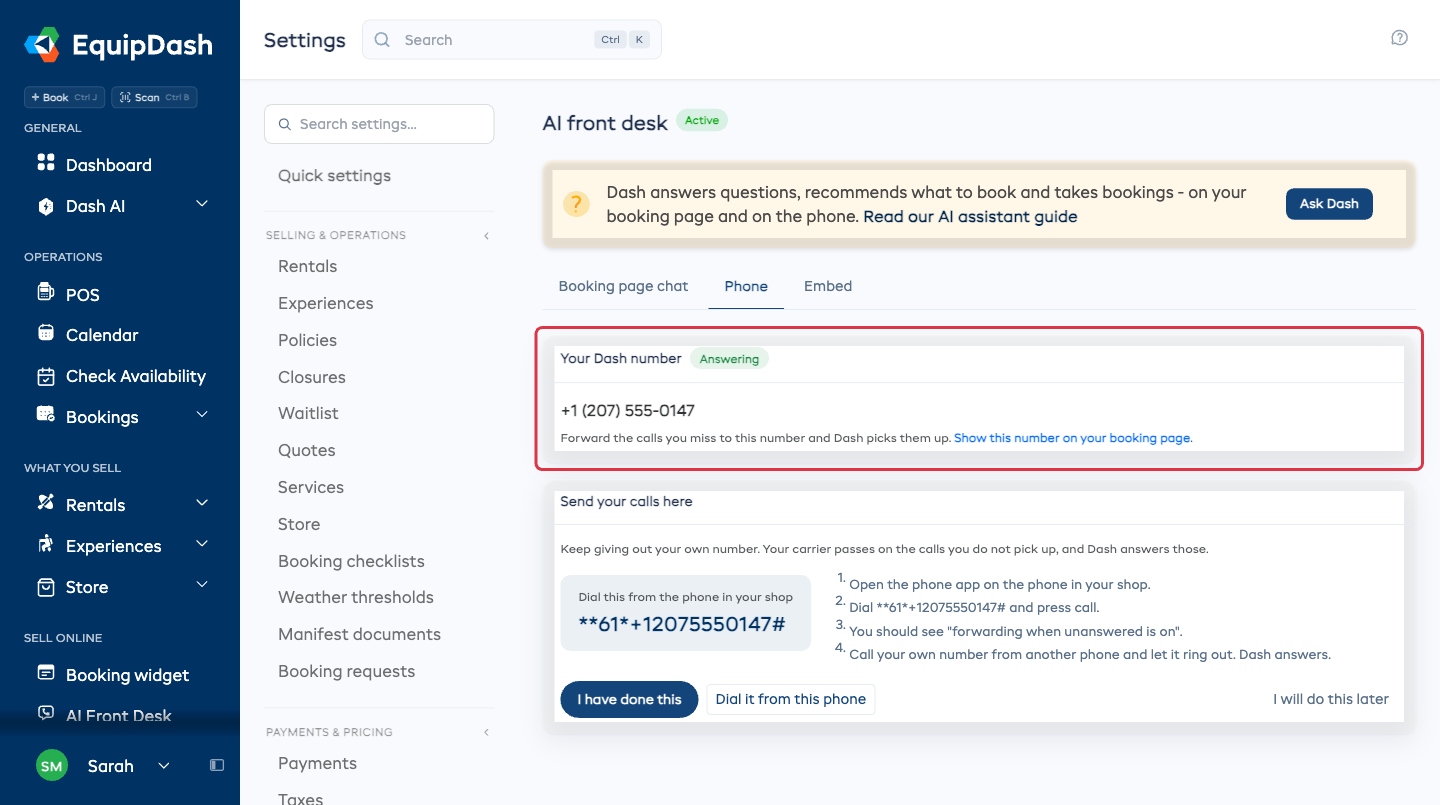
Want a different area, or another country?
Click Pick a different country or area instead, choose the country, type an area code if you want one, and click Find numbers. Pick one from the list with Use this one.
Most shops want a local number, so the one tap above is the usual answer.
Step 2 - Send your calls there
This is the one step that happens on the phone in your shop, not on the screen.
- Open the phone app on the phone in your shop.
- Dial the code shown on the Send your calls here card and press call.
- You should see a message saying forwarding when unanswered is on.
- Call your own number from another phone and let it ring out. Dash answers.
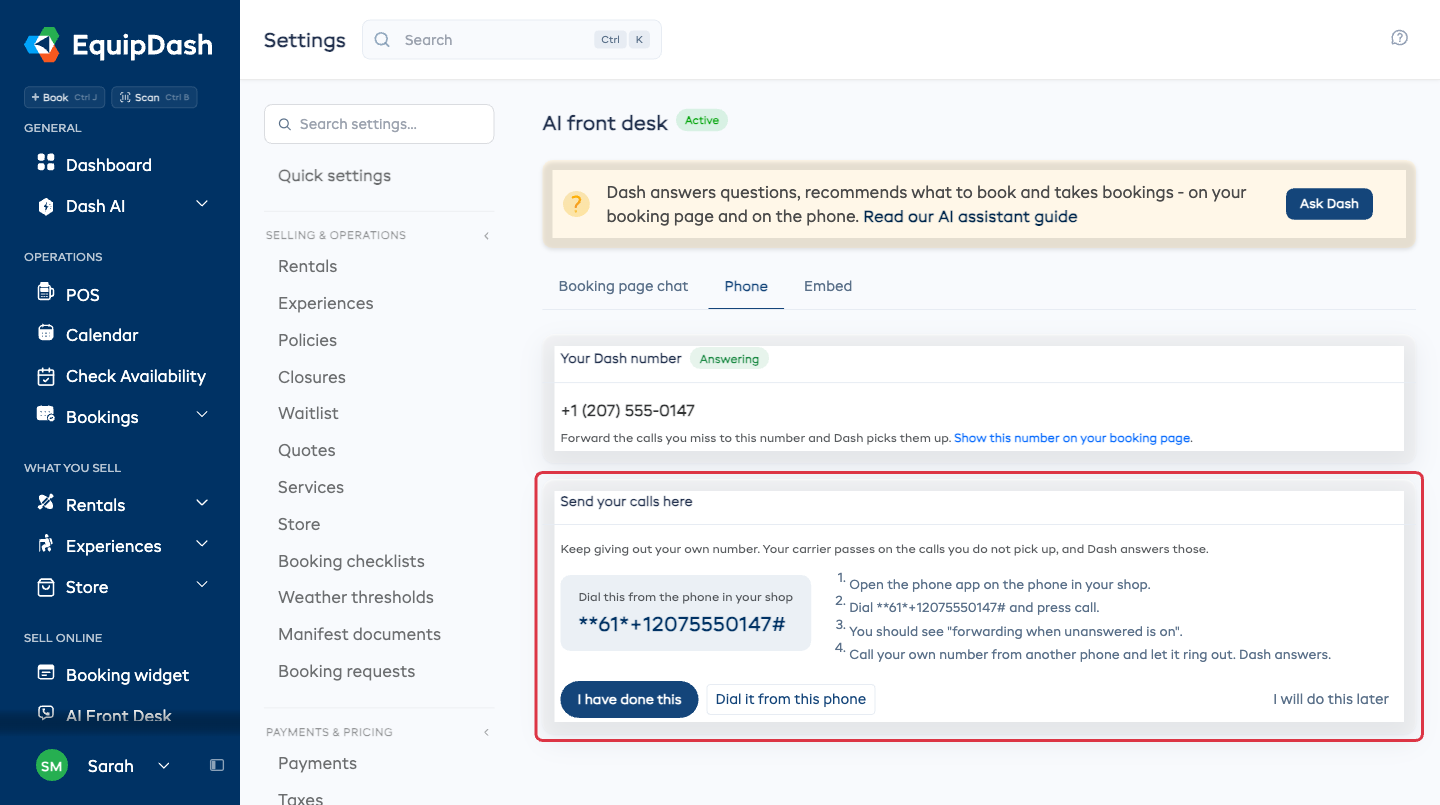
On the phone you are reading this on, Dial it from this phone starts the call for you. When it is done, click I have done this and the card folds away.
Your number stays with your carrier. Forwarding only passes on the calls nobody picked up, so a call you answer yourself never reaches Dash.
Step 3 - Put the number where customers see it
Plenty of shops publish the Dash number as well. Show this number on your booking page on the same card takes you to the booking widget settings, where you can add it.
What next
- How it answers calls - the greeting, the voice, ringing your own phone first and passing calls on.
- Your inbox - every call, what the caller wanted and what Dash did.
- Ending it - what happens to the number if you cancel or a payment fails.