Automations Growth+This feature requires the Growth+ plan or higher
Automations are messages that send themselves. Switch one on once and it keeps working in the background — asking for reviews, chasing bookings that were never finished, and bringing back customers who've gone quiet. Each one is a single switch, and each card shows what it has sent and what it brought back.
- In the left sidebar, click Promotions then Campaigns.
- Click the Automations tab.
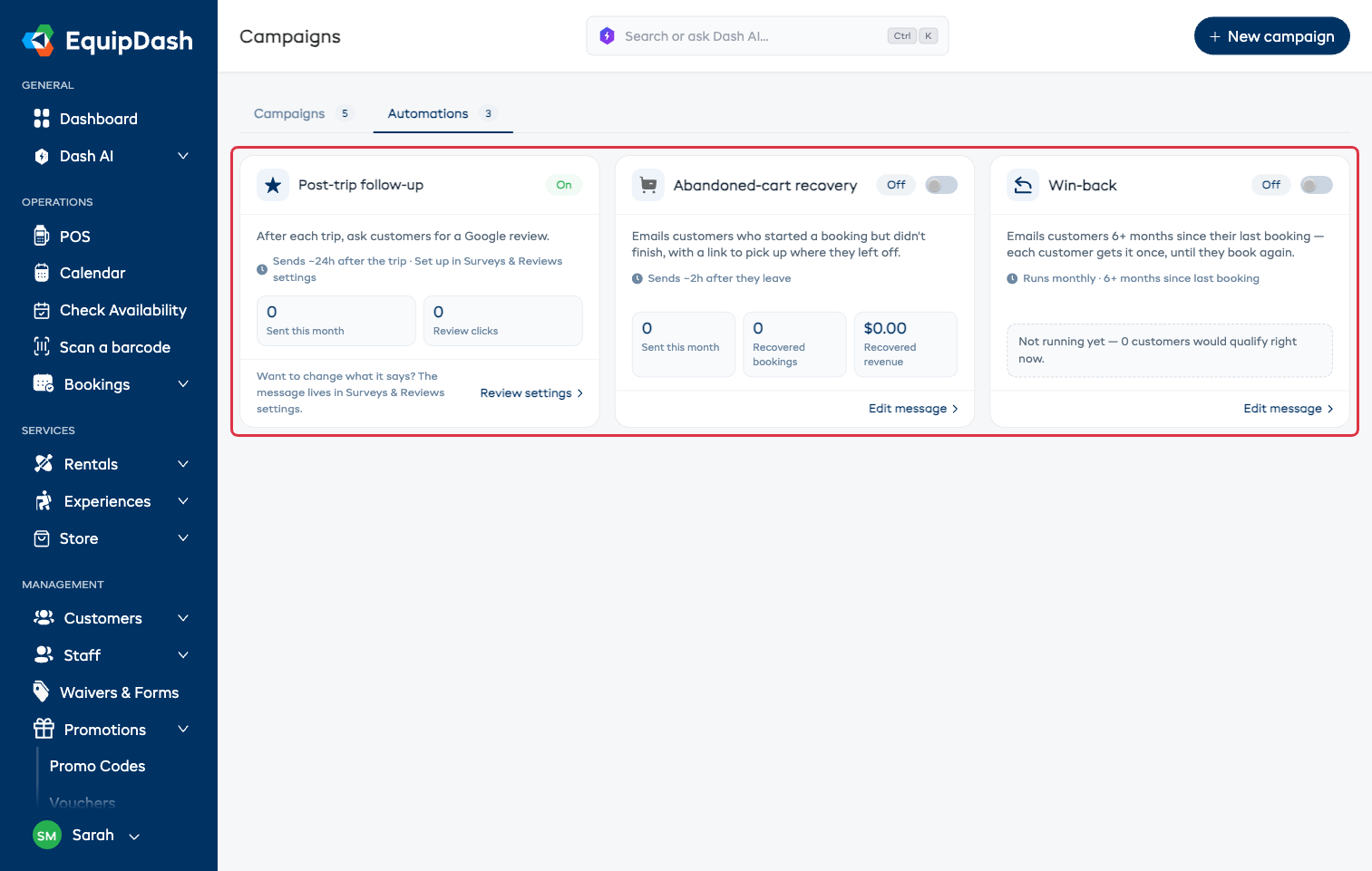
The Three Automations
Post-trip follow-up
After a booking, asks the customer for a Google review.
- When it sends: about 24 hours after the booking (you can change that in your review settings).
- What the card shows: how many went out this month, and how many customers tapped through to leave a review.
- How to switch it on: this is your existing review request, so the card links to Review settings — that's where you switch it on and edit what it says. See Surveys Overview.
Abandoned-cart recovery
Emails customers who started a booking on your website but never finished, with a link back to what they left behind.
- When it sends: about 2 hours after they leave checkout. Finish the booking in the meantime and nothing is sent.
- How it knows: your booking widget asks for an email early in checkout, so a half-finished booking still has someone to write to.
- What the card shows: sent this month, bookings recovered, and the revenue from them.
- How to switch it on: flip the switch on the card. See also Abandoned Cart Recovery.
Win-back
Emails customers who haven't booked in a while — by default 6 or more months since their last booking.
- When it sends: once a month. Each customer gets it once, until they book again.
- What the card shows: sent this month, bookings, and revenue. While it's off, the card tells you how many customers would qualify right now, so you know the size before you commit.
- How to switch it on: flip the switch on the card.
Editing What an Automation Says
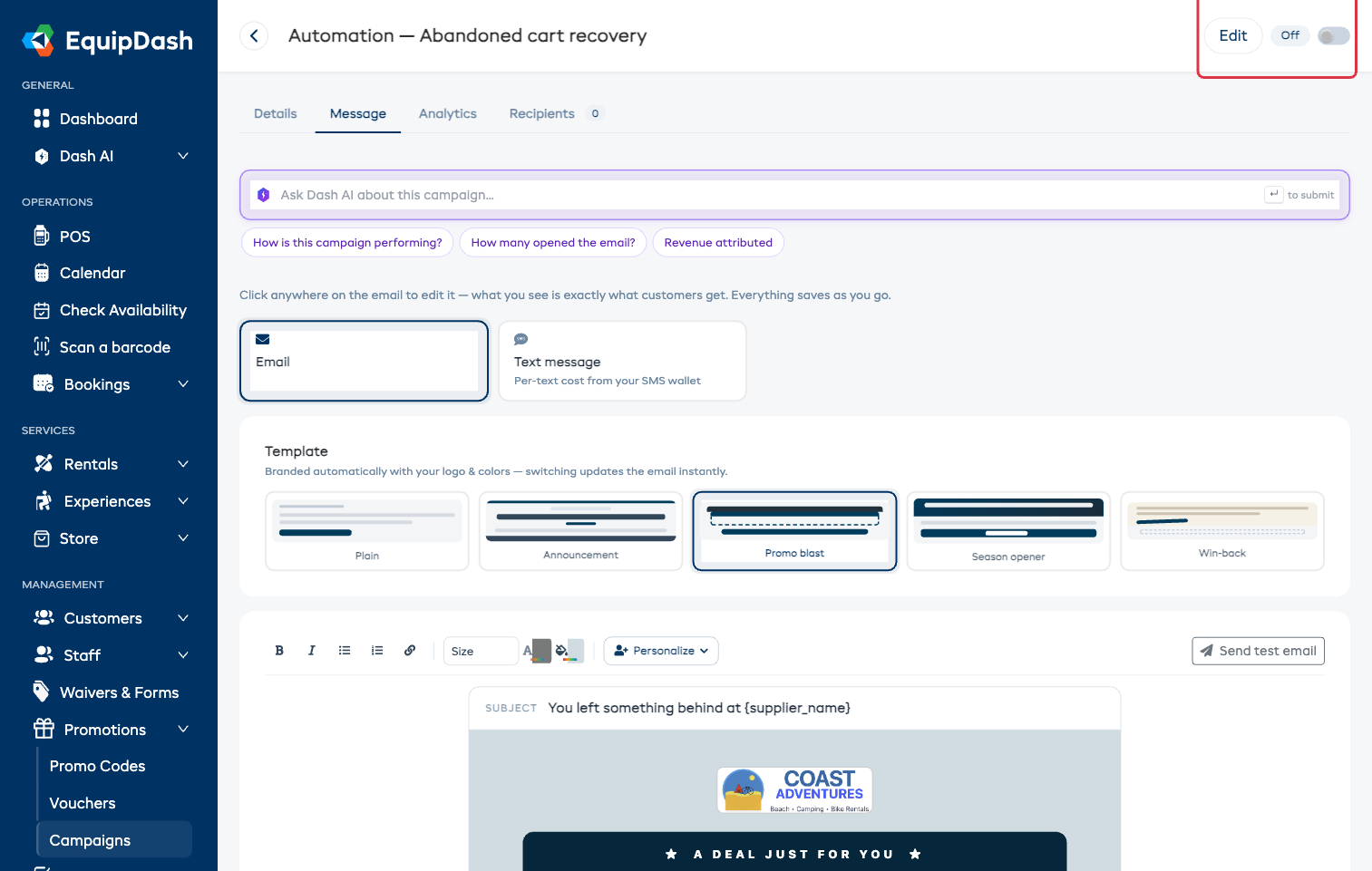
Click Edit message on the abandoned-cart or win-back card to open that automation's own page. It works like any campaign page — pick a design, edit the email on the canvas, personalize it, attach a promo code — with three differences:
- There's no send button. The switch at the top of the page turns the automation on and off.
- There's no audience to choose. The trigger decides who gets it, and the line under the email says who that is.
- Recipients builds up over time, as a running history of everyone the automation has emailed.
Whatever the message says at the moment it sends is what goes out, so you can improve it any time.
Switching Them On and Off
- Flip the switch and you get a note confirming exactly what happens next.
- Switch it off any time — nothing else will send, and you can switch it back on whenever you like.
- Opt-outs are respected automatically: anyone who unsubscribed is never emailed by an automation either.
- Each customer only gets each automation once per qualifying event, so nobody is emailed twice for the same thing.
Good to Know
- Automations are separate from your one-off campaigns — they don't appear on the Campaigns list, and their results stay on their own cards and pages.
- The default messages are ready to send as they are, so you can switch one on today and refine the wording later.
- Switching automations on or off needs the Manage campaigns permission (post-trip follow-up uses your review settings instead). With View campaigns only, the switches are visible but can't be moved.