Choosing Who Gets It Growth+This feature requires the Growth+ plan or higher
Who receives a campaign matters as much as what it says. You pick the audience in one click, and the customer counts update live so you always know how many people you're about to email — before you write a word.
You choose the audience on step 2 of the new-campaign panel, and you can change it any time before sending on the campaign's Audience tab.
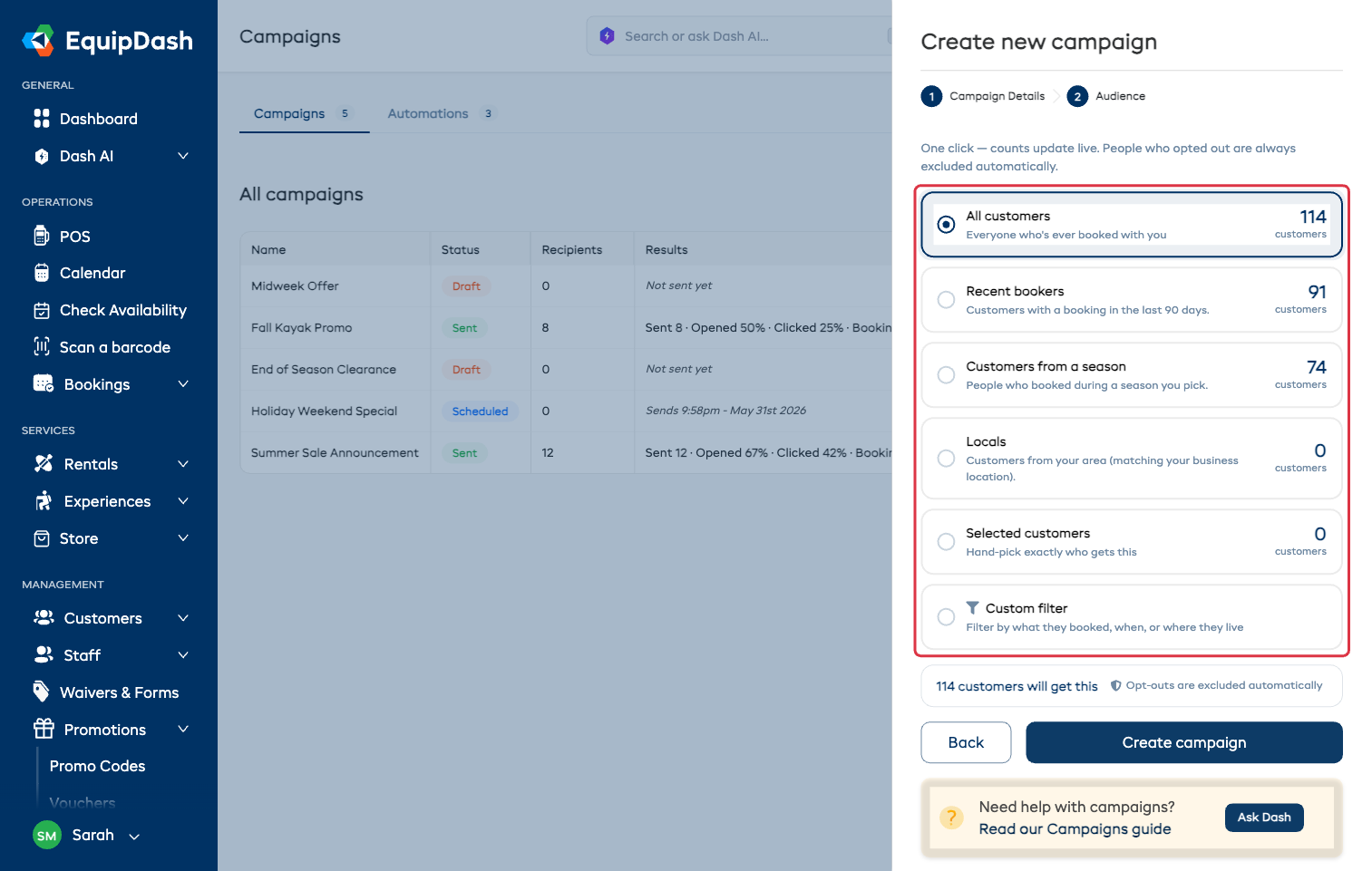
One-Click Audiences
| Audience | Who's in it | Good for |
|---|---|---|
| All customers | Everyone who has ever booked with you | Season openers, big announcements |
| Recent bookers | Booked in the last 90 days | "Come back for another", cross-selling |
| Customers from a season | Everyone who booked during a season you pick | Bringing last season's customers back for this one |
| Locals | Customers in your area | Midweek offers and last-minute gaps |
Pick Customers from a season and a dropdown appears underneath: choose one of your own seasons, or a past calendar year if you haven't set seasons up. See Seasonal Pricing.
Selected Customers
Hand-pick exactly who gets it — good for a thank-you to your best customers, or a note to the people on one particular booking.
- Choose Selected customers.
- Type at least 2 characters of a name or email in Search customers.
- Click a customer to add them. They're listed underneath, and the × removes anyone you added by mistake.
Custom Filter
Build the audience from booking history. Everything is optional — combine what you need and watch the count.
- Products and Experiences — customers who booked any of the items you select (not all of them).
- Filter by date — limit it to a date range, either by Date booked (when they made the booking) or Booking date (the date they were actually coming in).
- Only people who haven't booked since… — everyone whose last booking is older than the date you pick. This is what "win back" audiences are built from.
- Filter by city — customers in one city.
Before You Send
- Check the count. A surprisingly big or small number almost always means the filter needs a tweak.
- Opt-outs are removed for you. The count line says so, and it applies to every audience: anyone who unsubscribed or replied STOP is never contacted. They appear as Skipped (opted out) in the results afterwards.
- Only people you can reach are counted. Email campaigns need an email address; text campaigns only count customers with a phone number.
- Match the audience to the message. A midweek offer works on locals; a "we miss you" message needs people who haven't booked in a while.
- Start smaller. Try a tighter audience first, look at the results, then go wider with what worked.