Dash Skills Growth+This feature requires the Growth+ plan or higher
Your bots get better the longer you use them. After a real run, Dash may notice how you handle a situation and suggest saving it as a skill - a short, plain-English note about the way your business does things. Every bot then follows it on its next run.
Nothing is ever learned without you. Every suggestion arrives as a card you either Keep or turn down, and anything Dash has learned can be edited or removed later.
Opening Dash Skills
- Click Bots in the sidebar.
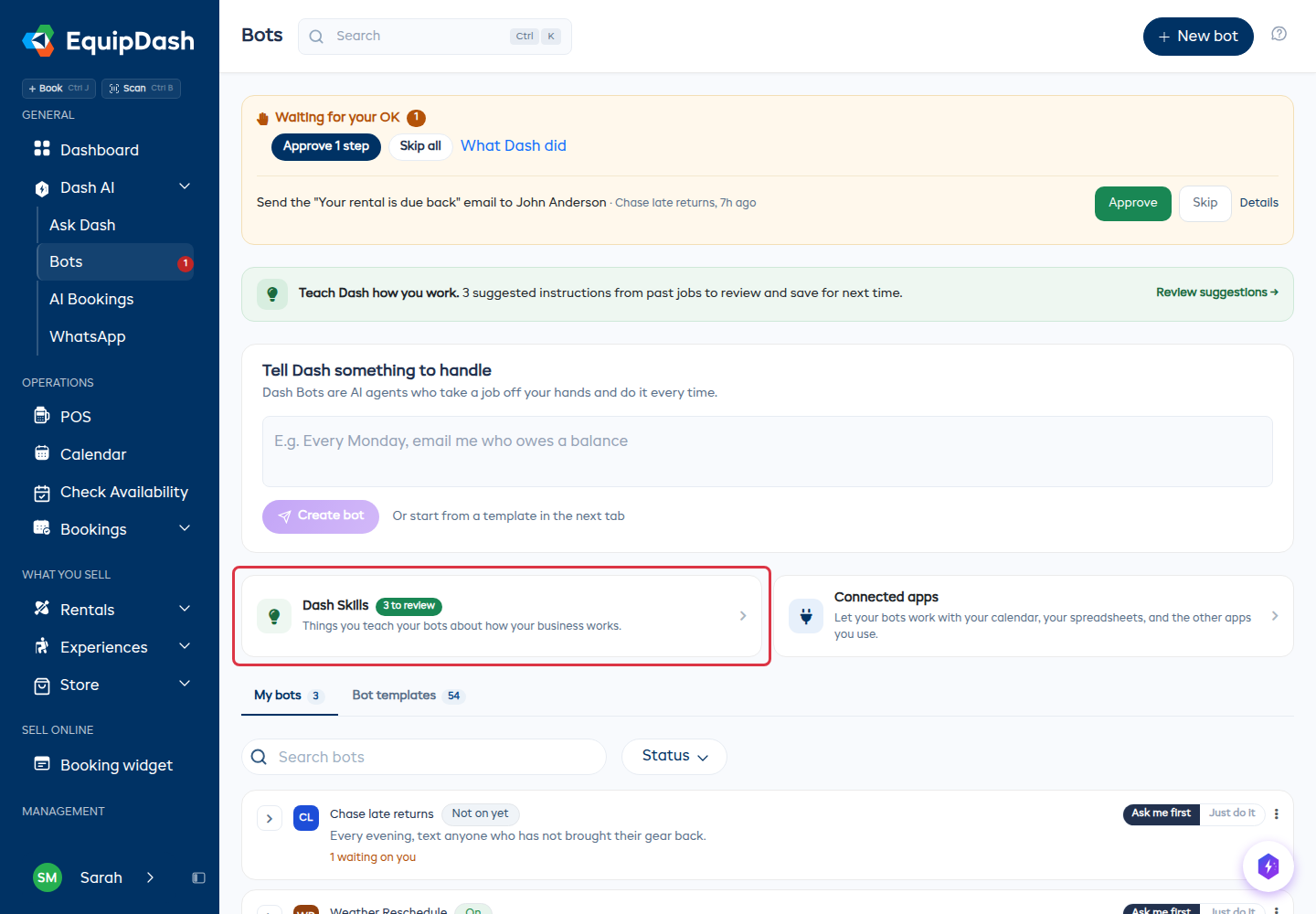
- On the Bots page, find the Dash Skills card and click it.
- The Dash Skills page opens with four tabs: Review, Skills, What Dash knows, and History.
When there are suggestions waiting, the card on the Bots page shows how many, so you never have to go looking.
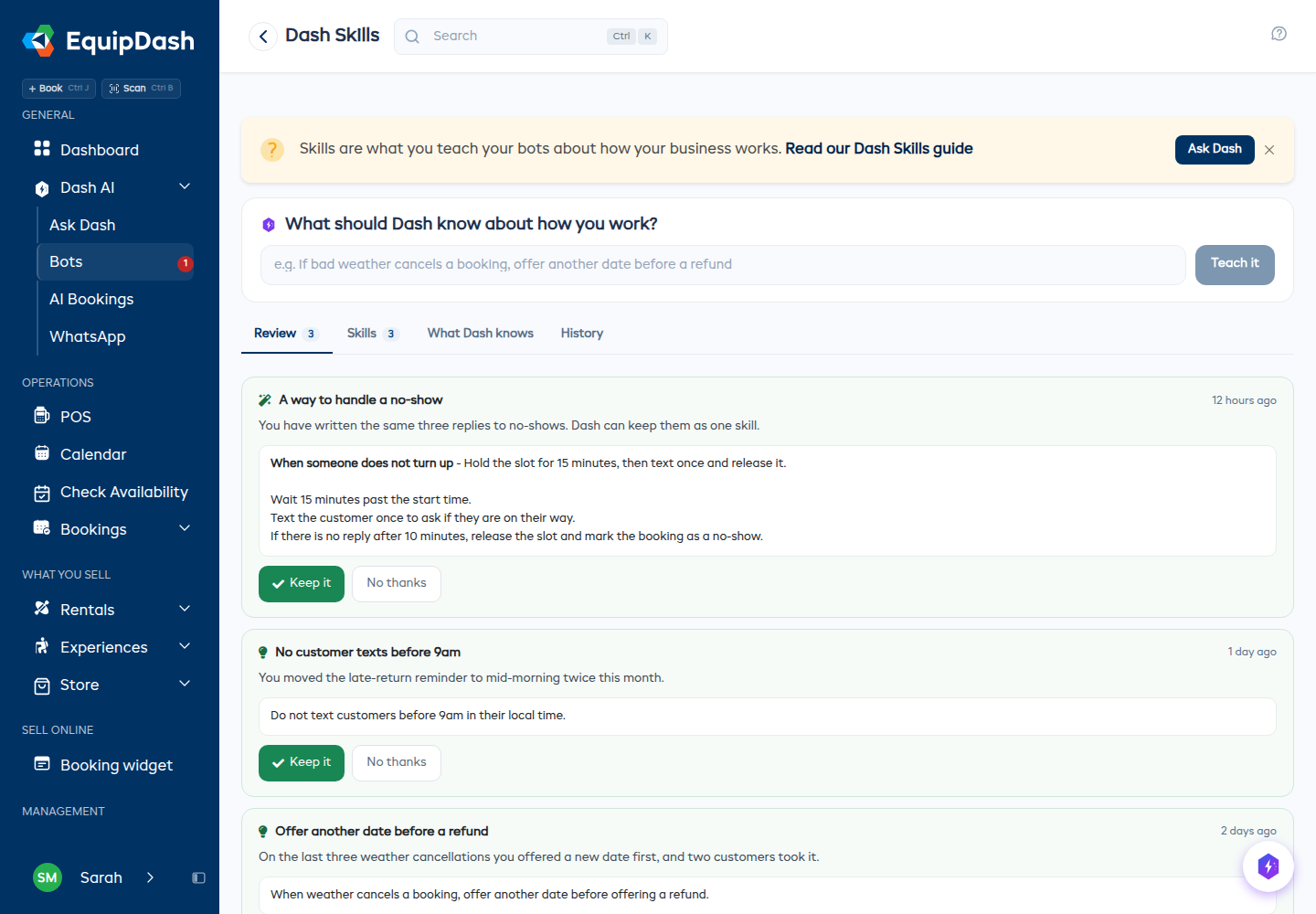
Review - decide what Dash keeps
The Review tab is the inbox for everything Dash wants to learn. Each suggestion is a plain-English card that shows:
- What Dash wants to remember - for example, how you handle a cancellation caused by bad weather, or what to do on a second overdue reminder.
- Why - the reasoning behind the suggestion.
- Where it came from - which bot's run prompted it, and when.
For each card:
- Click Keep it to save it. Every bot follows it from its next run.
- Or click No thanks to turn it down. Dash will not suggest that again.
If there is nothing to review, the tab tells you so. Suggestions only appear after bots have done real work - a brand-new account will have an empty Review tab for a while, and that is normal. Shops on a free trial, and shops out of AI credits, get no new suggestions.
Skills - the list of how things get done
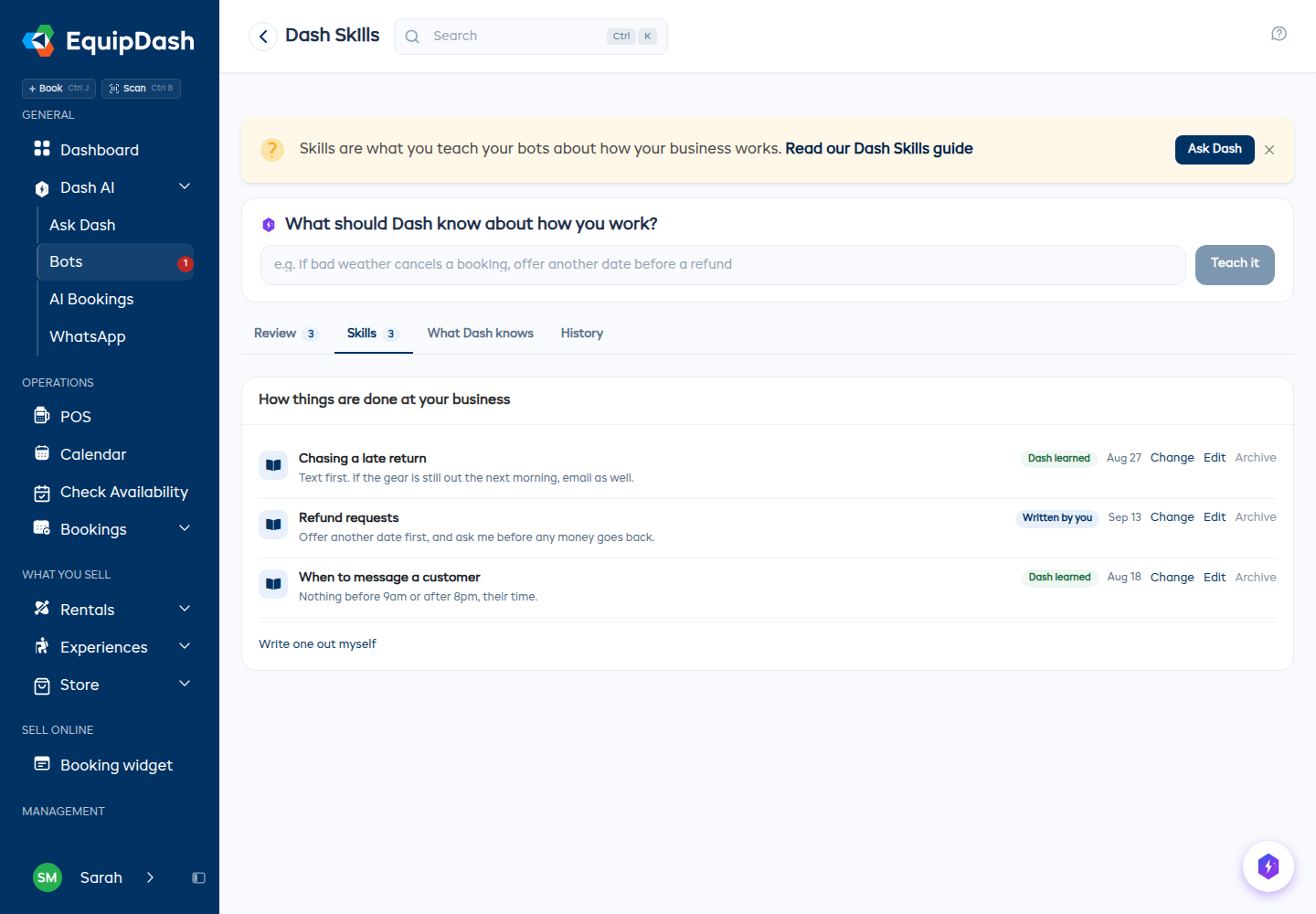
The Skills tab lists every skill your bots currently follow. Each row shows the name, when Dash should use it, and a tag:
| Tag | Meaning |
|---|---|
| Dash learned | Dash suggested it after a run and you kept it. |
| Written by you | Somebody on your team wrote it by hand. |
Writing your own skill
You do not have to wait for Dash to suggest something. If you already know how you want a situation handled, write it down once:
-
On the Skills tab, click Write one out myself.
-
Enter a Name - what the situation is (for example, "Rainy-day cancellations").
-
Fill in When should Dash use it? - a one-line description of the trigger (for example, "When bad weather forces a cancellation").
-
Write The steps in plain English, one per line. Short and specific beats long and vague:
- Offer a reschedule first.
- Only refund if no other date works.
-
Click Teach it.
Editing and archiving
- Click Edit on any skill to change its name, description, or steps. Bots pick up the change on their next run.
- Click Archive to stop bots following it. Archived skills are not deleted - they move to History, where you can restore them at any time.
What Dash knows - two short notes
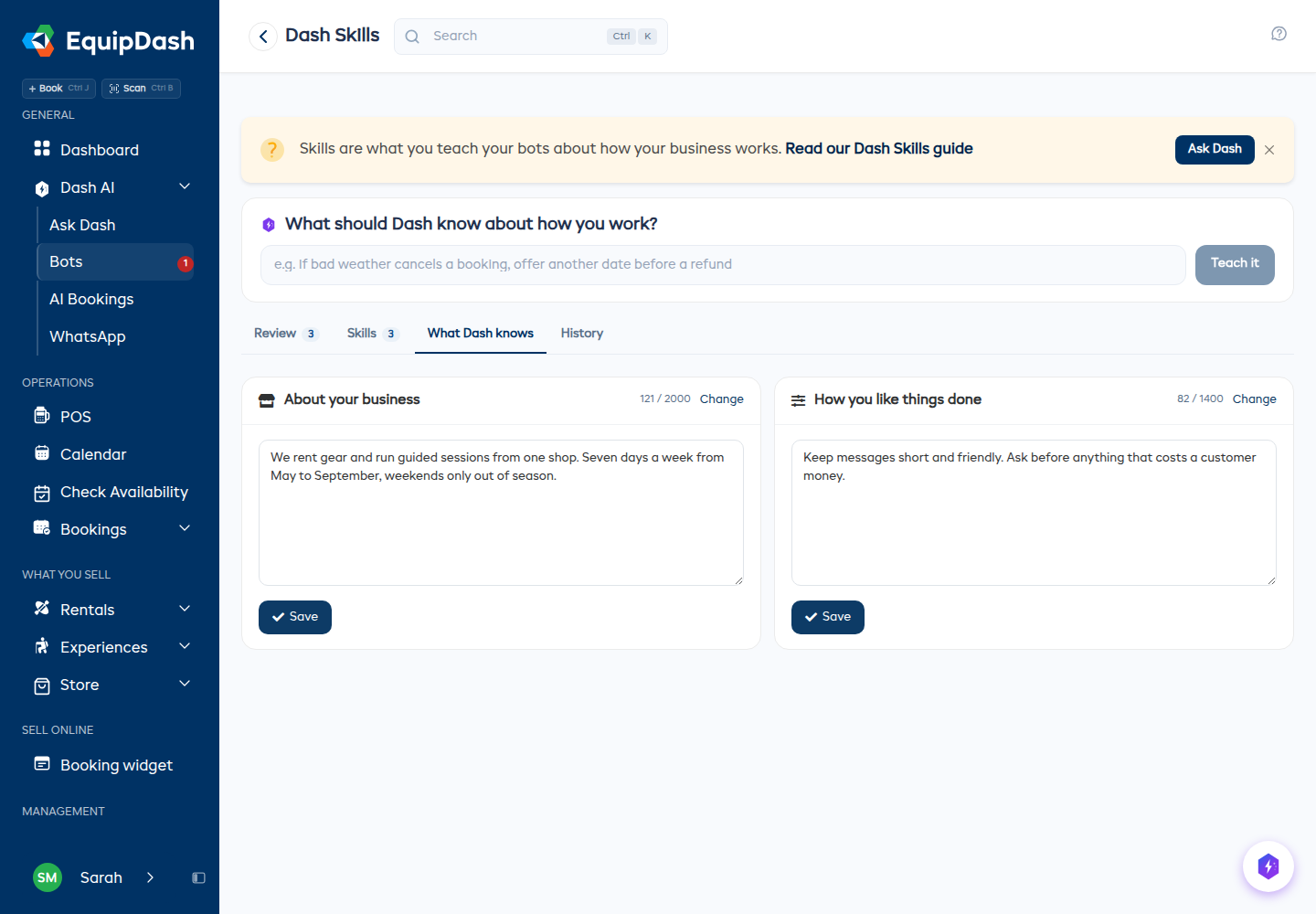
The What Dash knows tab holds two editable notes that go into every bot run:
| Note | What belongs in it |
|---|---|
| About your business | Facts that rarely change - for example, "Closed Mondays outside peak season." |
| How you like things done | Your rules of thumb - for example, "Never text customers before 9am." |
Write one fact or one rule per line, then click Save. Bots use the updated notes on their next run.
Each box has a size limit - 2,000 characters for About your business and 1,400 characters for How you like things done - and a counter above the box shows how much you have used. This is deliberate: short notes work better. A tight list of the things that actually matter gives your bots clearer direction than a long document. If you find yourself running out of room, most of what you are writing probably belongs in a skill instead.
History - every decision, kept forever
The History tab is the record of everything you decided:
- Suggestions you kept, and suggestions you turned down - each with the date and who made the call.
- Skills you archived, with a Restore link to bring them back.
Use it to check what changed if a bot starts behaving differently, or to bring back a skill you archived by mistake.
Teaching Dash from a run
Dash also learns from the runs you correct. Open any bot run, expand a step it got wrong, and:
- Click Not what you wanted?
- Type what Dash should have done instead.
- Click Send to Dash.
Your note feeds into the next batch of suggestions on the Review tab. Nothing changes immediately - you still get to keep or turn down whatever Dash proposes.
Who can do what
- Anyone who can view bots can open Dash Skills and read the suggestions, skills, notes, and history.
- Keeping or turning down a suggestion, writing or editing a skill, editing the two notes, and archiving or restoring all need the Bots: Manage permission. Team members without it see the page but not the buttons.
Tips
- Keep skills short and specific. "Offer a reschedule before a refund" is a skill. "Be helpful to customers" is not.
- One situation per skill. If a skill covers three unrelated cases, split it into three.
- Review regularly rather than in bulk. A quick pass over a couple of cards is easier than clearing twenty at once.
- Write down the thing you keep correcting. If you find yourself fixing the same bot behavior repeatedly, that is a skill waiting to be written.
- Archive rather than rewrite when a way of working changes seasonally. You can restore it from History when the season comes back around.