Best TripWorks Alternatives & Competitors (2026)
Prefer a direct head-to-head? See our EquipDash vs TripWorks comparison. Already switching? Skip to the migration guide.
TripWorks is a modern booking platform for tours, activities, and attractions. It's earned a 4.9/5 on Capterra across 45 reviews, with consistent praise for its clean interface, built-in POS, digital waivers, and 13 direct OTA connections to Viator, GetYourGuide, Expedia, and more.
But TripWorks' pricing model gives some operators pause. The Standard plan charges $0/month plus a 6% booking fee and 2.9% + $0.30 processing, roughly 9% effective take on every sale. Equipment rental support is surface-level (inventory tracking but no serial-level management), there's no native operator mobile app (just a PWA), and the free trial is only 2 days. If you're feeling the margin squeeze, need real rental depth, or want a longer trial to evaluate properly, it's worth looking at alternatives.
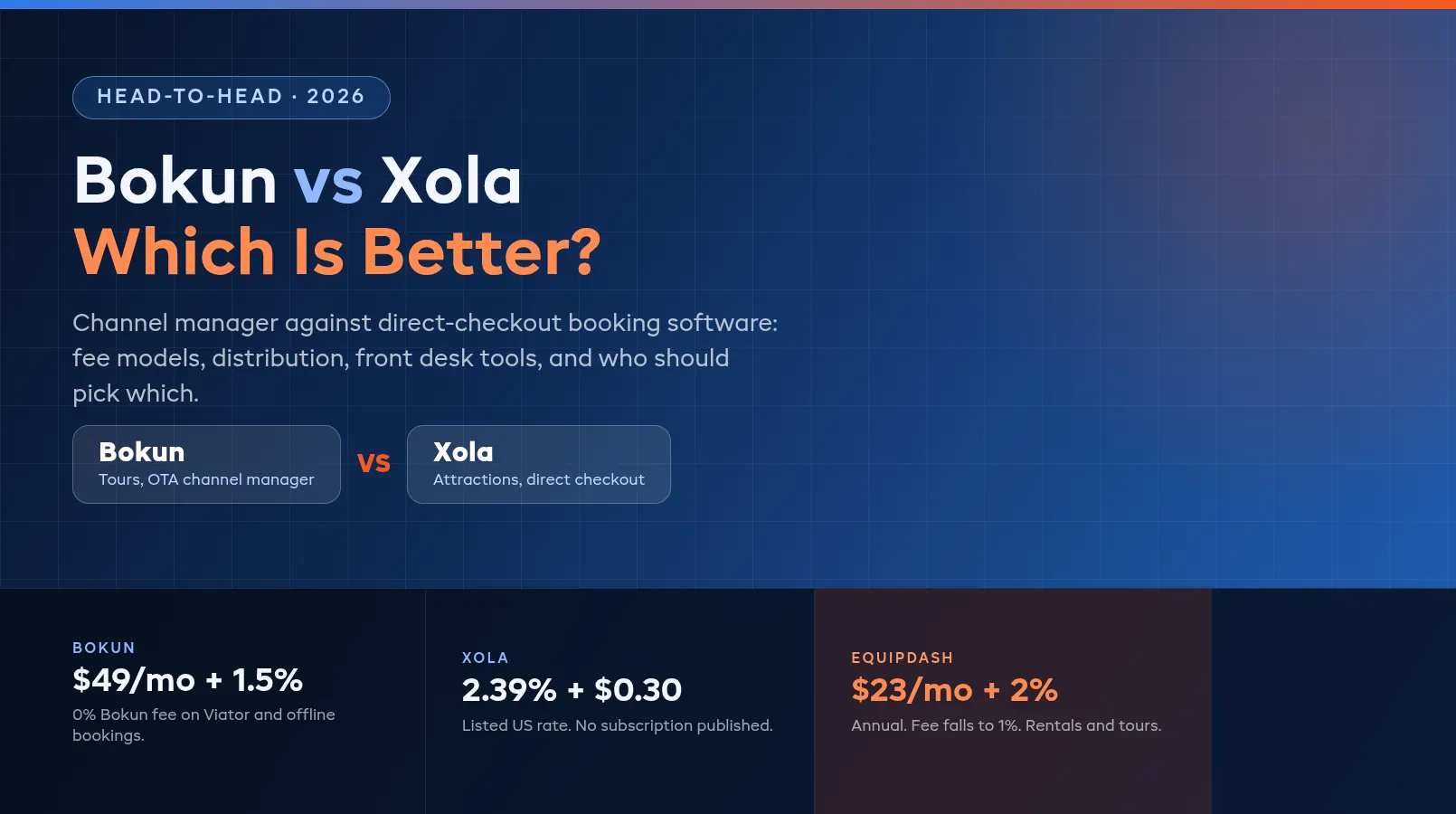
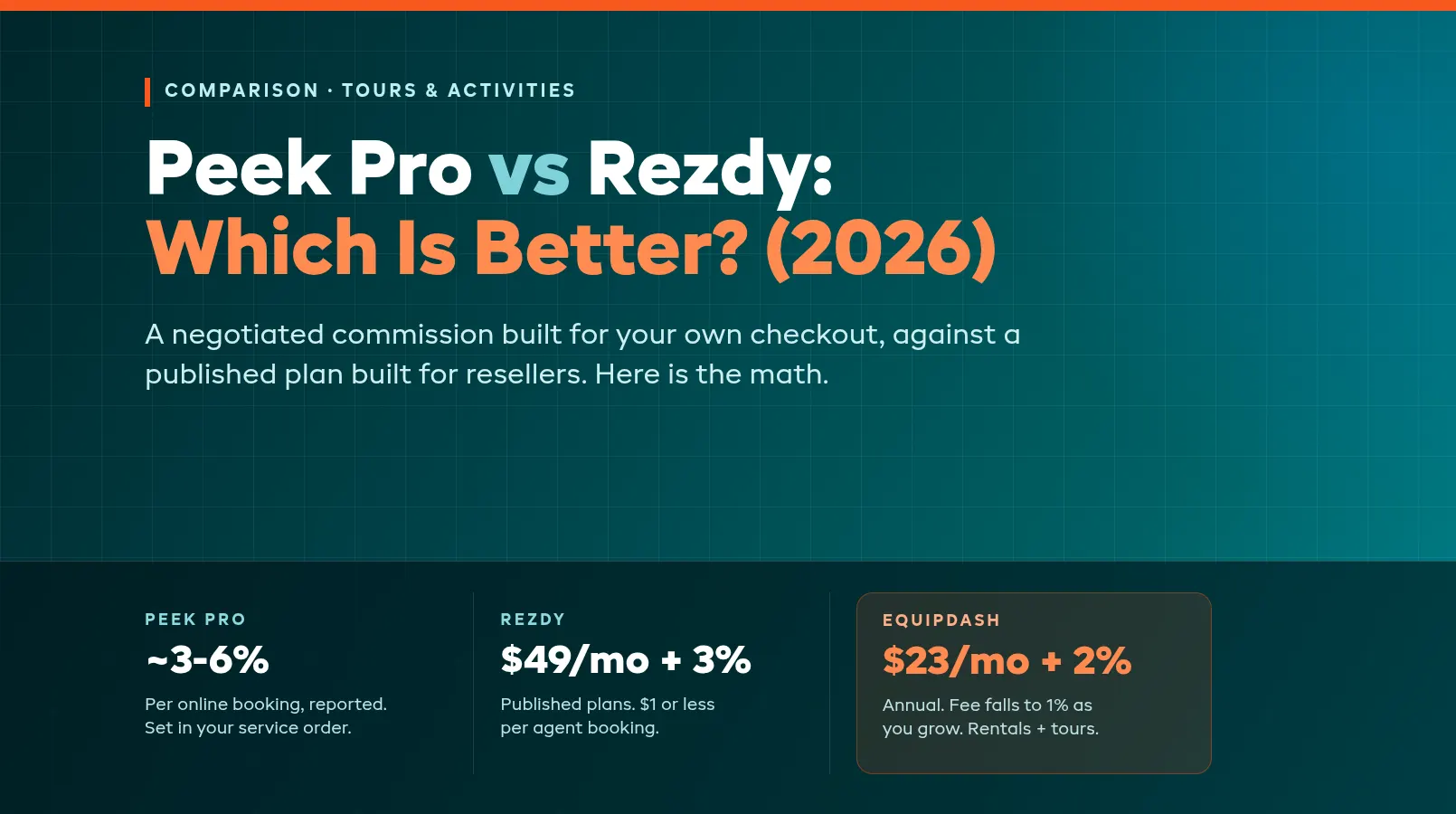
This guide covers what TripWorks does well, where it falls short, and the best alternatives in 2026. We scored every platform in our equipment rental software comparison using the same six criteria, so the rankings are consistent. Also comparing other platforms? See our FareHarbor alternatives, Peek Pro alternatives, Rezdy alternatives, Checkfront alternatives, Bókun alternatives, and Xola alternatives guides.
In this guide:
- What TripWorks Does Well
- Where TripWorks Falls Short
- Top TripWorks Alternatives Compared
- Alternative-by-Alternative Reviews
- Switching From TripWorks
- FAQ
What TripWorks Does Well
Before evaluating alternatives, understand where TripWorks delivers real value. If your operation fits these strengths, switching may not be worth the disruption.
Modern, well-designed interface. TripWorks has one of the cleanest UIs in the category. The dashboard is intuitive, navigation is fast, and feature velocity is high. They ship updates regularly. This isn't a legacy platform with bolted-on features; it was built from the ground up in 2019 with modern design sensibilities. The 4.9/5 Capterra rating reflects genuine user satisfaction with the day-to-day experience.
Strong tours and activities engine. Multi-day calendars, resource assignment, guide management, per-participant pricing, add-ons, tips, and gift cards are all native. The booking flow handles complex tour configurations (multi-resource experiences, capacity-based scheduling, and dynamic manifests) without requiring third-party tools.
13 direct OTA connections. TripWorks connects directly to Viator, GetYourGuide, Expedia, Klook, Musement, Civitatis, and more. For operators who rely on OTA traffic, this is one of the broadest direct integration stacks available. Bookings flow straight into your calendar with real-time availability sync.
Built-in POS and digital waivers. Walk-in customers can book and pay on-site through the native POS. Digital waivers are built in: customers sign before their experience, and records are stored with the booking. No need for a separate waiver tool.
Where TripWorks Falls Short
The gaps become clear when your business needs extend beyond pure tour operations. Here's where operators hit walls.
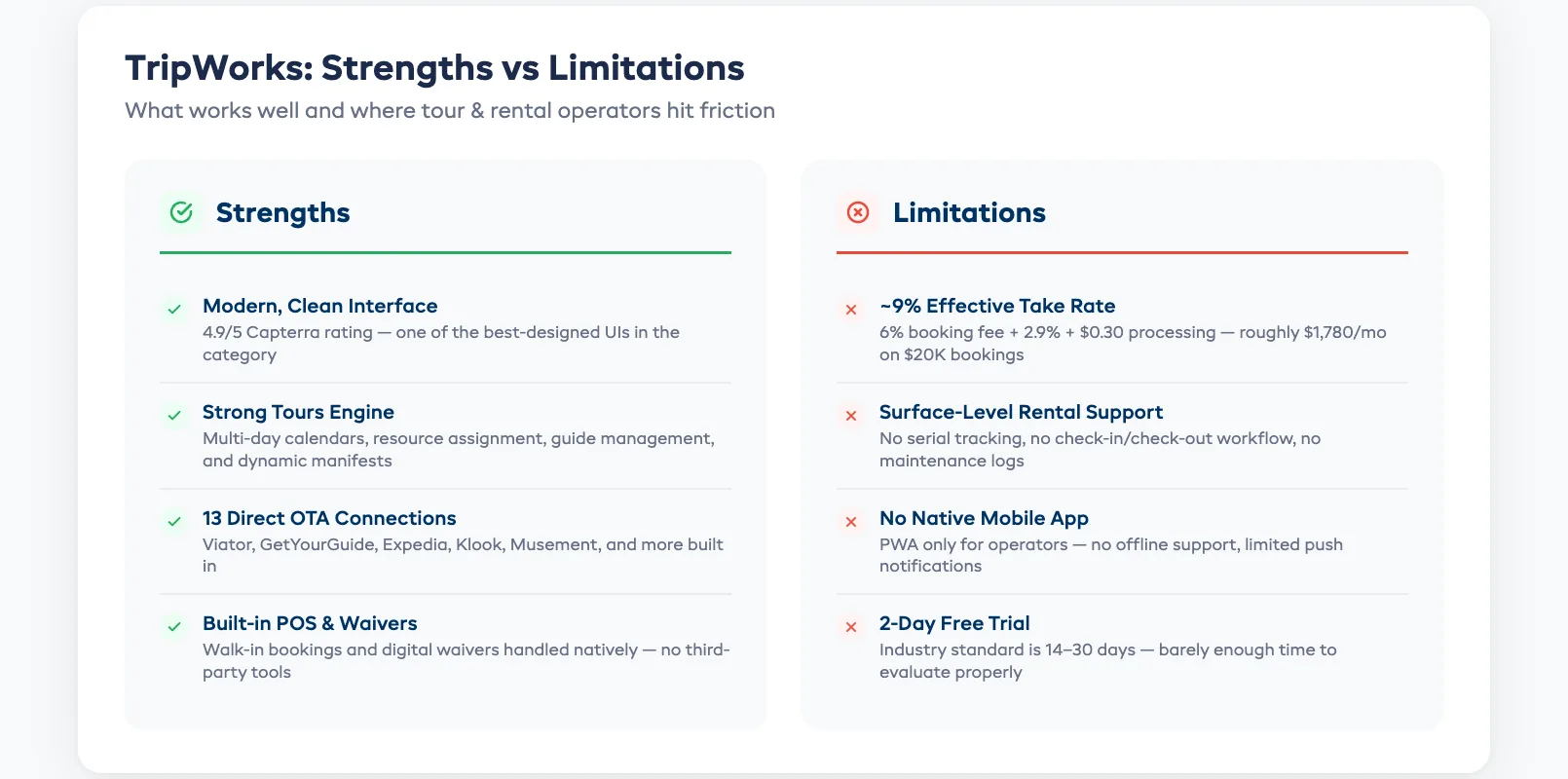
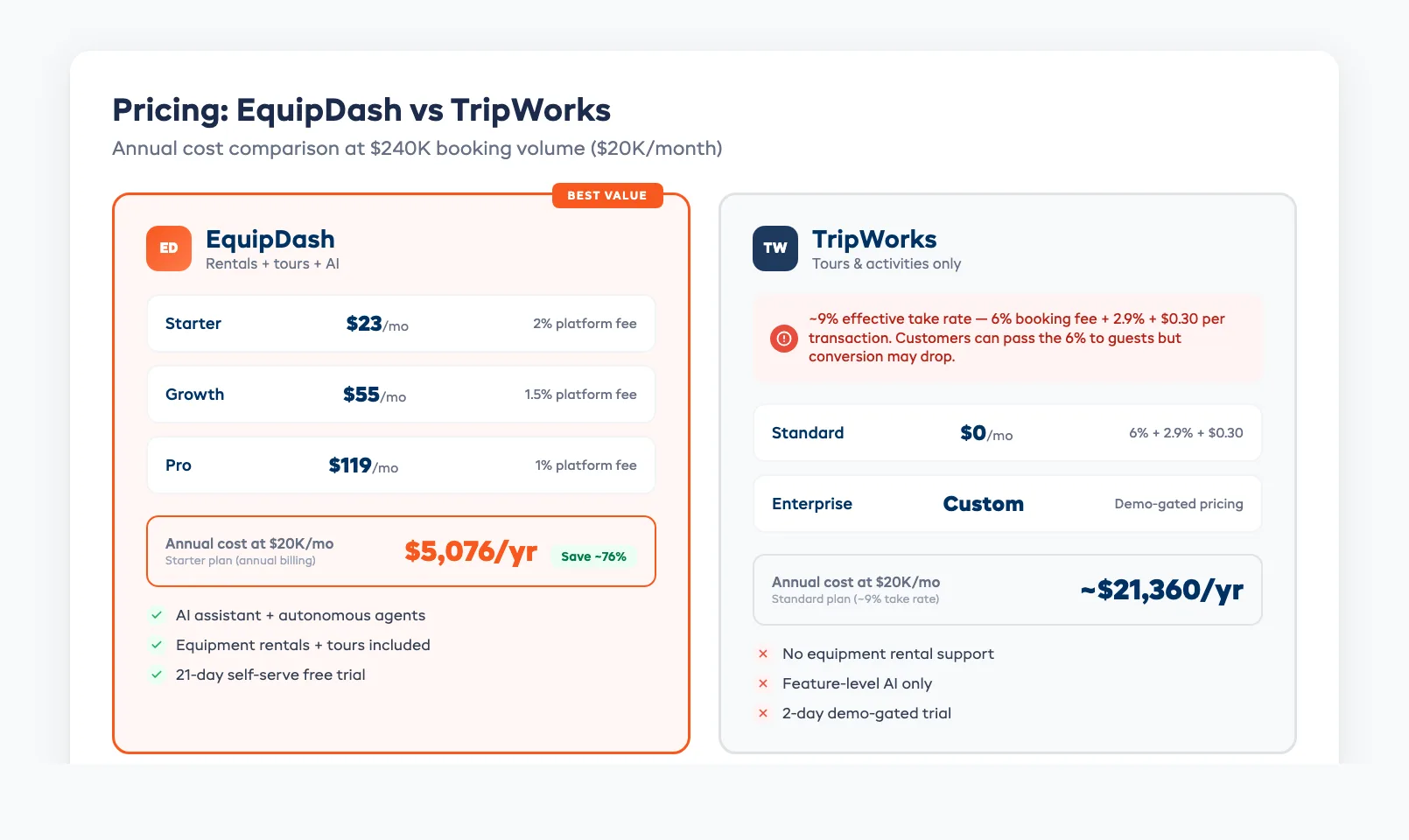
~9% effective take rate. The Standard plan looks free at $0/month, but the 6% booking fee plus 2.9% + $0.30 processing adds up to roughly 9% on every transaction. On a $200 booking, that's about $18. At $20K/month in bookings, you're paying roughly $1,780 in fees. Operators can pass the 6% to customers at checkout, but reviewers report conversion drops when they do.
Surface-level rental support. TripWorks has inventory tracking with low-stock alerts and drag-and-drop resource assignment on the Manifest Timeline. But there's no serial or item-level tracking, no check-out/check-in workflow, and no maintenance or service log module. If you rent bikes, kayaks, ski gear, or any physical equipment alongside tours, you'll need a separate system.
No native operator mobile app. TripWorks uses a web-based PWA (progressive web app installed to your home screen) rather than a native iOS or Android app. The only native app is a free iOS Ticket Scanner for checking in guests. For operators whose staff work in the field and need offline capabilities or push notifications, the PWA has limitations.
2-day free trial. Industry standard is 14–30 days. TripWorks gives you 2 days, and both pricing tiers route to a demo form — signup is demo-gated rather than self-serve. That's barely enough time to import data and test workflows, let alone run a real week of operations to evaluate properly.
Feature-level AI only. TripWorks offers AI review summaries and AI call summaries, but there's no product-wide AI assistant or chat surface. Their 2024 $6M Series A was earmarked partly for AI and BI development, so more is likely coming, but today, it's limited to feature-level enhancements rather than a comprehensive assistant like what some alternatives offer.
Top TripWorks Alternatives Compared
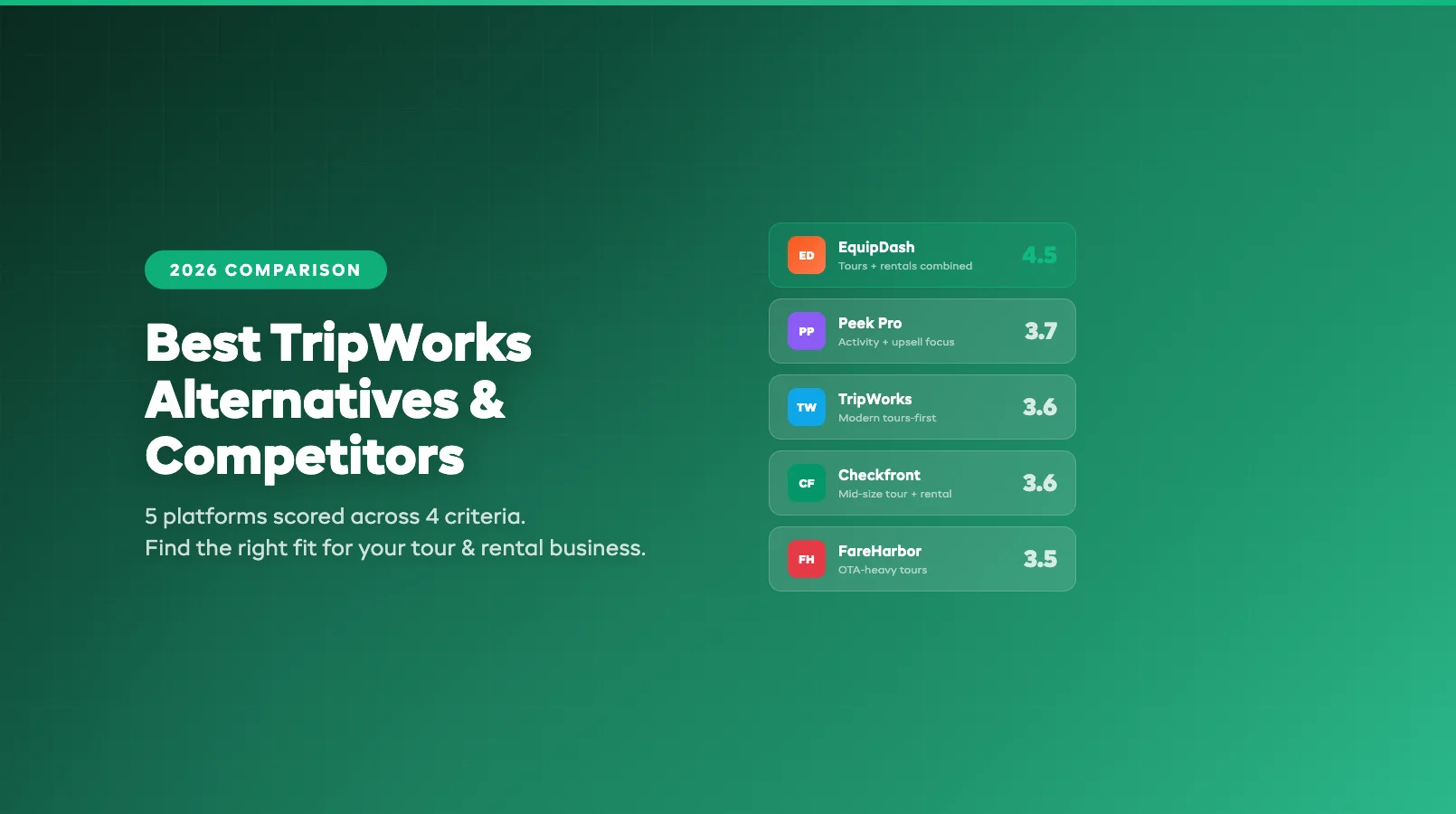
We evaluated each platform using the same six weighted criteria from our equipment rental software comparison: core rental features (25%), tour support (15%), ease of use (20%), pricing transparency (15%), integrations (10%), and customer support (15%).
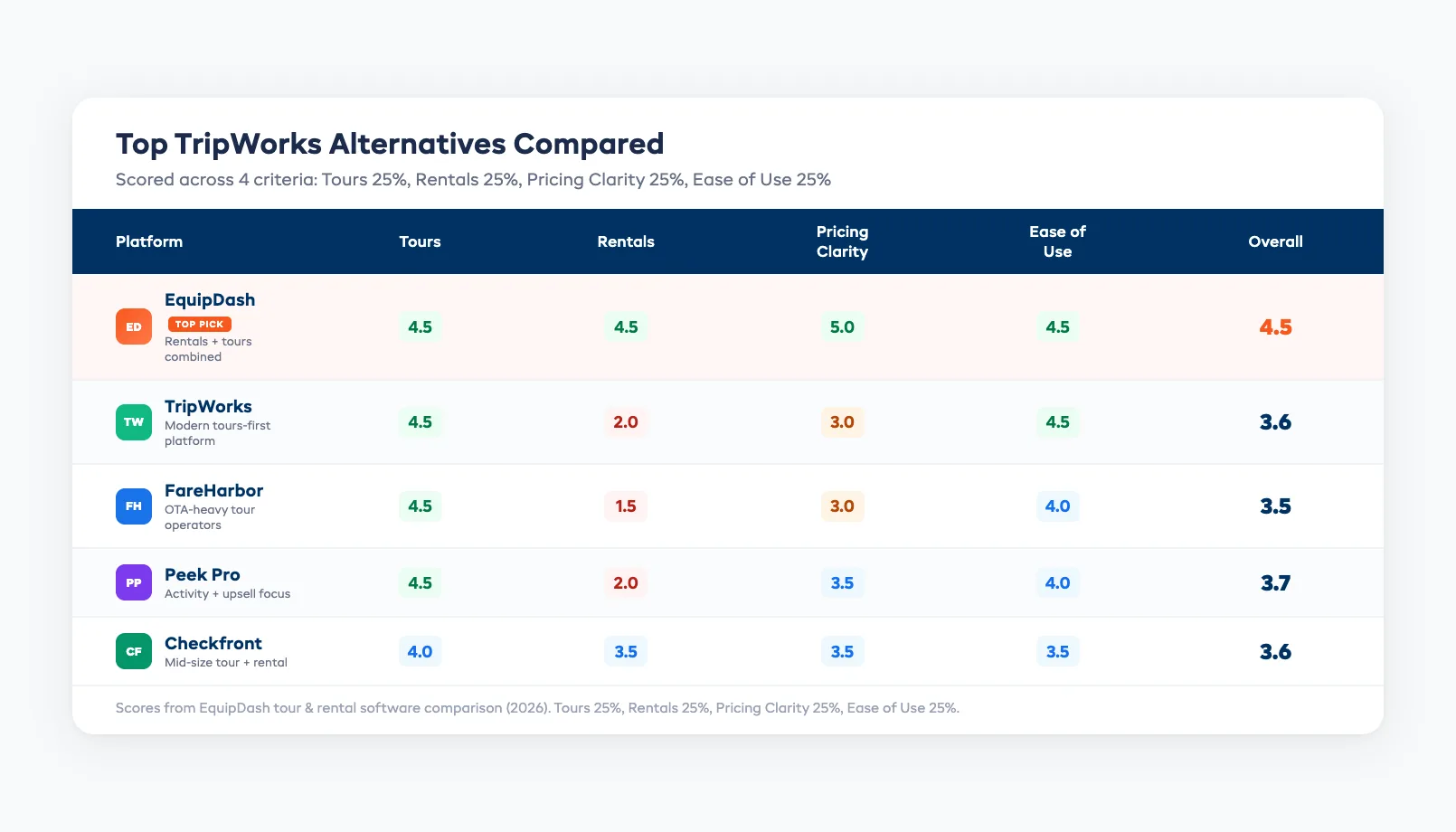
| Platform | Best for | Tours | Rentals | Pricing clarity | Ease of use | Overall |
|---|---|---|---|---|---|---|
| EquipDash | Rentals + tours combined | 4.5 | 4.5 | 5.0 | 4.5 | 4.5 |
| TripWorks | Modern tours-first platform | 4.5 | 2.0 | 3.0 | 4.5 | 3.6 |
| FareHarbor | OTA-heavy tour operators | 4.5 | 1.5 | 3.0 | 4.0 | 3.5 |
| Peek Pro | Activity + upsell focus | 4.5 | 2.0 | 3.5 | 4.0 | 3.7 |
| Checkfront | Mid-size tour + rental | 4.0 | 3.5 | 3.5 | 3.5 | 3.6 |
Key takeaway: TripWorks is a genuinely strong tours platform with excellent UI and broad OTA distribution. But the ~9% effective take rate, thin rental support, and limited AI mean operators who rent equipment or want better unit economics should evaluate alternatives.
Alternative-by-Alternative Reviews
EquipDash: Best for All-in-One Tour and Rental Operations
EquipDash is built for operators who rent equipment and run tours from the same business. Instead of bolting together separate tools for rentals, bookings, waivers, and payments, you get one dashboard that handles everything.
The built-in AI assistant (Dash AI) is a key differentiator. Ask it to check availability, pull a revenue report, or look up a customer's booking history, no manual digging. Dash Agents run tasks autonomously: sending waiver reminders, following up on late returns, and alerting you when stock runs low.
Where it beats TripWorks:
- Handles both tours and equipment rentals natively, with serial tracking, check-in/check-out, and maintenance logs
- Built-in AI assistant and autonomous agents (not just feature-level AI)
- Flat-rate pricing starting at $23/mo (annual), roughly 70% cheaper per booking than TripWorks
- 21-day self-serve free trial vs TripWorks' 2-day demo-gated trial
- Native mobile app (Android live, iOS pending) vs PWA only
Pricing: Starter $23/mo, Growth $55/mo, Pro $119/mo (annual billing). Platform fee: 2% / 1.5% / 1%. At $20K/month bookings: EquipDash Starter costs ~$423/mo total vs TripWorks' ~$1,780/mo, saving roughly $16,000/year.
Best fit: Operators who rent gear and run experiences, or pure tour operators who want better unit economics, real AI automation, and a proper free trial.
FareHarbor: Best for OTA-Heavy Tour Operators
FareHarbor{target="_blank" rel="nofollow noopener"} is owned by Booking Holdings and built for high-volume tour and activity operators. Its distribution network through Booking.com, Viator, and other OTAs is one of the strongest in the industry.
Where it beats TripWorks:
- Booking.com integration (parent company advantage)
- 24/7 phone support with dedicated account managers
- Free website building tools
- Larger established customer base
Where it falls short:
- Also commission-based pricing (~6% + processing ≈ 9–11% effective)
- No equipment rental features
- No AI assistant or autonomous agents
- Locked into Booking Holdings' ecosystem
Best fit: Tour-only operators who get a significant percentage of bookings through OTAs and want the broadest distribution possible.
Peek Pro: Best for Revenue-Focused Activity Operators
Peek Pro{target="_blank" rel="nofollow noopener"} is TripWorks' closest direct competitor. Both target tour and activity operators with strong booking flows, but Peek Pro adds dynamic pricing, an AI assistant (Peek Copilot), and more comprehensive marketing automation.
Where it beats TripWorks:
- Built-in dynamic pricing (adjusts rates based on demand)
- Native AI assistant (Peek Copilot) for operator support
- Stronger marketing automation suite
- Broader OTA distribution network
Where it falls short:
- Also uses commission-based pricing
- Limited equipment rental features
- More complex to set up than TripWorks
- Peek Payments gateway lock-in
Best fit: Activity operators who want TripWorks-level UI polish with added dynamic pricing and native AI capabilities. Still tours-focused.
Checkfront: Best for Mid-Size Combined Operations
Checkfront{target="_blank" rel="nofollow noopener"} bridges the gap between tour-only and rental-only platforms. It handles both equipment bookings and tour experiences, with decent OTA distribution and flexible pricing rules.
Where it beats TripWorks:
- Supports both equipment rentals and tours
- Consolidated $99/mo + 3% pricing (no hidden commission tiers)
- 40+ integrations with mature app ecosystem
- 15+ years in market — proven stability
Where it falls short:
- Dated interface compared to TripWorks' modern UI
- Steeper learning curve
- No AI assistant or autonomous agents
- Basic inventory management (no maintenance tracking)
Best fit: Mid-size operators (10–50 employees) who run both tours and rentals and want one platform without TripWorks' high take rate.
Switching From TripWorks
TripWorks grants up to 30 days post-cancellation to export your data before it's archived. Here's the approach:
1. Export your data. Pull CSVs for your product catalog, customer records, booking history, and signed waivers. Request any additional data exports through TripWorks support if needed.
2. Account for the payments transition. TripWorks operates its own payments wallet, not a Stripe passthrough. Saved customer cards won't migrate. On your new platform, you'll set up Stripe Connect (or your preferred gateway), and returning customers will re-enter payment details on their next booking.
3. Set up the new platform alongside TripWorks. Import your catalog, configure pricing and OTA connections, and test the booking flow with internal orders. Don't switch your live booking widget until everything is verified.
4. Re-link your OTA channels. If you use TripWorks' OTA connections (Viator, GetYourGuide, etc.), you'll need to re-connect those channels on the new platform. Coordinate timing so listings don't go dark.
5. Swap the booking widget. Once you're confident the new platform is configured correctly, replace the TripWorks widget on your website. This is the customer-facing cutover.
Timeline: Most operators complete the full migration in 5–7 business days, including OTA re-linking. If you have complex multi-day tour configurations, add an extra 2–3 days for recreation on the new platform.
Frequently Asked Questions
What are the pros and cons of TripWorks? Pros: modern clean interface (4.9/5 Capterra), strong tours engine with multi-day support, 13 direct OTA connections, built-in POS and digital waivers, and fast feature velocity. Cons: ~9% effective take rate on every booking, surface-level rental support without serial tracking or maintenance, no native operator mobile app (PWA only), 2-day trial, and feature-level AI only.
How much does TripWorks actually cost? The Standard plan is $0/month plus 6% booking fee on every sale, plus 2.9% + $0.30 per transaction for payment processing, roughly 9% effective take rate. Enterprise is custom-quoted through a demo call. Operators can pass the 6% fee to customers at checkout, though reviewers report conversion impacts when they do.
Which TripWorks alternatives offer better pricing? EquipDash offers the lowest effective rate: flat $23/mo + 2% platform fee. At $20K monthly bookings, that's ~$423/mo vs TripWorks' ~$1,780/mo. Checkfront's consolidated $99/mo + 3% is also significantly cheaper than TripWorks at scale. FareHarbor and Peek Pro use similar commission models to TripWorks, so the flat-rate alternatives to TripWorks tend to win on cost at volume.
Does TripWorks handle equipment rentals? Partially. TripWorks has inventory tracking with low-stock alerts and drag-and-drop resource assignment. But there's no serial or item-level tracking, no check-out/check-in workflow, and no maintenance or service log module. If rentals are your primary business, you'll need a platform like EquipDash that handles both natively.
Can I keep my OTA connections if I switch from TripWorks? Yes. Viator, GetYourGuide, Expedia, and other OTAs allow direct API connections through multiple booking platforms. Your listings and reviews stay on the OTA. You just re-connect the backend booking system. Most alternative platforms support these integrations independently of TripWorks.
in one place