Connecting Manawa Growth+This feature requires the Growth+ plan or higher
Connecting takes one click — EquipDash creates the access details Manawa needs. You then send those details to Manawa and choose which experiences they can sell.
Before You Start
- You need a Manawa provider account. If you don't sell on Manawa yet, register at manawa.com or contact their partner team.
- Have your Manawa account manager's email handy — you'll send them the access details.
Step 1 — Connect
- In EquipDash, go to Settings → API & Integrations.
- Click Set Up Manawa on the Manawa card.
- Click Connect to Manawa.
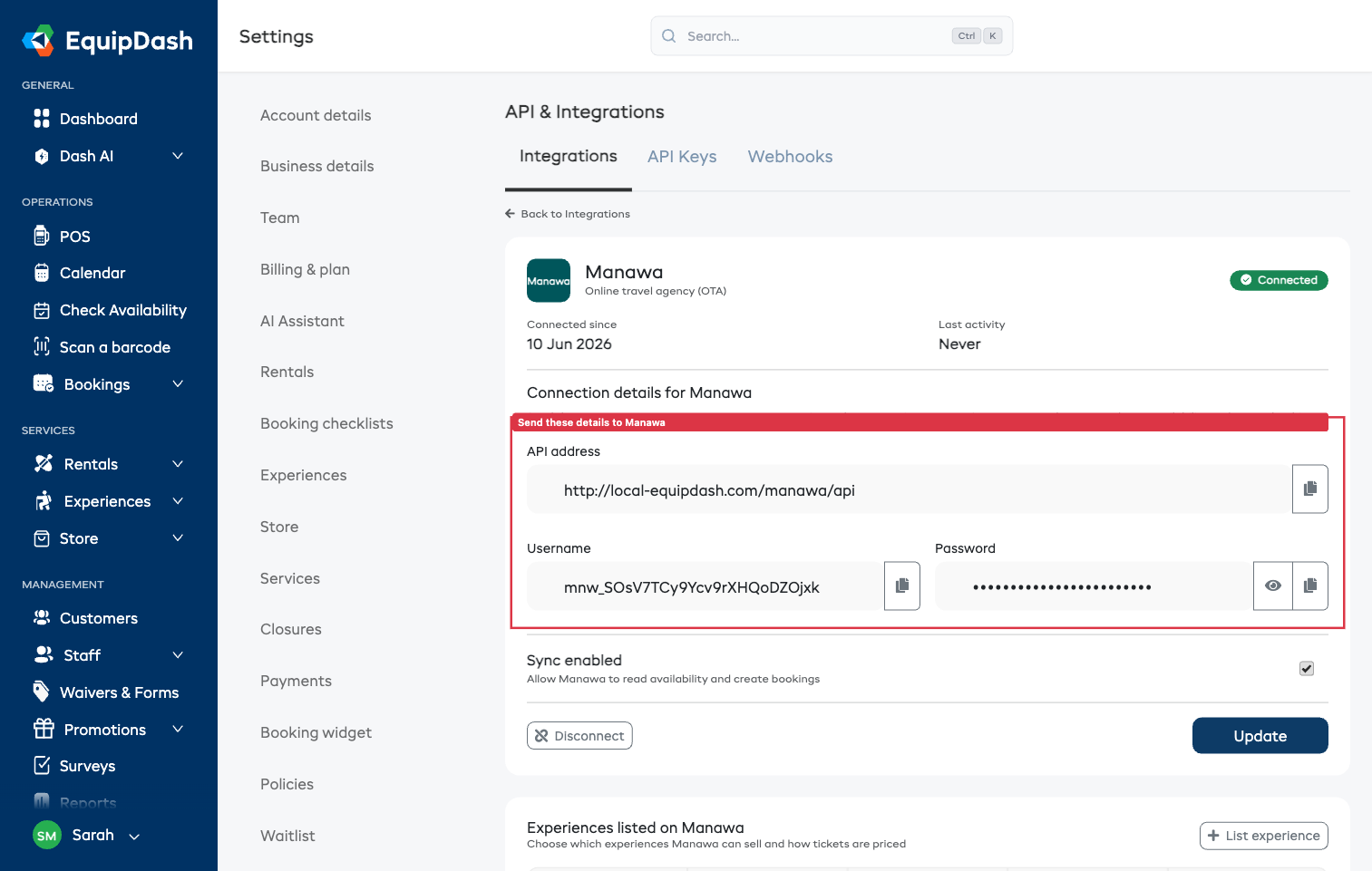
That's it — EquipDash generates everything Manawa needs:
- API address — where Manawa's system reads your availability
- Username and Password — Manawa's login for that address
Step 2 — Send the Details to Manawa
Use the copy buttons to copy the API address, username, and password, and send them to your Manawa account manager. Their technical team activates the connection and runs a short test — this usually takes a couple of days.
Treat the password like any other login. If you ever think it's been exposed, click Disconnect and then Connect to Manawa again — this creates a fresh username and password, and the old ones stop working immediately. You'll need to send the new details to Manawa.
Step 3 — List Your Experiences
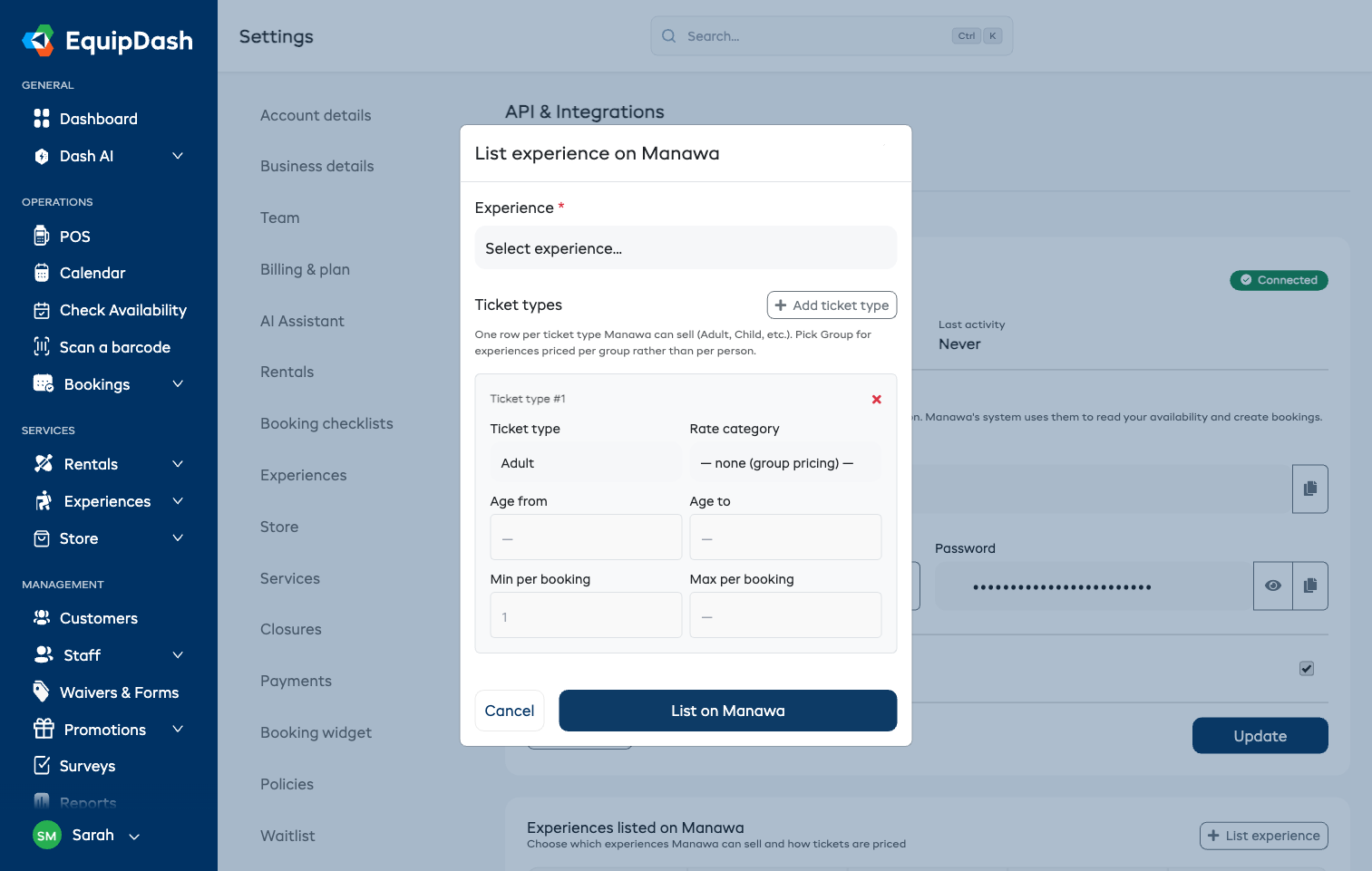
- On the Manawa settings page, click List experience.
- Pick the experience.
- Add the ticket types Manawa can sell — one row per type:
- Adult, Child, Youth, Infant for per-person pricing. Pick the matching rate category so each ticket type uses the right price, and set age ranges if they apply.
- Group for experiences priced per group rather than per person.
- Optional: set minimum and maximum tickets per booking.
- Click List on Manawa.
Manawa's team then matches each listed experience to your activity page on manawa.com. Repeat for every experience you want to sell there.
Managing the Connection
- Sync enabled — pause the connection without disconnecting. While off, Manawa can't read availability or create bookings.
- Remove a listing — click the trash icon next to an experience. Manawa can no longer sell it; existing bookings are untouched.
- Disconnect — stops the connection entirely and invalidates the access details. Existing bookings are preserved.
Where Manawa Bookings Appear
Manawa bookings appear in your bookings list like any other experience booking, marked paid (Manawa collected the payment) with the source Manawa. Capacity comes off the same pool as your widget and POS, and the customer's checkout comments arrive as a booking note.