Muse Bookings
Muse is Meta's personal assistant. People ask it to do things for them, including booking a lesson, a rental or an activity. Your shop can be found in there, and there is nothing to set up.
Someone asks Muse to find them something to do on Saturday morning. Muse looks up shops near them, checks your real times and prices, and sends them to your own booking page to pay. The booking lands in EquipDash like any other.
What you get
- New customers. People who were not looking at your website.
- Your prices, your calendar. Muse can only offer times your calendar actually has open, at the prices you set.
- Your checkout, your money. Muse hands the customer a link to your booking page. Your deposit rules, waivers and taxes all apply, and the payment goes to your account as usual. There is no extra fee.
What Muse can see
Only what anyone can already see on your booking page: what you offer, what it costs, and when it is free.
It cannot see your customers, your other bookings, your staff or your settings.
Spotting a Muse booking
Every booking made this way says Muse as its source.
- Go to Bookings.
- Click Filters.
- Under Channel, pick Muse.
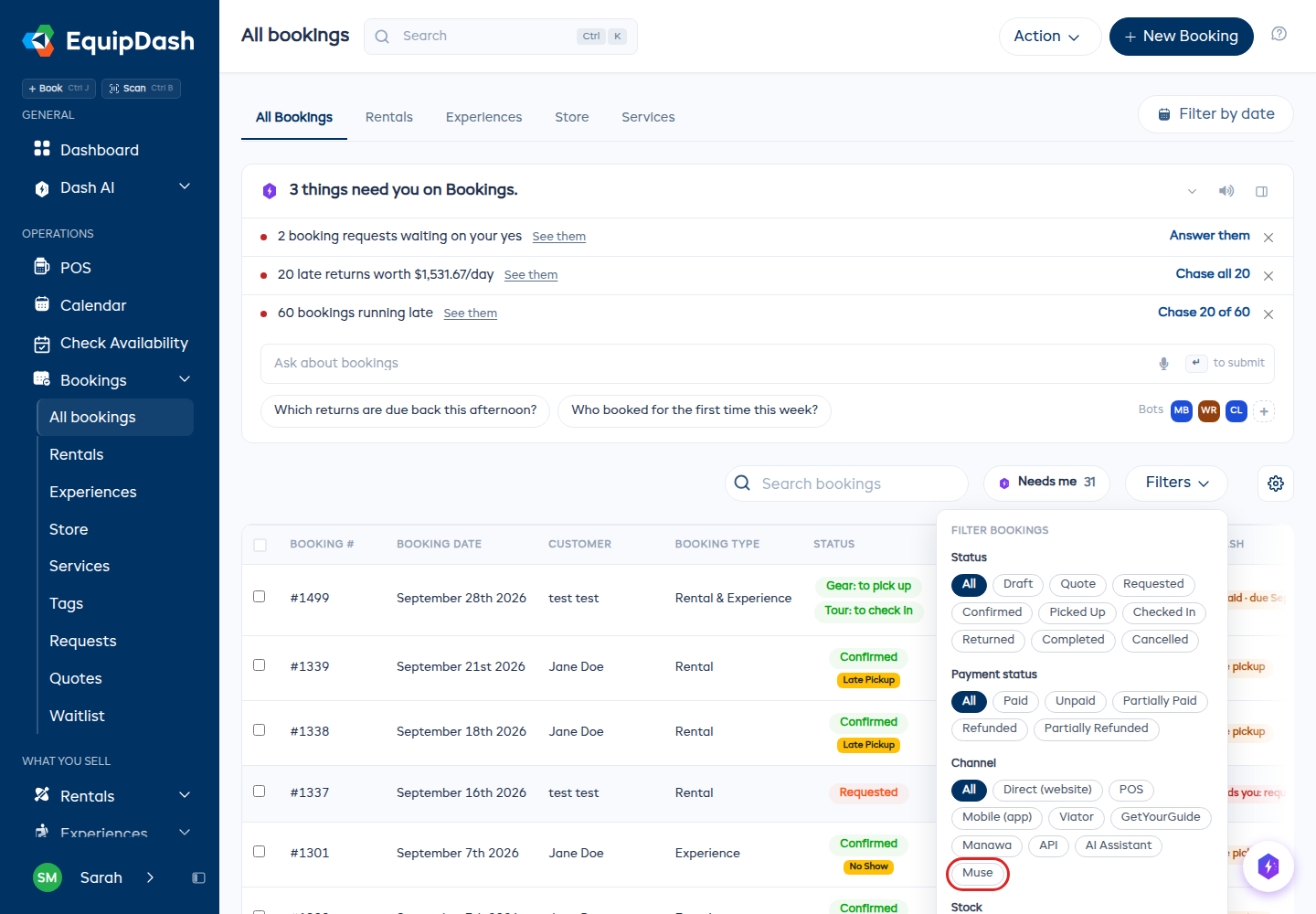
Open any booking and the customer card shows Source: Muse.
Good to know
- Muse is US only for now, and for adults. Meta may widen that later.
- A time that fills up is never sold twice. The link checks your calendar again when the customer opens it. If the time went while they were deciding, they land on the item and pick another one.
- A link lasts two weeks. After that it opens your booking page so they can choose again.
Turning it off
- Go to Settings → API & Integrations.
- Find Muse under AI assistants.
- Switch Listed in Muse off.
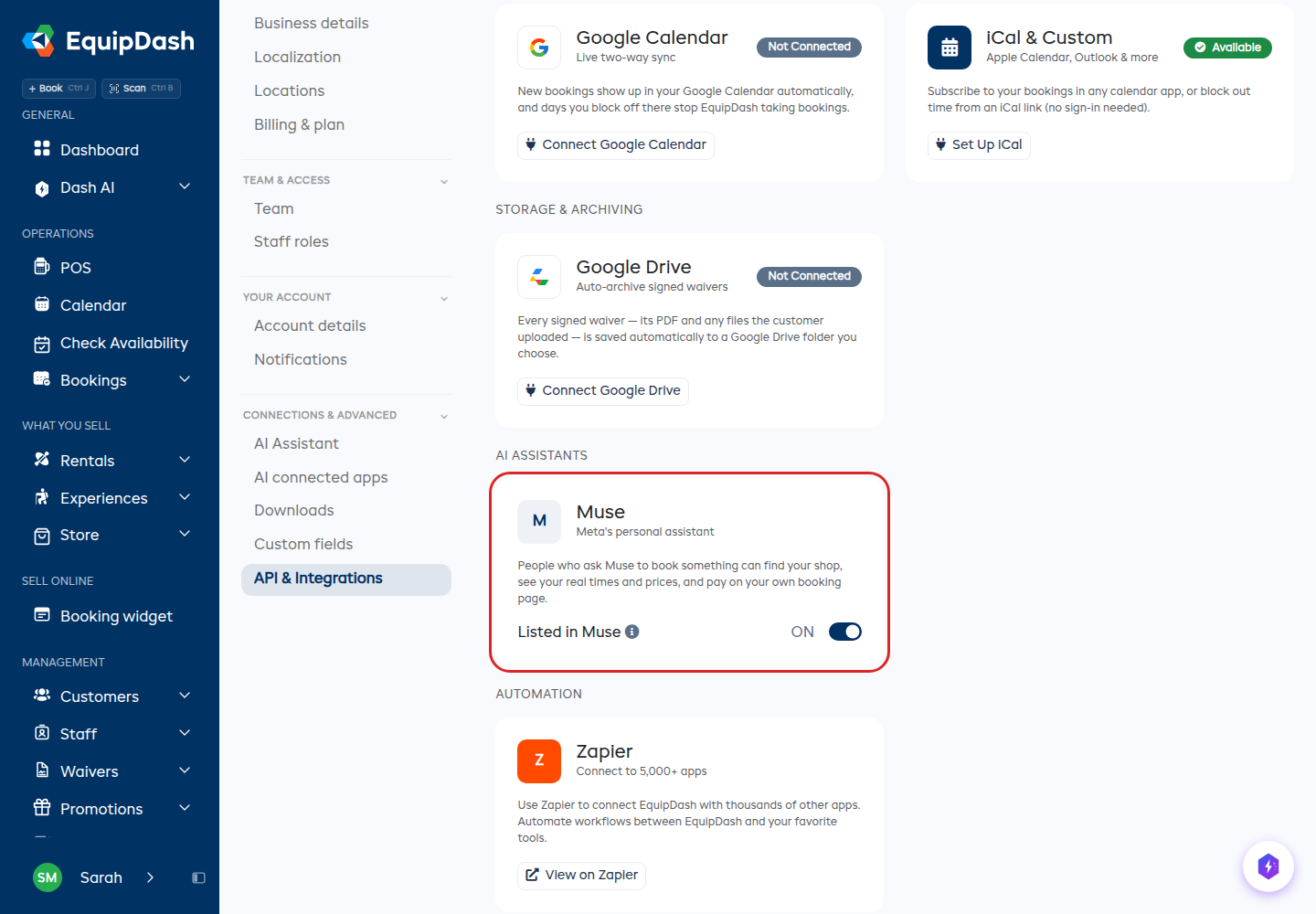
People can no longer find your shop in Muse. Switch it back on any time. You need the Manage integrations permission to change it.
Not the same as the ChatGPT app
The ChatGPT app is for you: you sign in and ask about your own bookings. Muse is for your customers, and they never see your account.