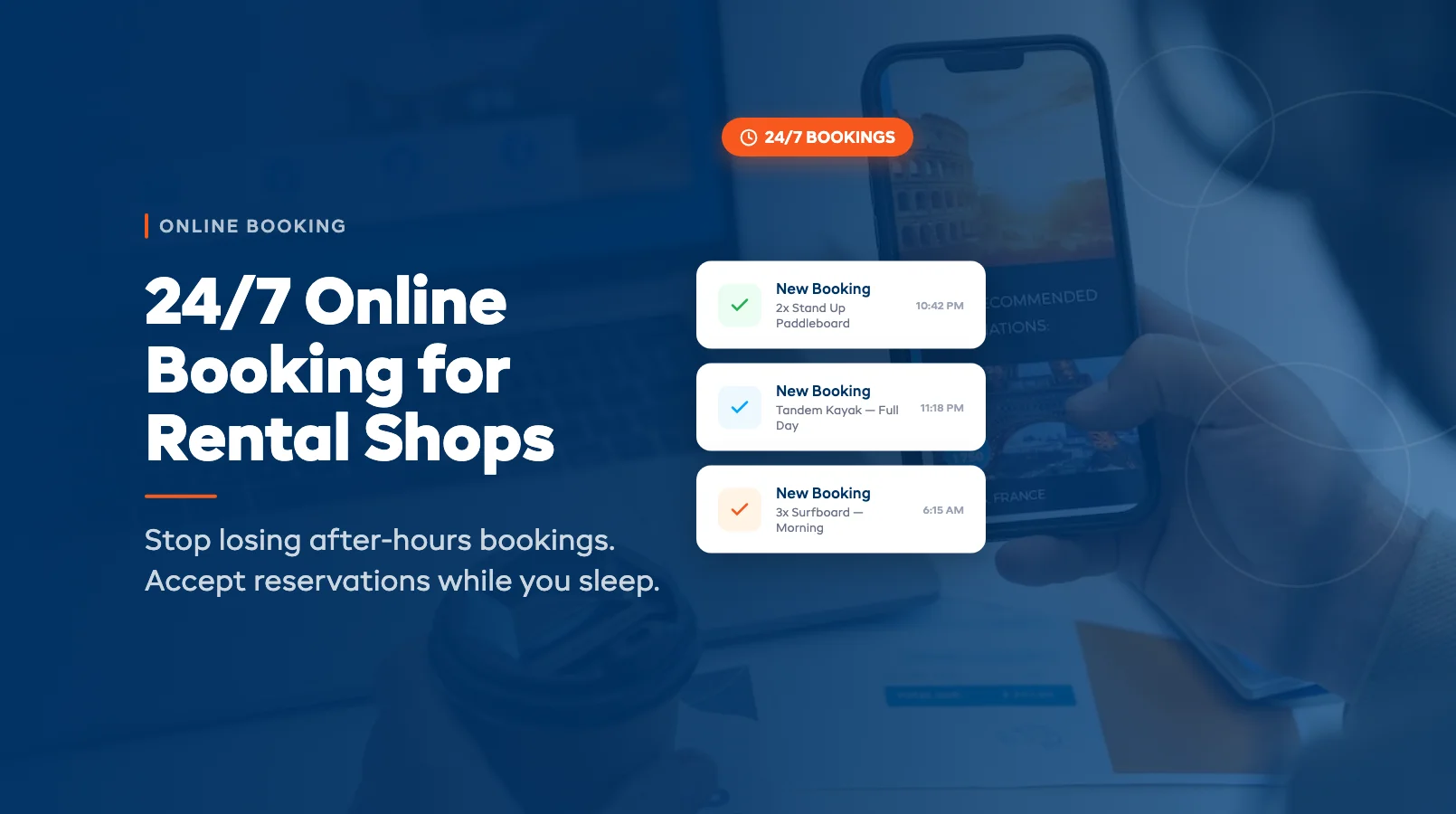
24/7 Online Booking for Rental Shops
It's 8:47pm on a Friday. A family is sitting on the couch, planning tomorrow's beach day. They find your shop, check out your paddleboards, and go to book. But there's no way to reserve online. They'll "call in the morning." Spoiler: they won't. They'll book with the shop down the road that let them pay and confirm right then.
If your booking system shuts down when you do, you're handing revenue to competitors who never close. Here's what the data says — and what you can do about it. (For a side-by-side breakdown of the costs, see our online booking vs phone reservations comparison.)
The After-Hours Revenue You're Missing
Most rental shop owners assume their customers book during business hours. That assumption is expensive.
Industry booking data shows that 35–40% of online reservations happen outside standard 9am–5pm hours. For shops in tourist-heavy areas, it's higher — closer to 45%. That's not a rounding error. On a shop doing $200,000 in annual bookings, you're potentially leaving $70,000–$90,000 on the table by forcing customers to call during business hours.
The maths is simple. If someone can't book right now, they do one of three things:
- Forget about it. They planned to call you tomorrow but life happened. You never hear from them.
- Book with someone else. A competitor with 24/7 online booking captures the sale in 90 seconds.
- Actually call back. This happens maybe 20–30% of the time.
That means 70% of your after-hours interest evaporates. Every night. Every weekend. Every public holiday.
When Do Customers Actually Book? (The Data)
Here's what booking patterns typically look like for rental and tour operators:
| Time Window | % of Online Bookings | What's Happening |
|---|---|---|
| 6am–9am | 8% | Early planners, checking before work |
| 9am–12pm | 22% | Morning research, office browsing |
| 12pm–5pm | 25% | Lunch breaks, afternoon planning |
| 5pm–9pm | 30% | Peak window — evening planning on the couch |
| 9pm–12am | 12% | Late-night planners and different time zones |
| 12am–6am | 3% | International visitors, insomniacs |
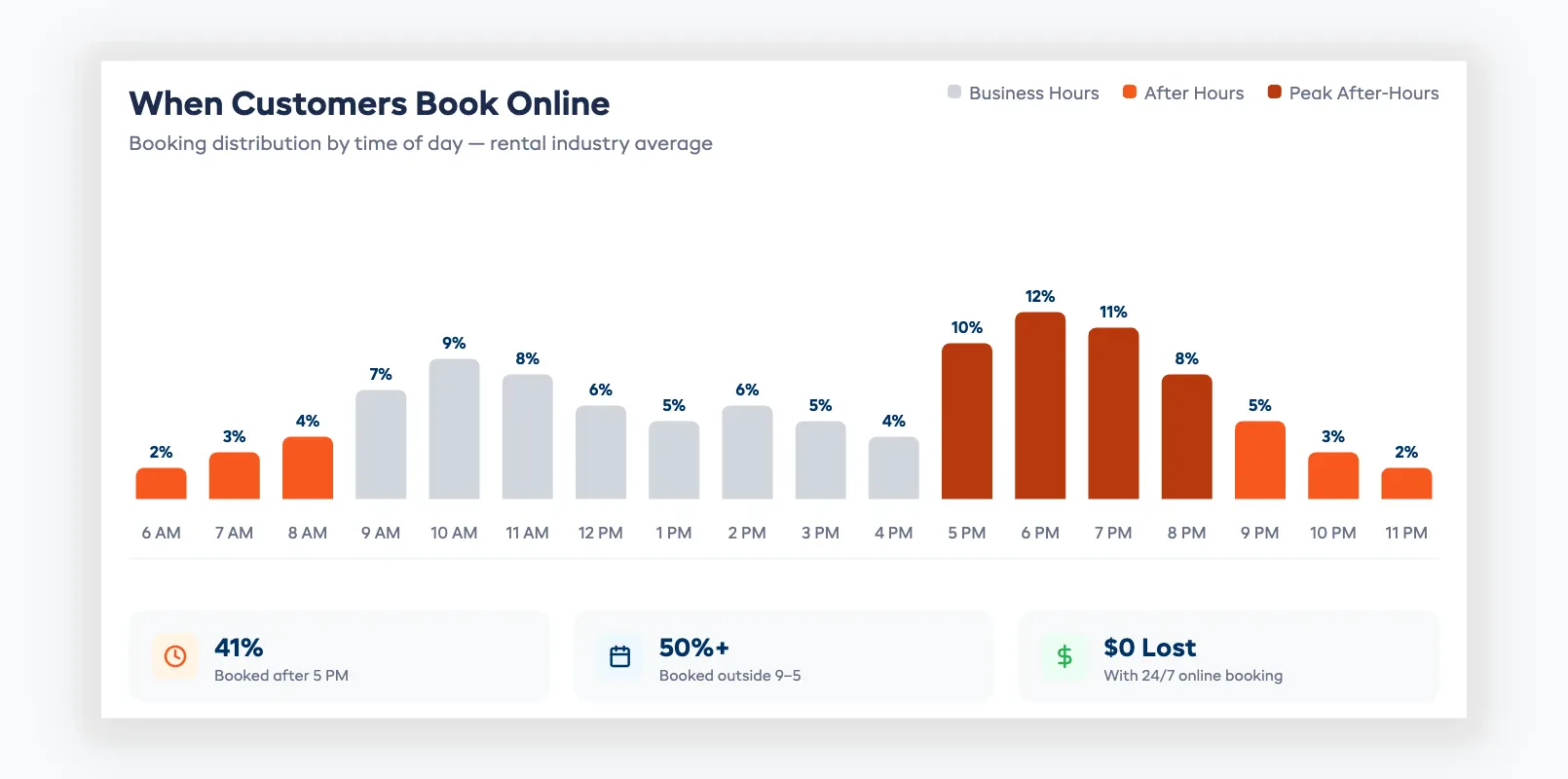
The peak booking window for most rental shops is 5pm to 9pm — exactly when you've already locked up and gone home. The second peak is Sunday evenings, when families plan the coming weekend.
If your booking system requires a phone call or a reply to an email, you're invisible during the hours when demand is highest. For a deeper look at building the right system, read our complete guide to online booking systems for rentals.
How 24/7 Booking Works in Practice
Always-on booking doesn't mean you're answering the phone at midnight. It means your system handles reservations automatically while you sleep, eat dinner, or take a day off.
Here's what happens when a customer books at 10pm:
- They visit your site and see real-time availability for the dates they want
- They select their gear — two SUPs, a tandem kayak, whatever you've listed
- The system checks inventory and confirms those items aren't already reserved
- They pay online (full amount or deposit, depending on your settings)
- They get an instant confirmation email with pickup details, waiver links, and what to bring
- You wake up to a new booking in your dashboard and the payment already in your account
No phone tag. No "I'll get back to you." No lost revenue because you were closed.
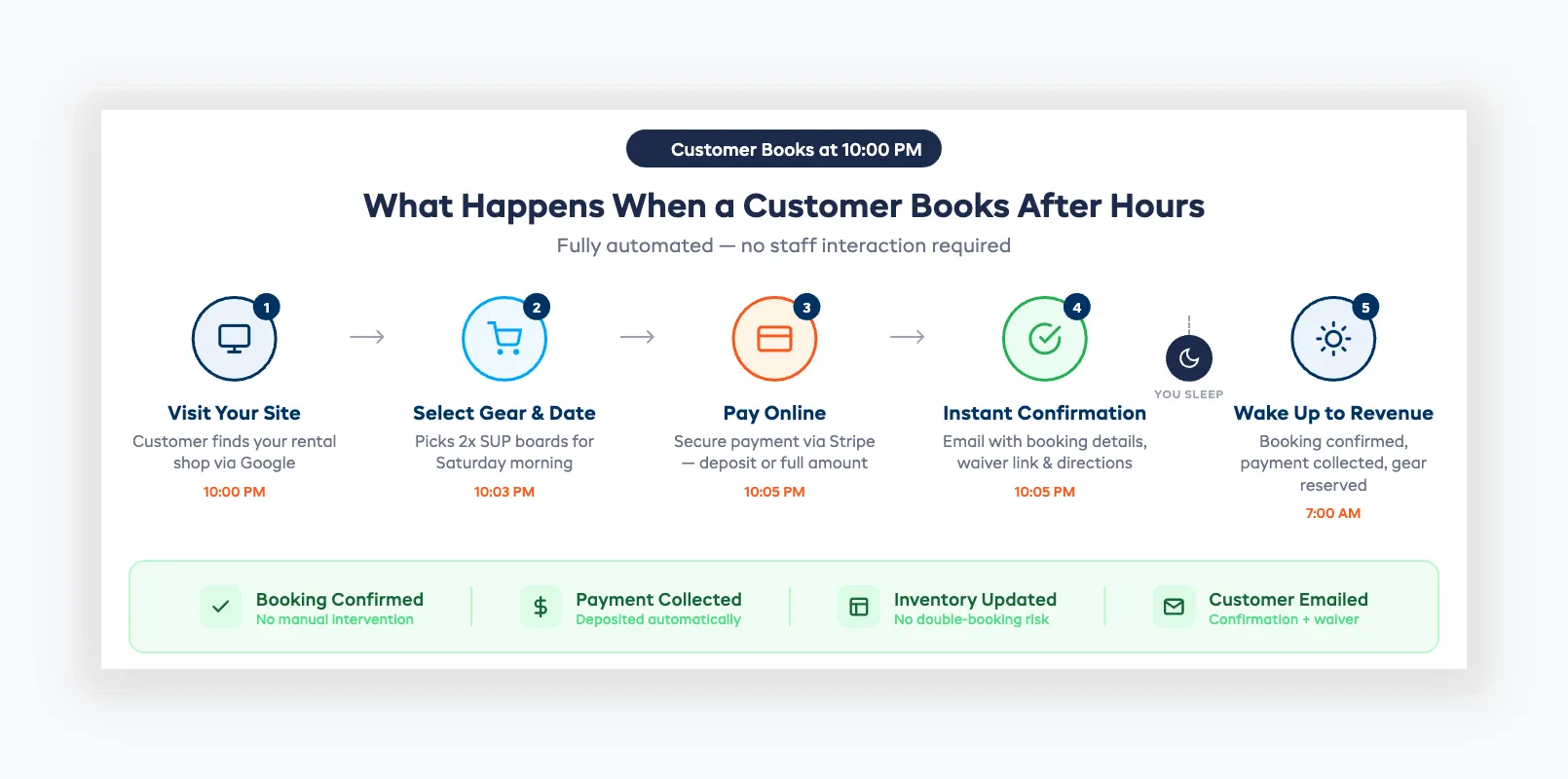
The key is having a booking system that integrates directly with your website. A simple contact form doesn't cut it — that still requires you to reply manually, and a 12-hour response time kills conversion.
Handling Issues Without Staff on Hand
The biggest objection to 24/7 booking: "What if something goes wrong and nobody's there to fix it?"
Fair concern. Here's how smart rental shops handle it:
Automated availability rules prevent most problems before they happen. If a kayak is already booked for Saturday morning, nobody can double-book it at 11pm Friday. Your system handles that, not you.
Clear booking policies answer questions upfront. Cancellation terms, late return fees, age requirements, weather policies — put them on your booking page. Customers read them. Disputes drop.
Automated emails and SMS handle the communication. Confirmation goes out instantly. A reminder fires 24 hours before pickup. Waiver links get sent automatically. You don't need to touch anything.
For true emergencies — a customer needs to change their booking at 2am — your system should allow self-service modifications. Let them reschedule or cancel through a link in their confirmation email. No staff needed.
The shops that do this well report that fewer than 2% of after-hours bookings require any manual intervention. The other 98% handle themselves.
Getting Started With Always-On Booking
You don't need to overhaul your entire operation. Here's the practical path:
Week 1: Set up your online booking system. If you don't have one yet, pick a platform built for rental operators. Configure your equipment, pricing, and availability rules. Check what online booking features matter most for your setup.
Week 2: Automate your communications. Build confirmation emails, reminder messages, and waiver collection into your booking flow. Test them yourself — book as a customer and see what the experience feels like at 10pm.
Week 3: Promote it. Update your website, Google Business Profile, and social media to say "Book Online 24/7." Add a booking button to every page. Make it impossible to miss.
Week 4: Review the data. Check when bookings are coming in. You'll see the evening and weekend spike immediately. That's revenue you were leaving behind.
The shops that switch to 24/7 booking typically see a 15–25% increase in total bookings within the first month. Not because they got more traffic — because they stopped turning away customers who were already ready to pay.
Your shop doesn't need to be open 24 hours. Your booking system does.
Frequently Asked Questions
How much does it cost to set up 24/7 online booking? Most rental booking platforms charge $50–$200/month depending on features and volume. Compare that to the revenue you're losing — even one extra booking per week at $80 pays for the software several times over.
Will customers actually book online late at night? Yes. Data consistently shows 30–45% of online bookings happen outside business hours. The 5pm–9pm window is typically the busiest booking period for rental shops.
Do I still need to answer the phone during business hours? Absolutely. Online booking handles the after-hours gap. During the day, some customers still prefer calling — especially for complex or group bookings. The goal is capturing demand you're currently missing, not replacing phone bookings.
What if a customer books the wrong dates or equipment? Enable self-service modifications through the confirmation email. Most booking platforms let customers change dates or swap gear without staff involvement. For changes that need approval, you'll see the request in your dashboard the next morning.
Can I set different availability for online vs walk-in customers? Yes. Most systems let you hold back a percentage of inventory for walk-ins. If you rent 10 kayaks and want to keep 3 available for day-of walk-ups, set your online availability to 7.
Does 24/7 booking work for shops with complex pricing (hourly, half-day, multi-day)? Yes. Modern booking platforms handle hourly, half-day, full-day, multi-day, and seasonal pricing. Customers see the correct price based on their selected rental period. No manual quoting needed.
How do I handle security deposits for after-hours bookings? Collect a pre-authorization or hold on the customer's card at the time of booking. The actual charge happens at pickup or return, depending on your policy. This works identically whether the booking happens at 2pm or 2am.
in one place