How to Consolidate Your Rental Business Tools
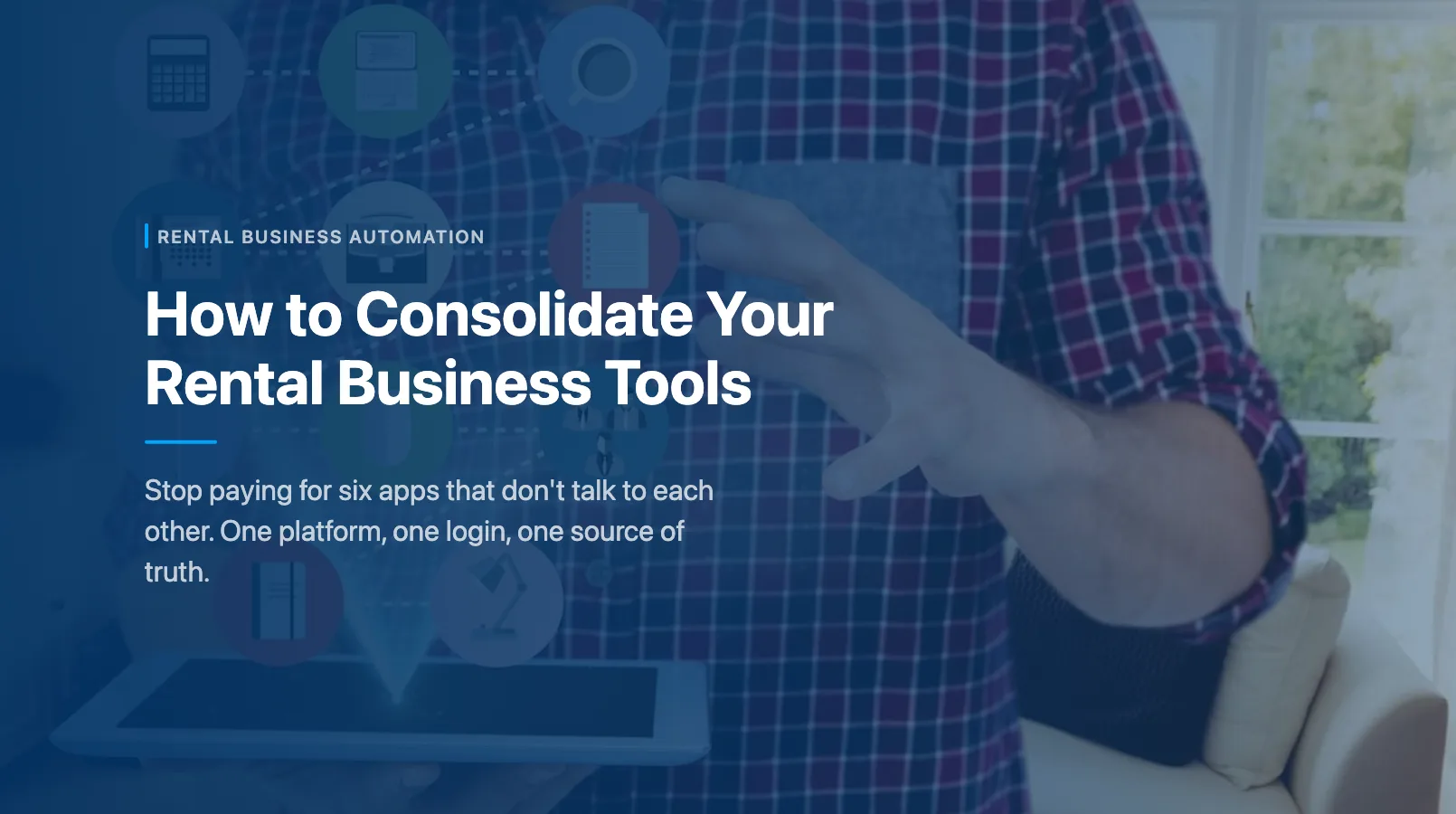
You're paying for a booking system, an inventory spreadsheet, a waiver app, a payment processor dashboard, a CRM you barely use, and maybe a scheduling tool on top. Six logins. Six invoices. Six places where customer data lives but doesn't talk to each other.
Every time a booking comes in, you update three systems manually. When a customer calls asking about their reservation, you tab between two apps to find the answer. And every month, you're spending $200–$500 on subscriptions for tools that overlap more than they complement.
There's a better way. This guide walks you through auditing your current stack, deciding what one platform should handle, and migrating without losing data or bookings. For the full automation playbook, start with our complete guide to automating your rental business.
The Hidden Cost of 5+ Tools
The subscription fees are the obvious cost. But they're the smallest one.
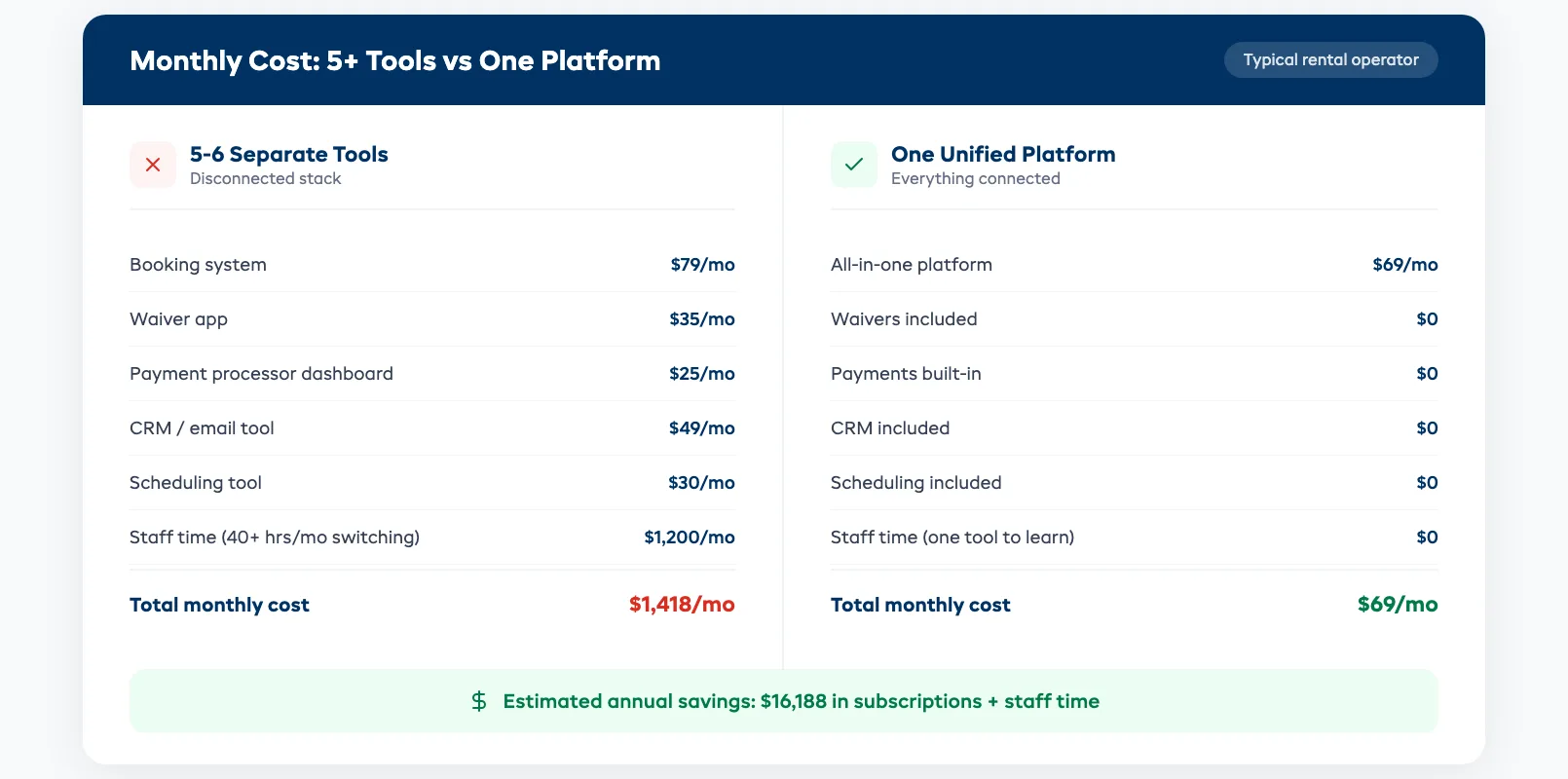
Time cost. Every tool switch costs 2–3 minutes of context switching. If your front desk toggles between apps 40 times a day, that's 80–120 minutes lost — before anyone makes a mistake. Over a month, that's 40+ hours of staff time spent navigating software instead of helping customers.
Error cost. Manual data entry across systems creates mismatches. A booking shows "confirmed" in your calendar but "pending" in your payment tool. A customer's waiver is signed in the waiver app but not linked to their reservation. These gaps lead to double-bookings, missed waivers, and awkward checkout conversations.
Training cost. Every new hire needs to learn five or six tools instead of one. That's two days of training instead of half a day. And when that employee leaves, you start over.
Integration cost. Some tools offer Zapier connections or API hooks. You spend a weekend setting them up. Then one tool updates their API, the connection breaks, and bookings stop syncing — usually during your busiest week.
Add it up: most operators spending $300/month on subscriptions are losing another $1,000–$2,000/month in staff time, errors, and missed revenue. The tools aren't saving you money. They're costing you more than you realize.
Audit Your Current Stack
Before consolidating, you need to know exactly what you're using and what each tool actually does for you. Grab a notebook and list every tool, app, and spreadsheet your team touches in a typical week.
For each tool, write down:
- What it does (booking, inventory, payments, waivers, CRM, scheduling, reporting)
- Monthly cost (including per-transaction fees)
- How many staff use it daily
- What breaks if you remove it tomorrow
Sort into three buckets:
- Core — directly handles bookings, payments, or inventory. Removing it stops the business.
- Support — waivers, email marketing, staff scheduling. Important but not mission-critical on day one.
- Redundant — tools you're paying for but rarely open. The CRM you set up in 2023 and never populated. The reporting add-on you forgot to cancel.
Cancel the redundant tools today. That's instant savings.
For the core and support buckets, note where features overlap. If your booking tool sends confirmation emails and you're also paying for a separate email tool to do the same thing, that's overlap. If your inventory tracker has a calendar view and you're also running Google Calendar — overlap.
Most operators find 30–40% of their tool spend covers overlapping features.
What One Platform Should Cover
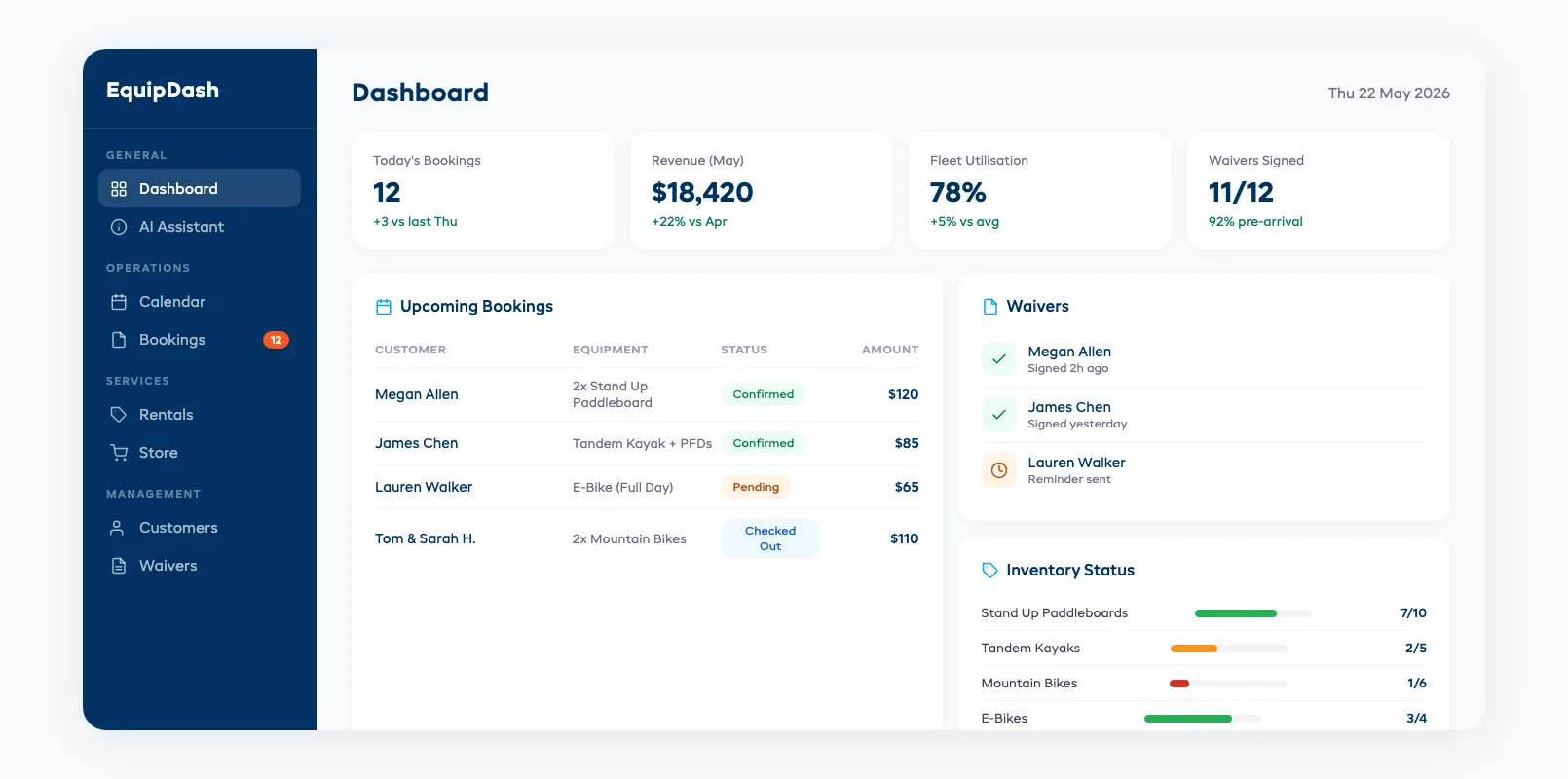
A single platform won't replace everything. But it should handle the core loop that runs your business every day:
- Online booking with real-time availability — customers book, inventory updates automatically, no manual calendar sync
- Inventory tracking — what's out, what's back, what's due for maintenance, what's available tomorrow
- Payment processing — deposits, balances, refunds, security holds, all tied to the booking record
- Customer records — contact info, booking history, waiver status, notes — in one place
- Waivers — digital waivers sent automatically before arrival, linked to the booking, stored for compliance
- Automated communications — confirmation emails, reminder texts, follow-up messages triggered by booking status changes
When those six functions live in one system, every booking creates a complete record. No copying data between apps. No "let me check the other system." Staff see everything on one screen.
Nice-to-haves in the same platform:
- Staff scheduling tied to booking volume
- Reporting and analytics (revenue, utilization, popular items)
- A customer-facing booking widget for your website
- AI assistance for repetitive tasks like answering enquiries or adjusting pricing
The more you can keep under one roof, the fewer handoffs break.
What You Might Still Need Separately
Be realistic. No platform does everything perfectly. A few tools usually stay independent:
Accounting software. QuickBooks, Xero, or MYOB handle tax compliance, payroll, and financial reporting better than any booking platform. Look for a platform that syncs transactions automatically so you're not doing double entry.
Marketing and social media. Your Mailchimp, Instagram scheduler, or Google Ads account stays separate. What changes is that your customer data feeds from one source instead of five, so your marketing lists are always current.
Specialized insurance or compliance tools. If your industry requires specific certifications, fleet inspections, or insurance documentation, those tools may stay standalone.
The key question: does the standalone tool integrate cleanly, or does it create another data silo? A separate accounting app that auto-syncs transactions is fine. A separate CRM that requires manual export/import every week defeats the purpose.
Migration Plan
Switching platforms mid-season feels risky. Here's a five-step plan that minimizes disruption:
1. Start during a slow period. Don't migrate the week before your peak season. Pick your slowest month — January for most outdoor rental shops, September for summer operators.
2. Run parallel for two weeks. Keep your old tools active while you set up the new platform. Enter bookings in both systems. This catches gaps before you're committed.
3. Migrate data in order. Products and inventory first. Then customer records. Then upcoming bookings. Historical data last (or never — most operators don't need three years of booking history in the new system).
4. Train one person first. Your most tech-comfortable staff member learns the new platform inside and out. They become the in-house expert who trains everyone else. This works better than group training sessions where nobody asks questions.
5. Cut over on a Monday. Disable old tool logins on a Monday morning when you have the full week to troubleshoot. Don't cut over on a Friday and spend the weekend fielding calls from confused staff.
What about data loss? Export everything from your old tools before canceling. Most platforms offer CSV exports for bookings, customer lists, and transaction history. Store those exports for at least 12 months — you'll need them for tax season even if you never import them.
The entire migration typically takes 2–4 weeks from setup to full cutover. The first week feels slower. By week three, your team is faster than they were with the old stack because they're only learning one tool.
FAQ
How many tools does the average rental business use?
Most rental and tour operators juggle 4–6 separate tools for bookings, payments, inventory, waivers, CRM, and scheduling. Some use up to 8 if you count spreadsheets and messaging apps.
Will I lose data when switching platforms?
Not if you export first. Most tools offer CSV exports for bookings, customers, and transactions. Export everything before canceling any subscriptions and keep backups for at least 12 months.
How long does a full platform migration take?
Typically 2–4 weeks from initial setup to full cutover. Running parallel systems for the first two weeks catches any gaps before you fully commit.
Can one platform really replace five separate tools?
For the core booking-to-payment loop, yes. Booking, inventory, payments, waivers, customer records, and communications can all run from a single dashboard. You'll likely keep accounting and marketing tools separate.
What's the best time to switch platforms?
During your slowest season. For most outdoor operators, that's late autumn or winter. Avoid migrating within 30 days of peak season — the risk of disruption isn't worth it.
How do I get my team on board with a new system?
Train one power user first, then let them train the rest. People learn better from a colleague who speaks their language than from a vendor's generic tutorial. Most teams are comfortable within a week.
Consolidating your tools isn't about finding the perfect platform — it's about eliminating the gaps between platforms where time, money, and customer trust fall through. Start with the audit, cancel what's redundant, and evaluate what handles your core loop in one place. Your staff and your margins will thank you.
If you're ready to see what consolidation looks like in practice, start a free 21-day trial — no credit card, no commitment. For more on automating the tasks that eat your day, check out our complete rental business automation guide.
in one place