Upgrading Your Plan
As your business grows, you may want to access more features or increase your account limits. Upgrading your plan is quick and takes effect immediately.
How to Upgrade
- Click Settings in the sidebar.
- Select Billing & plan from the settings menu.
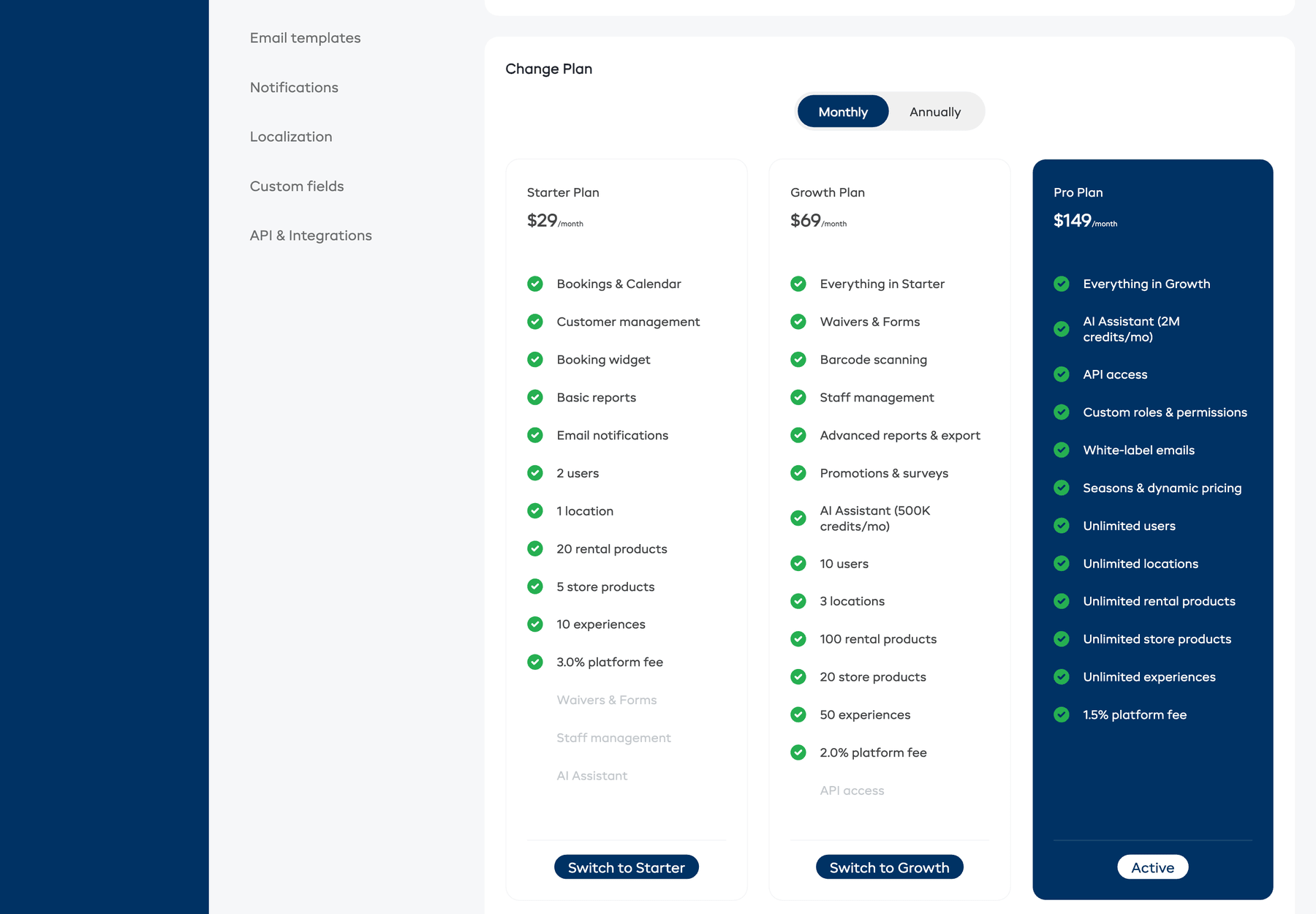
- Scroll down to the Change Plan section.
- Use the Monthly / Annually toggle to choose your billing interval. Annual billing is typically discounted.
- Review the plan cards to compare features and pricing.
- Click Switch to [Plan Name] on the plan you want to upgrade to.
- If you do not have a card on file, you will be prompted to add a payment method.
- Confirm the upgrade.
What Happens When You Upgrade
- Immediate access -- new features and higher limits are available right away.
- Prorated billing -- you only pay the difference for the remainder of your current billing period. Your next invoice will reflect the new plan price.
- No downtime -- your account stays active throughout the process.
Switching Billing Interval
You can switch between monthly and annual billing when upgrading:
- Monthly to Annual -- you will be charged the annual rate immediately, prorated for the remaining time.
- Annual to Monthly -- the change will take effect at the end of your current annual period.
Downgrading
If you want to move to a lower plan:
- Click the plan you want to switch to.
- EquipDash will check if your current usage fits within the lower plan's limits.
- If your usage exceeds the lower plan's limits (e.g., too many users or products), you will see a message explaining what needs to be adjusted before you can downgrade.
- If everything fits, the downgrade will be scheduled for the end of your current billing period. You keep your current plan features until then.
caution
Downgrades do not take effect immediately. You continue to have access to your current plan's features until your current billing period ends.