Enabling and disabling the Rentals module
The Rentals module controls whether your portal shows equipment-rental functionality — products, bundles, workshop, the rentals calendar, the rentals dashboard tab, and the rentals widget listings.
You can turn it on or off any time from Settings → Rentals. Disabling does not delete any of your products, categories, or past bookings — it just hides the module across the portal until you re-enable it.
For the full picture of how the three EquipDash modules work together (Rentals, Experiences, Store), see Modules.
Toggling Rentals on or off
- Click Settings in the left sidebar.
- Click Rentals from the settings menu.
- At the top of the page you'll see the Rentals module card with a toggle switch on the right.
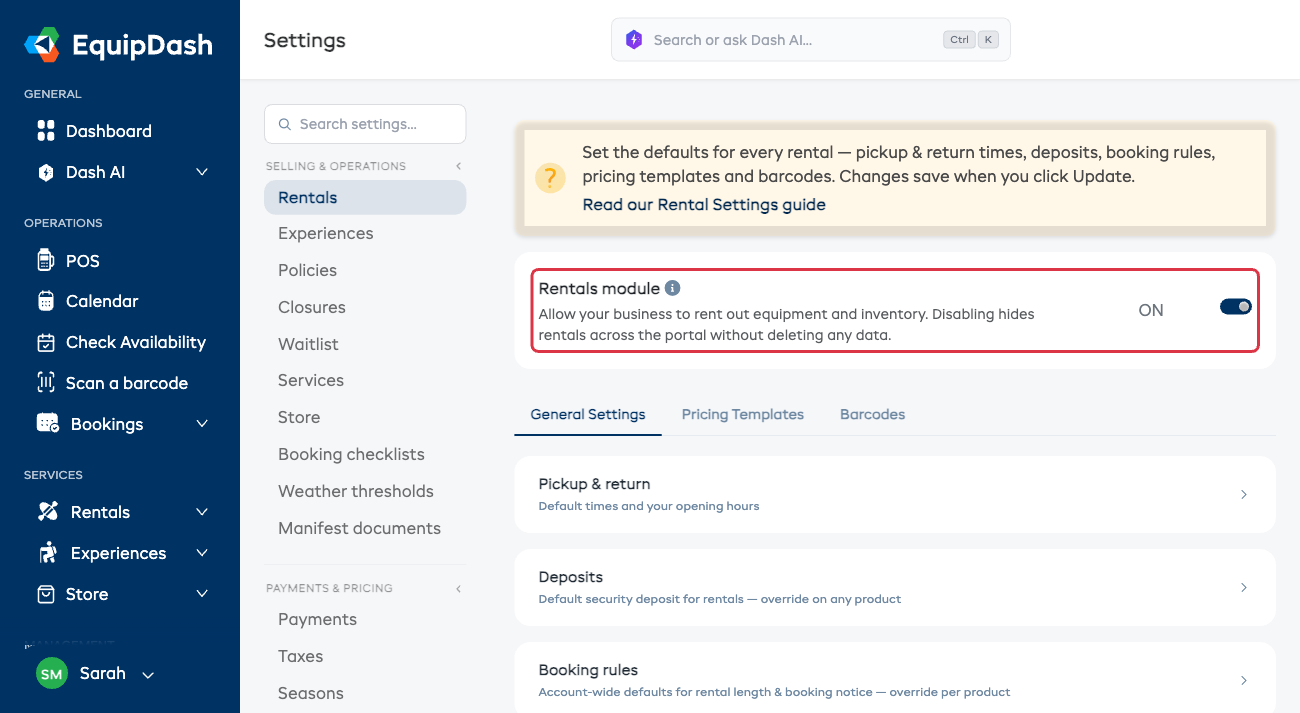
- Click the toggle to flip it.
- Turning OFF — a Disable rentals module? confirmation appears explaining that rentals will be hidden (your data is not deleted). Click Disable to confirm, or Cancel to abort.
- Turning ON — the change applies immediately, the success toast appears, and the page reloads so the sidebar/dashboard show the new state straight away.
Disabling the Rentals module does not delete any products, bundles, categories, workshop logs, or bookings. Everything is preserved and reappears when you re-enable the module.
When EquipDash will block you from disabling
There are two situations where EquipDash refuses to disable Rentals:
You have upcoming rental bookings
If any future-dated bookings (not cancelled, not completed) include rental products, EquipDash blocks the toggle and shows a message like:
You have 4 upcoming rentals bookings. Please cancel or complete them before disabling this module.
Cancel or complete those bookings, then try again.
Rentals is the only module you have enabled
EquipDash requires at least one of Rentals, Experiences, or Store to be enabled at all times. If Rentals is your only enabled module, the disable action is blocked. Enable Experiences or Store first, then come back and disable Rentals.
What's hidden when Rentals is off
Quick reference — see Modules for the full list:
- Sidebar: Rentals section (Products, Bundles, Categories, Workshop)
- Bookings page: Rentals tab
- Dashboard: Rentals tab and quick stats
- Calendar: Rentals tab (the Experiences calendar still shows if Experiences is on)
- POS / New booking: Rental booking-type option
- Reports: Rentals and Inventory report tabs
- Widget: rental product listings
- Promo codes / Waivers / Surveys / Policies: the Products option in their "Applies to" pickers
The Rentals settings page itself stays accessible so you can always re-enable.