Managing AI Credits ProThis feature requires the Pro plan
The AI Assistant in EquipDash uses credits for each interaction. Your plan includes a monthly credit allowance, and you can purchase additional credits if you need more.
Viewing Your Credit Balance
- Click Settings in the sidebar.
- Select AI Assistant from the settings menu.
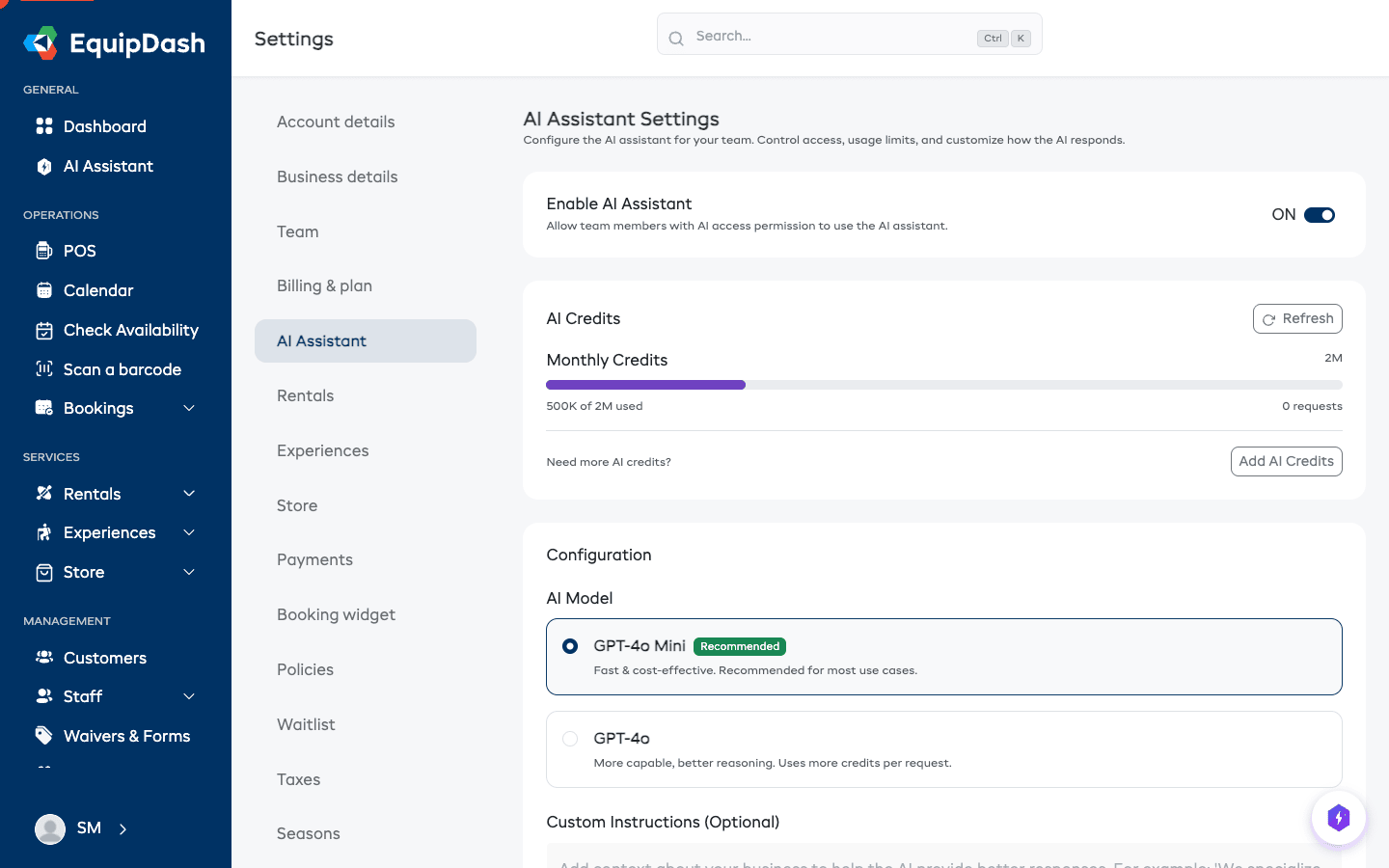
- In the AI Credits section, you will see:
- Monthly Credits -- how many credits your plan includes each month.
- Purchased Credits -- any additional credits you have bought (these do not expire at the end of the month).
- By Feature -- a breakdown of how credits are split across AI Assistant conversations, text generation, and smart search.
How Credits Are Used
Different AI operations consume different amounts of credits:
- AI Assistant conversations -- each message exchange uses credits based on the complexity of the request and the AI model selected.
- Text generation -- using AI to generate descriptions or content.
- Smart Search -- AI-powered search across your data.
The exact credit cost depends on the AI model you have selected in AI Configuration. EquipDash offers eight models with different credit costs — Mini/Haiku/Kimi models use fewer credits per request, while Sonnet 4.6 and GPT-5 are more capable but cost more. See Choosing the Right AI Model for a side-by-side comparison.
If you have your own ChatGPT, Claude, or other AI subscription, you can connect it to EquipDash. AI calls then bill your provider directly and EquipDash credits aren't used.
Purchasing Additional Credits
If you run out of monthly credits or want a buffer:
- Click Settings in the sidebar, then select AI Assistant.
- In the AI Credits section, click Purchase Credits.
- Select a credit pack from the available options.
- Confirm the purchase. The credits will be charged to your card on file and added to your account immediately.
Purchased credits are added on top of your monthly allowance and do not expire at the end of the billing period. They carry over until used.
Credit Reset
Your monthly credit allowance resets at the start of each billing period. Unused monthly credits do not roll over to the next month. However, any purchased credits remain in your account until they are consumed.