Cancelling Your Subscription
If EquipDash is no longer the right fit, you can cancel your subscription at any time. Cancellation is designed to be straightforward, and your data is preserved in case you want to come back.
How to Cancel
- Click Settings in the sidebar.
- Select Billing & plan from the settings menu.
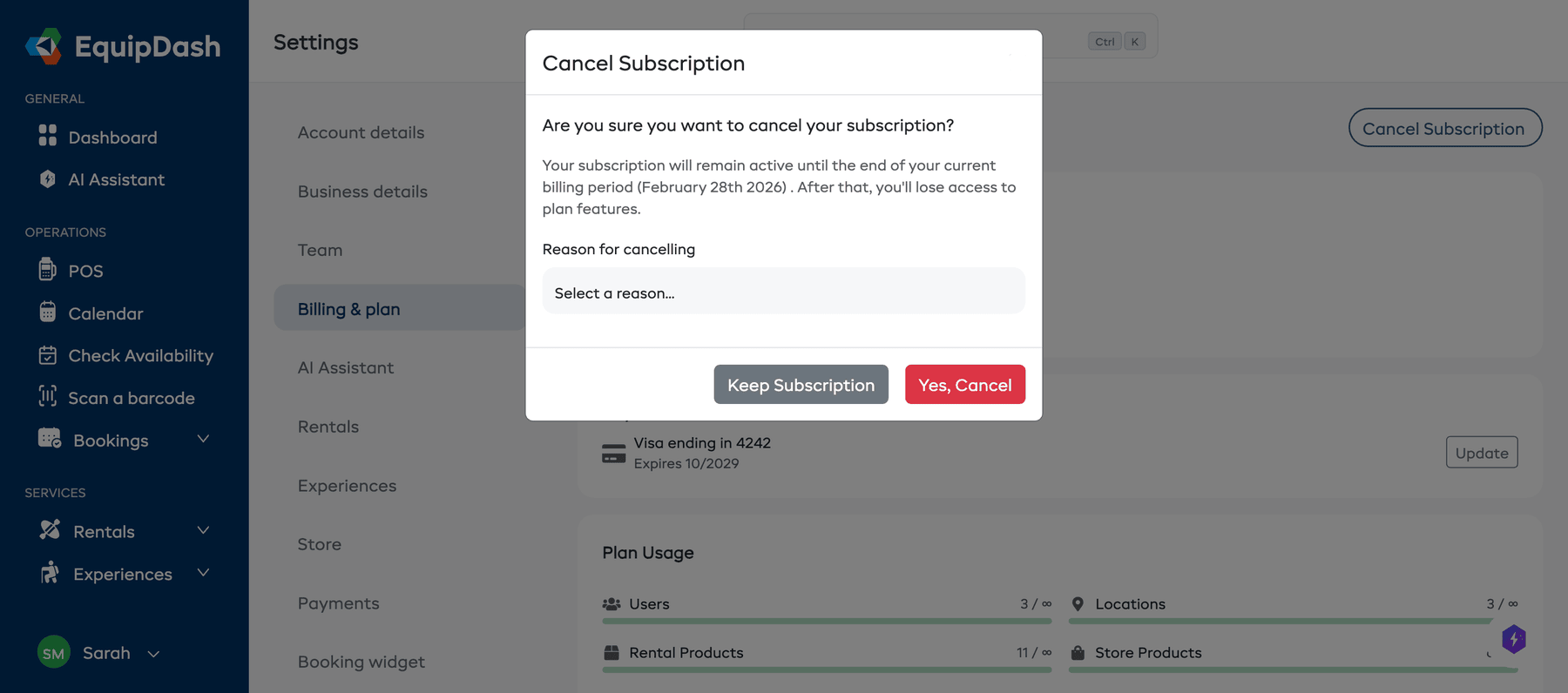
- Click the Cancel Subscription button in the top right corner of the page.

- A confirmation modal will appear showing:
- A message confirming your subscription will remain active until the end of your current billing period.
- Reason for cancelling -- select a reason from the dropdown.
- Click Yes, Cancel to confirm, or Keep Subscription to go back.
What Happens After Cancellation
- You keep access until the end of your billing period. Your subscription remains fully functional until the current period expires. No prorated refund is issued for the remaining time.
- Your data is preserved. Your bookings, customers, products, and all other data remain in your account.
- Automated features stop. After the billing period ends, automated emails (reminders, follow-ups), booking widget, and API access will be disabled.
- You can still log in. You will be able to access your account in a read-only state to view historical data.
Resuming Your Subscription
Changed your mind? You can resume your subscription before the current billing period ends:
- Go to Settings > Billing & plan.
- Click Resume Subscription.
- Your subscription will continue as normal, and you will be charged on your next billing date.
tip
You can only resume before the billing period ends. After that, you will need to subscribe again.
After the Billing Period Ends
Once your subscription fully expires:
- Your account moves to a free/inactive state.
- The booking widget stops accepting new bookings.
- API keys and webhooks are deactivated.
- You can resubscribe at any time to regain full access. All your data will still be there.
Things to Keep in Mind
- Cancellation does not delete your account or data. Your information is preserved.
- If you have an annual subscription, cancellation takes effect at the end of the annual period.
- We do not offer partial refunds for unused time on the current billing period.
- If you are experiencing issues with EquipDash, consider contacting support first -- we may be able to help resolve the problem.