Your Plan
The Billing & Plan page shows you everything about your current subscription -- which plan you are on, what features are included, how much of your plan limits you have used, and how your plan compares to other options.
Viewing Your Current Plan
- Click Settings in the sidebar.
- Select Billing & plan from the settings menu.
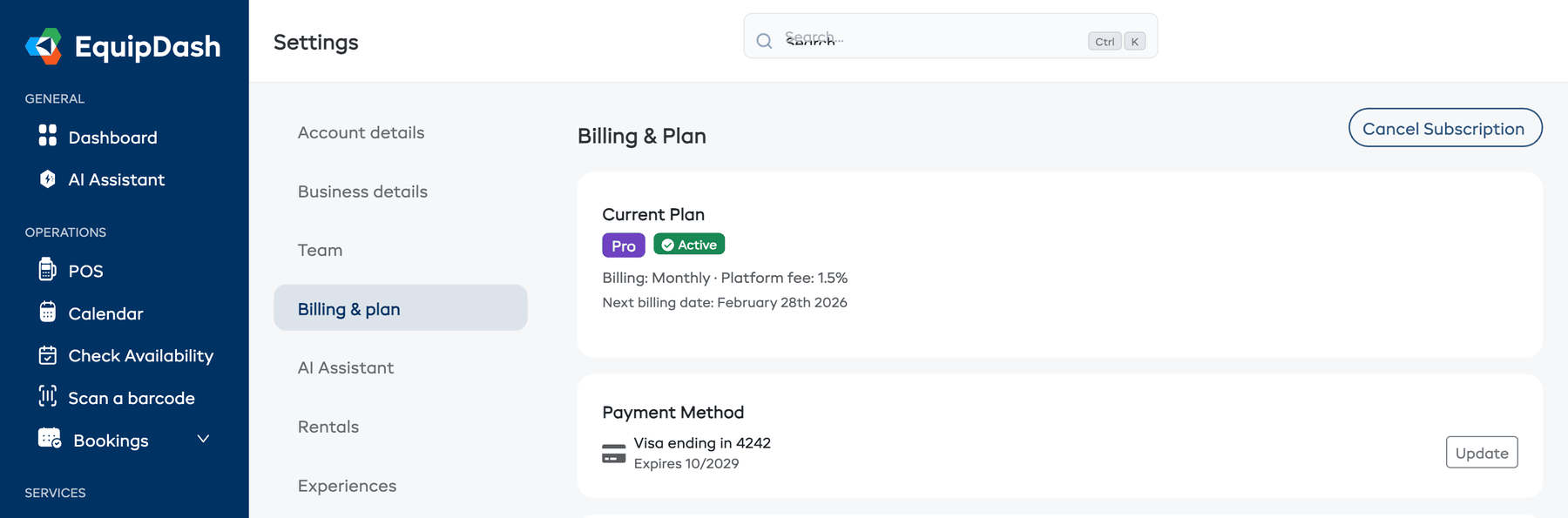
- At the top of the page, you will see your current plan details:
- Plan Name -- the name of your current plan (e.g., Starter, Growth, Pro).
- Status -- active, cancelling, or past due.
- Billing -- whether you are billed monthly or annually, and your platform fee percentage.
- Next billing date -- when your next payment will be charged.
Usage Overview
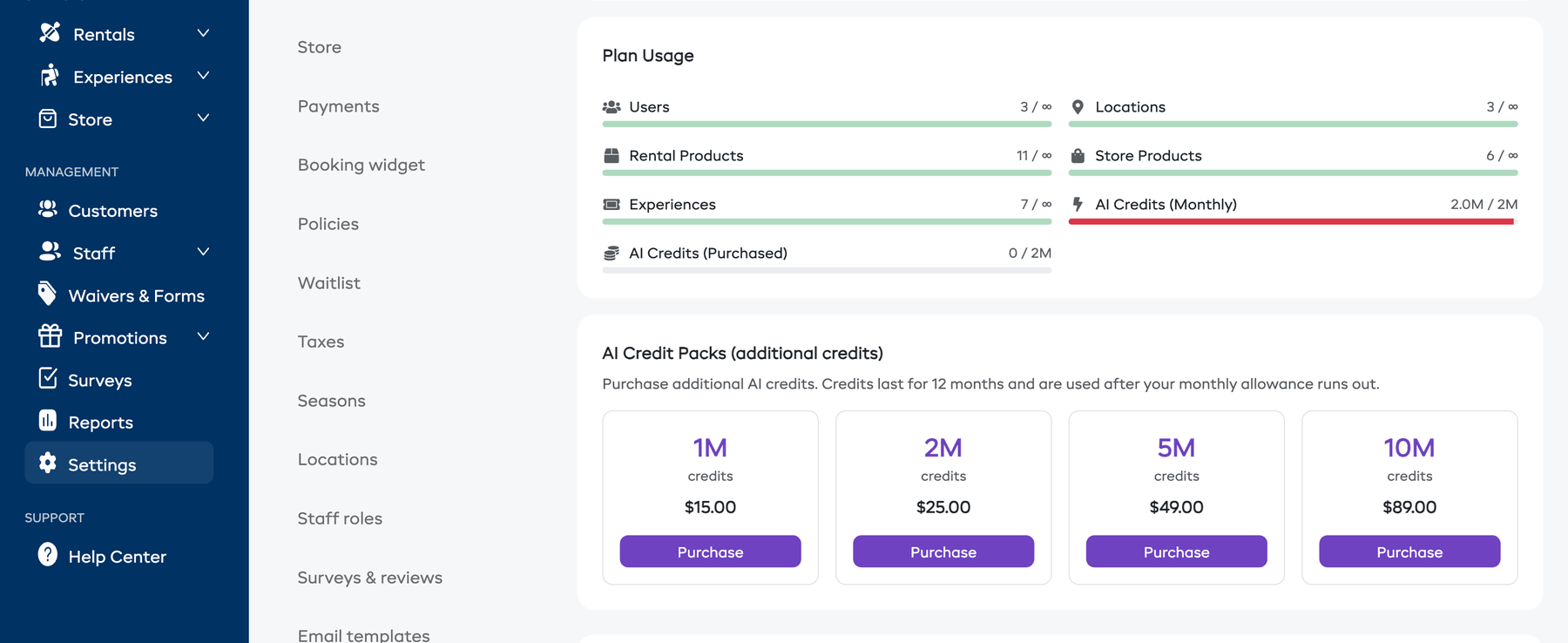
Below your plan details, you will see your current usage across key limits:
| Metric | What it means |
|---|---|
| Users | How many team members are on your account vs. your plan limit |
| Locations | How many locations you have vs. your plan limit |
| Rental Products | How many rental products you have vs. your plan limit |
| Store Products | How many store products you have vs. your plan limit |
| Experiences | How many experiences you have vs. your plan limit |
| AI Credits (Monthly) | How many of your monthly AI credits you have used |
| AI Credits (Purchased) | How many purchased AI credit packs you have remaining |
Each metric shows a progress bar indicating how close you are to your plan's limit.
Plan Comparison
Below the usage section, you can see a comparison of all available plans. This makes it easy to see what you gain by upgrading:
- Features included in each plan.
- Limits for users, locations, products, and experiences.
- Price for monthly and annual billing.
AI Credits
If your plan includes AI Assistant access, you will also see your AI credit balance in this section. See Managing AI Credits for details.