Which Messages a Booking Gets
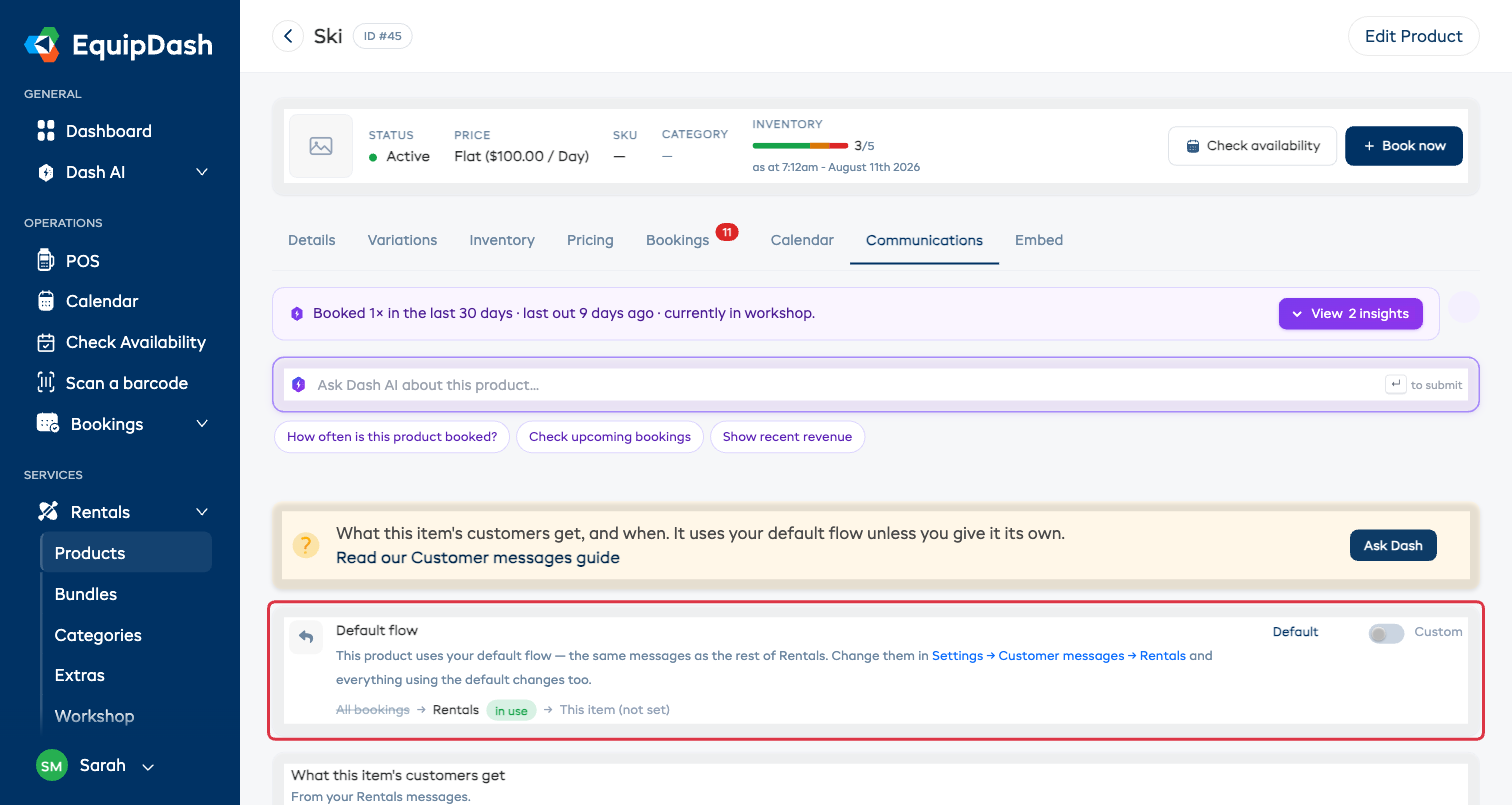
You can set up customer messages in four places: for all bookings, for a whole line of business (rentals, experiences or bundles), for one item, and for a program. This article explains which one a customer actually receives when more than one could apply.
The rule
The most specific one wins.
When someone books, EquipDash looks at each thing on the booking and works down this list, stopping at the first one you've set up:
- Is it part of a program? → the program's messages.
- Does that item have its own messages? → those.
- Does that line of business have its own messages? → those.
- Otherwise → your All bookings messages.
So if you've set up a Rentals flow and then given one kayak its own, that kayak uses its own and every other rental uses the Rentals flow. Nothing else changes.
Every screen that shows an inherited set of messages tells you where it came from -- "Following Rentals" -- and every item shows the full chain it resolved through, with the winner marked. If you're ever unsure what a customer will get, the answer is on the page.
One booking can use more than one set
This surprises people, and it's deliberate.
A kayak rental and a guided session are genuinely different journeys. One is "collect it, bring it back"; the other is "turn up at a time and place". So if a customer books both together, each one uses its own messages -- the kayak follows your rental flow, the session follows your experience flow.
That's why the rule is applied to each thing on the booking, not to the booking as a whole.
Nobody gets the same message twice
Because one booking can draw on more than one set of messages, there are two ways a customer could end up with a duplicate. EquipDash handles both for you:
- Two of the same kind of thing. Someone hires a kayak and a paddleboard. Both follow your Rentals messages -- and those messages go out once, not twice.
- The same message in two places. You've written "Know before you go" into both your Rentals flow and your Experiences flow, and someone books one of each. They receive it once.
You don't need to plan around this or keep your flows free of overlap. Write what makes sense at each level and let it sort itself out.
Where each set lives
| Level | Where you set it up |
|---|---|
| All bookings | Settings → Customer messages |
| Rentals / Experiences / Bundles | the switches at the top of All bookings — turn one on and it gets its own tab |
| One item | that product, experience or bundle → Communications |
| A program | the program → Communications |
Checking a booking
To see exactly what a particular customer was sent:
- Open the booking.
- Click the Messages tab.
You'll see every email and text for that booking in order, with when it went out and how many people it reached. Click any entry to expand it and see the individual people -- including anyone we couldn't reach, and why (usually a missing email address or mobile number).
This view is read-only. It's a record of what happened, not a place to change what sends. To change the wording or the timing, go to the set of messages the booking follows -- the Messages tab tells you which one that is.
Turning a level off
Switching a set of messages off is different from removing it:
- Switched off -- the messages are kept, but that level is skipped. Anything following it drops to the next level up. So switching off your Rentals messages means rentals fall back to All bookings.
- Removed -- the messages are gone and that level goes back to inheriting. Any single item that had its own messages is unaffected.
Either way, anything already sent stays in the customer's history.
Related articles
- Customizing Email Templates -- what a message says
- Email Variables -- merge tags like
{{first_name}}