SMS Notifications
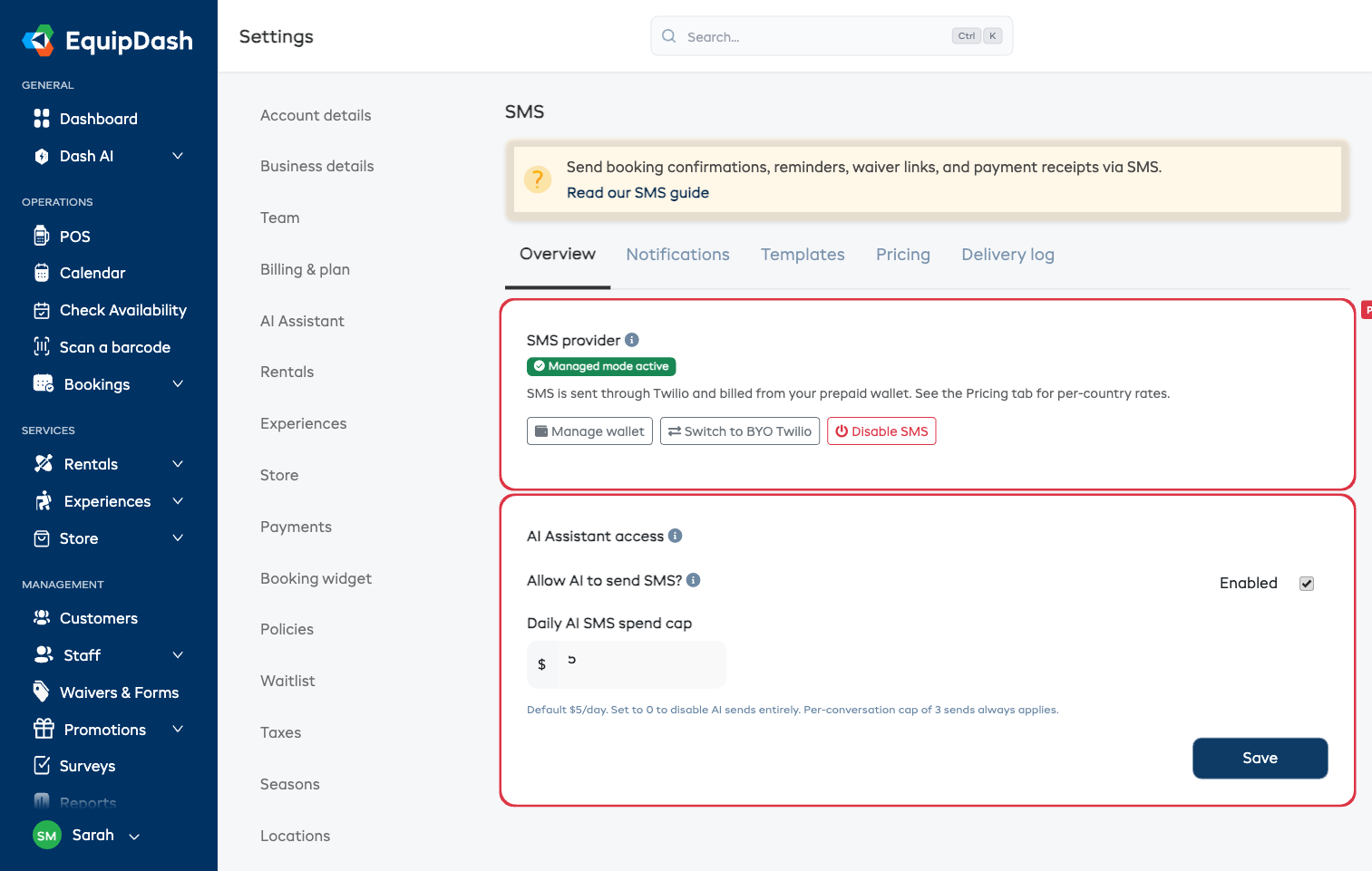
SMS notifications get read in minutes — not hours like email. Use them for booking confirmations, 24-hour reminders, waiver links, payment receipts, and pickup-ready alerts so customers actually show up and complete their bookings on time.
What You'll Learn
- How to enable SMS for your account
- The difference between Managed and Bring Your Own Twilio modes
- How the prepaid wallet works (and what each SMS costs)
- Which booking events you can send via SMS
Two Ways to Send
| Mode | What You Pay | Setup |
|---|---|---|
| Managed (recommended) | Top up a prepaid wallet — each SMS deducts at the per-country rate shown in Pricing | One click in Settings → SMS |
| Bring Your Own Twilio | You're billed by Twilio directly — EquipDash takes no margin | Paste your Twilio Account SID, Auth Token, and Messaging Service SID |
You can switch between modes anytime. Switching from managed to BYO doesn't refund your wallet — the credit stays put for if you switch back.
Per-Country Pricing
Managed-mode pricing varies by destination country (Twilio charges different rates per market). Live rates are visible in Settings → SMS → Pricing.
Approximate examples (rates refreshed daily):
| Destination | Cost per SMS |
|---|---|
| United States | ~$0.02 |
| United Kingdom | ~$0.07 |
| Australia | ~$0.07 |
| Germany | ~$0.11 |
A $20 top-up gets roughly 1,000 US messages, or ~280 UK messages. Multi-segment messages (long bodies or emoji) cost per segment.
Available Events
You can send SMS for these events. Each has separate copy for the customer (the booker) and the supplier (you / your admin team) — see Customizing templates.
Customer-facing events:
- New Booking — confirmation to the customer
- Upcoming Booking — 24-hour reminder (your biggest no-show reduction lever)
- Cancelled Booking — confirmation to the customer
- Payment Received — receipt to the customer
- Form Request — waiver / form link to the customer (fires alongside the waiver-request email)
- Overdue Pickup / Return / Check-in — chase to the customer
- Balance Due Reminder — to the customer
Supplier-facing events (sent to admin team members who opted in):
- New Booking — alert when a new booking comes in
- Form Response — alert when a customer submits their waiver / form
- Upcoming Booking — heads-up the day before
- Overdue Pickup / Return / Check-in — chase the customer
Email is never replaced — every email keeps sending. SMS is additive.
Setup Steps
- Go to Settings → SMS in your dashboard
- Click Use managed mode (or paste your own Twilio credentials — see BYO Twilio)
- Top up your wallet via Stripe — see Topping up
- Open the Notifications tab and toggle on the events you want to send via SMS — see Notifications
- (Optional) Customize the templates in the Templates tab — see Templates
You're done. Email + SMS will go out in parallel for every event you enabled.
Customer Opt-Out
Customers can reply STOP to any SMS to opt out. We honour that automatically — no further SMS will go to that customer's number. The opt-out flag shows on their customer detail page.
If a customer wants to opt back in, they can reply START.
All transactional templates auto-append "Reply STOP to unsubscribe." if it's not already in the body.
Compliance
For sending to US numbers in managed mode, EquipDash registers the master Twilio account under A2P 10DLC, so you don't have to. While registration is in progress, US deliverability is reduced — once vetted (24–48 hours), US carriers stop filtering.
For BYO mode, you're responsible for completing your own A2P 10DLC brand + campaign registration in your Twilio console. Without it, US carriers will block your messages. See BYO Twilio.