Delivery ProThis feature requires the Pro plan
Customers can choose to have their booking delivered instead of coming to collect it. You set your rate once; EquipDash works out how far the address is from your location and adds the charge before they pay.
It works for anything you hand over — rentals, bundles and store items in the same booking are one journey and one charge.
Turning it on
- Go to Settings → Rentals and open the Delivery tab.
- Switch on Deliver to the customer.
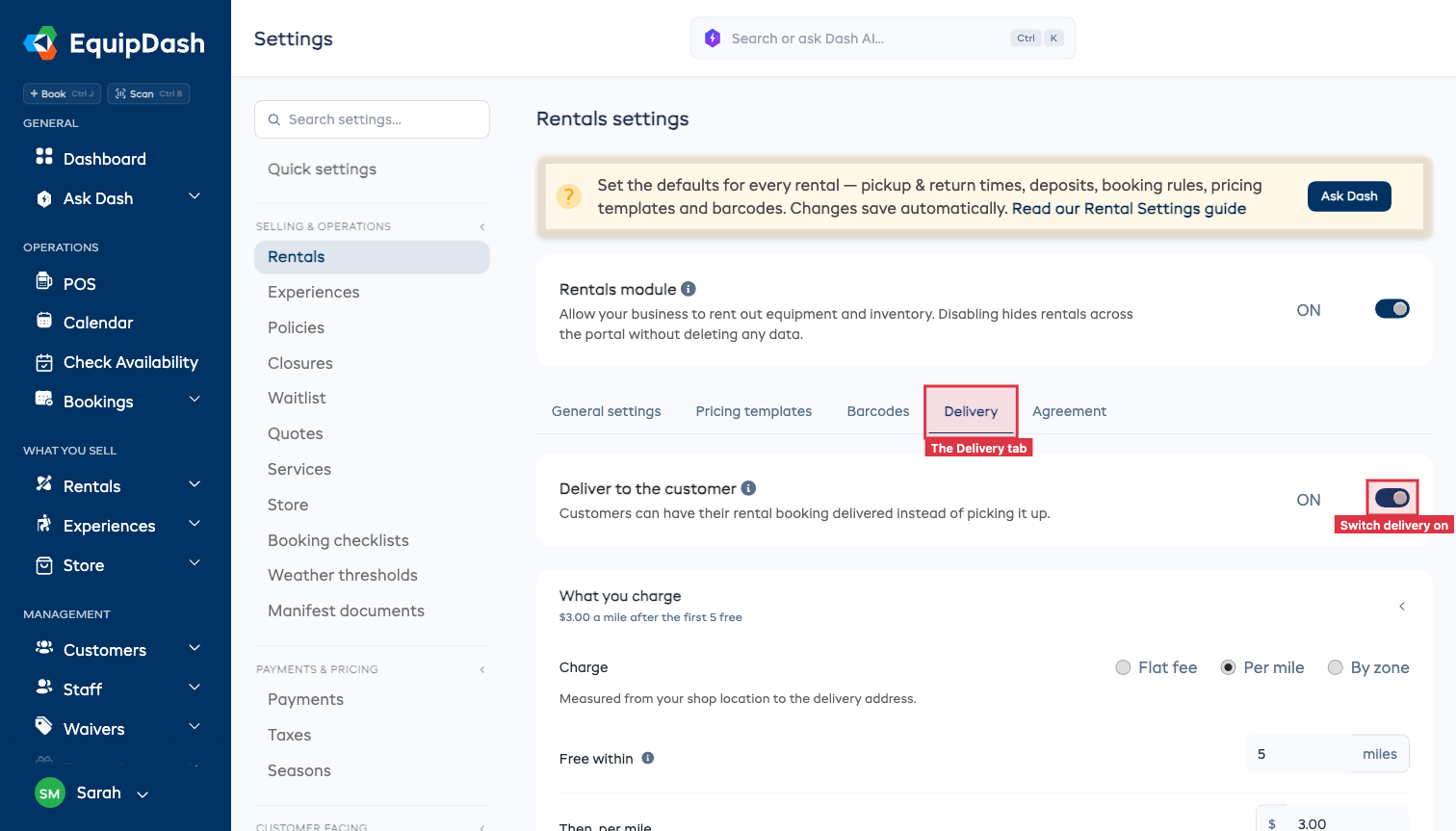
Nothing changes on your booking page until you do, and switching it back off puts every page back the way it was.
Choosing how you charge
Pick whichever matches how you already quote a delivery.
Per mile (or kilometer)
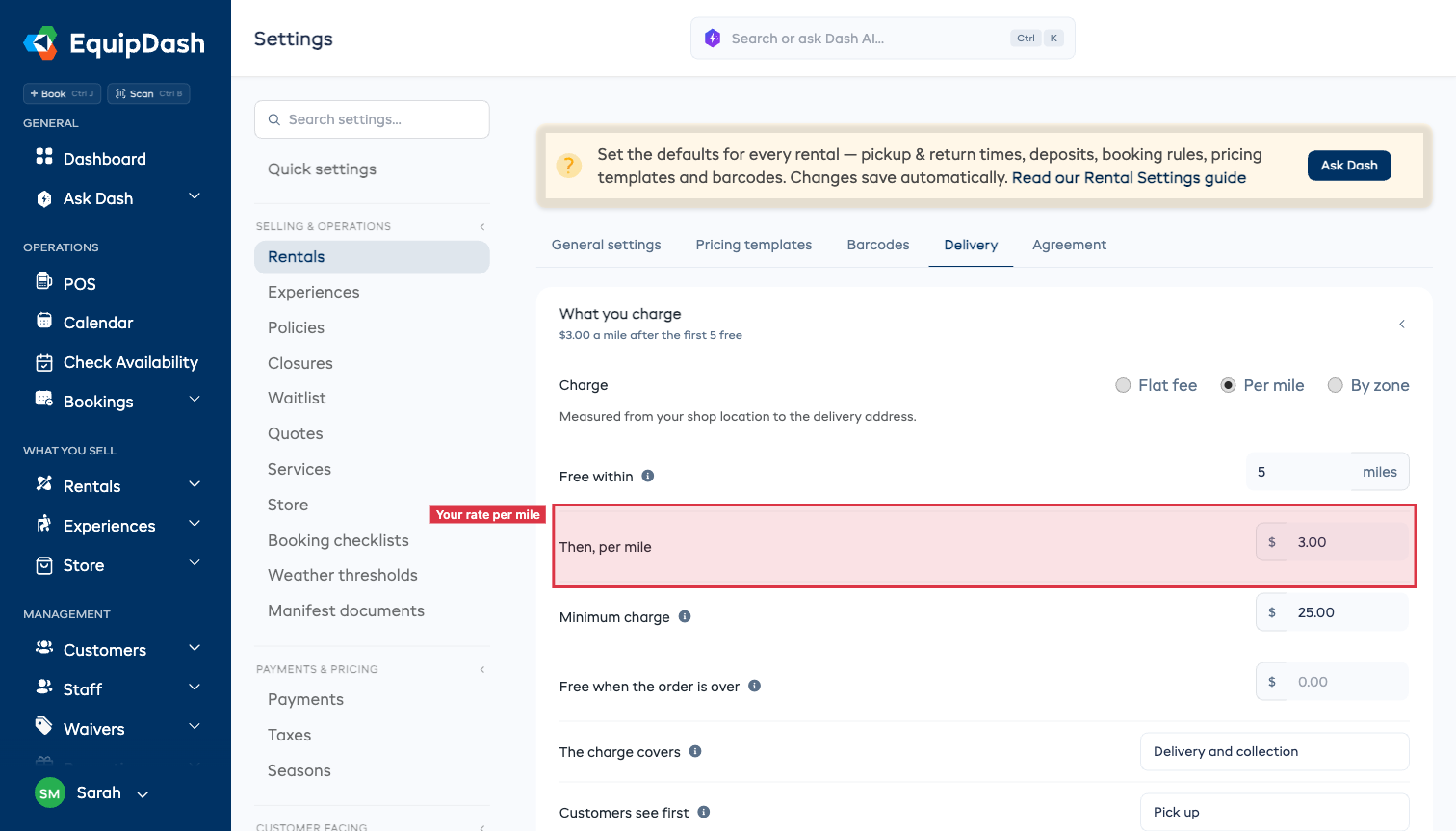
The usual choice for a shop that goes different distances. Set:
- Free within — anything closer than this is not charged by distance.
- Then, per mile — your rate beyond the free ring.
- Minimum charge — the least you will charge for going out, however close it is.
So with 5 free miles, $3.00 a mile and a $25 minimum: a customer two miles away pays $25, and one fifteen miles away pays $30.
Flat fee
One price wherever it goes. Good if you only deliver around town.
By zone
Name the areas you deliver to and set one price for each. A zone matches by distance (0 to 5 miles, 5 to 15, and so on) or by postcode — you list the postcodes it covers.
Postcode zones charge exactly. Distances are worked out from open map data, so they are close rather than exact. If you would rather your prices were precise, use postcodes.
The rest of the setup
- Free when the order is over — waive the charge on a big booking. Leave it empty to always charge.
- The charge covers — most shops drop off and pick back up in one charge, which is the default. Choose Delivery only if the customer keeps what you bring, or Charge each way if you bill both journeys.
- Don't deliver past — anything further away is offered pickup instead.
- Minimum order — the smallest booking you will drive out for.
- Notice needed — bookings starting sooner than this are offered pickup instead.
- Road allowance — see below.
- Locations that deliver — only shown if you have more than one. To give one location its own rate or limit, open it under Settings → Locations.
If the distances look wrong
The distance comes from open map data, so it is an estimate. If it reads short for the roads around you — a peninsula, a mountain road, a one-way system — raise the Road allowance on the Delivery tab. It applies to every future quote at once.
Two other things worth knowing:
- You can change the charge on any booking in POS, so an estimate being off on one address is never a problem you have to live with.
- If you want prices that are exact rather than close, price by postcode zone. Those never estimate anything.
Asking Dash to do it
You can set the whole thing up by asking: "start delivering, $3 a mile after the first 5, nothing under $25". Dash can also add and edit your zones, and book a delivery for a customer over the phone - it works the charge out from the address the same way your booking page does, so it can never quote a different price.
On your booking page, the assistant will tell customers you deliver and roughly what it starts at, then send them to the checkout to enter their address. It never quotes an exact price itself, because the price depends on where they are.
What the customer sees
On your booking page they get two buttons: Pick up and Deliver to me, with the cheapest a delivery can be on the button.
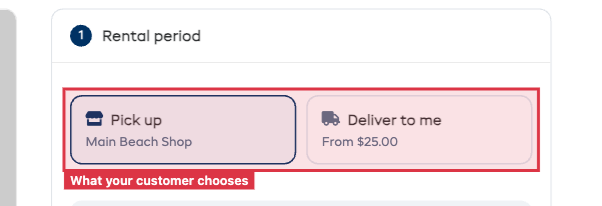 They give the address at checkout, where the distance and the charge appear in the total before they pay.
You choose which of the two they see first, on the Delivery tab - handy if you deliver far more than you hand over the counter.
If you cannot deliver there, they are told why in your own terms — too far, under your minimum order, or not enough notice — and offered pickup instead. Nobody reaches payment on a booking you cannot run.
Running the day
Open Bookings → Fulfillment and choose the Deliveries tab: every drop-off and collection for the day, in time order, with the address, the phone number and what is going on the van.
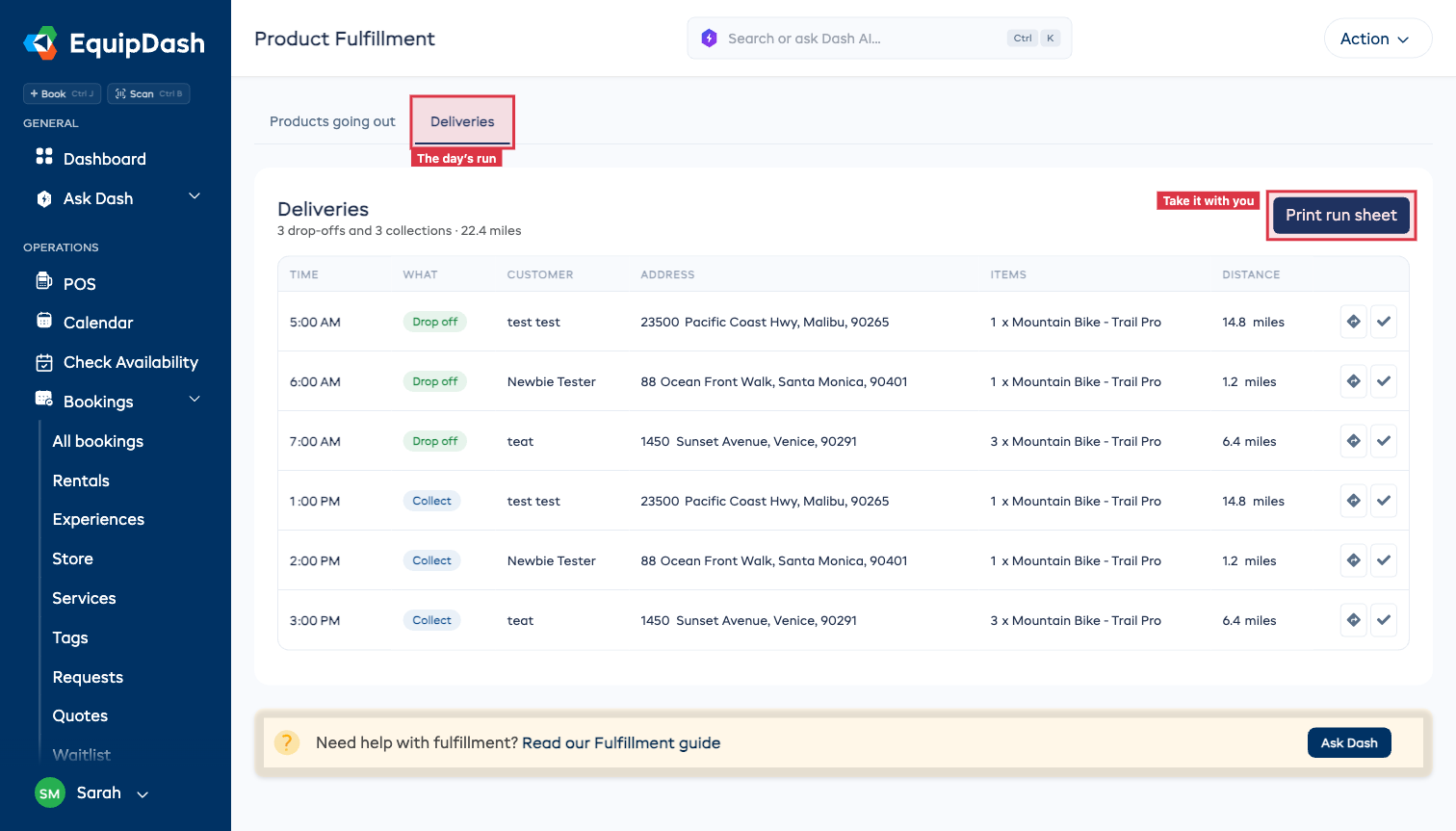
- Directions opens the address in your map app.
- Print run sheet gives you the whole day to take with you.
- Tap the tick to mark a stop done.
The same list is in the EquipDash app, so whoever is driving has it on their phone.
Where the money shows up
The delivery charge is a line of its own on the booking, in your revenue reports, and on the invoice that goes to Xero or QuickBooks. If your bookkeeper wants it kept separate, give it its own income account under Settings → Xero.
Delivery is taxed the same way everything else on the booking is taxed. A percentage promo code comes off the items, not off the driving.