Let Customers Pick Their Currency
International customers book with more confidence when they can see your prices in a currency they recognize. Turn this on and a currency picker appears in your booking widget header, right next to the language picker. Every price on the widget converts to the customer's currency — but you're always paid in your own currency, and a clear note tells the customer so.
It works exactly like the language picker: the widget auto-detects a sensible currency for each visitor, and they can switch anytime.
Turning It On
- Click Settings in the sidebar.
- Select Booking widget.
- Open the Embed options → Widget settings and find Let customers pick their currency.
- Switch it on. It saves on its own.
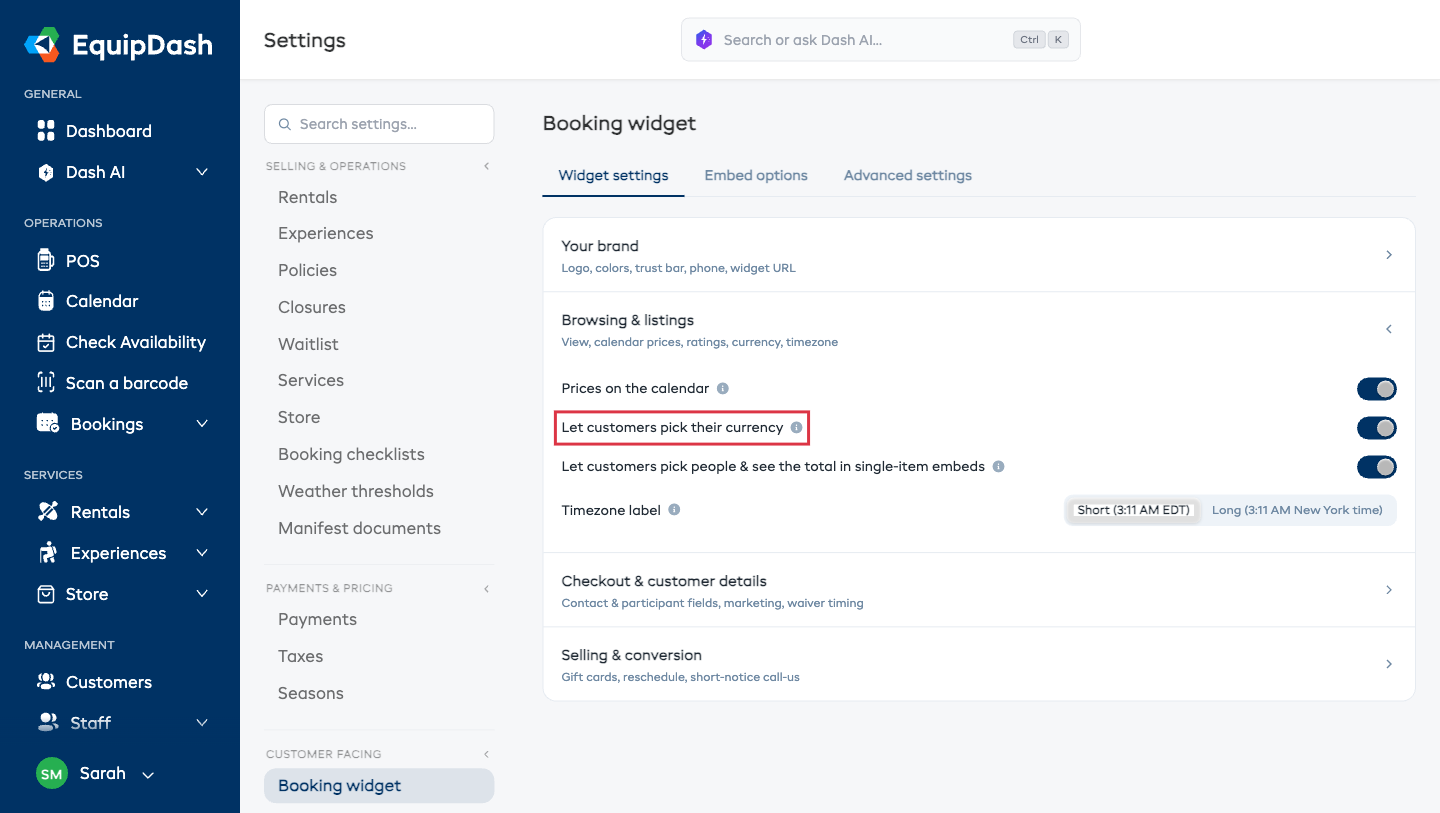
That's it — the picker is live on your widget immediately.
What Your Customers See
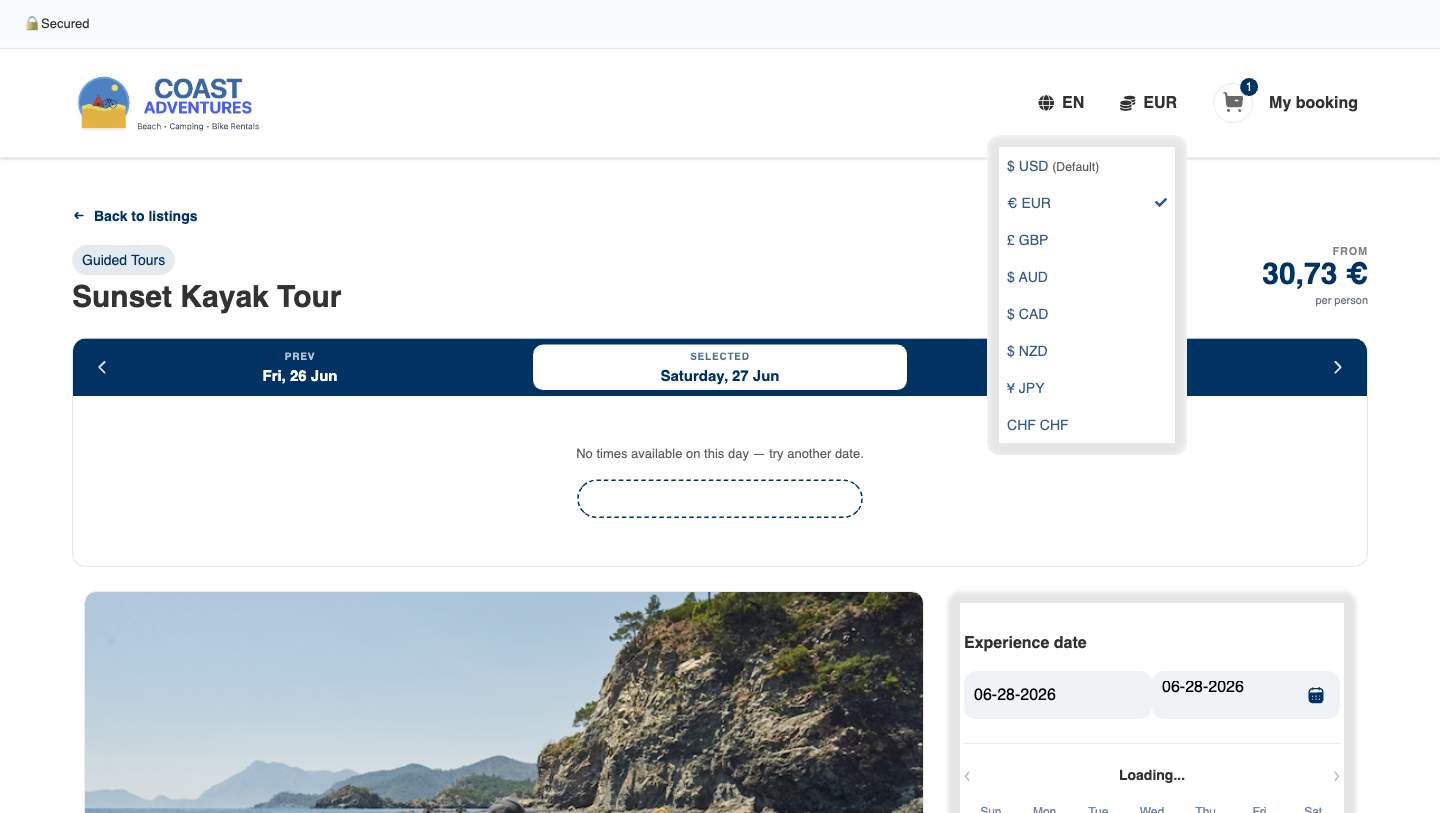
- A currency picker in the header — next to the language globe. It shows the currency the customer is currently viewing.
- Your currency is the default — your own currency sits at the top of the list, labelled (Default), so it's always one tap away.
- Auto-detected — visitors from the Eurozone open on euros, visitors from the UK on pounds, and so on. They can switch to any offered currency anytime, and their choice sticks for the whole journey.
- Every price converts — product and experience cards, detail pages, the calendar, and the cart all show the chosen currency.
The currencies offered are your own currency plus the common travel currencies (USD, EUR, GBP, AUD, CAD, NZD, JPY, CHF) and the visitor's detected currency.
You're Always Paid in Your Own Currency
This is the most important thing to understand: the currency picker only changes what the customer sees. The charge always happens in your own currency.
So a customer browsing in euros sees approximate euro prices while they shop, but a short note makes the real charge currency clear at every step:
Prices shown in Euros are approximate but charged in US Dollars.
This note appears in the cart, at the bottom of the widget (next to the timezone note), and on the checkout page.
At the payment step
When the customer reaches payment, the Amount due and the Pay button show the exact amount in your own currency — for example Amount due: $93.35 USD — so there's no surprise about what hits their card.
On the confirmation page
Once the booking is paid, the confirmation page shows everything in your own currency (the real transaction), clearly labelled All prices in US Dollars. The customer who browsed in euros sees exactly what they were charged.
Things to Keep in Mind
- The converted browsing prices are approximate — they use a daily exchange rate as a guide. The amount actually charged is always your own price in your own currency, and the widget says so.
- Suppliers who leave this off see no change — one currency (yours) everywhere, exactly as before.
- Your bookings, reports, payouts, and accounting are all unaffected — they're always in your own currency.