Booking Widget for Your Rental Website
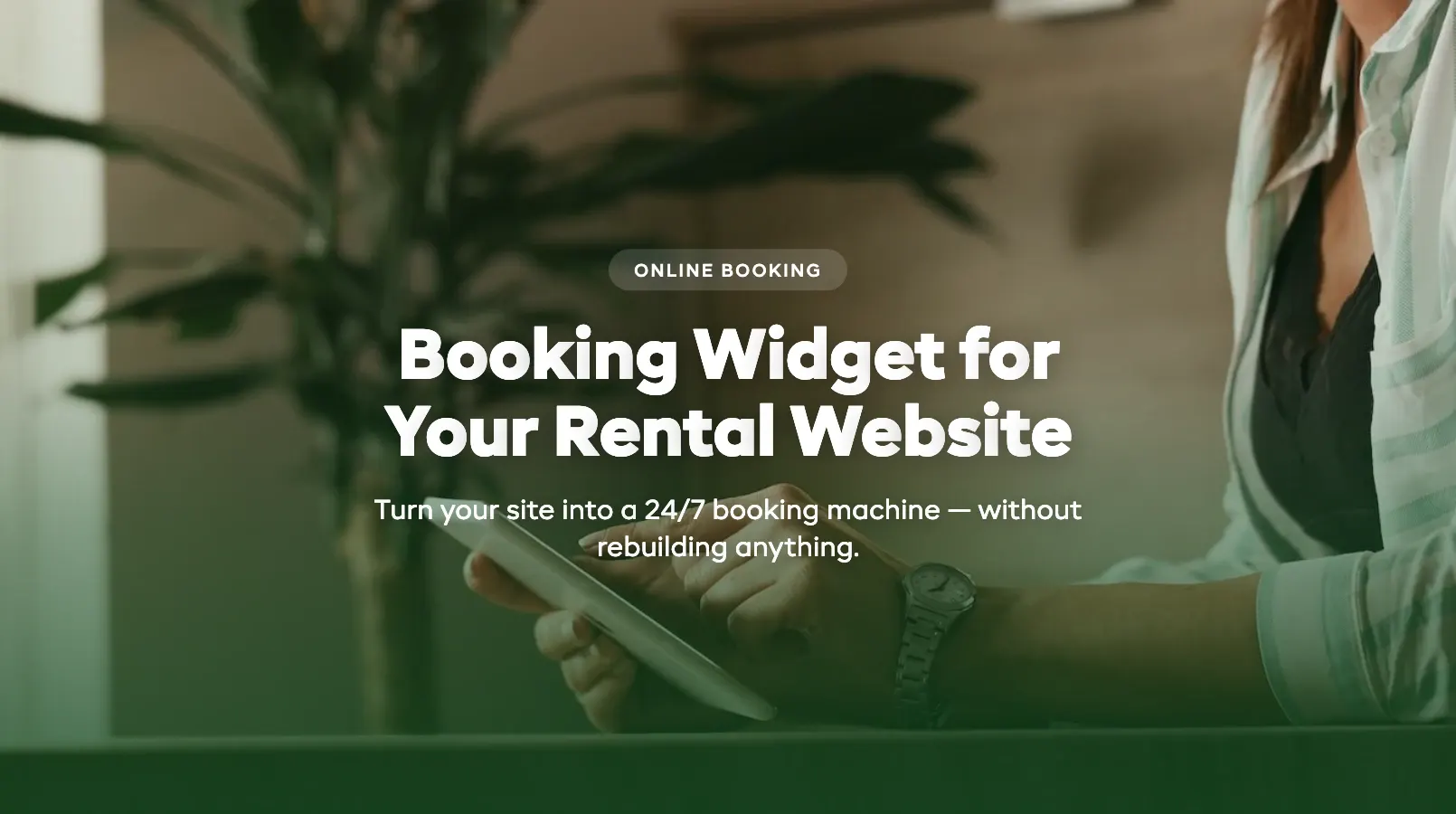
Your website gets traffic. People look at your gear, check your hours, scroll through a few photos — then leave because there's no way to book. A booking widget changes that. It turns a static site into a 24/7 booking machine without rebuilding anything.
If you're still evaluating platforms, start with our complete guide to online booking systems for rentals. This post focuses on the widget itself — what it is, what good looks like, and how to get one live on your site.
What Is a Booking Widget?
A booking widget is a self-contained form you embed directly into your website. It's a snippet of JavaScript or an iframe — a few lines of code pasted into a page. The widget handles product selection, date picking, real-time availability checks, and payment. The backend syncs with your booking system so inventory stays accurate.
Customers don't get redirected to another domain. They pick their gear, choose dates, and pay — without leaving your page.
For rental operators, a widget is the fastest path from "call us to book" to accepting reservations online. If you've already added online booking to your rental website, the widget is likely what powers it. Not sure whether to keep phone bookings alongside online? See our online booking vs phone reservations breakdown.
What a Good Widget Looks Like
A bad widget feels like a foreign object bolted onto your site — wrong fonts, wrong colors, a loading spinner that lasts four seconds. A good widget looks like it was built for your brand.
It matches your site. Colors, fonts, and button styles should be configurable. Customers shouldn't notice where your site ends and the widget begins.
It loads fast. More than two seconds and mobile visitors leave. Good widgets load asynchronously — your page renders normally while the form initialises in the background.
It's clean. The best widgets show one step at a time. Date first, then product selection, then payment. Not everything on one screen.
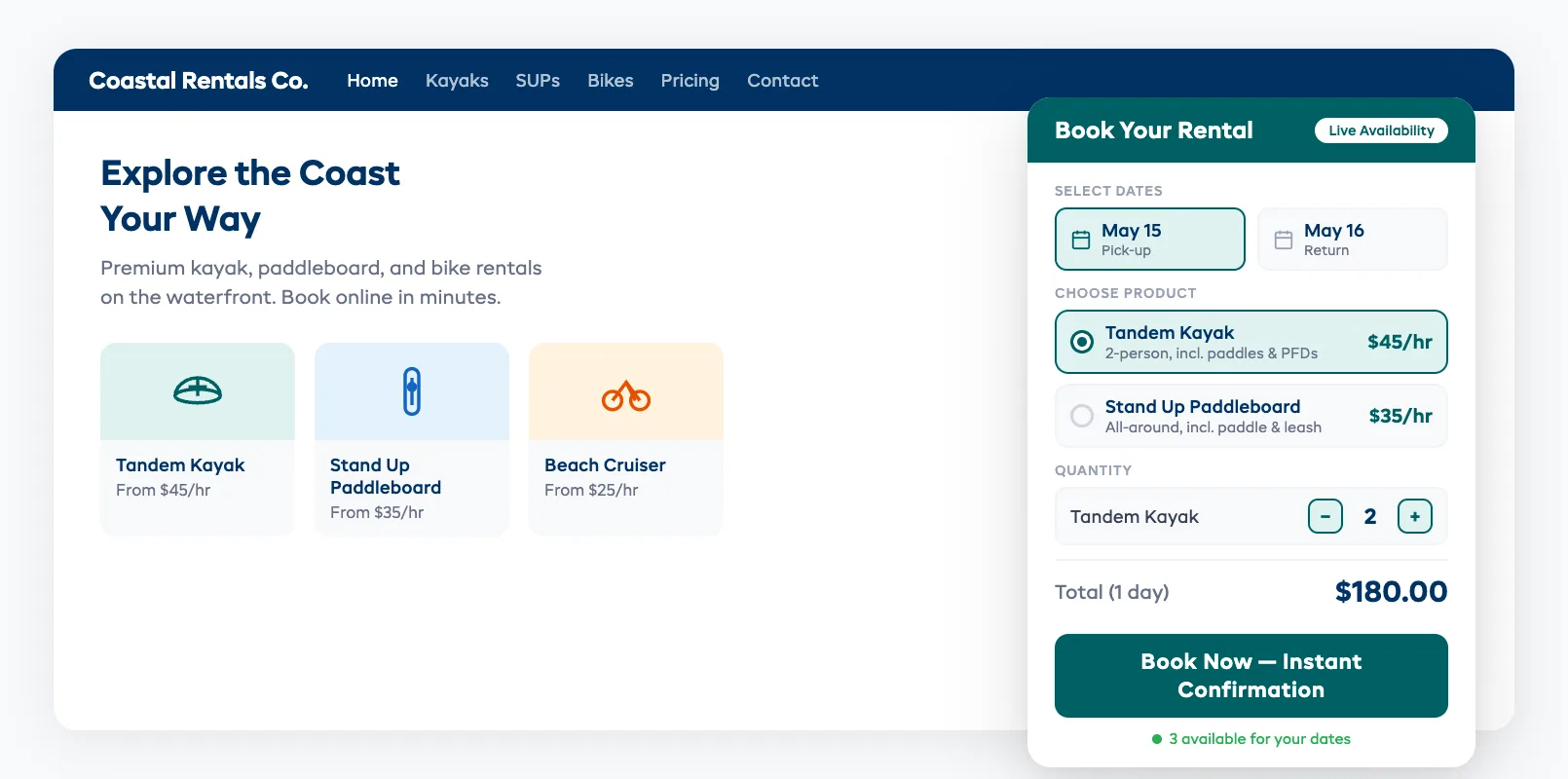
Key Features: Responsive, Branded, Fast
Responsive Design
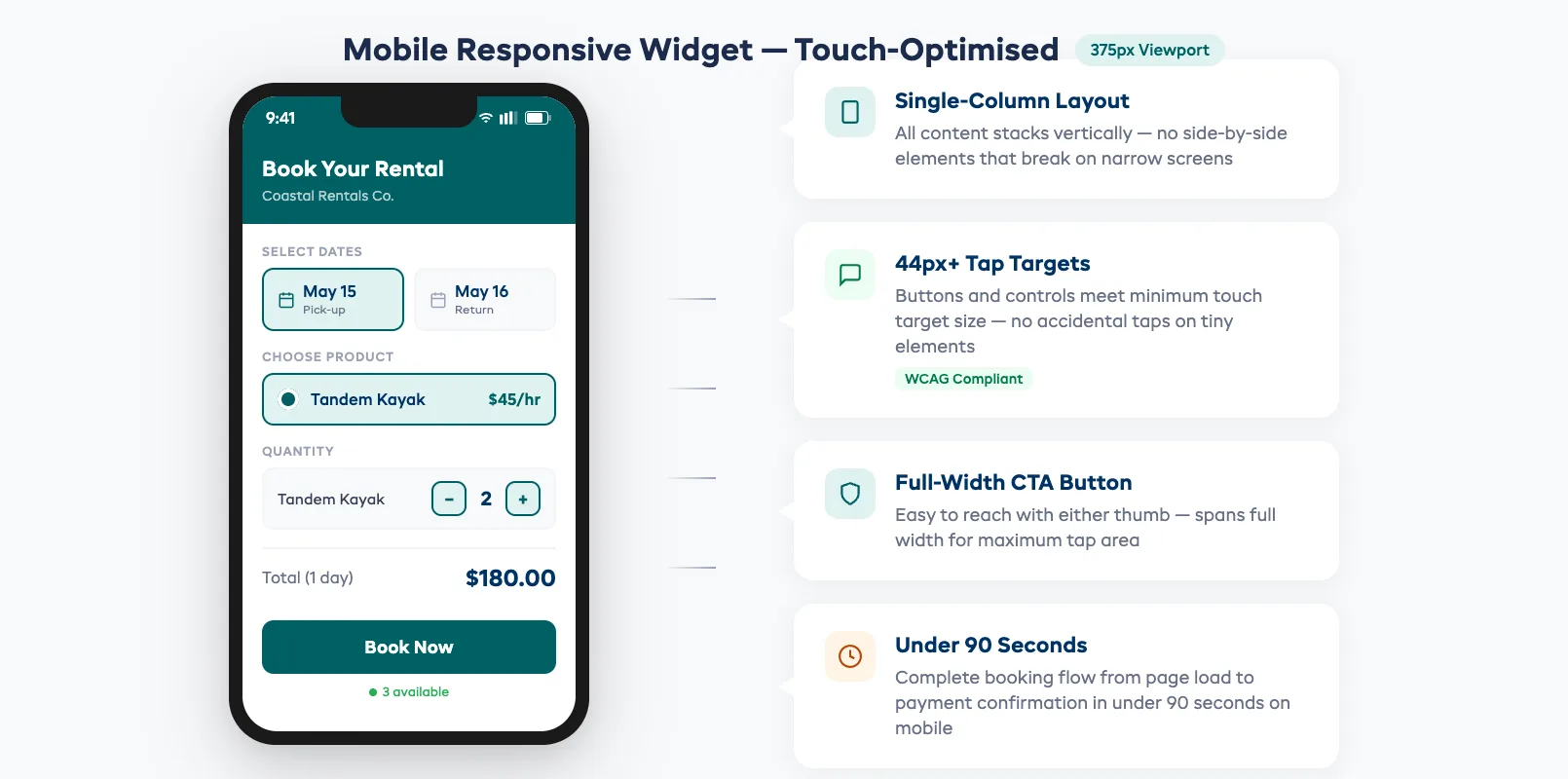
Over 70% of booking traffic comes from mobile. Your widget needs to work on a 375px phone screen as well as a 1440px desktop. That means tap-friendly date pickers, single-column layout on mobile, full-width buttons, and zero horizontal scrolling. Test on a real phone, not just a browser resize.
Brand Customization
At minimum, control primary colors, button styles, font family, and widget width. Some platforms offer full CSS override access. Others lock you into a template. Know which you're getting before you commit.
Speed
A widget that adds 3+ seconds to your page load kills conversions. Look for async loading, lazy initialisation (renders when scrolled to), a lightweight payload under 200KB, and CDN delivery.
How to Embed a Widget (Code Snippet Walkthrough)
Step 1: Configure your widget in your booking platform's dashboard — colors, products, availability rules.
Step 2: Copy the embed code. It usually looks like this:
<div id="booking-widget"></div>
<script src="https://booking-platform.com/widget.js"
  data-shop="your-shop-id"
  data-color="#003264"
  data-lang="en">
</script>
Step 3: Paste it into your website.
- WordPress: Custom HTML block
- Squarespace: Code Block
- Wix: Embed component (HTML iframe)
- Raw HTML: Paste into your page's
<body>tag
Step 4: Preview and adjust. Test the booking flow on desktop and mobile.
That's it. Most operators go live in 30-60 minutes. No developer needed.
If you need booking features specific to tour operations, the same widget can usually handle session times, group sizes, and guide availability.
Testing Widget Performance
Speed Test
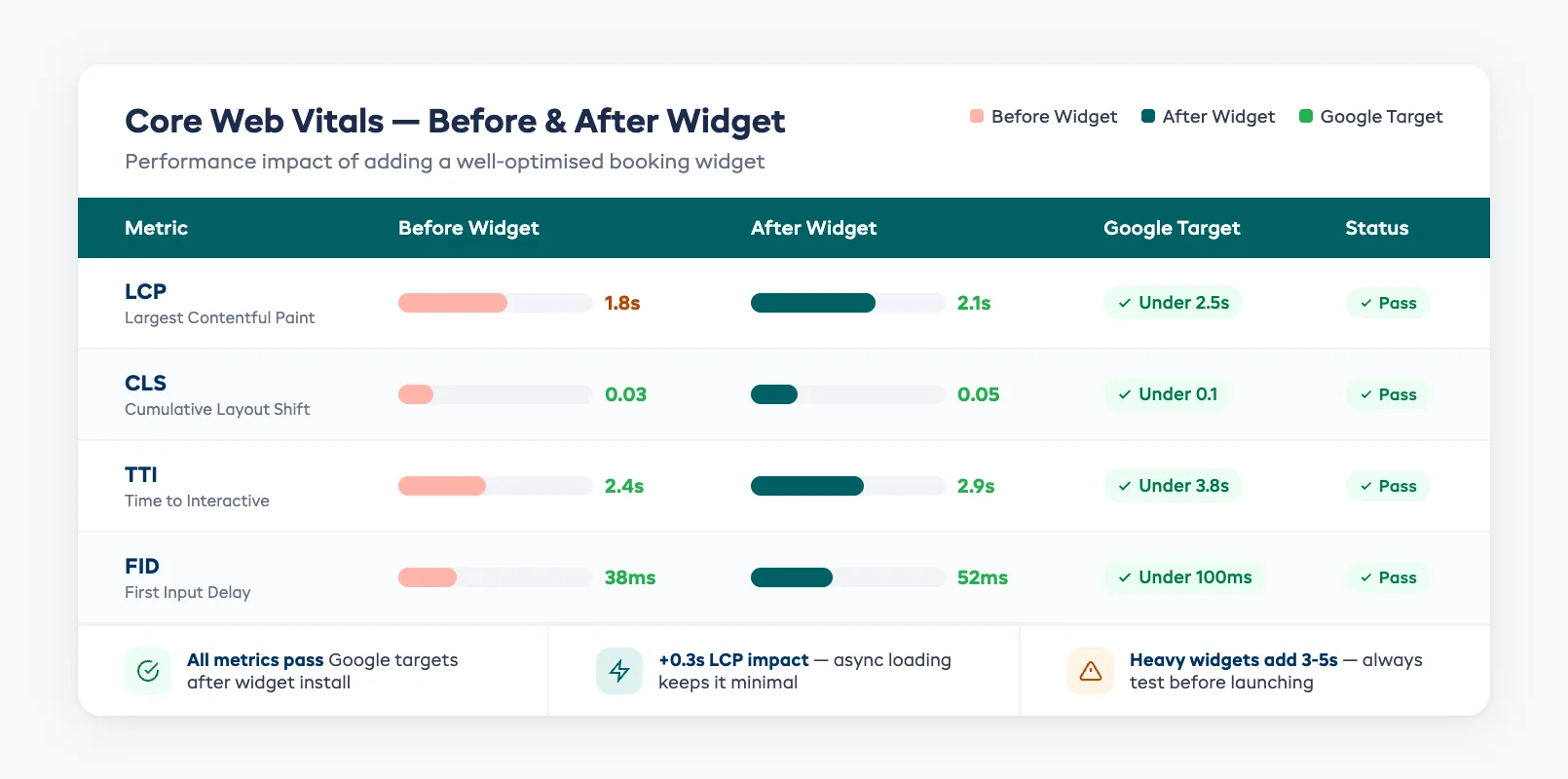
Run your page through Google PageSpeed Insights before and after adding the widget. A good widget drops your score by 5 points or less.
| Metric | Target | Why It Matters |
|---|---|---|
| Largest Contentful Paint (LCP) | Under 2.5s | Main content load speed |
| Cumulative Layout Shift (CLS) | Under 0.1 | Prevents page elements jumping |
| Time to Interactive (TTI) | Under 3.8s | When customers can click and book |
Conversion Test
Track widget load rate, booking start rate, and completion rate weekly. If completion is below 30%, look for friction — too many fields, unclear pricing, or payment redirects.
Operators who run 24/7 online booking see the best results on widgets that load in under 1.5 seconds and need fewer than four clicks.
Mobile Test
Pull out your phone. Complete a booking. If it takes more than 90 seconds from page load to payment, your mobile experience needs work.
FAQ
What's the difference between a booking widget and a booking page?
A widget embeds into your existing website — customers never leave your page. A booking page is a separate URL on the platform's domain. Widgets typically convert 15-25% better.
Will a booking widget slow down my website?
A well-built widget adds under 0.5 seconds of load time. Poorly built ones can add 3+ seconds. Test with PageSpeed Insights before and after.
Can I customize the look of my booking widget?
Most platforms let you change colors, fonts, button styles, and layout. Some offer full CSS access.
Do I need a developer to install a booking widget?
No. If you can paste text into a WordPress block or Squarespace code block, you can install a widget. Setup takes 30-60 minutes.
Does the widget work on mobile?
Any widget worth using is responsive by default. Test on real devices — tap targets and date pickers behave differently on touch screens.
A booking widget is the lowest-effort, highest-impact change you can make to your rental website. It turns browsers into bookers without you lifting a finger. If your site still says "call to book," the widget is your next move.
in one place