AI Configuration ProThis feature requires the Pro plan
The AI Assistant Settings page lets you control how the AI Assistant works for your business. You can choose between eight AI models, add custom instructions, optionally connect your own AI account, and enable or disable the assistant for your entire team.
Accessing AI Assistant Settings
- Click Settings in the sidebar.
- Select AI Assistant from the settings menu.
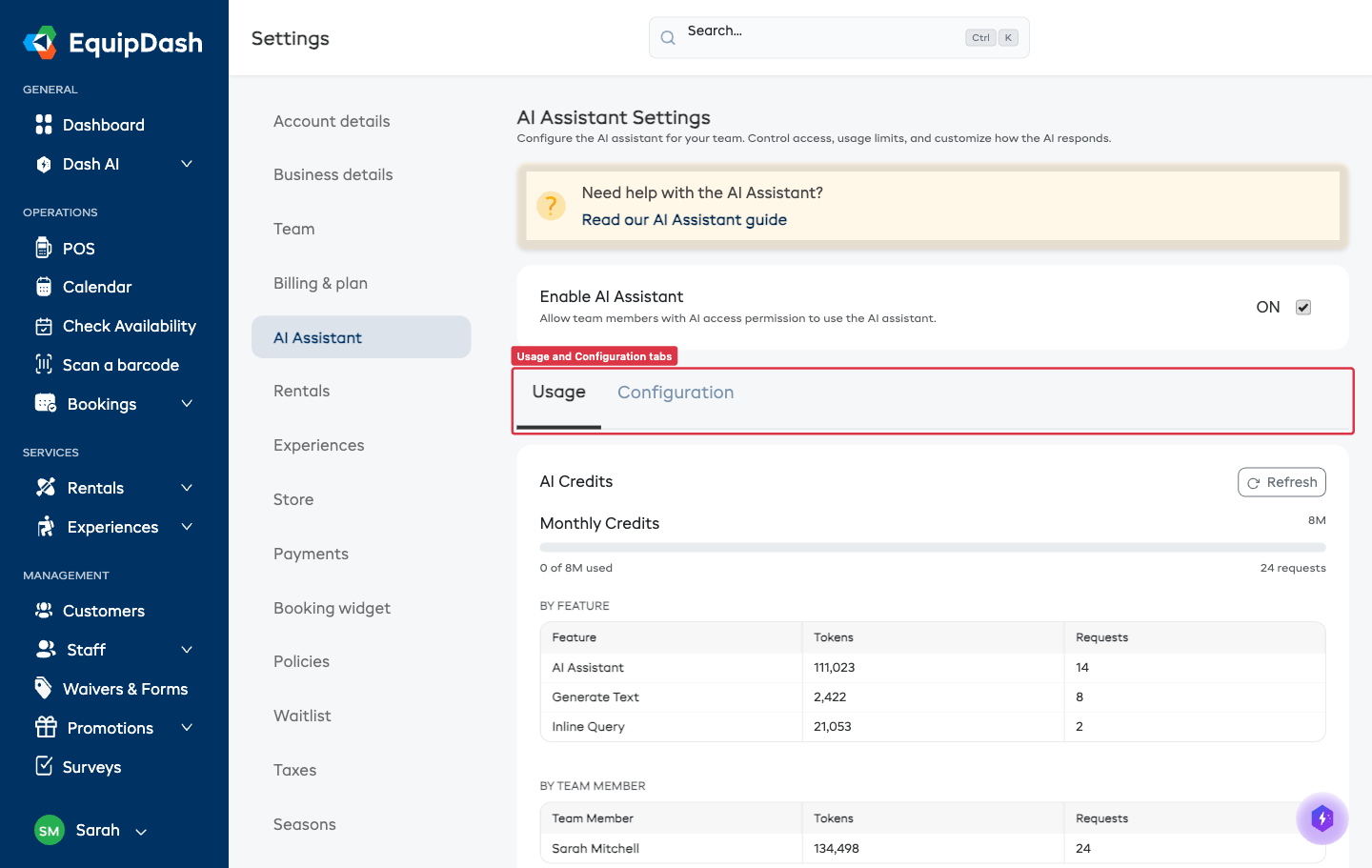
The page is split into two tabs:
- Usage - shows your credit balance, this month's activity, and (if applicable) usage from your own AI account.
- Configuration - where you choose the model, write custom instructions, and manage your own AI keys.
Enabling or Disabling the AI Assistant
At the top of the page (above the tabs) you'll see the Enable AI Assistant toggle:
- Enabled - all team members with AI Assistant access can use it.
- Disabled - the AI Assistant is hidden from the entire team.
Changes take effect immediately when you toggle this setting.
Usage tab
The Usage tab is where you go to check on credits and see how the AI is being used:
- Monthly credits - how many credits your plan includes each month, with a progress bar showing how much you've used.
- Purchased credits - any additional credit packs you've bought (these don't expire at month-end).
- Usage by feature - a breakdown of credit usage across the AI Assistant, text generation, smart search, and bots.
- Usage by team member - how much each staff member has used.
- Your AI Account usage - a separate card showing tokens used through your own connected AI account (if you've set one up). These tokens don't count against your EquipDash plan credits.
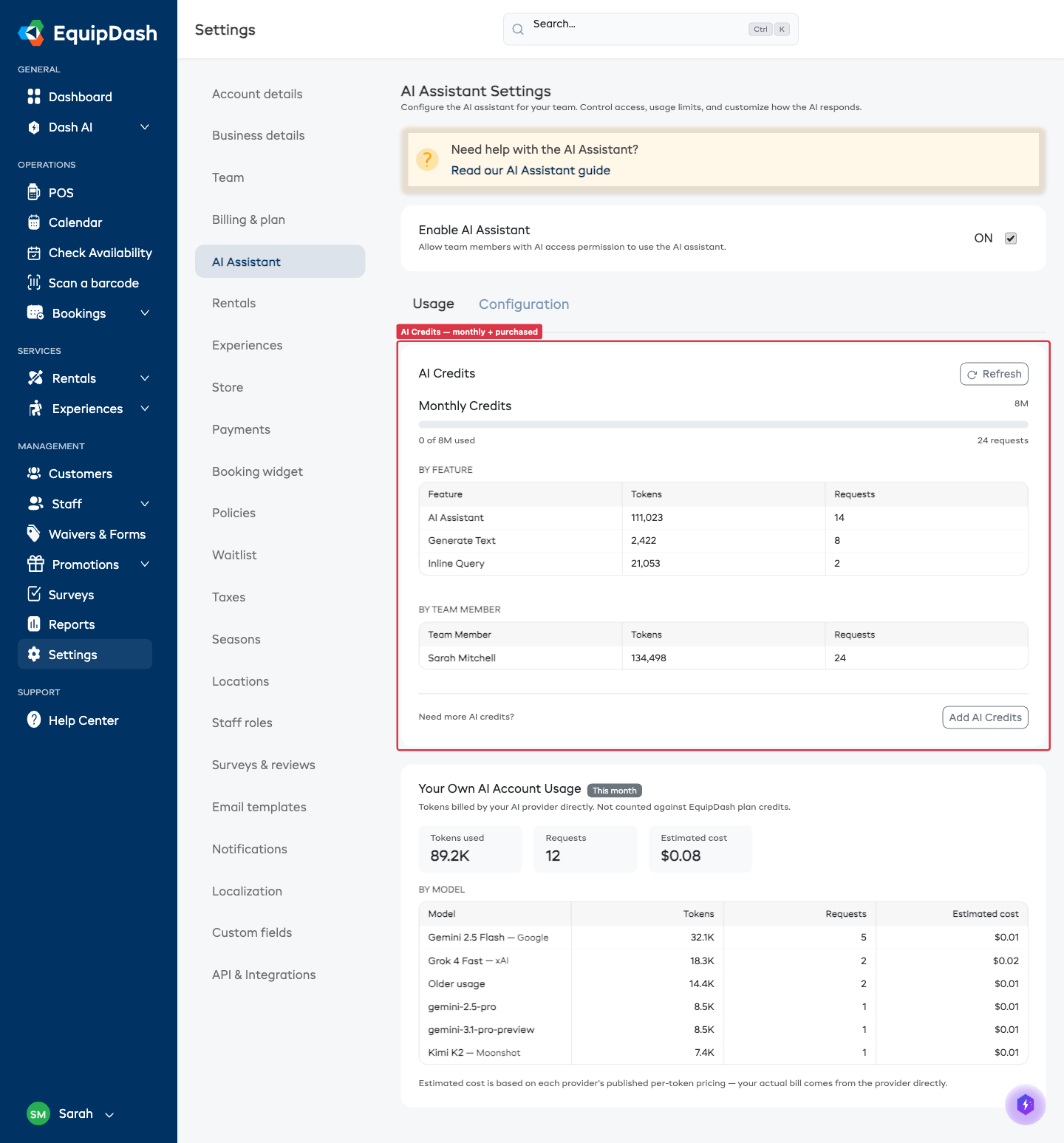
Click Refresh to update the credit information with the latest data.
Configuration tab
The Configuration tab is where you set up how the AI behaves for your business.
Choosing an AI Model
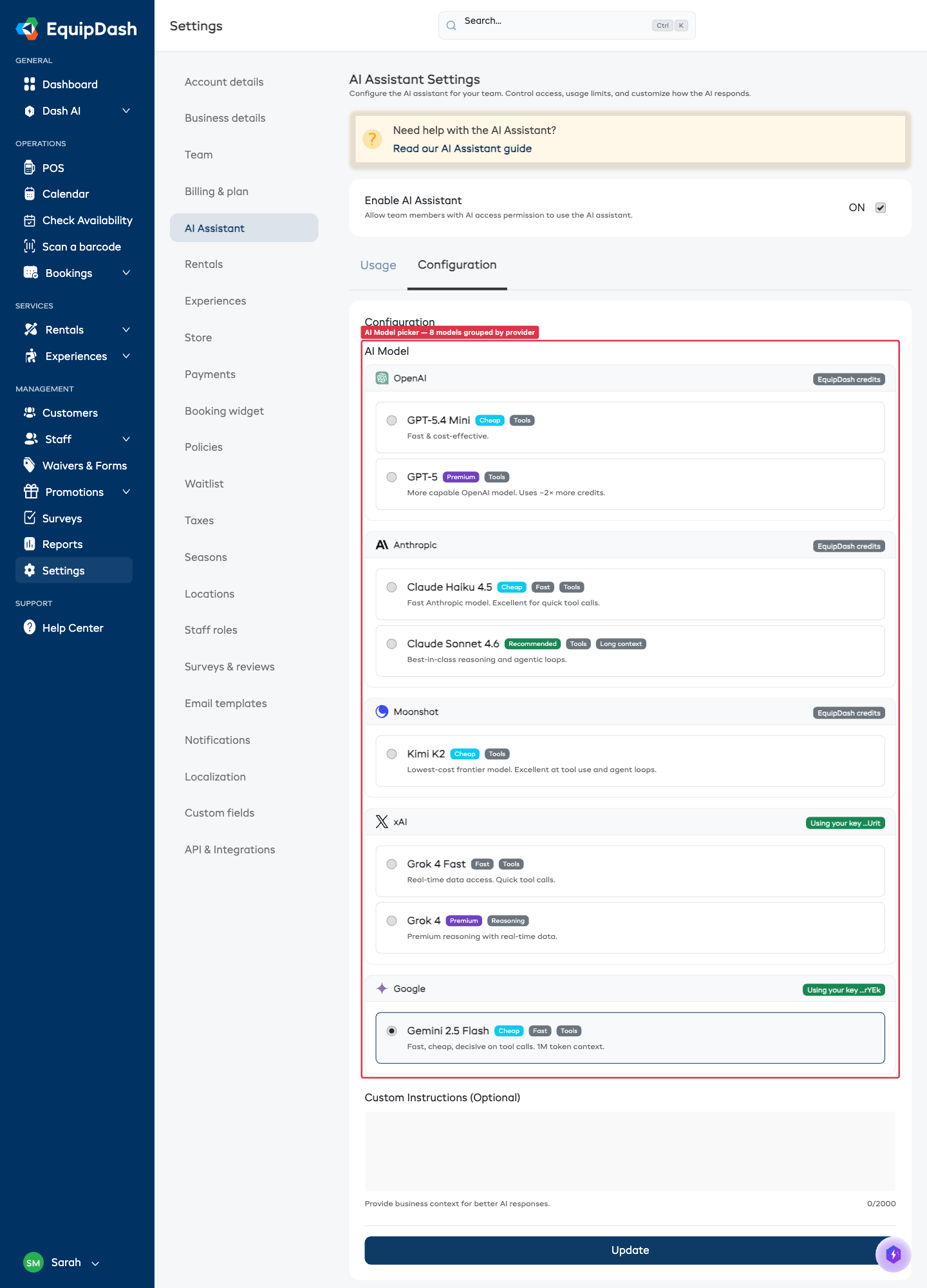
EquipDash offers eight AI models, grouped by provider:
| Model | Provider | Best for | Notes |
|---|---|---|---|
| DeepSeek V4.1 Flash (recommended) | DeepSeek | Everyday work | Default - fastest replies, low cost |
| GLM 5.3 Flash | GLM | The lowest cost | Thinks first, so replies start slower |
| GPT-5.6 Luna | OpenAI | Fast everyday answers | Lower credit cost |
| GPT-5.6 Terra | OpenAI | Harder reasoning | Higher credit cost |
| Claude Sonnet 5 | Claude | Long documents, careful instructions | Higher credit cost |
| Kimi K2.6 | Kimi | High-volume tool work | Lower credit cost |
| Grok 4.3 | Grok | Live information from the web | Bring your own xAI key |
| Gemini 3.1 Flash-Lite | Gemini | Very long documents | Bring your own Google key |
The picker only shows models you can actually use - Grok and Gemini only appear if you have added your own xAI or Google key (see the Use Your Own AI Account card below).
To change the model, click the model card you want. Your change saves automatically - you'll see a "Saved" confirmation in the corner.
For more guidance see Choosing the Right AI Model.
Start with DeepSeek V4.1 Flash (the default). Switch to GPT-5.6 Terra or Claude Sonnet 5 for the most complex reasoning, or to GLM 5.3 Flash if you want the lowest credit usage.
Custom Instructions
Custom instructions let you give the AI Assistant additional context about your business that it should always keep in mind. This helps it give more relevant and accurate answers.
- In the Custom Instructions field, type any instructions you want the AI to follow (up to 2,000 characters).
- Click outside the field - your change saves automatically and you'll see a "Saved" confirmation in the corner.
Example Custom Instructions
- "Our business primarily rents surfboards and wetsuits to tourists. Most rentals are for 1-3 days."
- "We operate two locations: the beach shop (main) and the harbour shop (seasonal, open Oct-Mar only)."
- "When asked about pricing, always mention that we offer a 10% discount for weekly rentals."
- "Our busiest season is December to February. Keep this in mind when discussing availability."
Use Your Own AI Account (optional)
Below the model picker, you'll find the Use Your Own AI Account card. This is optional - most businesses don't need to touch it. If you already have a paid ChatGPT, Claude, Kimi, Grok, Gemini, DeepSeek or GLM account, you can paste an API key here so AI calls bill your own account instead of EquipDash credits.
See Use Your Own AI Account for the full guide.