Dive Shop Booking Software: Courses, Fun Dives, Gear Rental
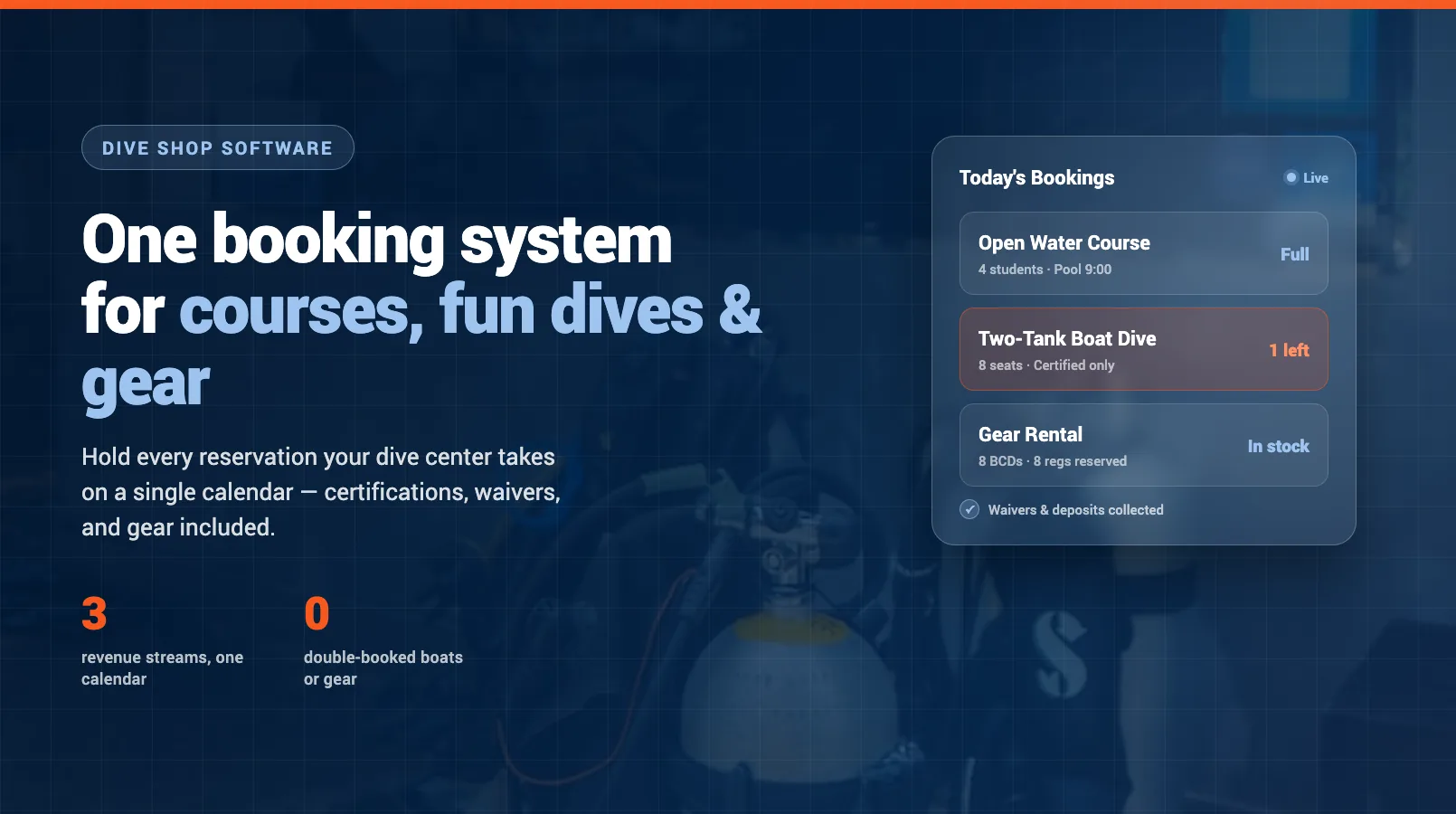
Most dive shops sell three completely different things and try to book them with one messy calendar and a stack of paper. A multi-day Open Water course, a Saturday two-tank boat dive, and a week's wetsuit-and-computer rental all land on the same counter, and all three fight for the same boat seats, the same instructors, and the same gear. Run that on a wall planner and a spreadsheet and something eventually collides: a full boat with an uncertified diver on it, a course with no rental BCDs left, or a no-show that leaves a seat empty you could have sold twice.
Dive shop booking software exists to hold those three streams on one system without the collisions. This guide walks through what that actually looks like — how courses, fun dives, and gear rental each need to be booked, where certifications and waivers fit, and what to look for when you replace the paper. If you want the wider picture of running the whole operation, the complete guide to running a scuba diving business covers the models, staffing, and economics around the booking system.
Why a dive shop needs more than a generic booking tool
Plenty of general appointment and booking tools will take a reservation and a card. Almost none of them understand a dive shop. A haircut booking does not care whether the customer is certified, does not need a signed medical questionnaire, and does not pull a size-medium wetsuit and a 12-liter tank out of a shared pool that another trip also wants.
A dive shop booking sits on top of three things a generic tool ignores. First, eligibility — whether the diver holds the certification the trip requires. Second, liability — the waiver and medical form that must be signed before anyone gets in the water. Third, shared resources — the boat seats, instructor hours, and rental gear that every booking type draws from the same finite pool. Miss any one of those and the booking looks fine on the screen and falls apart at the dock.
That is why purpose-built dive shop software is worth the switch. It is not just a prettier calendar. It knows that a course booking and a fun dive are different animals, and it keeps the certification, the paperwork, and the gear tied to the reservation so nothing slips between systems.
Booking courses
Courses are the hardest thing to book well because they are not a single event — they are a sequence. An Open Water course might run a classroom session, two pool sessions, and four open-water dives across several days, and every one of those needs an instructor, space, and sometimes a boat. The booking has to hold the whole sequence, not just a date.
Good course scheduling handles a few things that trip up spreadsheets. It caps students per course to the ratio your agency allows, so an instructor never ends up with nine Open Water students when the limit is eight. It enforces prerequisites — a diver cannot book Advanced Open Water without holding Open Water first — so you are not discovering the mismatch on day one. And it links each session to the staff and resources it needs, so booking a course automatically reserves the pool slot and the instructor rather than leaving you to cross-check three calendars.
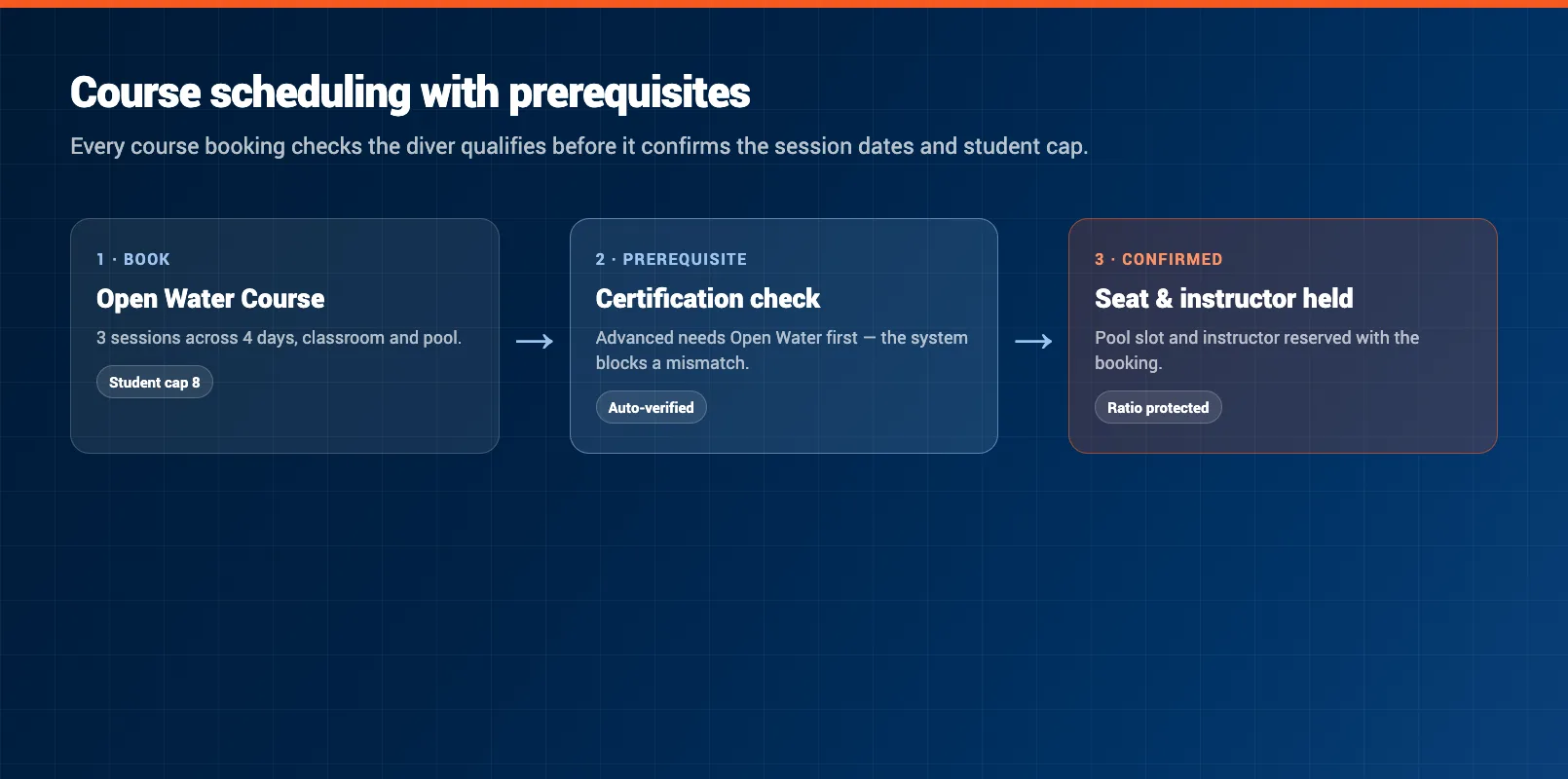
The payoff is fewer surprises. When a student books, the system already knows whether they qualify, whether there is a seat left in the ratio, and which instructor is teaching. You are not manually vetting every enrolment or reshuffling sessions because two courses landed on the same pool at the same hour.
Booking fun dives
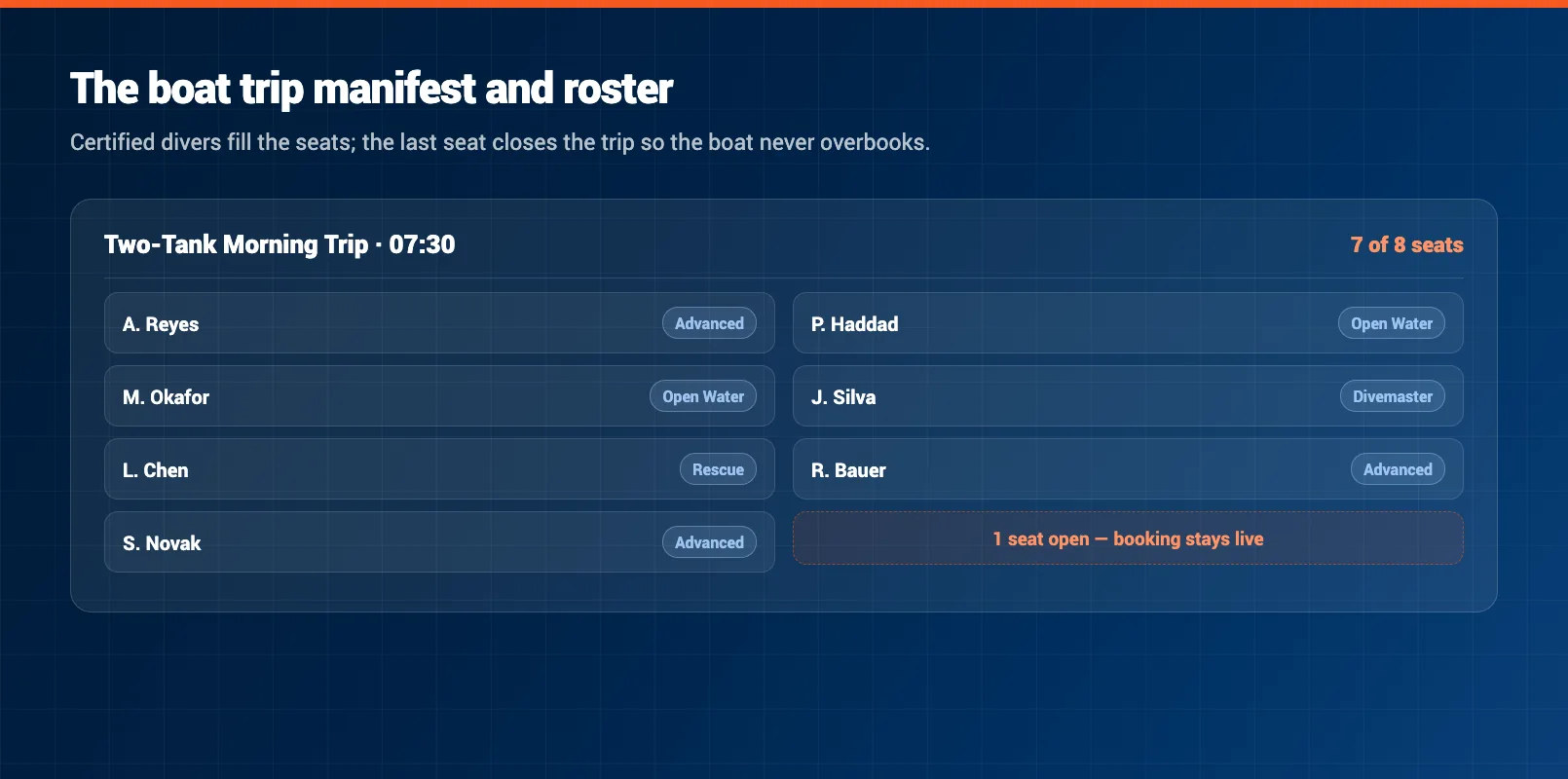
Fun dives run on the opposite logic to courses. They are short, repeatable, and volume-driven — a two-tank morning boat, an afternoon reef dive, a shore dive for locals. The booking that matters here is the manifest: who is on the boat, what they are certified for, and whether the boat is full.
The core constraint is the boat. Every trip has a hard seat count, and once it is full it is full — overbook it and you are turning divers away at the dock or breaking your own capacity rules. Software that manages the manifest closes the trip automatically when the last seat sells and stops the tenth booking on a nine-seat boat before it happens. It also holds the certification requirement for the trip, so a diver booking a deep wreck dive is checked against the level that dive needs rather than waved on and discovered underqualified on the day.
Fun dives are also where no-shows hurt most, because a boat sails whether it is full or half-empty. A diver who books a seat and does not turn up costs you that seat for good — you cannot resell it once the boat has left. That is why deposits and clear cancellation rules, covered further down, matter more on trips than almost anywhere else in the shop.
Gear rental alongside bookings
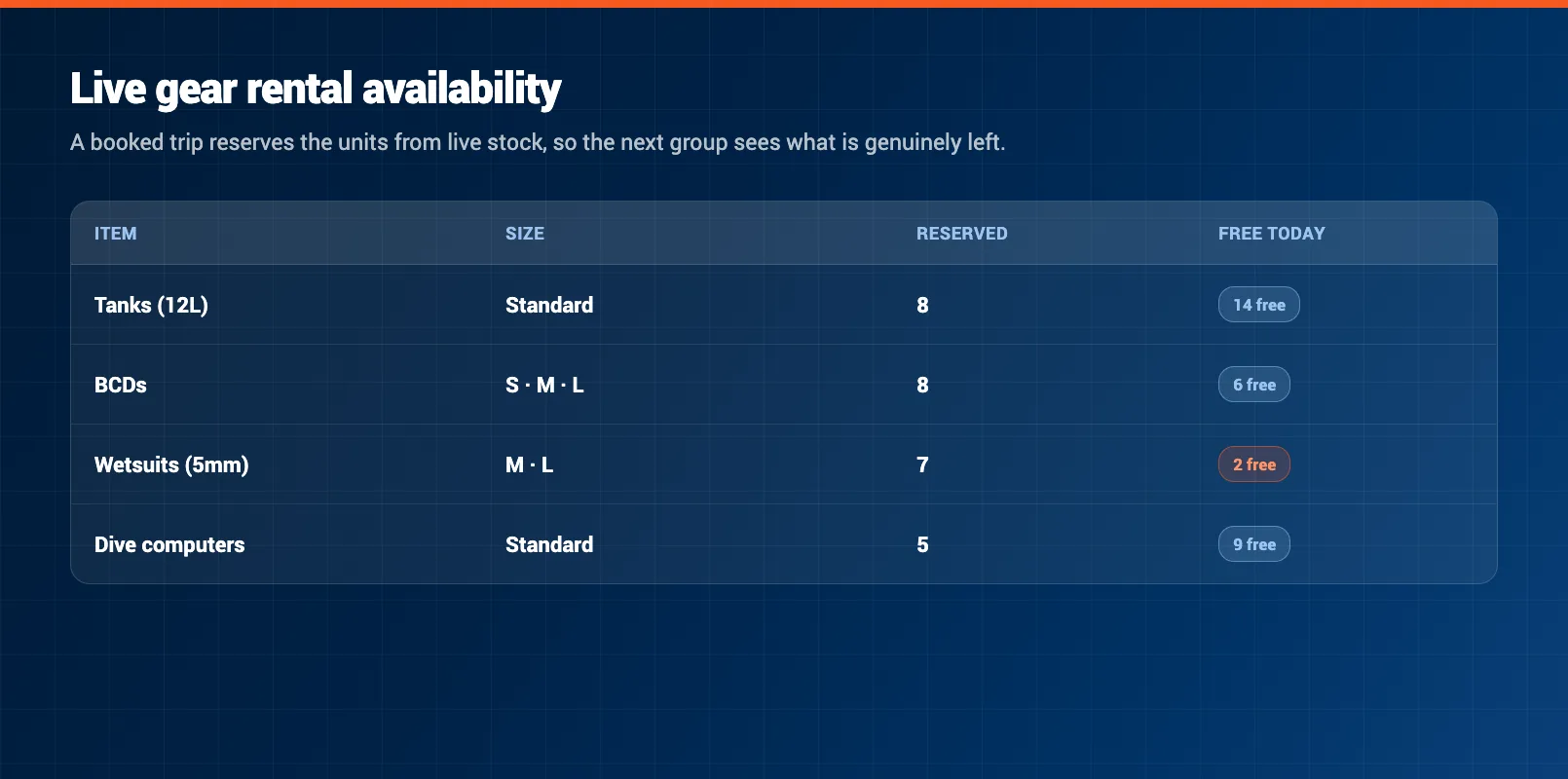
Gear rental is the stream most shops bolt on as an afterthought, and it is the one that most often causes a mess. A single trip might need eight BCDs, eight sets of regulators, wetsuits in a spread of sizes, and a handful of dive computers — and the course running the same morning needs its own. Track that on paper and you will eventually promise gear you have already committed elsewhere.
The fix is to keep rental gear in the same system as the bookings that use it. When a diver books a trip, the software can pull their sizes and reserve the actual units from live stock, so the availability you see is real. Book eight divers onto a boat and the eight BCDs come out of the pool; the next group sees what is genuinely left. That live view is what stops the classic dive-shop scramble of finding, at 7am, that yesterday's group has the wetsuits you promised today's.
Keeping gear inside the booking also feeds the parts of the business the counter forgets. It tells you which units are out, when they are due back, and which are up for a service or an inspection — so a tank that is out of test or a regulator overdue for a service does not quietly go out on a trip. Gear that lives in a separate spreadsheet never surfaces those things until something goes wrong.
Digital waivers and medical forms
Every diver in the water needs to have signed a liability waiver, and most need to have completed a medical questionnaire. On paper, that means a clipboard at the counter, a queue on a busy morning, and a filing box you hope you never have to search. It also means the medical flags — the questions a diver ticks that need a doctor's clearance — get spotted late, if at all.
Attaching digital waivers and medical forms to the booking fixes the timing. The forms go out with the booking confirmation, the diver completes them before they arrive, and the signed copies sit against their reservation. Staff open the trip and see who has signed and who has not, instead of chasing signatures while the boat is meant to be loading. When a medical answer needs a physician's sign-off, the system can flag it at booking rather than at the dock, giving the diver time to sort it out.
The compliance side matters too. Signed forms stored against each booking are searchable and dated, so if you ever need to produce a waiver you are not digging through a box. For the full set of terms — certification levels, medical clearances, and site types — the scuba diving glossary is a useful reference to keep alongside your booking setup.
Payments, deposits, and no-shows
The single biggest reason to take bookings online is not convenience — it is money you stop losing. A boat seat or a course slot that no-shows is revenue you cannot recover, and a shop running on "pay on the day" absorbs that loss constantly.
Deposits change the maths. Taking a deposit at booking gives the diver a reason to show up and gives you something to hold against the seat if they do not. Paired with a clear cancellation window — say, full refund up to 48 hours out, deposit held after that — you protect the boat without punishing genuine changes of plan. The software enforces the rule automatically instead of leaving your staff to argue it case by case.
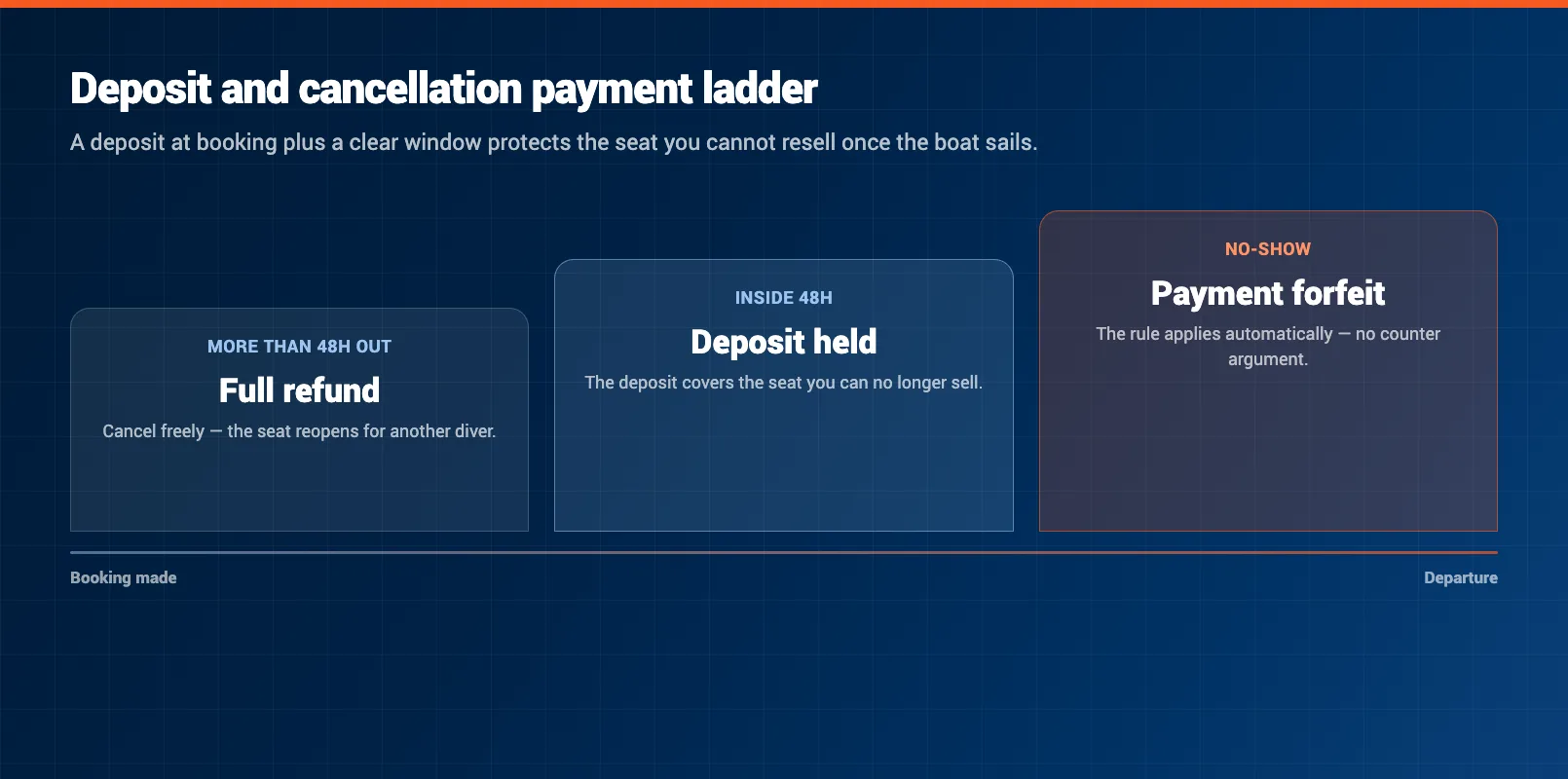
Online payment also speeds the counter. When the deposit or full amount is taken at booking, check-in is a signature and a gear handout, not a card transaction while a full boat waits. The balance owed, the deposit taken, and the refund rules all sit on the booking, so there is no separate ledger to reconcile at the end of the day.
Bringing it onto one system
The thread running through all of this is that courses, fun dives, gear, waivers, and payments are not separate problems. They are the same booking seen from different angles. A single Saturday trip is a boat seat, a certification check, a gear pull, a signed waiver, and a deposit — and if those live in five different places, you spend every morning stitching them back together.
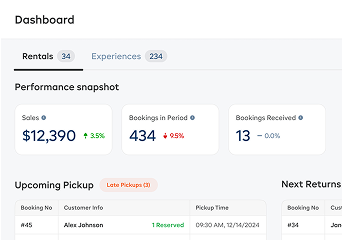
Running the shop on one system is what removes that daily stitching. One calendar shows the courses, the trips, and the gear commitments together. One booking carries the certification, the forms, and the payment. One dashboard tells you what is sailing today, who has not signed, and what gear is still out. That is the difference between a shop that reacts to problems at the dock and one that has already handled them the night before.
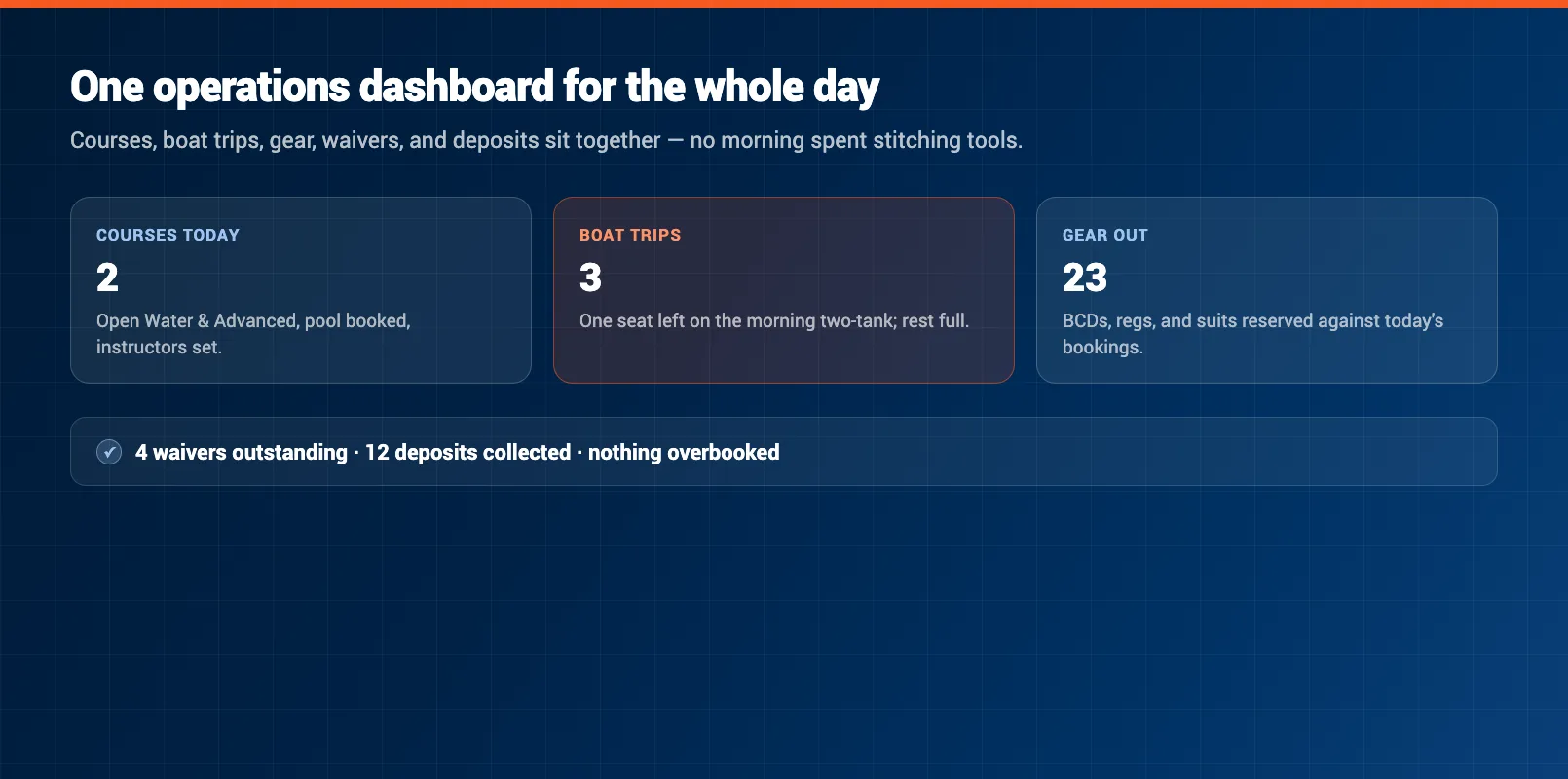
When you are comparing tools, judge them on that test: can it hold a course, a fun dive, and a gear rental on the same calendar, check certifications, carry the waiver and medical form, take a deposit, and show it all in one place? A tool that does four of those and makes you handle the fifth on the side is not one system — it is four-fifths of one, with the gap right where the collisions happen.
Putting it together
A dive shop is really three businesses sharing one boat, one staff roster, and one gear room. The booking system is what keeps those three from tripping over each other. Get it right and courses fill to their ratio, boats sail full with certified divers, gear comes out of live stock, waivers are signed before anyone arrives, and deposits protect the seats you cannot resell.
Start by mapping everything you sell, then put it on one calendar that understands certifications, waivers, and gear as part of the booking rather than paperwork bolted on after. The shop that does this stops losing mornings to reconciliation and stops losing seats to problems it could have caught the day before. For the bigger picture around the booking system — the models, staffing, and seasonal economics of the whole operation — start with the complete guide to running a scuba diving business, and see how the scuba diving hub ties the tools together for dive operators.
FAQ
What is dive shop booking software?
Dive shop booking software is a single system that lets a dive center take online reservations for courses, fun dives, and gear rental, and manage the certifications, waivers, medical forms, deposits, and boat manifests attached to each booking. It replaces the mix of paper logs, spreadsheets, and separate tools most shops start with.
Can one system handle both courses and fun dives?
Yes. Good dive shop software treats a multi-day Open Water course and a single two-tank fun dive as different booking types on the same calendar. Courses carry session dates, student caps, and prerequisites, while fun dives carry a boat capacity and a required certification level, but both draw from the same staff roster and gear pool.
How does booking software check diver certifications?
At booking, the system asks for the diver's certification level and can require proof before confirming a trip that needs it. That stops an uncertified diver from booking a deep boat dive and flags divers whose certification does not meet the trip requirement before they arrive at the dock.
Do I need separate software for gear rental?
No, and separating it usually causes double-booked gear. When rental tanks, BCDs, wetsuits, and computers live in the same system as the trip, a booked dive pulls the right sizes from live stock and shows you what is actually available for the next group instead of guessing.
How do digital waivers and medical forms work?
The liability waiver and diver medical questionnaire are attached to the booking and sent to the customer to complete before arrival. The signed forms are stored against the booking, so staff can see at a glance who still needs to sign and who flagged a medical condition that needs a doctor's sign-off.
How much does dive shop booking software cost?
Pricing usually runs as a monthly subscription with tiers based on features and volume, sometimes with a small per-booking fee on online reservations. The real comparison is against the cost of the boat seats, course slots, and gear rentals lost to double-bookings, no-shows, and expired-certification surprises that a proper system prevents.
in one place