Rental Business Workflow Automation: What to Automate (and What Not To)
Rental Business Workflow Automation: What to Automate (and What Not To)
You did not open a rental shop to send confirmation emails. But somewhere between the booking, the waiver, the reminder, and the follow-up, a big slice of your week disappears into admin. The fix is not working faster. It is automating the steps that do not need you, so the steps that do get your full attention.
The trap is automating everything. Push it too far and your shop feels like a vending machine. This guide maps the full rental workflow, shows which steps run themselves, which ones still need a person, and how to build the whole thing without losing the personal touch that keeps customers coming back.
The Rental Workflow: 8 Steps
Every rental follows the same path, whether you rent kayaks, e-bikes, or ski gear. Write it out and the automation opportunities jump off the page.
- Enquiry — a customer asks about availability, price, or gear.
- Booking — they reserve a slot and a unit.
- Confirmation — you send the details, location, and what to bring.
- Waiver and paperwork — they sign the liability waiver and agree to terms.
- Payment — a deposit or full amount is collected.
- Pickup and fitting — they collect the gear and you make sure it fits.
- Return and inspection — the gear comes back and you check for damage.
- Follow-up — you ask for a review and invite them back.
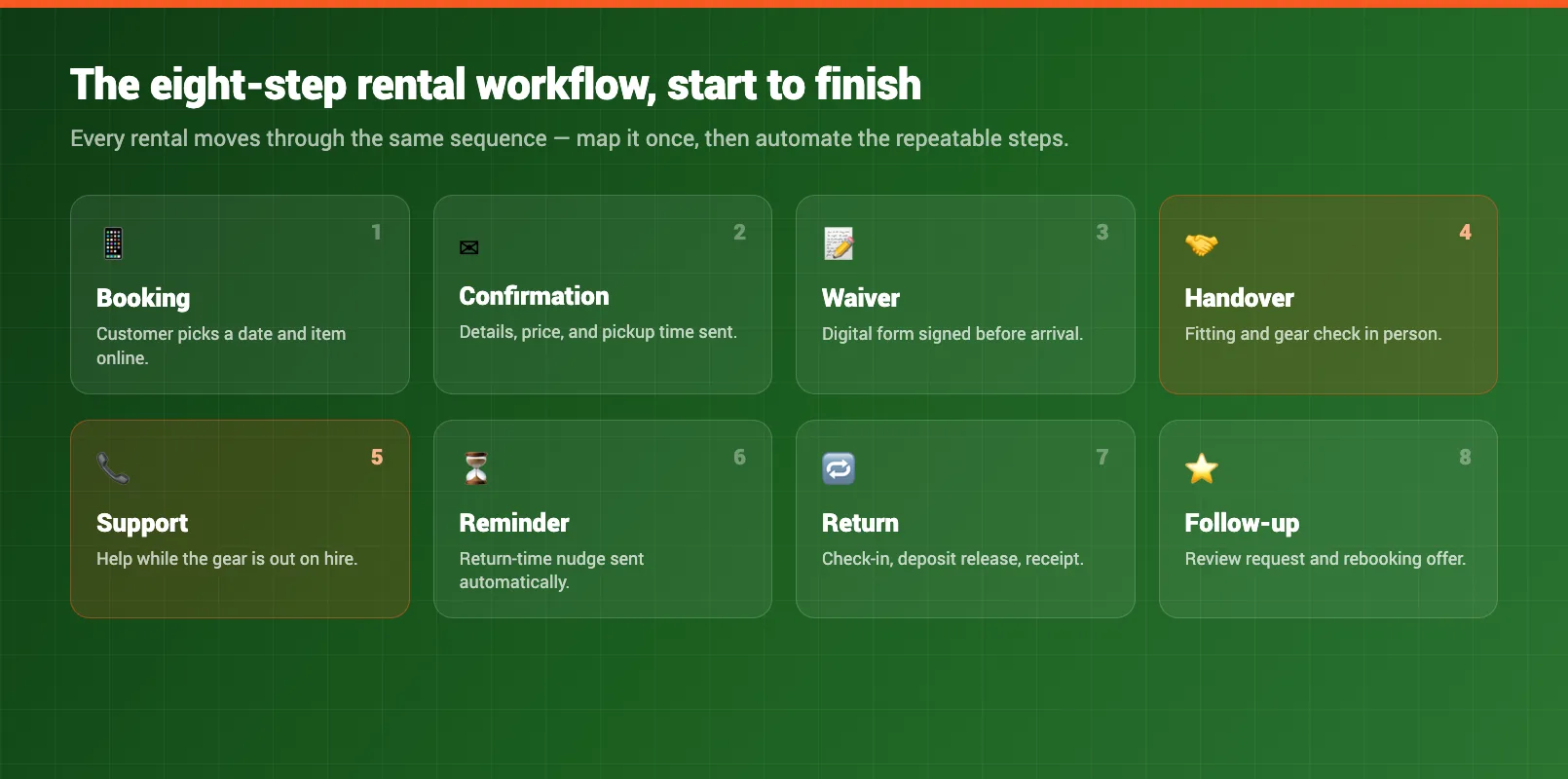
Eight steps. Most shops do all eight by hand, for every single booking. That is where the hours go.
Which Steps Can Be Automated
Look at the list again and a pattern shows up. The steps that are the same every time are the ones a system should handle. You do not need to type a confirmation from scratch when the details never change.
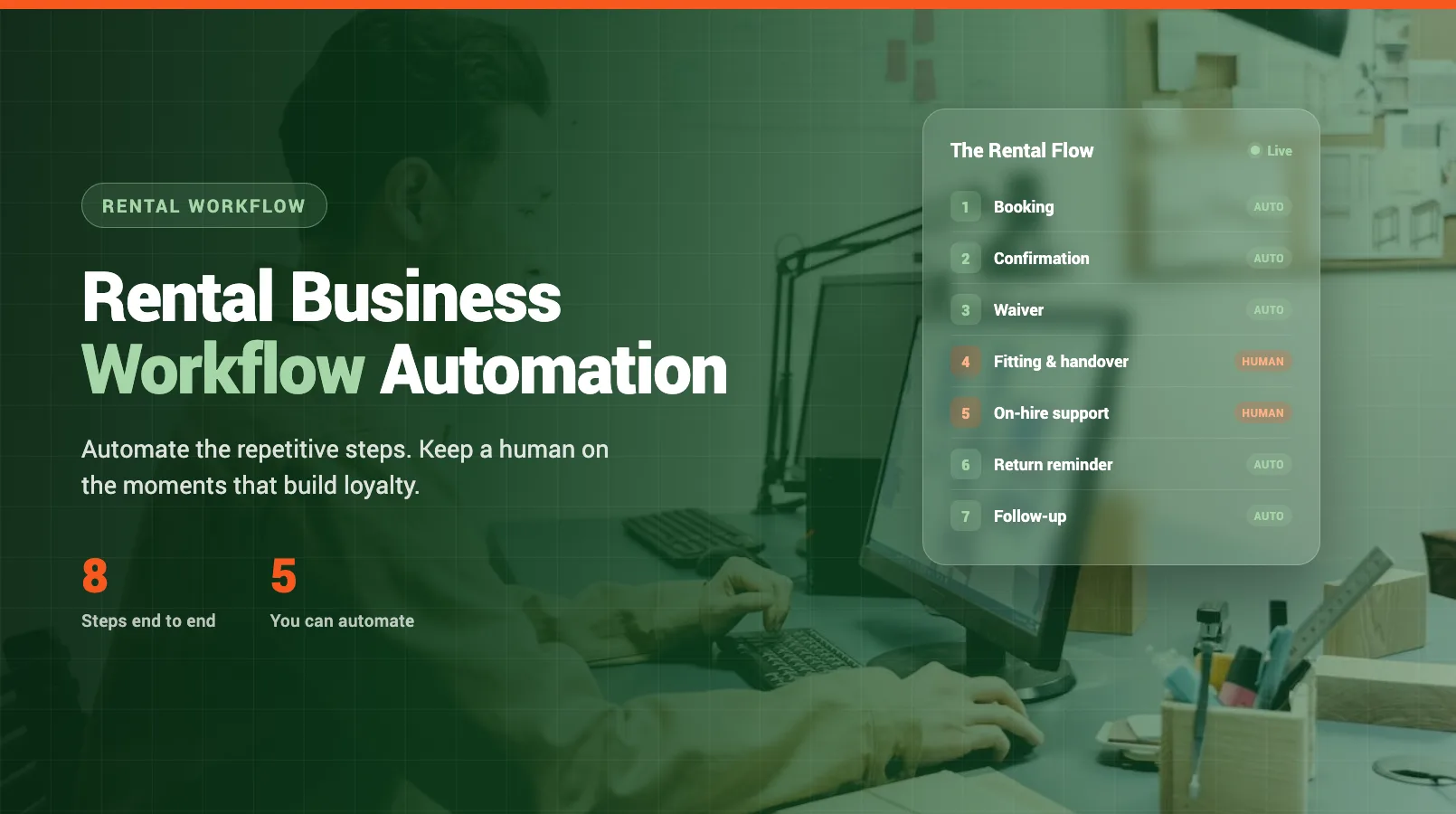
- Booking — an online booking page takes reservations while you sleep, and blocks out units so you never double-book.
- Confirmation — a template fires the moment someone books, with the address, timing, and kit list filled in automatically. See how to automate booking confirmations for the full setup.
- Waiver and paperwork — customers sign a digital waiver on their phone before they arrive, so nobody is standing at your counter filling in forms.
- Payment — deposits and balances collect automatically at booking, and reminders chase any that fall through.
- Follow-up — a review request and a "come back" offer send themselves a day or two after the return.
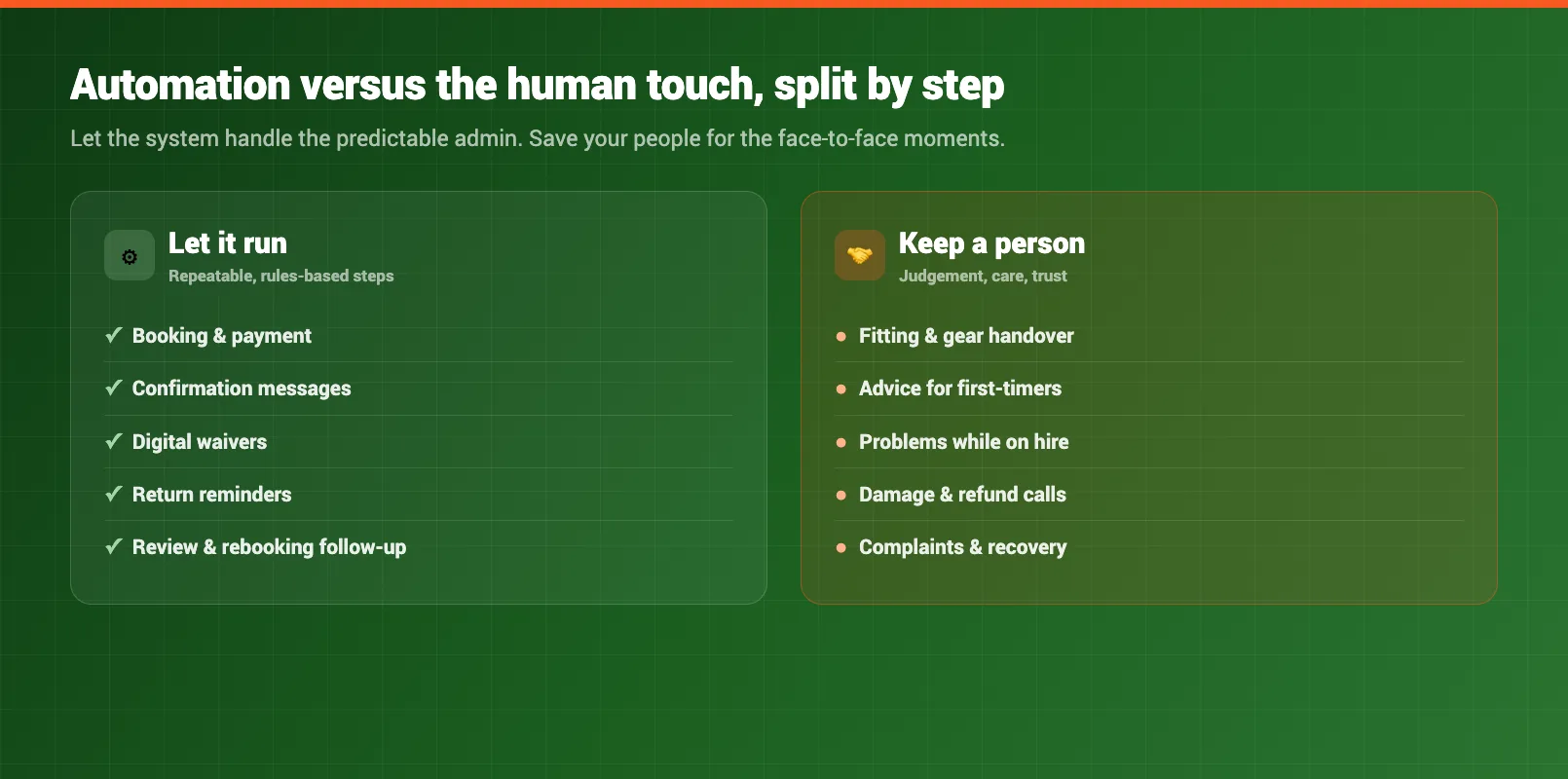
These five steps share one thing: they are repetitive and rule-based. There is no judgment call. That is exactly what automation is good at, and it is where you claw back the most time. If admin is eating your week, our guide on how to reduce admin work in a rental shop goes deeper on each one.
Which Steps Need a Human Touch
Now the other side. Some steps look automatable but should not be, because they need a judgment call or a bit of empathy. Hand these to a machine and you will feel it in your reviews.
- Fitting — matching a beginner to the right board, or sizing a helmet for a nervous first-timer, needs a real person reading the customer.
- Damage calls — deciding whether a scratch is fair wear or a chargeable repair is a judgment, and a conversation.
- Complaints — an unhappy customer wants a human who listens, not an auto-reply.
- Tricky enquiries — "Which trail suits my kids?" deserves an answer from someone who knows the area.
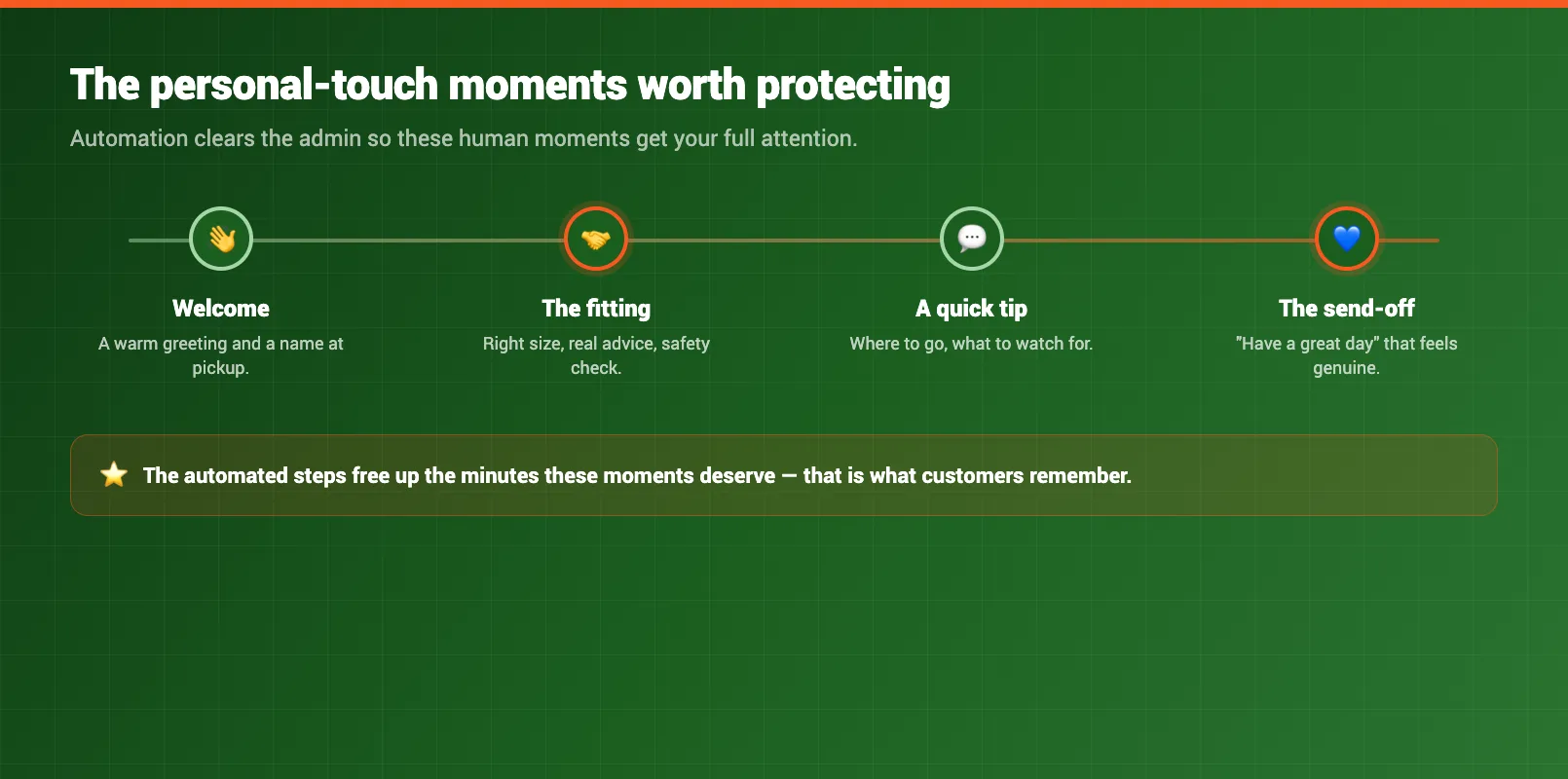
The rule is simple. If the step is the same every time, automate it. If it changes based on the person in front of you, keep it human.
Building Your Automated Workflow
Do not try to automate all eight steps in one weekend. That is how shops end up with a half-working system and a pile of confused customers. Build it one step at a time.
Start with the highest-volume, lowest-risk step: booking confirmations. Template it, switch it on, and watch it for a week. Once you trust it, add the next step — usually waivers or payment reminders. Keep going until every repetitive step runs on its own.
The reason this matters is your tools. If your booking, waivers, and payments live in three different apps, automation means stitching them together and hoping the handoffs hold. A single system where the steps talk to each other is far less fragile — which is why many operators end up consolidating their rental tools as part of the same project. For the bigger picture on where automation fits, start with our guide to automating your rental business.
Keeping It Personal
Here is the fear every operator has: automate too much and the shop loses its soul. It is a fair worry, but it has the problem backwards.
Chasing paperwork does not make you personal. It makes you busy. When you are stuck at a screen typing the fifth confirmation of the morning, you are not on the floor helping the family that just walked in. Automation does not replace the personal touch — it protects the time you need for it.
So automate the admin and spend the hours you get back where they count: fitting gear, answering the odd question, remembering the regular's name. Customers rarely notice a confirmation that sent itself. They always notice a person who took the time to help. Get the split right and your shop feels more personal, not less.
FAQ
What does a fully automated rental workflow look like?
The repetitive steps run themselves: booking confirmations, reminders, waivers, payments, and review requests all fire automatically. You step in only for advice, problems, and the handshake at the counter. The customer gets instant, consistent service and you get your week back.
Which rental steps still need a human?
Anything that needs judgment or empathy. Fitting the right gear, handling complaints, assessing damage, and answering tricky enquiries all depend on the person in front of you, so they stay with a real member of staff.
How do I automate without losing the personal touch?
Automate the admin, not the relationship. Free up the hours you spend chasing paperwork so you can spend more time face to face with the customers who actually need help. Done right, automation makes your shop feel more personal, not less.
Where should I start with workflow automation?
Start with booking confirmations. They are high-volume, low-risk, and easy to template, so you see the time savings within the first week and build confidence before automating the next step.
Will automation make my shop feel impersonal?
Not if you automate the right steps. Customers do not want to wait for a manual confirmation email, but they do want a real person when something goes wrong. Automate the routine, keep the judgment calls human, and you get the best of both.
How long does it take to set up an automated workflow?
Most shops can automate their first two or three steps in an afternoon. Roll out the rest one step per week so you can check each one is working before moving on, and you will have the full workflow running within a month.
in one place