Equipment Rental POS Systems Explained
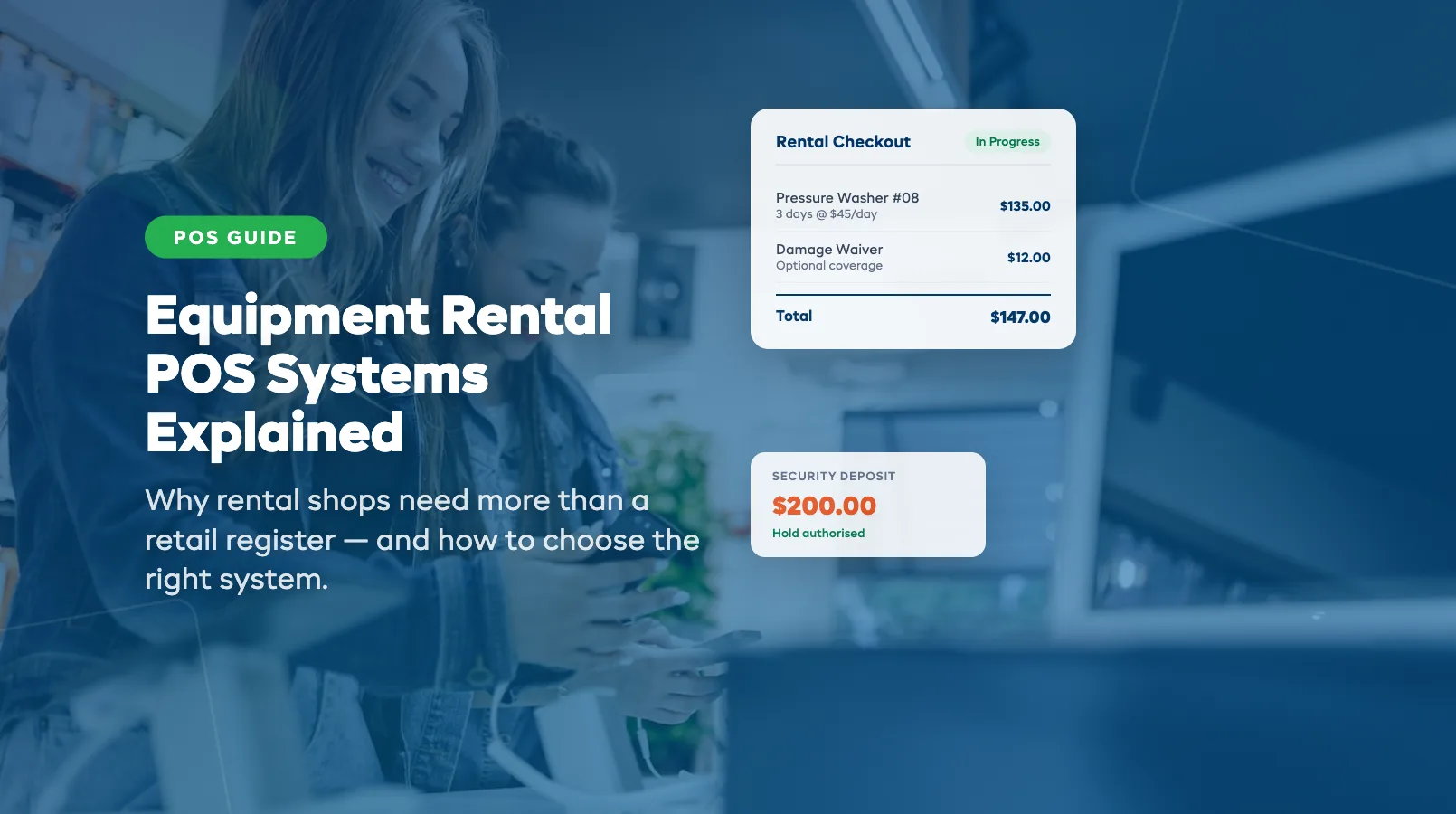
Your retail POS handles sales. It scans barcodes, processes payments, and prints receipts. But the moment a customer wants to rent a pressure washer for three days instead of buying one, that system falls apart.
Equipment rental isn't retail. Items leave your shop, come back, go out again. You need a point-of-sale system that understands time-based pricing, deposit collection, availability windows, and check-in/check-out workflows. This guide explains exactly how a rental POS differs from what you're used to — and whether you need a standalone system or one built into your equipment rental software.
Retail POS vs Rental POS: Key Differences
A standard retail POS is designed for one-way transactions. Customer pays, product leaves, done. A rental POS handles two-way transactions — the item goes out and comes back. That fundamental difference changes everything about how the system needs to work.
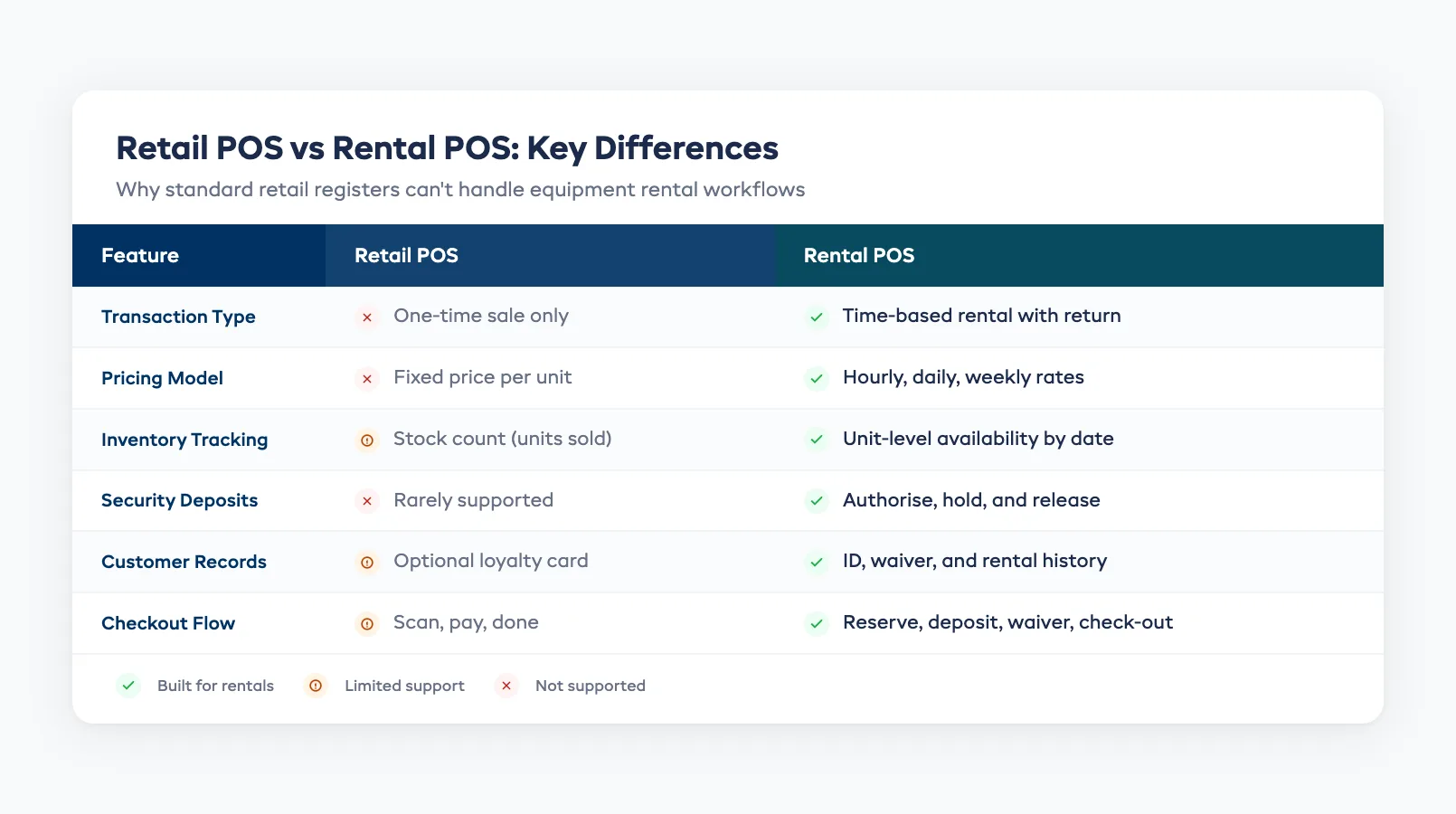
Here's where they diverge:
| Feature | Retail POS | Rental POS |
|---|---|---|
| Transaction type | One-time sale | Time-based rental with return |
| Pricing model | Fixed price per unit | Hourly, daily, weekly, or seasonal rates |
| Inventory tracking | Stock count (units sold) | Unit-level availability by date range |
| Deposits | Rarely needed | Security deposits and damage waivers standard |
| Customer record | Optional | Required — tied to active rental, ID, and waiver |
| Check-out flow | Scan → pay → done | Reserve → deposit → waiver → check-out → check-in |
If you're running a rental shop on a retail POS, you're probably tracking availability in a separate spreadsheet and manually calculating multi-day pricing. That's exactly the kind of gap that causes double bookings and revenue leaks.
Rental-Specific POS Features You Need
Not every POS that claims to handle rentals actually does it well. Here are the features that separate a genuine equipment rental POS from a retail system with a "rental mode" bolted on.
Time-based pricing engine. Your POS needs to calculate rates by the hour, day, or week — and switch between them automatically based on rental duration. A three-day kayak rental shouldn't require you to manually multiply the daily rate.
Security deposit handling. Rental transactions almost always involve a hold or deposit. Your POS should authorize a deposit at check-out, hold it through the rental period, and release or charge it at check-in based on the item's condition.
Digital waiver collection. Collecting signed waivers at the counter is standard for rental shops. A rental POS should capture digital signatures on a tablet or phone at the point of sale — no paper, no filing cabinets.
Unit-level inventory visibility. Retail POS tracks how many units you have in stock. Rental POS tracks which specific units are available on which dates. You need to see that Bike #14 is out until Thursday and Bike #15 is available now — not just "2 bikes in stock." This is exactly what equipment rental software with inventory tracking is built to do.
Integrated booking calendar. Walk-in customers and online reservations should hit the same availability pool. If your POS doesn't sync with your equipment rental booking software, you'll end up promising the same item to two people.
Standalone POS vs Built-In: Pros and Cons
You have two paths: a standalone rental POS that connects to your other tools, or an all-in-one platform where POS is built into your rental management software.
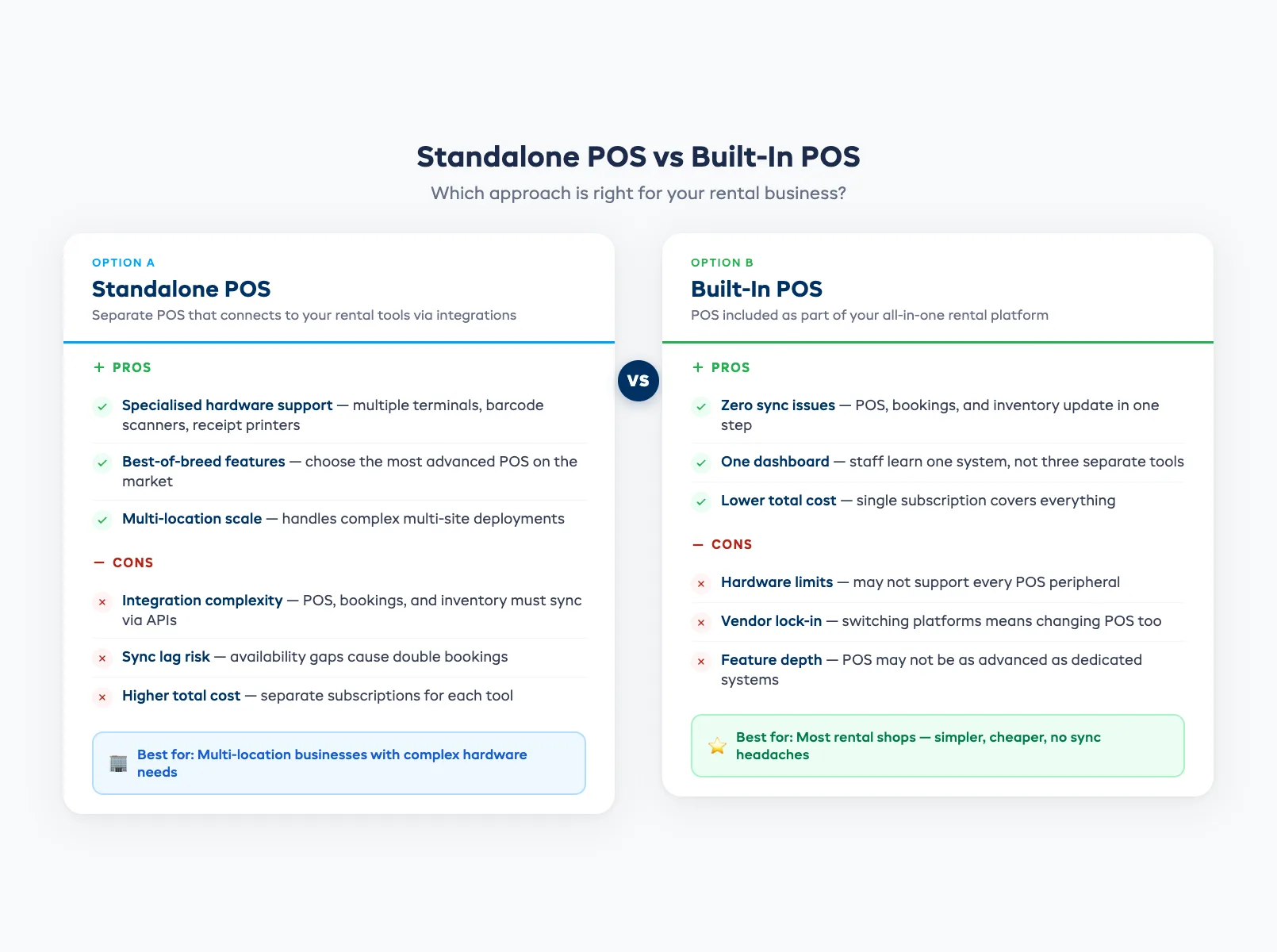
Standalone POS works if you already have a system you like and just need better counter transactions. The downside is integration complexity. Your POS, booking system, and inventory tracker need to talk to each other — and when they don't sync perfectly, you get availability gaps.
Built-in POS (part of your rental software) eliminates the sync problem entirely. When a walk-in customer rents a paddleboard at the counter, the booking calendar, inventory, and payment all update in one step. No middleware, no API lag, no double bookings.
For most rental shops — especially small businesses processing under 500 bookings per month — built-in POS is the simpler and more reliable choice. You get one login, one dashboard, and one place where everything lives. Cloud-based equipment rental software makes this accessible from any device, so your counter staff and your warehouse team see the same data in real time.
The standalone route makes more sense if you have complex hardware requirements (multiple terminals, barcode scanners, receipt printers across locations) that a specific POS vendor handles better than an all-in-one platform.
What to Look for When Choosing a Rental POS
Before you commit to a POS system, run through this checklist:
- Does it support time-based pricing natively? If you have to use workarounds or custom fields, it's not built for rentals.
- Can it handle deposits and partial payments? Authorize at check-out, settle at check-in — without manual journal entries.
- Does it sync inventory in real time? Walk-in bookings and online reservations must pull from the same availability pool.
- Is it usable on a tablet? Counter-mounted iPads are the standard for rental shops. If the POS only runs on desktop, your check-out flow will bottleneck.
- Does it include or integrate with booking and inventory tools? A POS that doesn't connect to your equipment rental software creates more problems than it solves.
Frequently Asked Questions
Can I use my existing retail POS for equipment rentals? You can, but you'll be working around its limitations constantly. Retail POS systems don't handle time-based pricing, security deposits, or unit-level availability tracking. You'll end up supplementing it with spreadsheets and manual processes — which is exactly how double bookings and pricing errors happen.
What POS features are specific to rental businesses? The key rental-specific features are: time-based pricing (hourly/daily/weekly rates), security deposit authorization and release, digital waiver collection at checkout, unit-level inventory tracking by date range, and integration with a booking calendar that syncs walk-ins with online reservations.
Should my POS be separate or built into my rental software? For most rental shops, built-in is better. It eliminates sync issues between your POS, booking system, and inventory tracker. A standalone POS makes sense only if you have complex hardware needs across multiple locations that a specialized POS vendor handles better.
How much does a rental POS system cost? Standalone rental POS systems typically run $50–$150 per month plus hardware costs. All-in-one rental platforms with built-in POS start at $23 per month on annual billing. The total cost depends on transaction volume — platforms that charge a percentage fee (1–2%) add up as your bookings grow.
in one place