Equipment Rental Software With Inventory Tracking

Most rental operators start with separate tools — a booking platform here, an inventory spreadsheet there, maybe a whiteboard behind the counter for maintenance notes. It works until it doesn't. And it usually stops working on your busiest Saturday of the year.
The fix isn't adding another tool. It's using equipment rental software that has inventory tracking built in, so bookings and stock levels live in the same system and update together in real time.
Why Separate Inventory Tools Create More Problems
When your booking system and inventory tracker don't talk to each other, you're flying blind during peak hours. A customer books a kayak online while a walk-in grabs the same one at the counter. Your spreadsheet says three paddleboards are available, but one is in the repair shop and nobody updated the cell.
These gaps create three cascading problems:
- Double bookings. Two customers confirmed for the same item. Someone leaves angry.
- Ghost inventory. Items show as available when they're damaged, lost, or out for maintenance. Your rental inventory management numbers look fine on paper, but the shelf tells a different story.
- Manual reconciliation. Staff spend the first and last hour of every day cross-referencing systems instead of helping customers.
The root cause is the same every time: your booking data and inventory data are in different places.
How Built-In Inventory Tracking Works
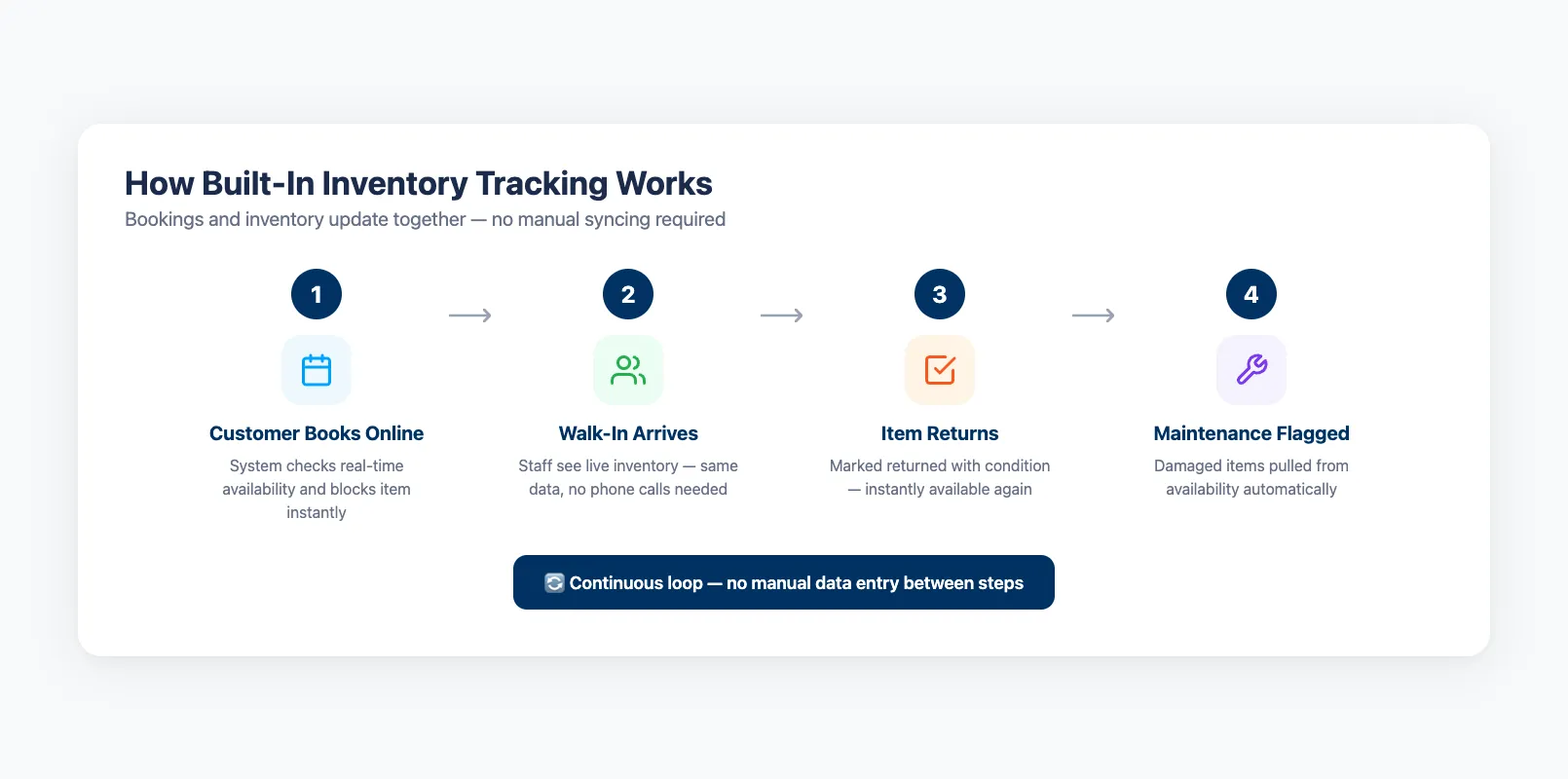
When inventory tracking lives inside your rental software, every booking automatically adjusts stock levels. Here's what happens in a connected system:
- Customer books online. The system checks real-time availability, confirms the item exists and is in rentable condition, and blocks it from other bookings.
- Walk-in arrives. Counter staff see the same live inventory. No phone calls to "check the back." No guessing.
- Item returns. Staff mark the item as returned, note its condition, and it's instantly available for the next booking.
- Maintenance flagged. A damaged item gets pulled from inventory automatically. It won't show as bookable until a team member clears it.
This loop runs continuously without anyone copying data between systems. If you're still tracking inventory in spreadsheets, the difference is immediate — and permanent.
Key Features: Real-Time Stock, Maintenance Alerts, Damage Tracking
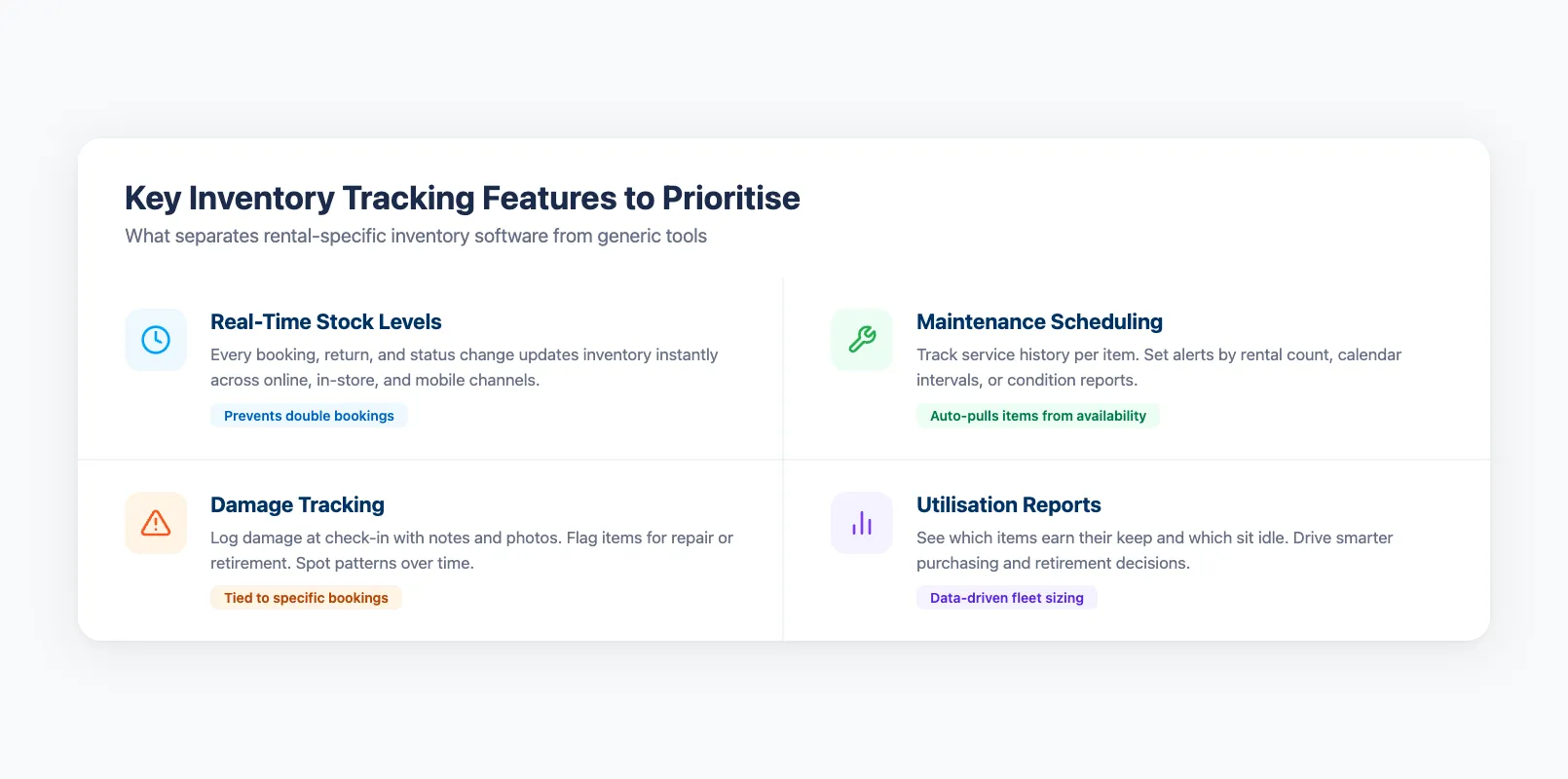
Not all inventory features are equal. When evaluating equipment rental software for small business or larger operations, prioritize these:
Real-time stock levels. Every booking, return, and status change updates inventory instantly across all channels — online, in-store, and mobile. This is especially critical if you run a cloud-based rental platform with multiple access points.
Maintenance scheduling. Track service history per item. Set alerts based on rental count, calendar intervals, or condition reports. When an item hits its maintenance threshold, the system pulls it from availability automatically.
Damage tracking. Log damage at check-in with notes and photos. Flag items for repair or retirement. This protects your revenue and gives you data to spot patterns — which items break most, which customers cause issues.
Utilization reports. See which items earn their keep and which sit idle. These numbers drive smarter purchasing and retirement decisions. When you know your 10 mountain bikes average 78% utilization but your 6 road bikes sit at 30%, the next buying decision makes itself.
The Double-Booking Problem (And How Software Solves It)
Double bookings happen when availability data is stale, split across systems, or manually maintained. Built-in inventory tracking eliminates all three causes:
- Single source of truth. One database holds all bookings and all inventory. No sync delays, no version conflicts.
- Automatic availability blocking. The moment a booking confirms, that item is locked. A second customer trying to book the same gear for the same date sees "unavailable" — not "confirmed" followed by an apologetic phone call.
- Buffer time management. Set turnaround windows between rentals so gear has time for inspection and cleaning. The system enforces these gaps automatically.
For online booking systems, this matters even more. Customers booking at 11 PM expect accuracy. They don't expect a call the next morning telling them their reservation fell through.
What to Look For in Rental Inventory Software
If you're evaluating platforms, ask these five questions:
- Does inventory update in real time across all channels? If there's a sync delay — even five minutes — double bookings will happen during peak periods.
- Can I track individual items, not just product types? You need to know which specific kayak is due for maintenance, not just that you own 12 kayaks.
- Does it handle maintenance workflows? Pulling items for service, tracking repair history, and returning them to active inventory should be built in — not a workaround.
- Are damage reports tied to bookings? You should see which rental caused the damage, not just that damage exists.
- Does it automate repetitive tasks? Availability updates, low-stock alerts, and maintenance reminders should run without manual intervention.
- Does it integrate with your point of sale? If your equipment rental POS system lives in a separate platform, inventory counts will drift every time someone rents gear in-store.
If you're comparing options, choosing equipment rental software with strong inventory tracking from day one saves you from a painful migration later.
For operators running both equipment rentals and guided experiences, look for platforms like EquipDash that manage tour operations and rental inventory in a single dashboard — so you don't end up with the same multi-tool problem all over again.
Frequently Asked Questions
Should inventory tracking be inside my rental software or separate? Built-in is almost always better. Separate tools mean manual syncing, data mismatches, and double bookings. When your inventory and bookings share one database, availability is always accurate and updates are instant.
How does rental inventory tracking differ from standard inventory management? Standard inventory management tracks products you sell — units come in, units go out. Rental inventory tracks items that leave and come back, often multiple times per week. It needs to handle availability windows, maintenance cycles, damage history, and per-item condition — none of which standard warehouse software supports.
Can software actually prevent double bookings? Yes. When every booking channel pulls from the same real-time inventory pool, the system blocks conflicting reservations before they confirm. No manual checks needed. For a deeper look at how equipment rental booking software handles this, see our dedicated guide.
in one place