Real-Time Availability Booking for Rentals
A customer finds your kayaks online at 7pm. They pick a date, hit "book," and get a confirmation. Meanwhile your walk-in counter just rented the last one five minutes ago. Now you've got two people expecting the same boat tomorrow morning.
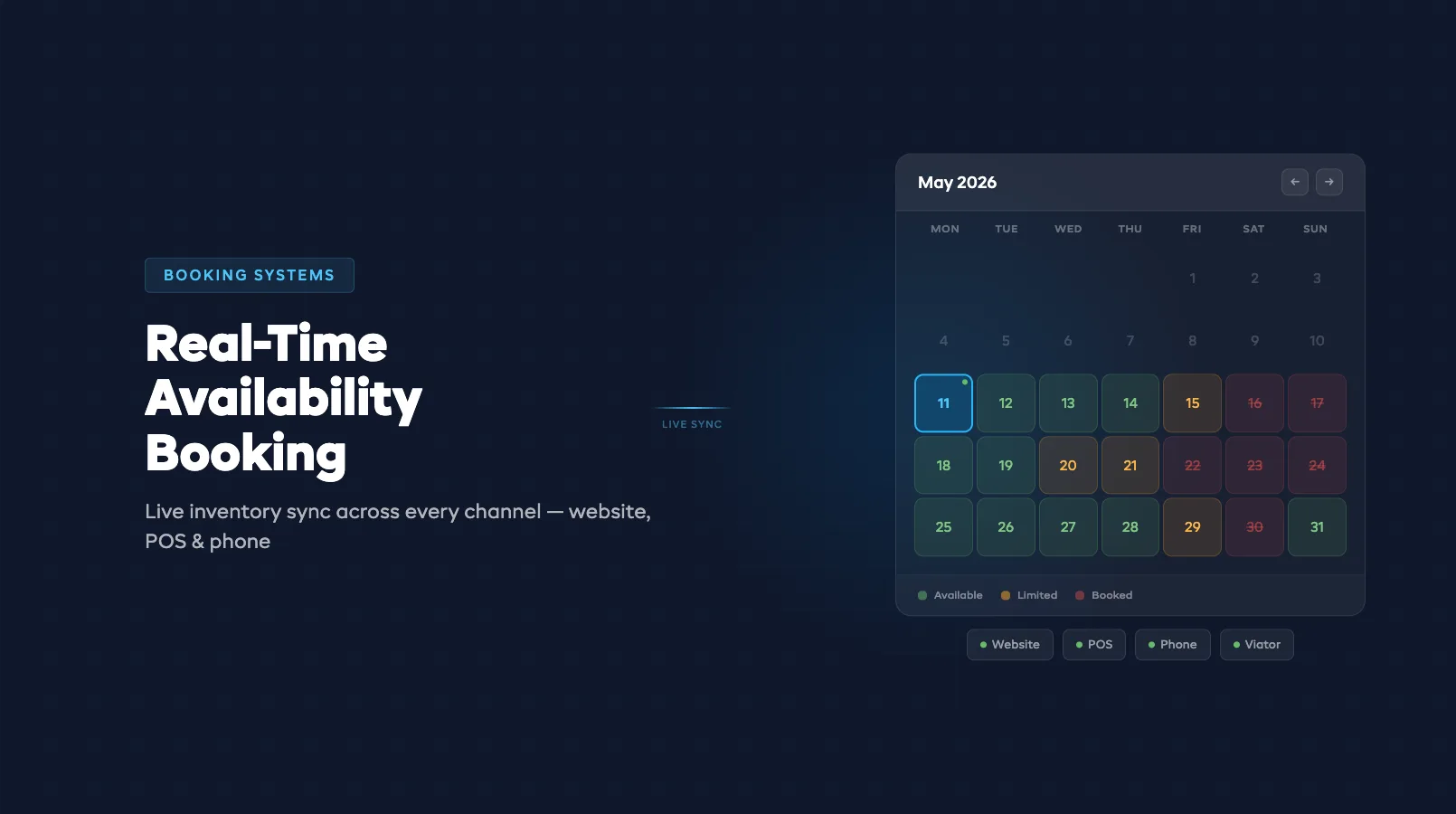
That's the problem real-time availability solves. It connects every booking channel — your website, walk-in POS, phone reservations — to a single live inventory count. When one channel books a unit, every other channel sees the change instantly. (Running both phone and online channels? See how to avoid double-bookings across both.)
If you're still evaluating booking platforms, start with our complete guide to online booking systems for rentals. This post digs into how real-time availability actually works under the hood.
What Real-Time Availability Means (And What It Doesn't)
Real-time availability means your booking system updates inventory the moment a reservation is confirmed — not five minutes later, not when someone manually syncs a spreadsheet. Every channel sees the same count at the same time.
What it doesn't mean: infinite precision. There's always a small window — usually under two seconds — between a customer clicking "book" and the system locking that unit. That gap matters, and we'll cover it below.
It also doesn't mean "always available." Real-time availability shows what's actually there. If you're sold out, it says sold out. That's the point — accurate counts prevent the phone call at 6am from a customer who booked a paddleboard that doesn't exist.
For a deeper look at what online booking platforms should offer, check out our breakdown of online booking features every tour operator needs.
How Multi-Channel Sync Works
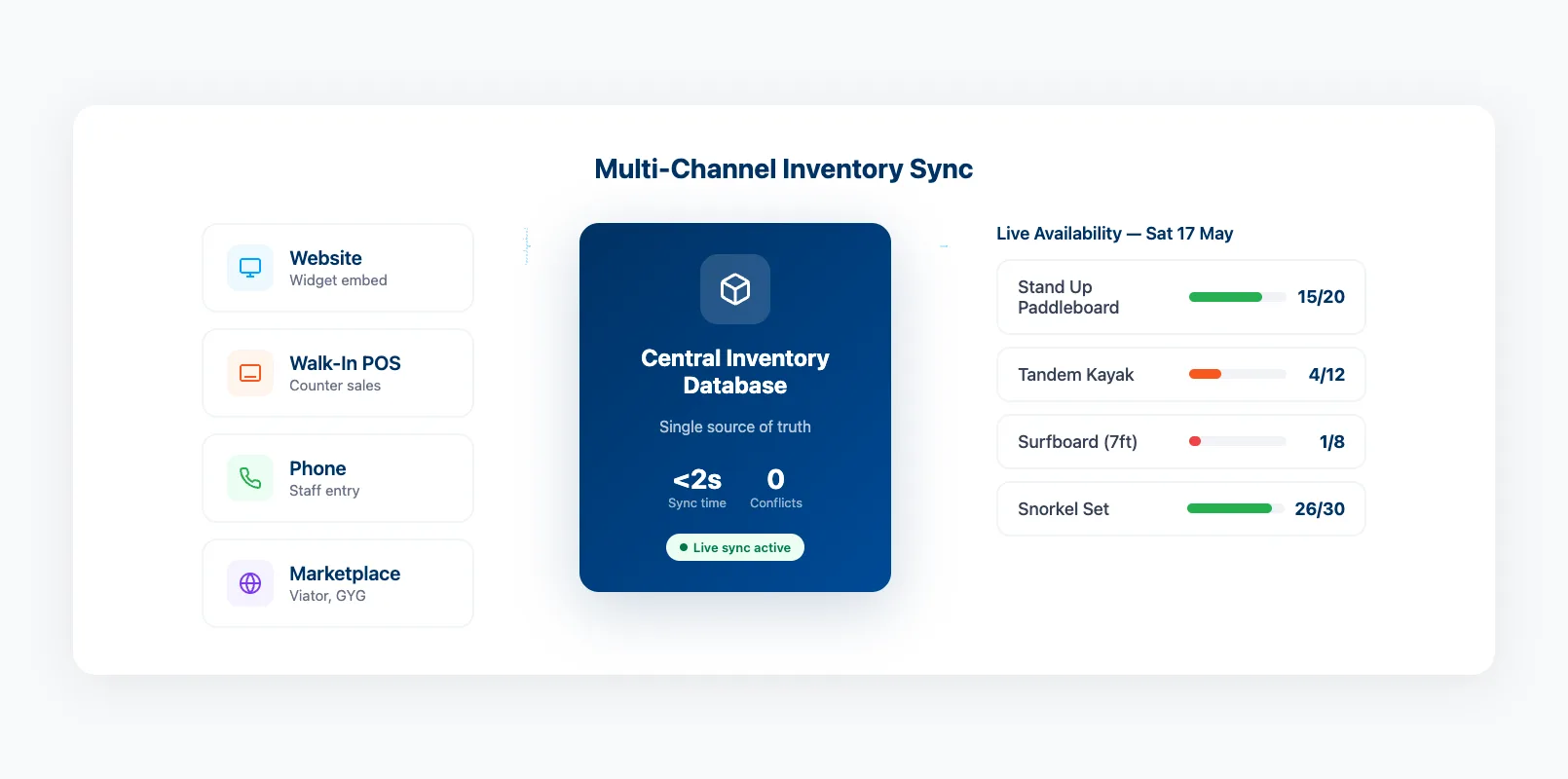
Most rental operators sell through at least three channels: their website, walk-in traffic, and phone calls. Some add marketplaces like Viator or GetYourGuide. Each channel needs to pull from the same inventory pool.
Here's how sync typically works:
Centralised database. Every channel reads from and writes to one inventory table. When your POS marks a bike as rented, the website widget sees one fewer bike available. No spreadsheets. No manual updates.
Event-driven updates. Modern systems use webhooks or pub/sub messaging. A booking event triggers an instant update across all connected channels. Older systems poll on a timer — every 30 seconds or every 5 minutes — which creates gaps where double-bookings sneak in.
Buffer stock. Smart operators hold back 5-10% of inventory from online channels. This covers walk-in demand and gives you a safety margin against sync delays. If you have 20 surfboards, listing 18 online means two walk-ins can always be served.
| Sync Method | Update Speed | Double-Booking Risk |
|---|---|---|
| Manual spreadsheet | Hours | High |
| Timer-based polling | 30s – 5min | Medium |
| Event-driven (webhooks) | Under 2s | Low |
| Centralised real-time DB | Instant | Very low |
If you've already added online booking to your rental website, confirm which sync method your platform uses. It matters more than most features on the comparison checklist.
Preventing Double-Bookings Automatically
Double-bookings cost more than a refund. They cost trust. A customer who shows up and can't get their gear doesn't come back — and they tell friends.
Automatic prevention works through three mechanisms:
Inventory locking. When a customer starts checkout, the system temporarily holds that unit for 10-15 minutes. If they don't complete payment, the hold releases. If they do, the unit is marked booked.
Quantity gates. The system checks available quantity before accepting any booking. If only two stand-up paddleboards are free on Saturday and someone tries to book three, the system blocks it — no override, no "we'll figure it out later."
Conflict detection. If two bookings somehow land on the same unit (network lag, system glitch), the second one gets flagged immediately. The operator resolves it before the customer arrives, not during handoff.
Operators running 24/7 online booking need all three. After-hours bookings happen when no one is watching — automation is the only safety net.
The Race Condition Problem (Two Bookings at Once)
Here's the scenario that keeps developers up at night: two customers, different devices, same item, same second.
Customer A checks availability at 3:01:14pm — one kayak left. Customer B checks at 3:01:15pm — still shows one kayak. Both click "book." Without protection, both get a confirmation. You now have a double-booking.
This is called a race condition. The fix is optimistic locking or atomic transactions at the database level.
How it works: When Customer A's booking hits the server, the system locks that inventory row. Customer B's booking arrives a fraction of a second later, tries to lock the same row, and finds it taken. Customer B gets a "sorry, just booked" message instead of a false confirmation.
The entire check-and-lock happens in under 50 milliseconds. The customer never notices. They just see accurate availability.
What to ask your platform vendor:
- "How do you handle simultaneous bookings for the same item?"
- "Do you use database-level locking or application-level checks?"
- "What's the average lock time?"
If they can't answer clearly, their system probably relies on application-level checks — which are slower and leave bigger gaps for conflicts.
Setting Up Real-Time Availability
Getting real-time availability right isn't just about picking the right software. It's about configuring it properly.
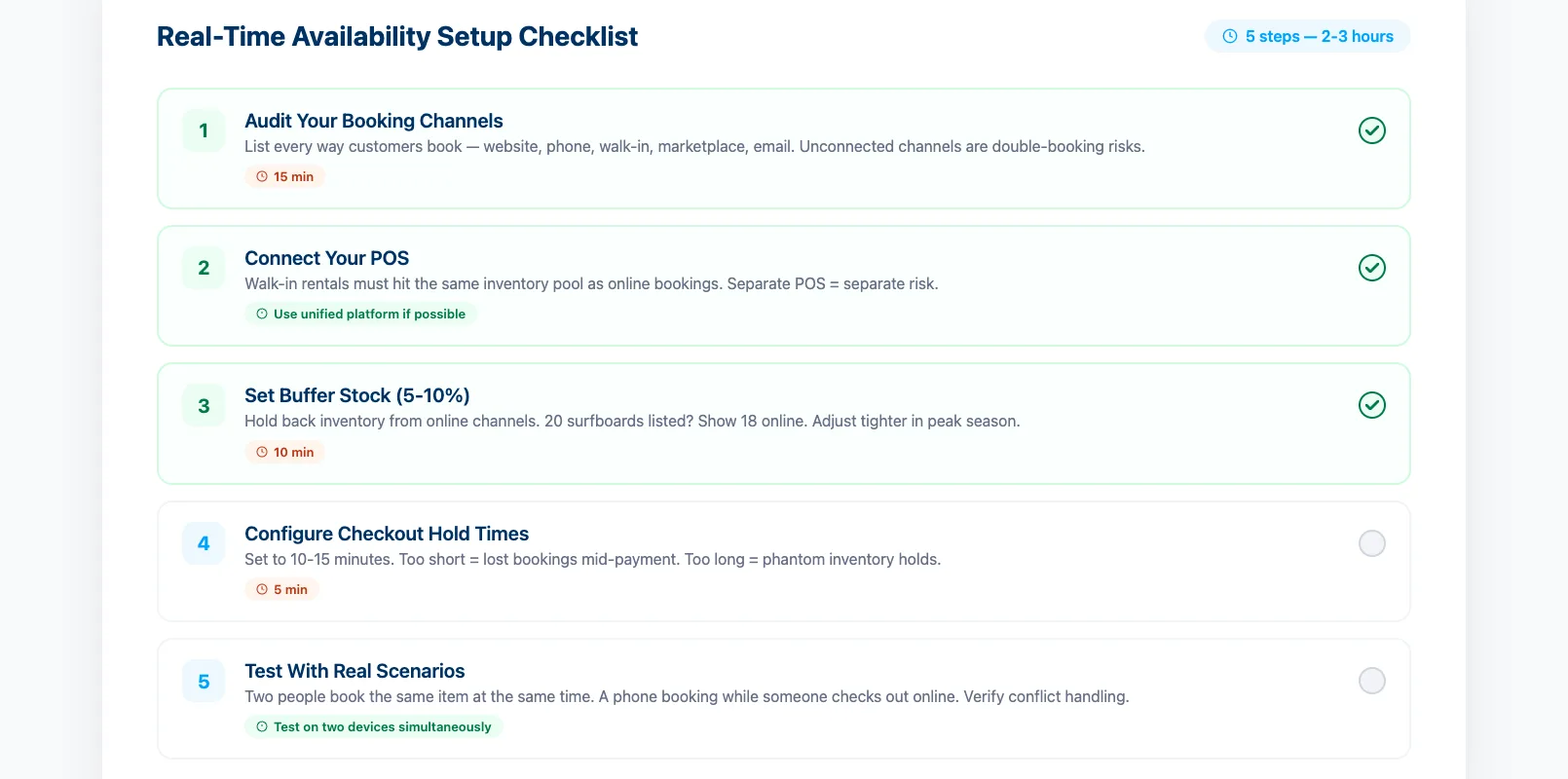
Step 1: Audit your channels. List every way a customer can book — website, phone, walk-in, marketplace, email. If a channel isn't connected to your booking system, it's a double-booking risk.
Step 2: Connect your POS. Walk-in rentals must update the same inventory pool as online bookings. If your POS is separate from your booking system, sync them or replace one.
Step 3: Set buffer stock. Hold back 5-10% of inventory from online channels. Adjust seasonally — tighter in peak season when everything sells, looser in shoulder season when you want maximum online exposure.
Step 4: Configure hold times. Set checkout holds to 10-15 minutes. Too short and customers lose their booking mid-payment. Too long and you're holding phantom inventory.
Step 5: Test with real scenarios. Have two people try to book the same item at the same time. Call in a phone booking while someone is checking out online. If the system handles it cleanly, you're set.
A well-configured booking widget on your rental website handles most of this automatically — availability checks, hold times, and conflict prevention all built into the checkout flow.
FAQ
How does real-time availability handle walk-in customers?
Walk-in bookings go through your POS, which updates the same inventory pool as your website. The online availability adjusts instantly. If your POS isn't connected to your booking system, walk-ins create blind spots.
What happens if my internet goes down?
Most cloud-based systems queue offline bookings and sync when connectivity returns. During the outage, online bookings still process through the cloud — only your local POS is affected.
Can real-time availability work with seasonal inventory changes?
Yes. You update your total inventory count at the start of each season. The system tracks bookings against the current count. Some platforms let you schedule inventory changes in advance.
How accurate is "real-time" really?
Event-driven systems update in under two seconds. Timer-based systems can lag by 30 seconds to five minutes. For most rental operations, sub-two-second sync eliminates virtually all double-booking risk.
Do I need real-time availability if I only have a few items?
Smaller inventory makes it more important, not less. If you have 50 kayaks, a double-booking is inconvenient. If you have 5, it's 20% of your fleet gone.
Real-time availability isn't a nice-to-have — it's the foundation that makes online booking work. Without it, every reservation is a guess. With it, your customers book confidently, your staff stops fielding "is this still available?" calls, and double-bookings become a problem you used to have.
in one place