After-Hours Booking: Stop Losing Revenue
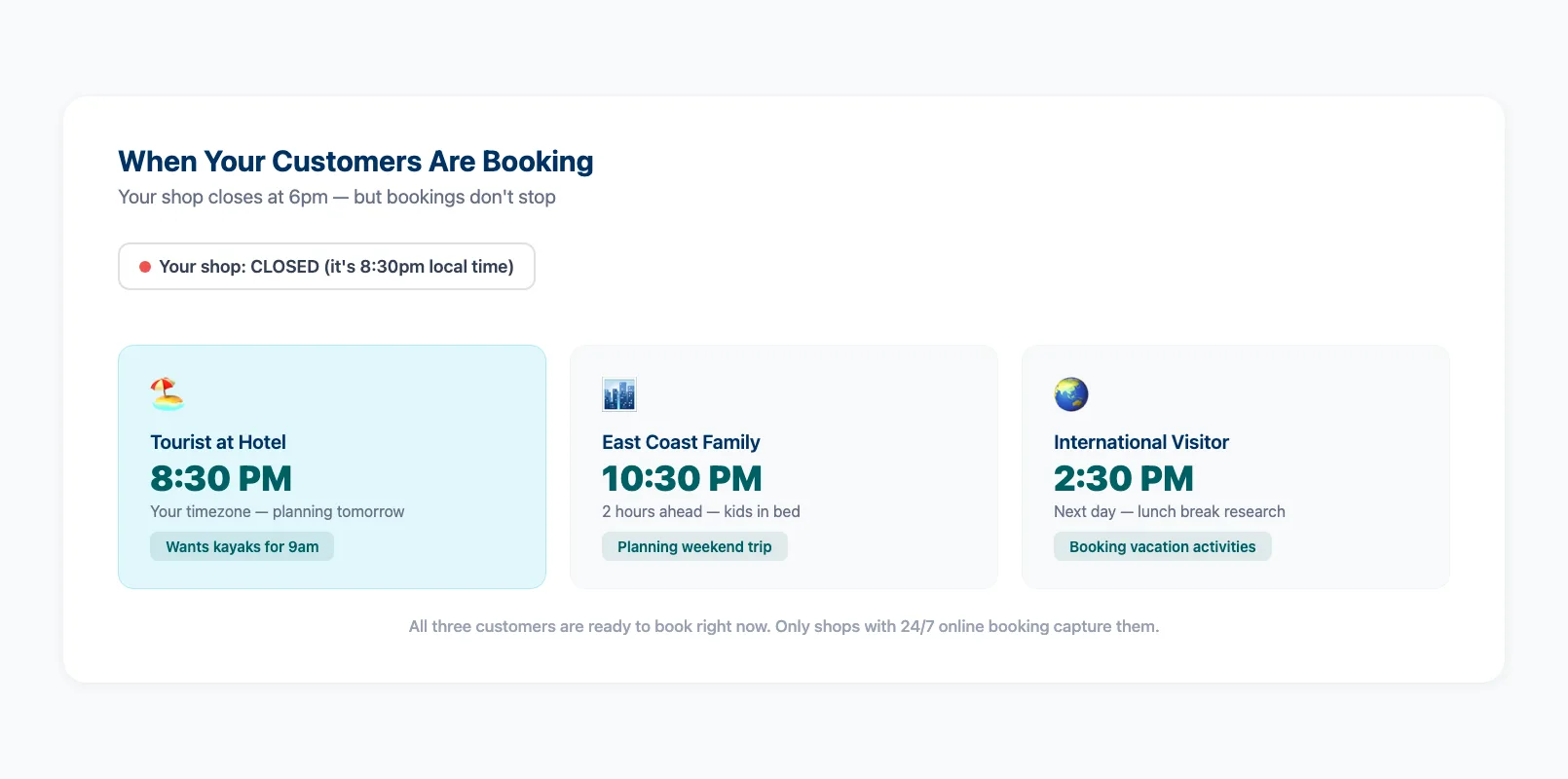
Your shop closes at 6pm. A family on holiday pulls up your website at 8:30pm from their hotel room. They want to book kayaks for tomorrow morning. Your phone goes to voicemail. Your contact form says "we'll get back to you within 24 hours." They Google the next rental shop, book in two minutes, and you never know they existed.
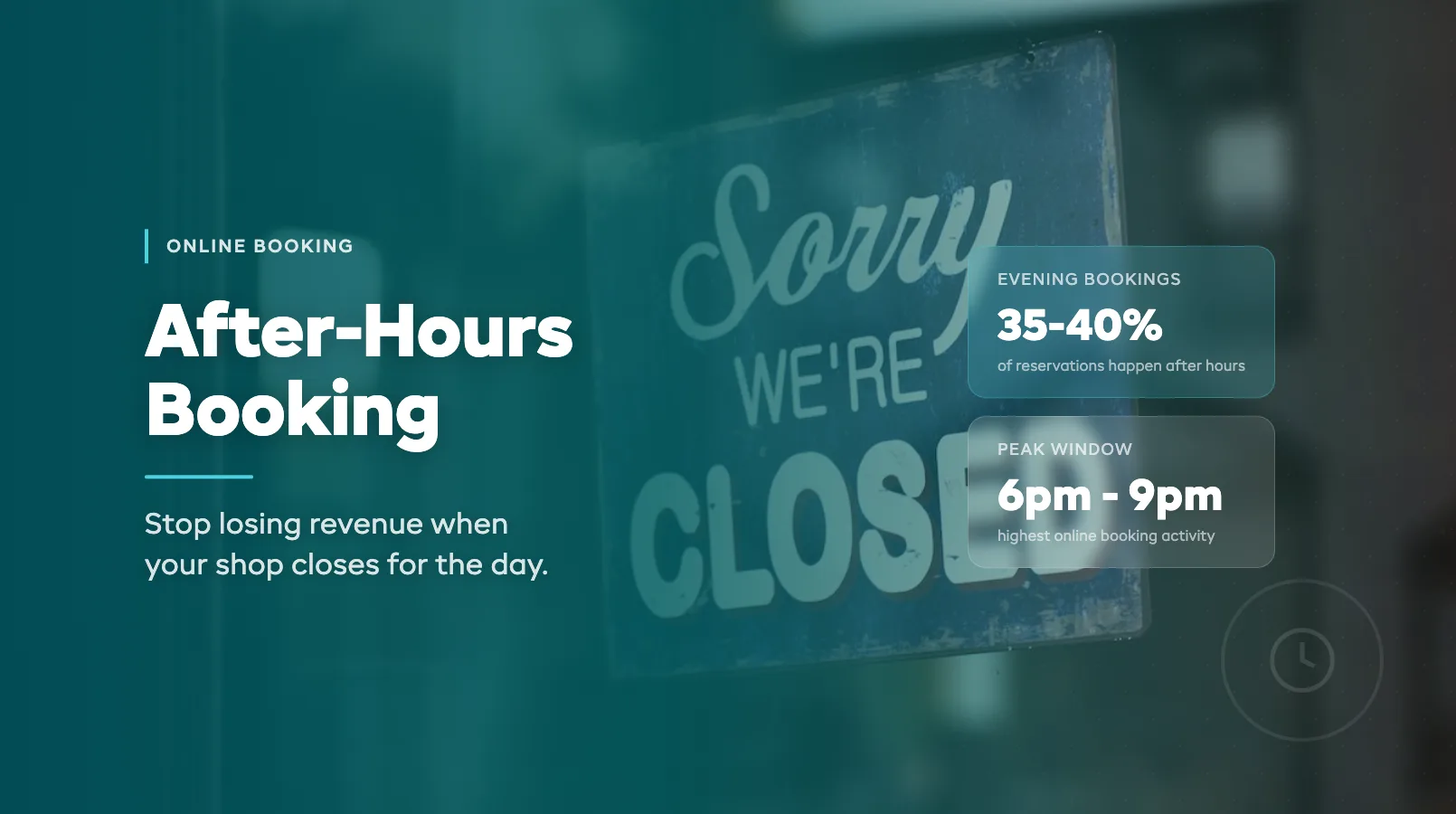
This happens every single night. Industry booking data shows 35-40% of online rental reservations happen outside standard business hours. That's not a rounding error — it's a third of your potential revenue walking out the door.
If you're still evaluating booking platforms, start with our complete guide to online booking systems for rentals. Want to see the full cost breakdown of phone bookings vs online? Read our online booking vs phone reservations comparison. This post focuses on the specific window you're missing and how to capture it.
The 6pm-9pm Booking Window You're Missing
The evening hours aren't just "a little busy." They're peak planning time. Customers finished dinner, kids are in bed, and tomorrow's adventure is on the agenda. Here's what the data typically looks like:
| Time Window | Share of Online Bookings |
|---|---|
| 6am – 9am | 12% |
| 9am – 12pm | 22% |
| 12pm – 3pm | 15% |
| 3pm – 6pm | 14% |
| 6pm – 9pm | 24% |
| 9pm – midnight | 10% |
| Midnight – 6am | 3% |
Nearly a quarter of all bookings happen in that three-hour evening window. For a shop doing $200K in annual revenue, that's roughly $48K in bookings placed after you've locked the door.
The fix isn't hiring night staff. It's having a booking widget on your website that handles reservations while you're at home. Customers pick their gear, choose their dates, pay a deposit, and get an instant confirmation. No phone call needed.
Timezone Travelers: Bookings From Across the Country
Here's the part most operators miss. Your local time doesn't matter to half your customers.
A ski rental shop in Colorado closes at 5pm Mountain Time. A family in New York planning their vacation is browsing at 9pm Eastern — that's 7pm your time. An Australian couple researching a trip is looking at your site during their lunch break — 3am your time.
Tourist-heavy businesses see 40-60% of bookings from out-of-state or international visitors. These customers aren't going to call during your business hours. They don't even know your business hours. They're planning a trip, and the shop that takes their booking right now wins.
Real-time availability is what makes this work. When your booking system shows live inventory, a customer in any timezone sees exactly what's available. No "request to book" that sits unanswered until morning. No "we'll confirm within 24 hours." Just instant confirmation.
Automated Answers to After-Hours Questions
Bookings aren't the only thing happening after hours. Questions come in too. "Do you have child-sized life jackets?" "Can I pick up at 7am?" "What's included in the half-day rental?"
Without someone to answer, those questions become abandoned carts. The customer was ready to book but needed one piece of info to commit.
Three things handle this without staff:
A detailed booking page. List what's included, what sizes you carry, pickup/return times, and cancellation terms. Answer the top 10 questions before they're asked. Operators who've added online booking to their rental website properly see a drop in pre-booking questions because the information is right there.
Automated confirmation emails. The moment someone books, they get an email with everything they need — booking details, directions, what to bring, weather tips. This cuts "did my booking go through?" follow-ups to near zero.
An FAQ section on your booking page. Not buried in a footer link. Right there, inline, where the customer is making their decision. Cover pickup logistics, cancellation policy, group discounts, and equipment condition.
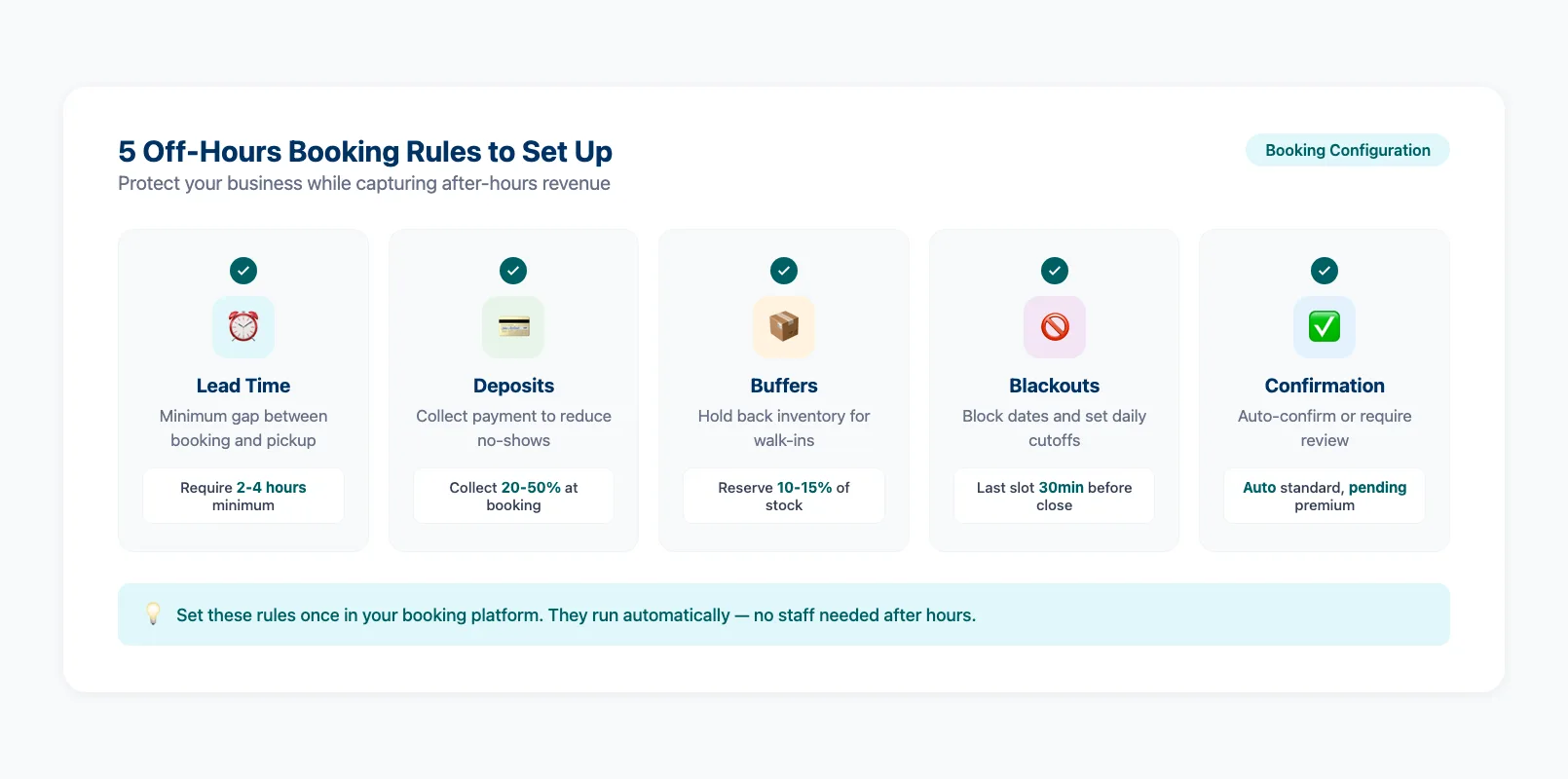
Setting Up Off-Hours Booking Rules
You don't have to accept every booking blindly. Smart operators set rules that protect them while still capturing after-hours revenue.
Minimum lead time. Require bookings at least 2-4 hours before pickup. A booking at 11pm for a 7am pickup gives you time to prep in the morning. A booking at 6:59am for 7am is chaos.
Deposit requirements. Collect a deposit or full payment at booking. After-hours bookings with no financial commitment have higher no-show rates. Even a 20% deposit filters out casual browsers.
Capacity buffers. Hold back 10-15% of inventory from online availability. This gives you room for walk-ins and prevents overselling on peak days. Your online booking features should let you set these buffers per product and per day.
Blackout dates and cutoffs. Block online booking for specific dates (major events, maintenance days) and set daily booking cutoffs. If you need 30 minutes to prep each rental, your last online booking slot should end 30 minutes before your final pickup time.
Confirmation workflow. For high-value items (boats, premium e-bikes), set bookings to "pending" instead of auto-confirmed. Review them first thing in the morning. For standard items (kayaks, paddleboards, basic bikes), auto-confirm and let the system handle it.
A platform offering 24/7 online booking should give you all these controls out of the box. If yours doesn't, you're running a system that can't flex with your business.
FAQ
What percentage of bookings happen after business hours?
Industry data shows 35-40% of online rental bookings happen outside standard 9am-5pm hours. The 6pm-9pm window alone accounts for roughly 24% of all reservations.
Will after-hours bookings increase my no-show rate?
Not if you collect deposits at booking. A 20-50% deposit requirement keeps no-show rates comparable to in-person bookings. Payment at time of booking is the single biggest no-show reducer.
Can I limit which products are available for after-hours booking?
Yes. Most booking platforms let you set per-product availability rules. You might auto-confirm kayak rentals but require manual approval for jet ski bookings above $500.
How do I handle after-hours booking issues without staff?
Automated confirmations and clear booking-page information handle 90% of issues. For genuine problems (payment failures, special requests), they'll land in your inbox for morning review. Urgent matters are rare — most after-hours bookers are planners, not last-minute emergencies.
What's the minimum I need to accept after-hours bookings?
A booking widget on your website with real-time availability and payment processing. That's it. You don't need a chatbot, a call center, or a night-shift employee. The widget does the work.
Should I offer different pricing for after-hours bookings?
Generally, no. Your pricing should be consistent regardless of when the booking is placed. The goal is removing friction, not adding complexity. Some operators offer early-bird discounts for bookings made 7+ days in advance, which naturally captures more evening planners.
How quickly should I respond to after-hours booking questions?
Aim to respond within 2 hours during business hours the next day. But the better question is: can you eliminate the question entirely by improving your booking page? Every question a customer has to ask is a booking you might lose.
After-hours bookings aren't bonus revenue — they're revenue you're currently leaving on the table. A third of your customers want to book outside your operating hours. The only question is whether they book with you or with the shop down the road that has a working booking widget. Set up the rules, automate the confirmations, and let your website earn money while you sleep.
in one place