Tie Availability to Your Guides
Many operators offer several activities that the same people lead: a two-hour trip, a half-day, a full-day — all run by the same small team of guides. EquipDash can tie each experience's availability to its guides, so a guide booked on one departure automatically closes their overlapping departures everywhere else. No double-bookings, no manual juggling.
How it works
- Guides are assigned per schedule. Assign guides to each departure from the experience's Availability tab, exactly as you do today — one at a time, or many departures at once with the bulk Assign guides action.
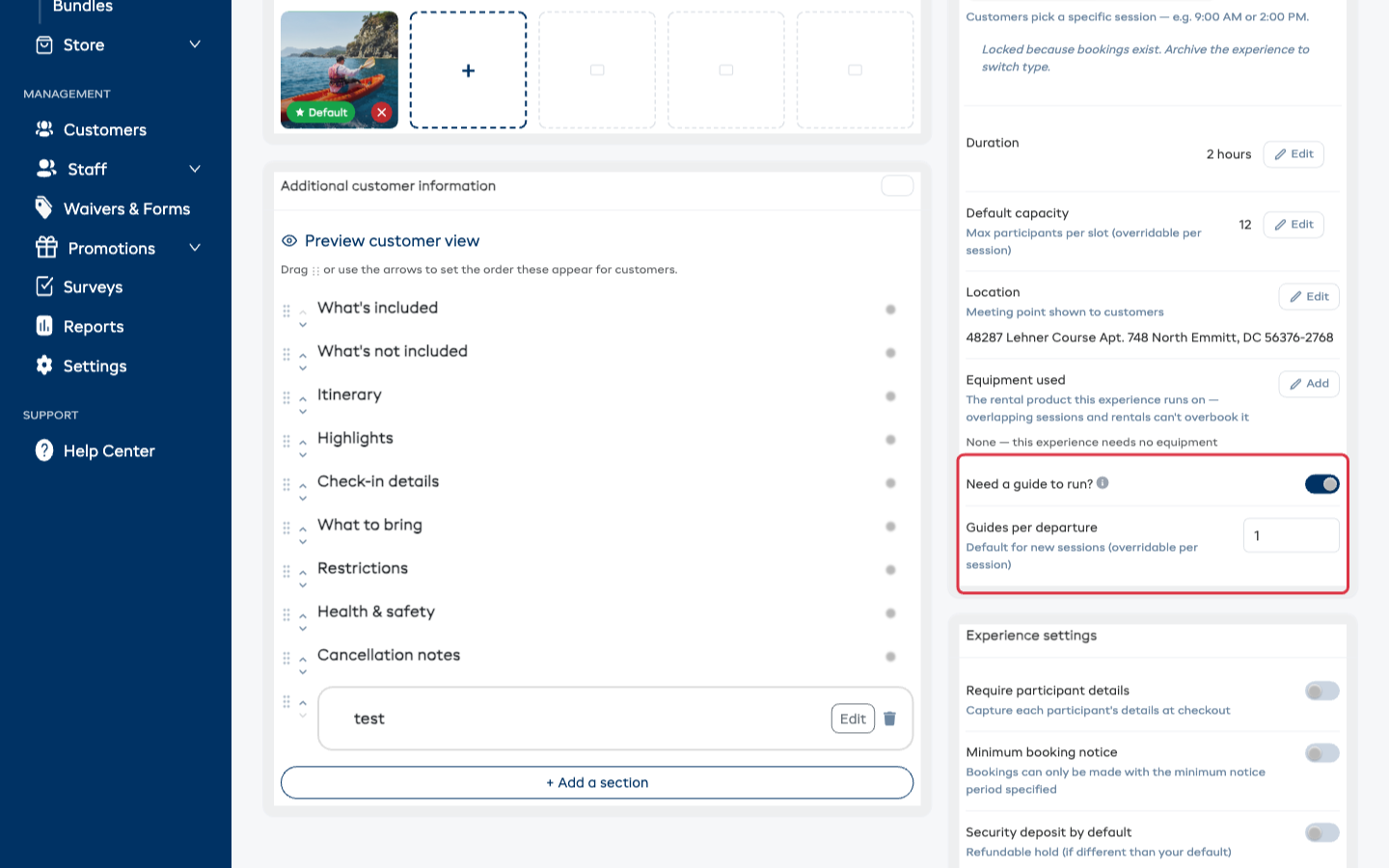
- One toggle per experience. On the experience's detail page, turn on Need a guide to run? — from then on, a time slot only sells while one of its assigned guides is free.
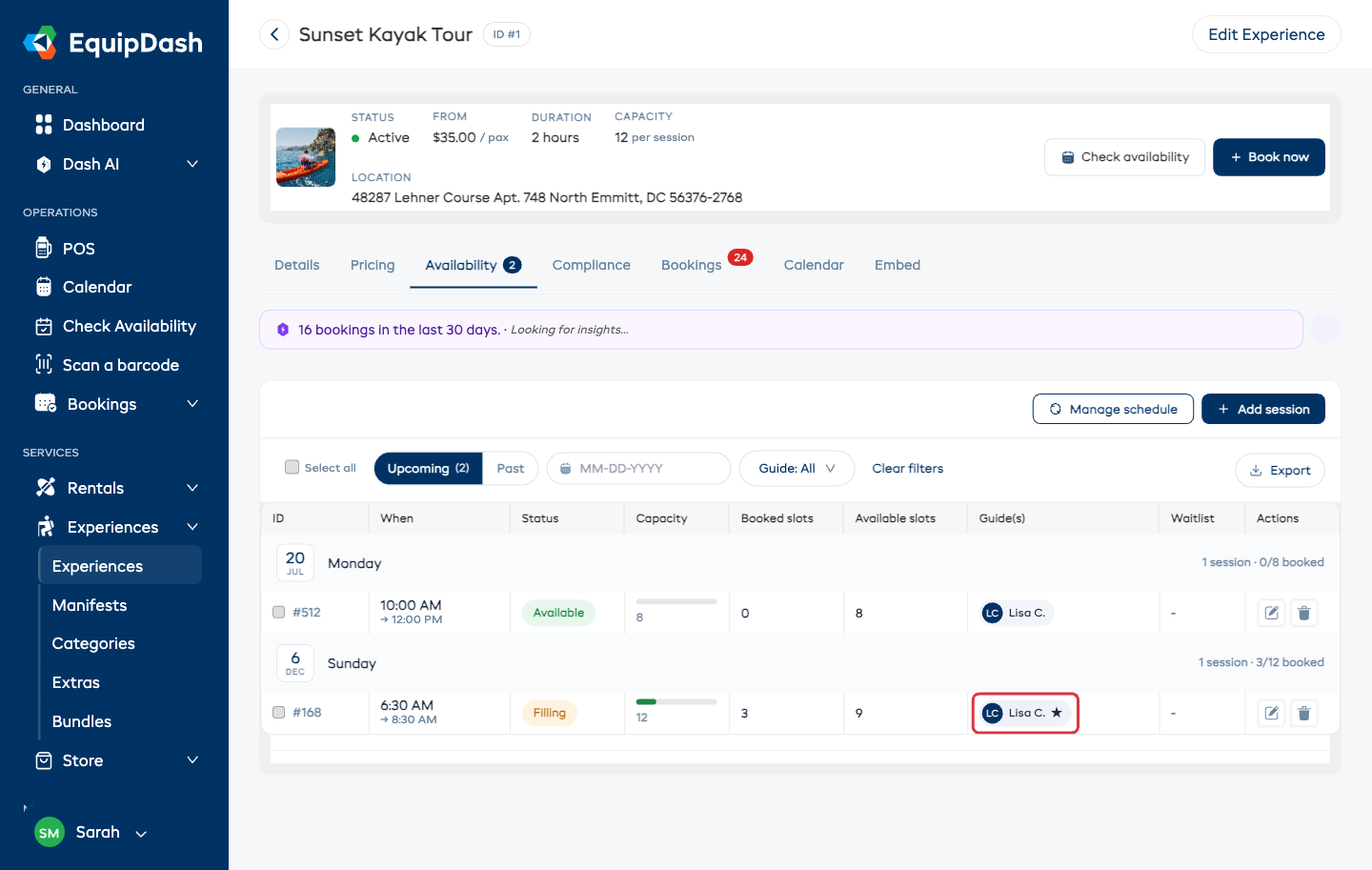
- A booking locks a guide in. The first booking on a departure locks one of its free guides onto it (marked with a ★ on the availability list). That guide's overlapping departures on your other experiences stop selling — customers simply see those times as unavailable.
- More bookings on the same departure need no extra guide. A shared tour keeps selling its remaining seats with the same guide.
- Cancelling frees the guide. When a departure's last booking is cancelled, its guide is released and the overlapping times reopen on their own.
Set it up
- Open the experience's detail page and turn on Need a guide to run? (next to the schedule settings).
- If departures usually take more than one guide, set Guides per departure — the default for every session. A specific session can override it with its own Guides needed when you add or edit that session.
- On the Availability tab, make sure each departure has its guides assigned — use the bulk Assign guides action to cover many departures at once.
- Repeat the toggle on every experience the same guides lead.
Any one of them can lead
Assign several guides to a departure and leave Guides per departure at 1: any one of them covers it. As bookings come in on overlapping departures, EquipDash locks a different free guide onto each — first one, then the next — and only shows a time as unavailable once nobody is left.
Choosing who leads
EquipDash picks the least-busy free guide automatically, but you stay in charge: on the Availability tab, click a guide's chip on a booked departure to hand the lead to someone else. The ★ marks who's leading. If a slot needs more guides than it has assigned, the availability list warns you ("Needs 2 guides — 1 assigned") so you can fix it before customers hit an unavailable time.
Good to know
- Off by default. Experiences without the toggle behave exactly as before — assigning guides stays a planning aid, and double-assignment shows a heads-up instead of blocking.
- Time off counts. A guide on approved time off isn't available to cover a departure that day.
- Works everywhere. The booking widget, point of sale, API, marketplace channels, and Dash AI all respect the same rule — no channel can double-book a guide.
- Guides stay private. Customers never see guide names — a gated time simply shows as unavailable.