Experience Security Deposits
A security deposit is a refundable hold placed on the customer's card to cover any damage. EquipDash lets you set one default for all your experiences, then override it on the individual experiences that need a different amount — so a half-day kayak tour and an overnight offshore charter don't have to share the same hold.
Set your default (applies to every experience)
Go to Settings → Experiences → Default security deposit.
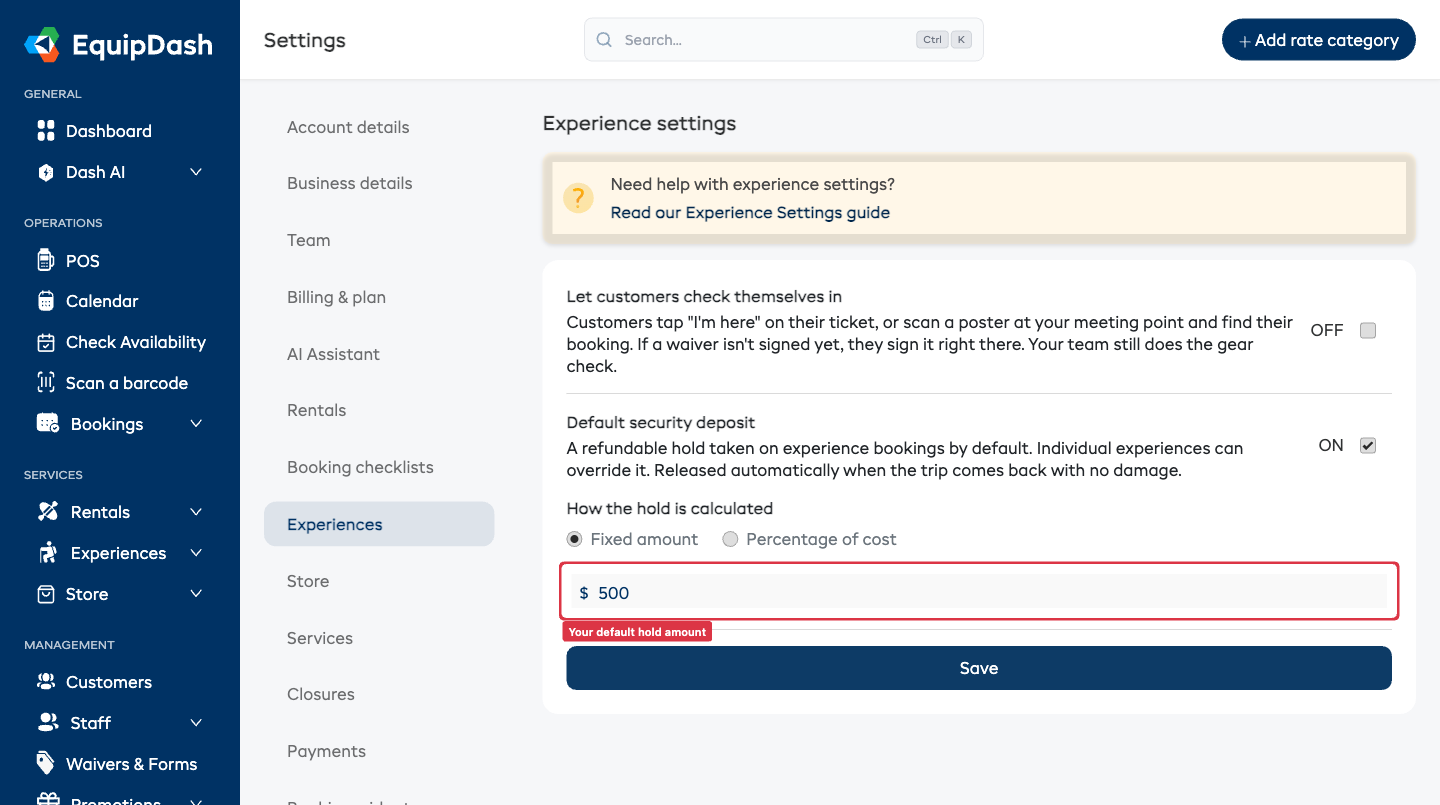
- Turn Default security deposit on.
- Choose how the hold is calculated:
- Fixed amount — e.g. a flat $500 hold.
- Percentage of cost — e.g. 20% of the booking total.
- Enter the value and click Save.
From now on, every experience booking places this hold by default — at the counter, through Dash AI, and (when your store's online-holds setting is on) on website bookings too.
Experiences keep their own default, separate from your rentals. Set the rental hold under Settings → Rentals, and the experience hold here under Settings → Experiences.
Override it on a specific experience
Most experiences use the default. For the ones that need a different hold — a high-value charter, say — set it on that experience.
When you add or edit an experience, turn on Security deposit by default and enter a Hold amount. Leave the amount blank to use your store default.
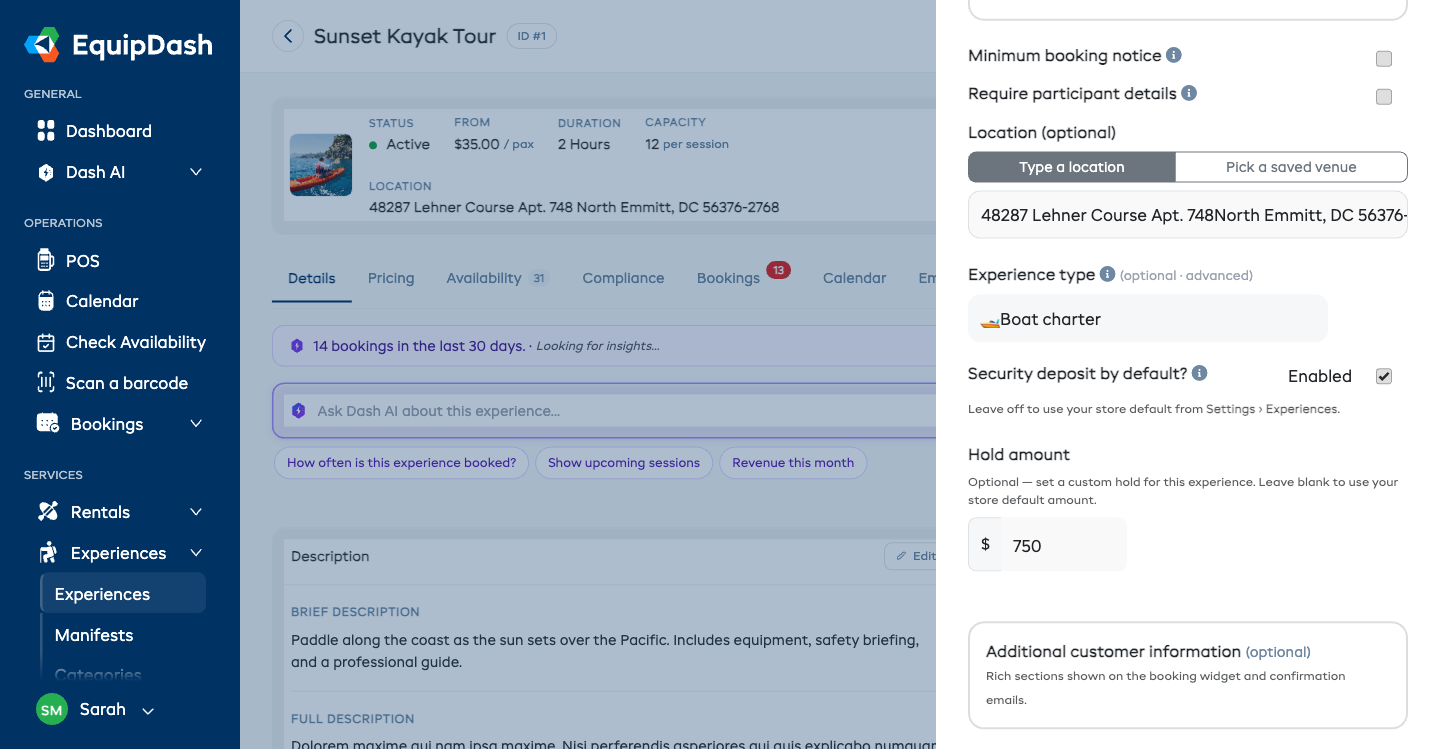
- Off → this experience uses your store default.
- On, amount blank → uses the store default amount, but is always held for this experience.
- On, custom amount → holds exactly what you enter, just for this experience.
You can also flip the toggle and edit the amount from the experience's Details tab without opening the full editor.
Automatic release on a clean return
When the trip comes back with no damage, the hold is released automatically — the customer gets their money back without you lifting a finger.
If there is damage, you charge against the hold with photo evidence through the normal condition-report flow, so there's no awkward dockside dispute.
What about the deposit to reserve?
The amount a customer pays now to book (with the balance due later) is your store-wide booking deposit, set under Settings → Payments. It applies to all bookings — experiences and rentals alike — so you set it once for your whole shop.