Coast Guard Manifests for Charters
If you run boat charters — fishing, sailing, dive or sunset trips — you need a passenger list the Coast Guard recognises: names, ages and an emergency contact for everyone aboard. EquipDash builds it for you. You make one choice when you set up the experience, and from then on every departure has a Download Coast Guard manifest button and every passenger is asked for an emergency contact when they book.
A regular experience — a walking tour, a class, a workshop — never sees any of this. It only switches on for the experiences you mark as a boat charter.
Marking an experience as a boat charter
It's the same Product type picker you already use on rentals.
- Open the experience (or create a new one).
- Find Experience type (optional · advanced).
- Choose 🚤 Boat charter.
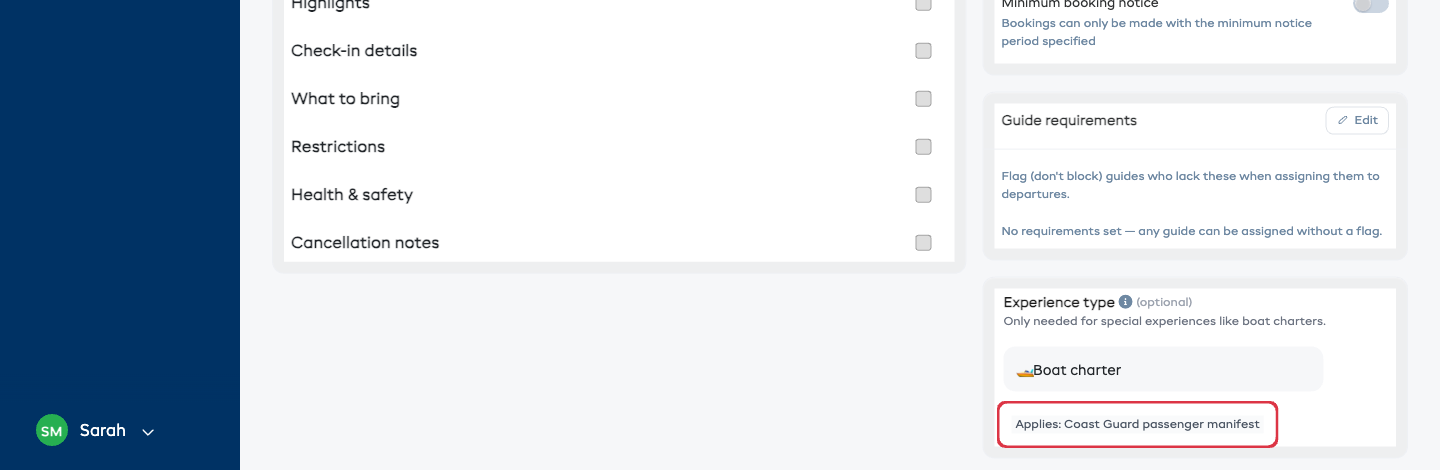
That's it. You'll see a small note confirming "Applies: Coast Guard passenger manifest." Two things are now switched on for this experience:
- Each passenger is asked for an emergency contact (name + phone) when they book.
- Every departure gets a Download Coast Guard manifest button.
To turn it back off, set Experience type back to Standard experience.
Tip: you can set the Experience type when you first create the experience (on the Additional Information step) or any time afterwards from the experience's detail page.
What your passengers see
When someone books a boat charter on your widget, each passenger card asks for an emergency contact name and phone alongside their other details. On a standard experience those fields don't appear, so you never add friction where it isn't needed.
Downloading the manifest
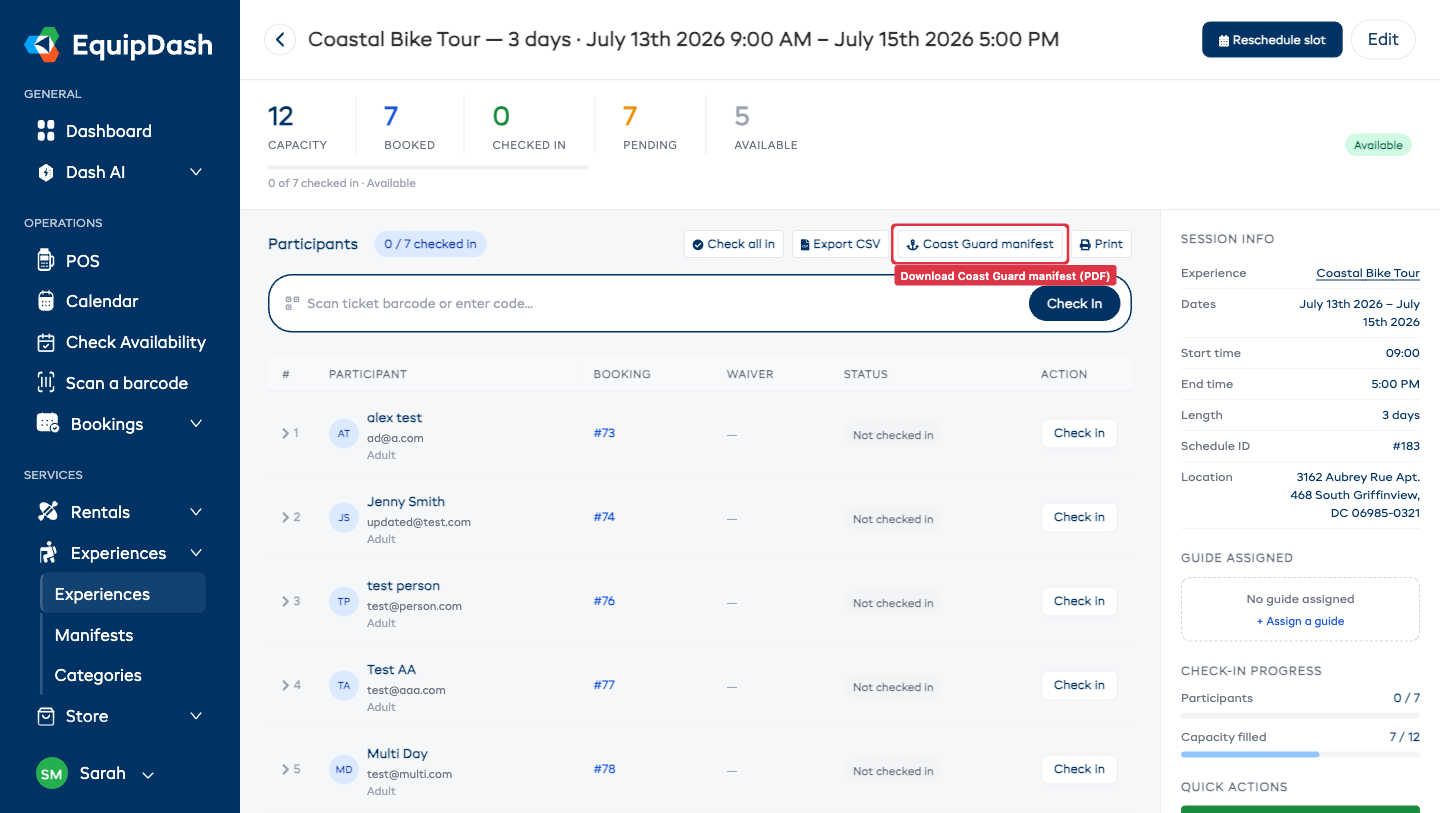
- Open the charter experience and go to a departure (a specific date and time).
- In the participant list toolbar, click ⚓ Coast Guard manifest.
- A PDF downloads, ready to print or hand over.
The manifest includes, for the departure:
- Vessel / charter, departure time and assigned captain in the header.
- Each passenger's name, age, emergency contact, special needs, waiver status and whether they've boarded.
Ages are worked out automatically from each passenger's date of birth. If a passenger hasn't given a date of birth or an emergency contact, that cell simply shows a dash — fill it in and re-download any time.
Letting Dash AI build it for you
Prefer it on autopilot? Turn on the Passenger Manifest Builder agent (in Dash AI → Agents → Templates, filter to Boat Charters). The evening before, it builds a Coast Guard-ready manifest for every charter departing tomorrow and flags anyone still missing an emergency contact or an unsigned waiver — so the crew can chase them before boarding.